


 Скачать презентацию 2 D 1350 Programeringsparadigm n n n Teacher
949a2dc2e21b4db82e8610b88be37a7e.ppt
- Количество слайдов: 75
 2 D 1350 Programeringsparadigm n n n Teacher: Frank Hoffmann Lectures: n Lecture 1: 24/10/02 C-Programming n Lecture 2: 29/10/02 15 -17, F 2, C-Programming n Lecture 3: 5/11/02 10 -12 Q 1, Internetprogramming Web: http: //www. nada. kth. se/kurser/kth/2 D 1350/progp 02/index. html#period 2 n Labs: n Game Playing in C (lab description on course webpage)
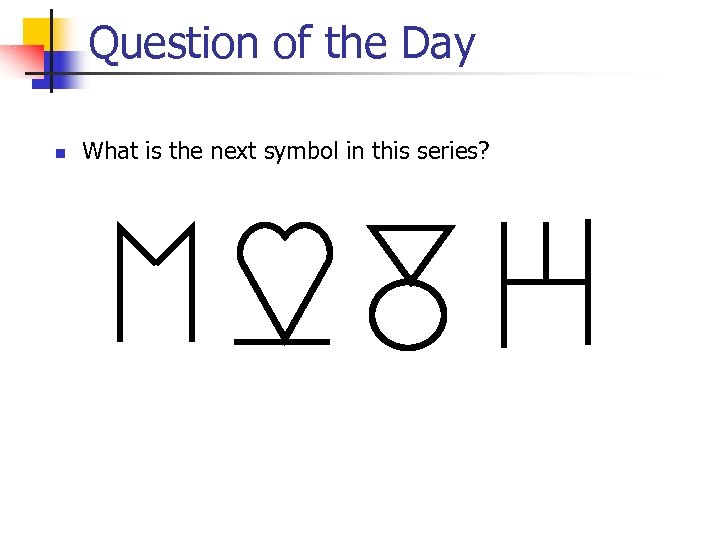 Question of the Day n What is the next symbol in this series?
 C-Programming n Books n n Tutorials n n n The C-Programming Language, B. W. Kernighan & D. M. Ritchie C-Programming a Modern Approach, K. N. King Practical C-Programming 3 rd Edition, O’Reilly, Steve Qualline How C-Programming Works http: //www. howstuffworks. com/c. htm C-Programming Notes http: //www. eskimo. com/~scs/cclass/notes/top. html Links n n C-FAQ: http: //www. faqs. org/faqs/C-faq C at Google: http: //www. google. com/Top/Computers/Programming/Languages/C
 C Programming Basics • • • basic data types in C variables type conversions standard input/output arithmetic, relational, logical operators header files and libraries loops and decisions scope of variables functions, call by value, call by reference
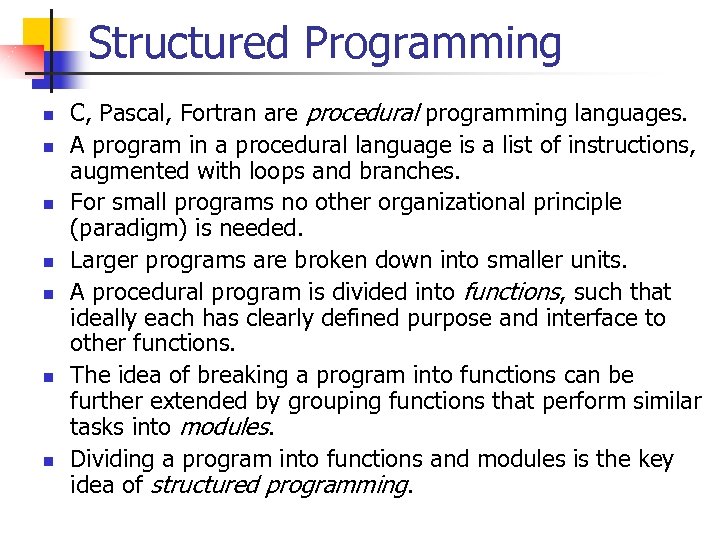 Structured Programming n n n n C, Pascal, Fortran are procedural programming languages. A program in a procedural language is a list of instructions, augmented with loops and branches. For small programs no other organizational principle (paradigm) is needed. Larger programs are broken down into smaller units. A procedural program is divided into functions, such that ideally each has clearly defined purpose and interface to other functions. The idea of breaking a program into functions can be further extended by grouping functions that perform similar tasks into modules. Dividing a program into functions and modules is the key idea of structured programming.
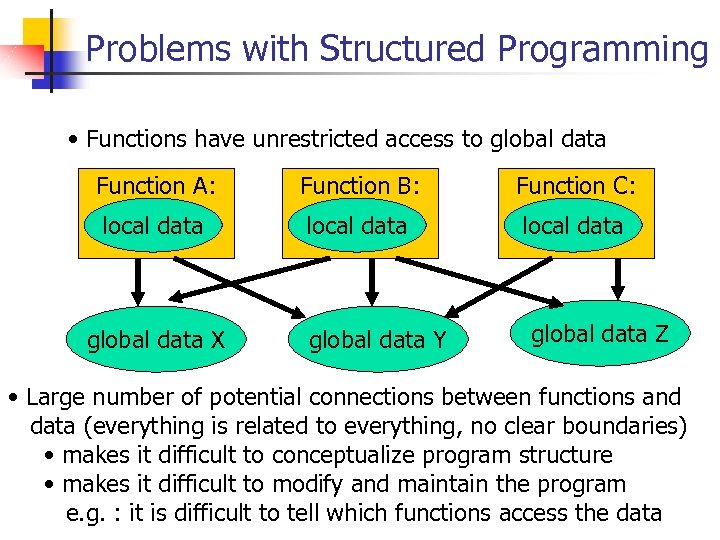 Problems with Structured Programming • Functions have unrestricted access to global data Function A: Function B: Function C: local data global data X global data Y global data Z • Large number of potential connections between functions and data (everything is related to everything, no clear boundaries) • makes it difficult to conceptualize program structure • makes it difficult to modify and maintain the program e. g. : it is difficult to tell which functions access the data
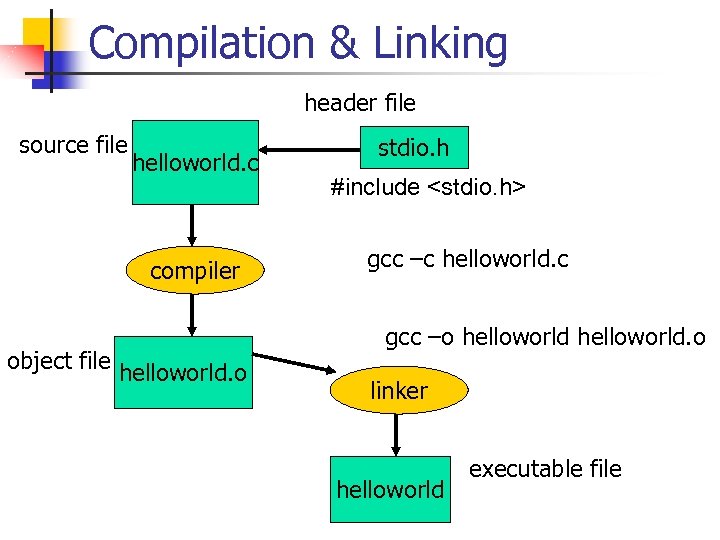
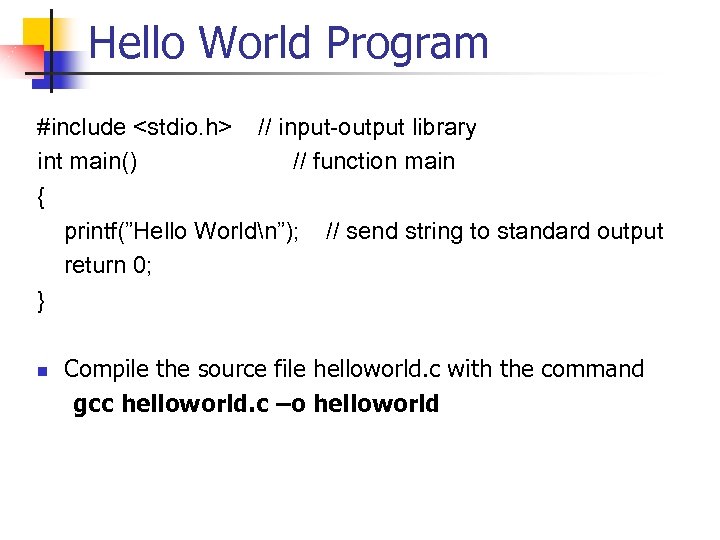 Hello World Program #include
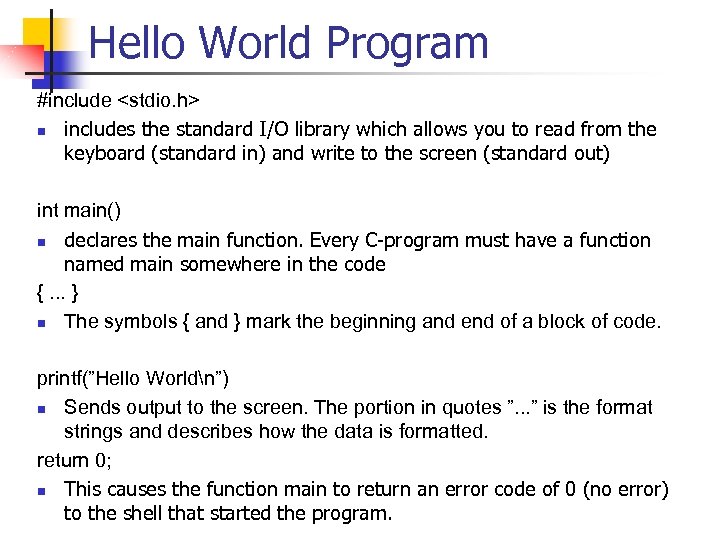 Hello World Program #include
 Compilation & Linking header file source file helloworld. c compiler object file helloworld. o stdio. h #include
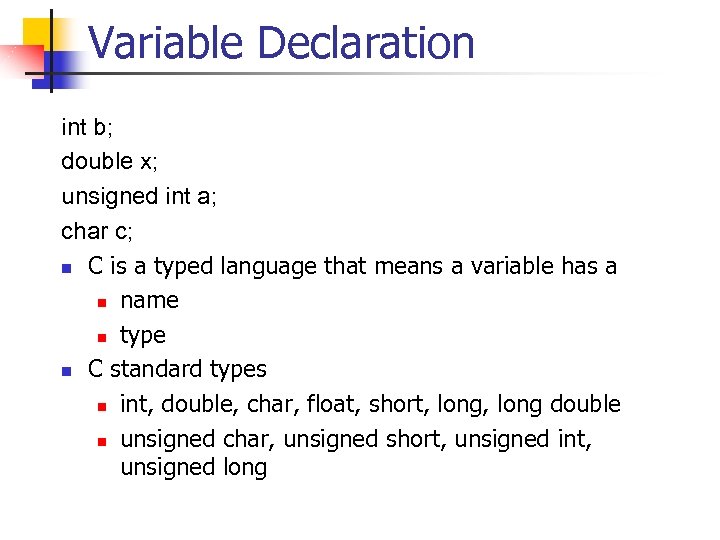 Variable Declaration int b; double x; unsigned int a; char c; n C is a typed language that means a variable has a n name n type n C standard types n int, double, char, float, short, long double n unsigned char, unsigned short, unsigned int, unsigned long
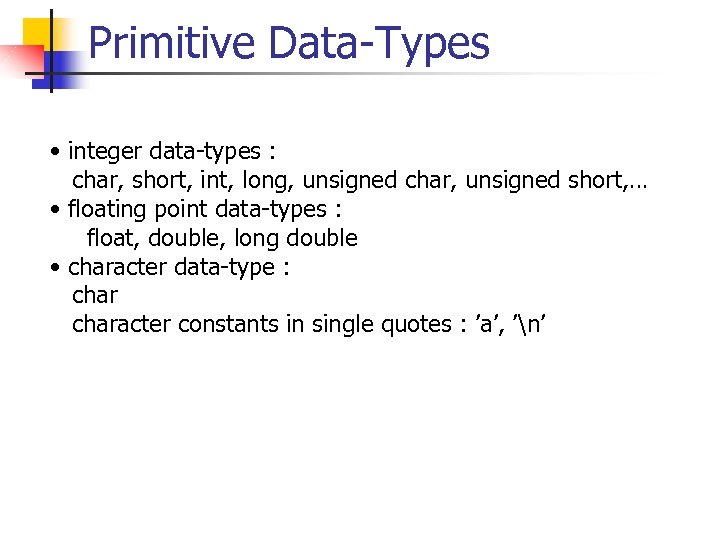 Primitive Data-Types • integer data-types : char, short, int, long, unsigned char, unsigned short, … • floating point data-types : float, double, long double • character data-type : character constants in single quotes : ’a’, ’n’
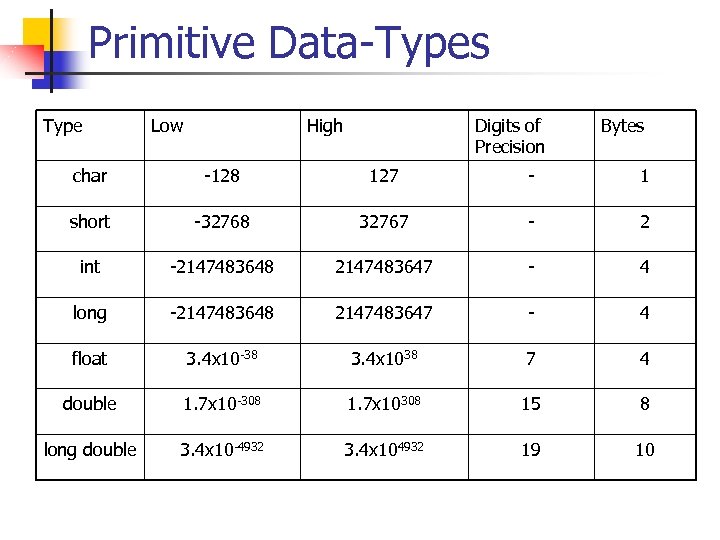 Primitive Data-Types Type Low High Digits of Precision Bytes char -128 127 - 1 short -32768 32767 - 2 int -2147483648 2147483647 - 4 long -2147483648 2147483647 - 4 float 3. 4 x 10 -38 3. 4 x 1038 7 4 double 1. 7 x 10 -308 1. 7 x 10308 15 8 long double 3. 4 x 10 -4932 3. 4 x 104932 19 10
 Variable Definitions • A declaration introduces a variable’s name into a program and specifies its type • A definition is a declaration which also sets asides memory for that variable (which is usually the case) • In C it is possible to initialize a variable at the same time it is defined, in the same way one assigns a value to an already defined variable. • Examples of variable definitions: int a; double x = 5. 9; char answer = ’n’; double y=x;
 Constants • constants can be specified using the preprocessor directive #define example: #define PI 3. 14159 the preprocessor replaces the identifier PI by the text 3. 14159 throughout the program • the major drawback of #define is that the data type of the constant is not specified • the preprocessor merely replaces all occurences of the string PI with 3. 14159 • this can be dangerous!! APPLEPIE APPLE 3. 1459 E • convention: reserve CAPITAL letters for constants and use small caps for variables and functions
 Comments • comments are always a good thing to use because • not everyone is as smart as you are and needs more explanation in order to understand your program • you may not be as smart next month when you have to change your program • comments should clarify your code and explain the rational behind a group of statements • comment syntax (C style) /* */ /* this is a comment which can go across multiple lines of code */
 Type Conversions • C is a hard-typed language, meaning that each variable has a fixed type that does not change and which determines the possible assignments and applicable operators double pi=3. 14; char c=’x’; • Some type conversions occur automatically for example int to float or float to double, but also char to int i = 17; float x = i; /* assigns 17 to x */ int j = 2; float y = i/j; /* assigns 17/2 = 8 to y not 8. 5 */ • Type conversions can be forced by a programmer through a type cast float z = (float) i / j; /* casts i into float before division */
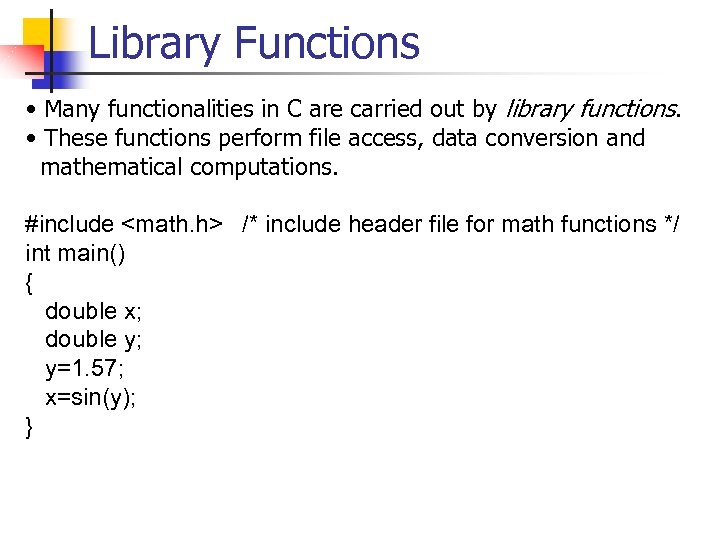 Library Functions • Many functionalities in C are carried out by library functions. • These functions perform file access, data conversion and mathematical computations. #include
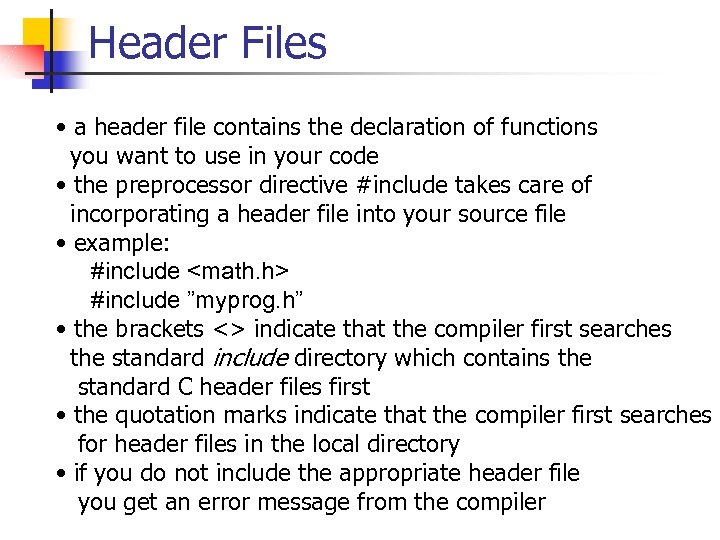 Header Files • a header file contains the declaration of functions you want to use in your code • the preprocessor directive #include takes care of incorporating a header file into your source file • example: #include
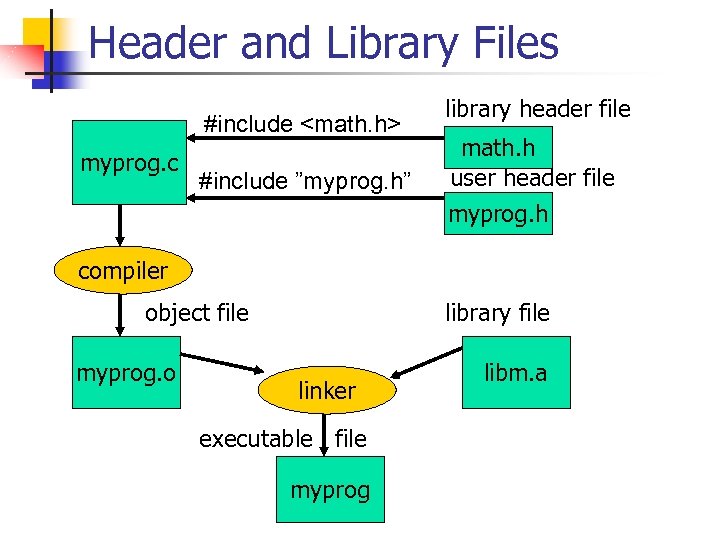 Header and Library Files #include
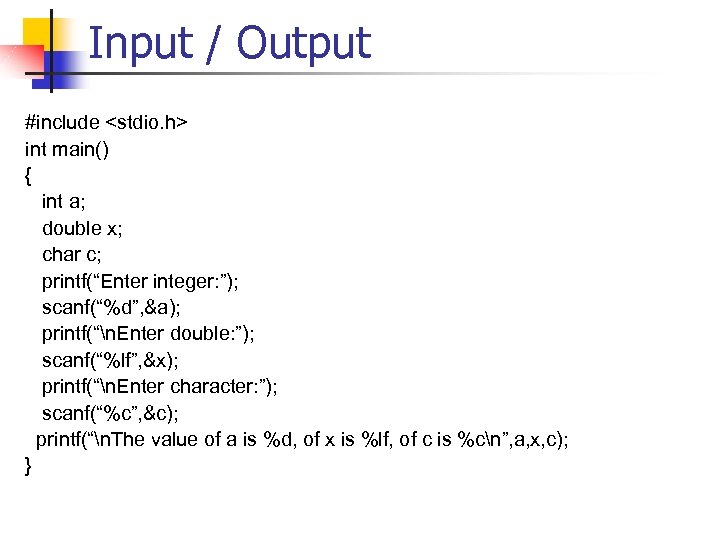 Input / Output #include
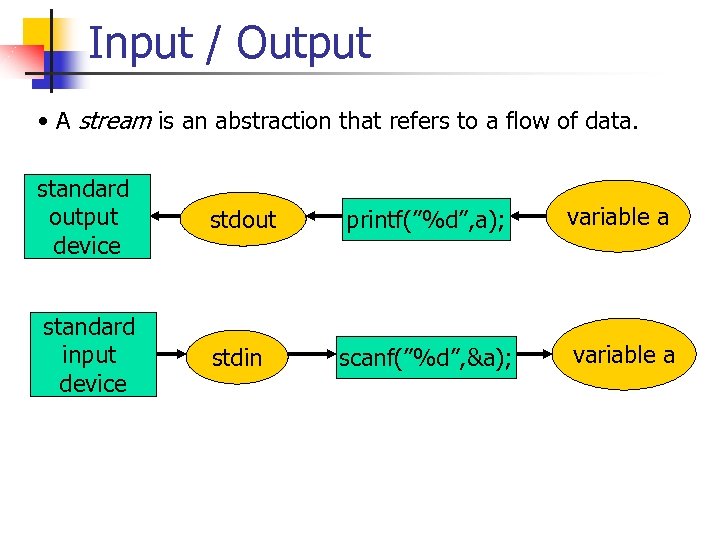 Input / Output • A stream is an abstraction that refers to a flow of data. standard output device stdout printf(”%d”, a); variable a standard input device stdin scanf(”%d”, &a); variable a
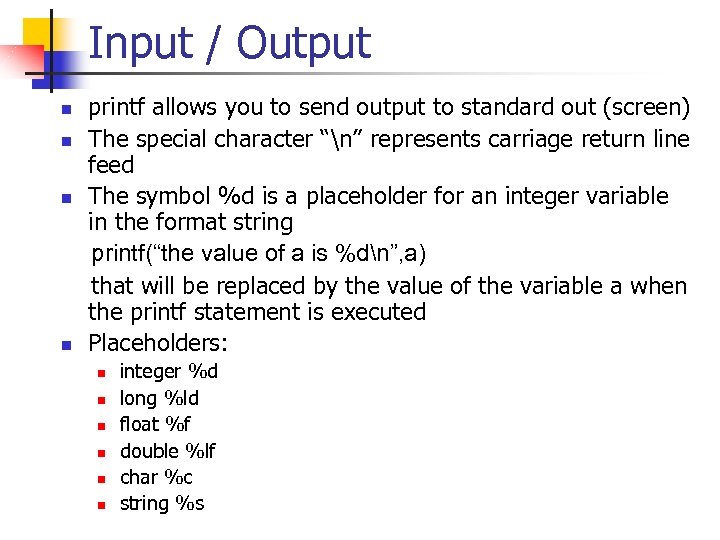 Input / Output n n printf allows you to send output to standard out (screen) The special character “n” represents carriage return line feed The symbol %d is a placeholder for an integer variable in the format string printf(“the value of a is %dn”, a) that will be replaced by the value of the variable a when the printf statement is executed Placeholders: n n n integer %d long %ld float %f double %lf char %c string %s
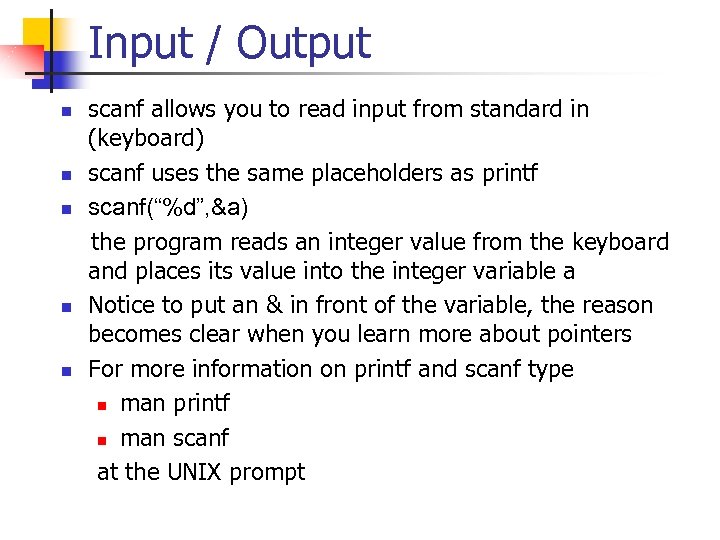 Input / Output n n n scanf allows you to read input from standard in (keyboard) scanf uses the same placeholders as printf scanf(“%d”, &a) the program reads an integer value from the keyboard and places its value into the integer variable a Notice to put an & in front of the variable, the reason becomes clear when you learn more about pointers For more information on printf and scanf type n man printf n man scanf at the UNIX prompt
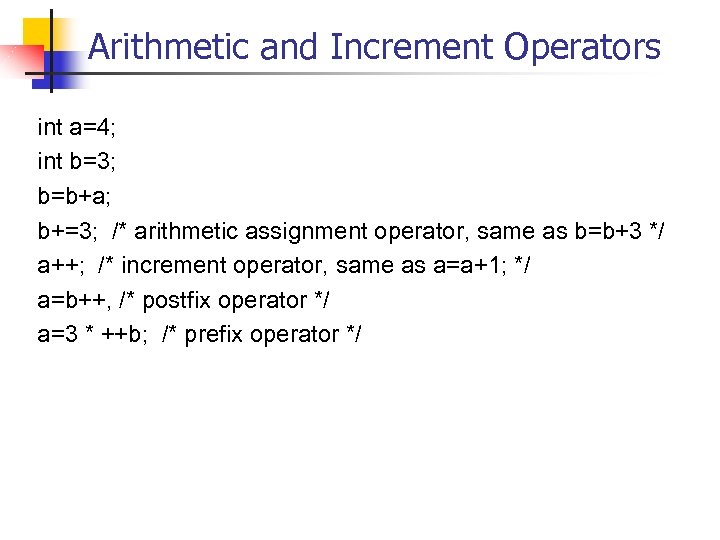 Arithmetic and Increment Operators int a=4; int b=3; b=b+a; b+=3; /* arithmetic assignment operator, same as b=b+3 */ a++; /* increment operator, same as a=a+1; */ a=b++, /* postfix operator */ a=3 * ++b; /* prefix operator */
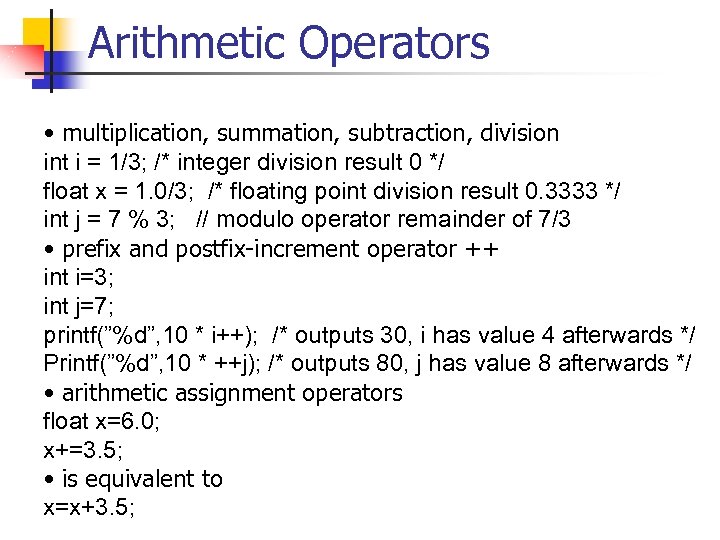 Arithmetic Operators • multiplication, summation, subtraction, division int i = 1/3; /* integer division result 0 */ float x = 1. 0/3; /* floating point division result 0. 3333 */ int j = 7 % 3; // modulo operator remainder of 7/3 • prefix and postfix-increment operator ++ int i=3; int j=7; printf(”%d”, 10 * i++); /* outputs 30, i has value 4 afterwards */ Printf(”%d”, 10 * ++j); /* outputs 80, j has value 8 afterwards */ • arithmetic assignment operators float x=6. 0; x+=3. 5; • is equivalent to x=x+3. 5;
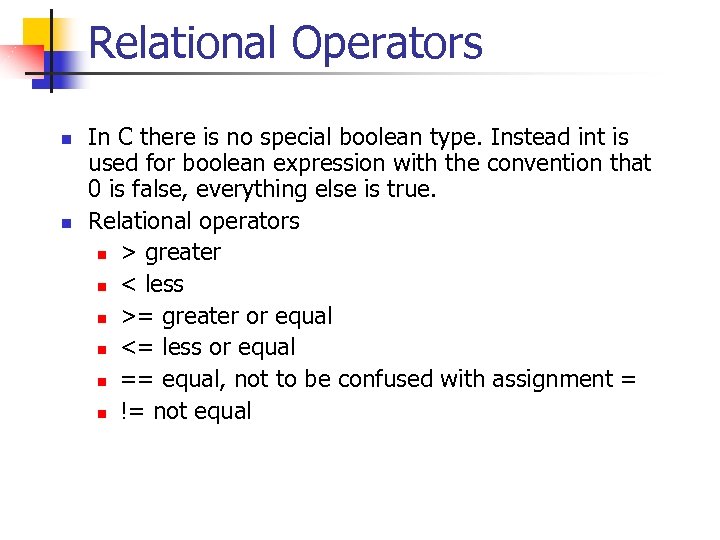 Relational Operators n n In C there is no special boolean type. Instead int is used for boolean expression with the convention that 0 is false, everything else is true. Relational operators n > greater n < less n >= greater or equal n <= less or equal n == equal, not to be confused with assignment = n != not equal
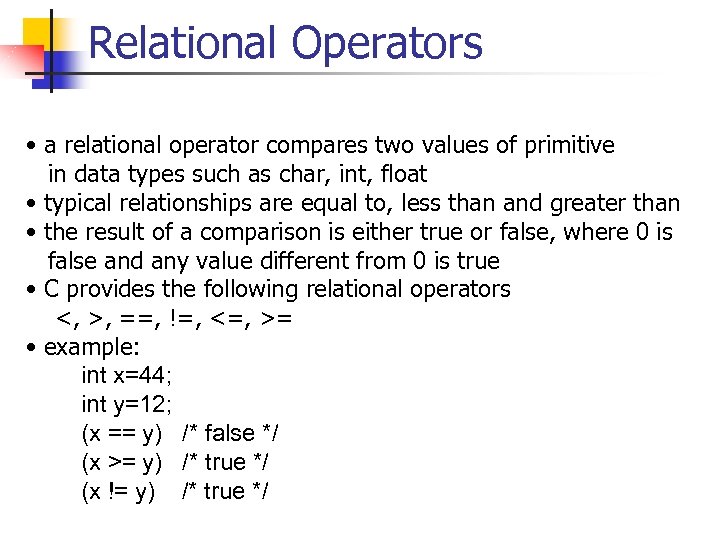 Relational Operators • a relational operator compares two values of primitive in data types such as char, int, float • typical relationships are equal to, less than and greater than • the result of a comparison is either true or false, where 0 is false and any value different from 0 is true • C provides the following relational operators <, >, ==, !=, <=, >= • example: int x=44; int y=12; (x == y) /* false */ (x >= y) /* true */ (x != y) /* true */
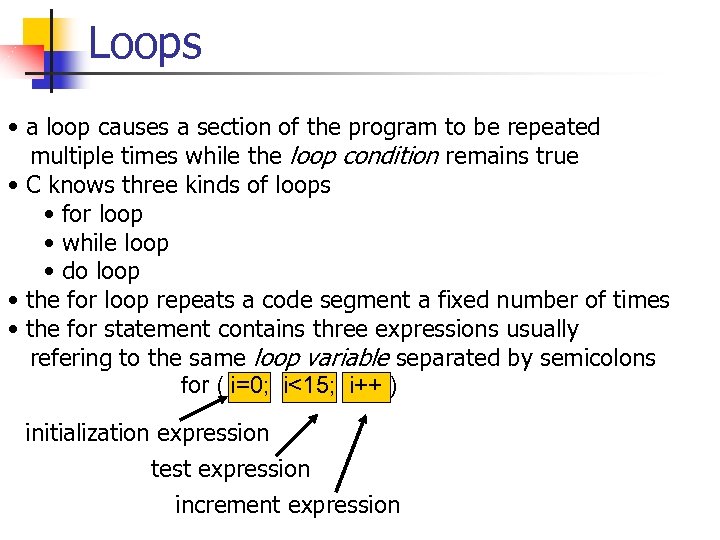 Loops • a loop causes a section of the program to be repeated multiple times while the loop condition remains true • C knows three kinds of loops • for loop • while loop • do loop • the for loop repeats a code segment a fixed number of times • the for statement contains three expressions usually refering to the same loop variable separated by semicolons for ( i=0; i<15; i++ ) initialization expression test expression increment expression
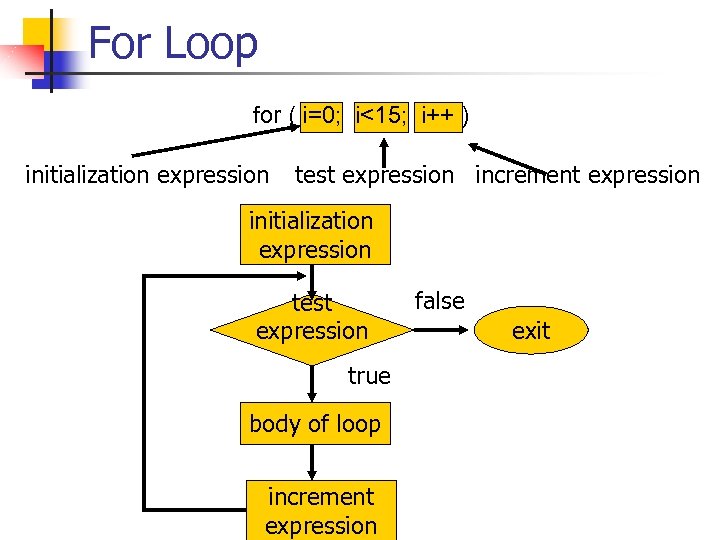 For Loop for ( i=0; i<15; i++ ) initialization expression test expression increment expression initialization expression test expression true body of loop increment expression false exit
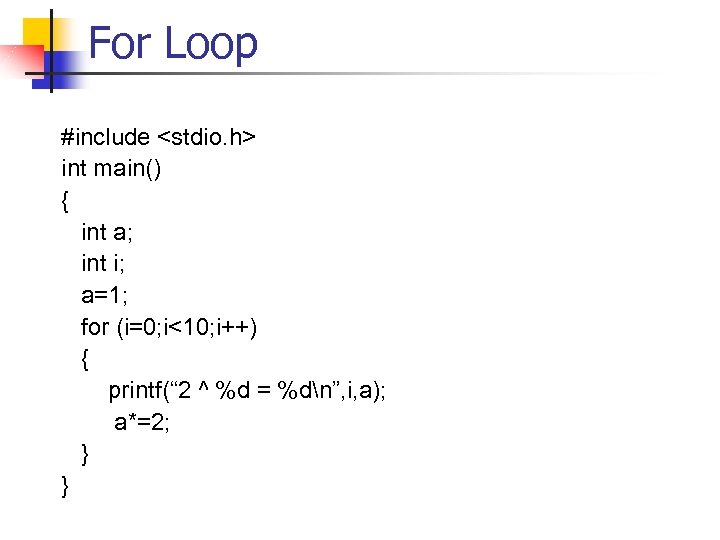 For Loop #include
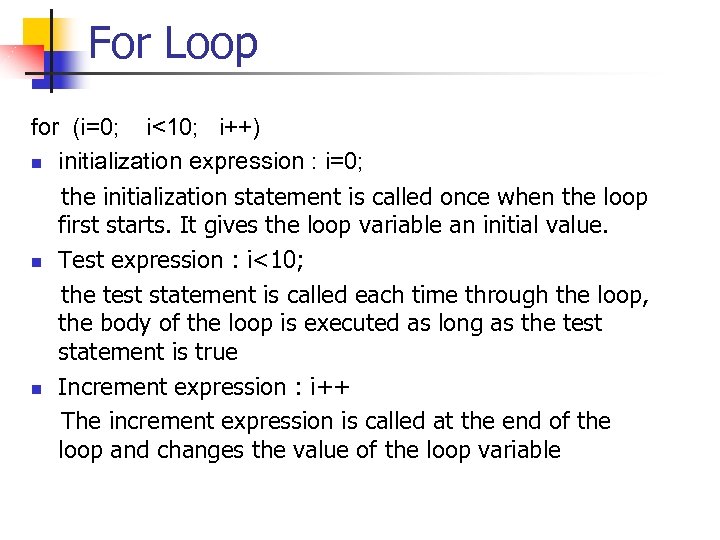 For Loop for (i=0; i<10; i++) n initialization expression : i=0; the initialization statement is called once when the loop first starts. It gives the loop variable an initial value. n Test expression : i<10; the test statement is called each time through the loop, the body of the loop is executed as long as the test statement is true n Increment expression : i++ The increment expression is called at the end of the loop and changes the value of the loop variable
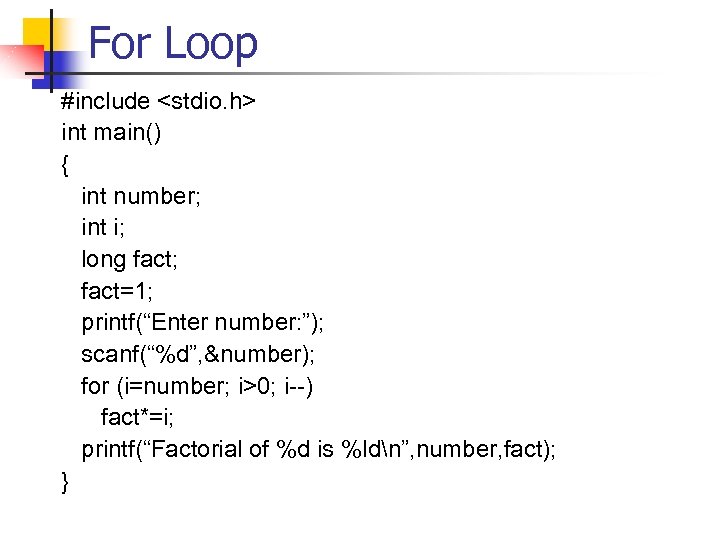 For Loop #include
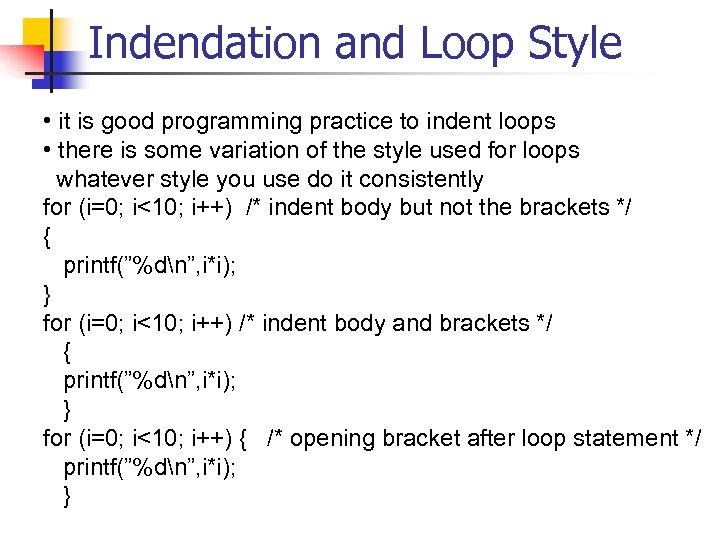 Indendation and Loop Style • it is good programming practice to indent loops • there is some variation of the style used for loops whatever style you use do it consistently for (i=0; i<10; i++) /* indent body but not the brackets */ { printf(”%dn”, i*i); } for (i=0; i<10; i++) /* indent body and brackets */ { printf(”%dn”, i*i); } for (i=0; i<10; i++) { /* opening bracket after loop statement */ printf(”%dn”, i*i); }
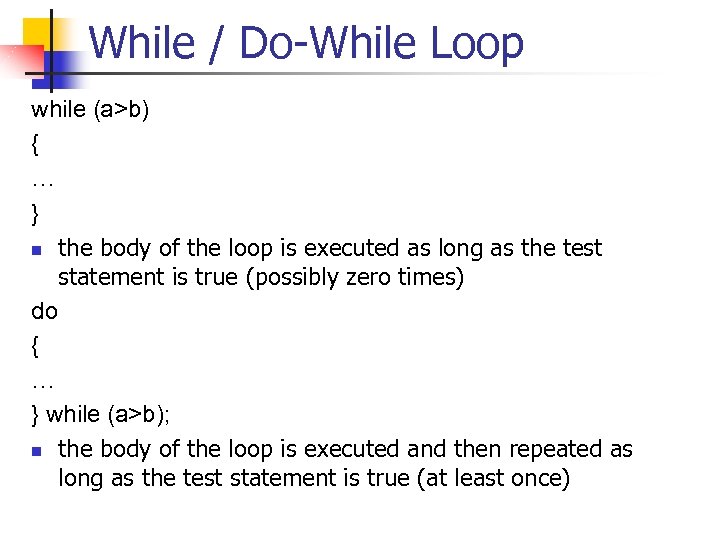 While / Do-While Loop while (a>b) { … } n the body of the loop is executed as long as the test statement is true (possibly zero times) do { … } while (a>b); n the body of the loop is executed and then repeated as long as the test statement is true (at least once)
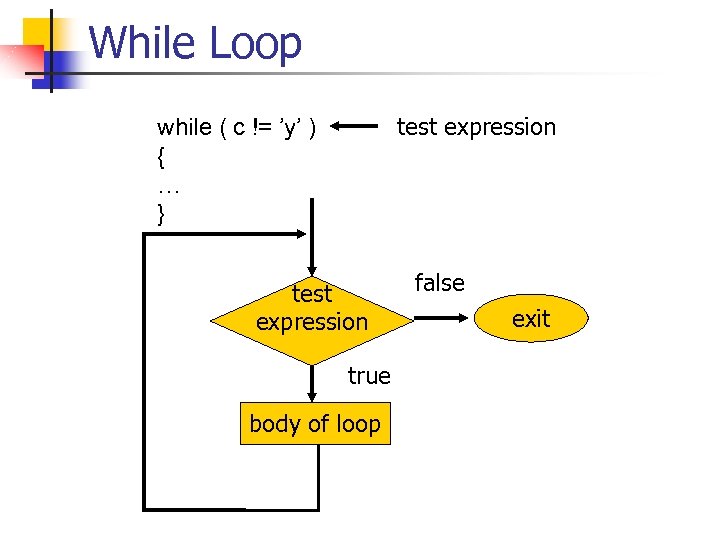 While Loop test expression while ( c != ’y’ ) { … } test expression true body of loop false exit
 While Loop #include
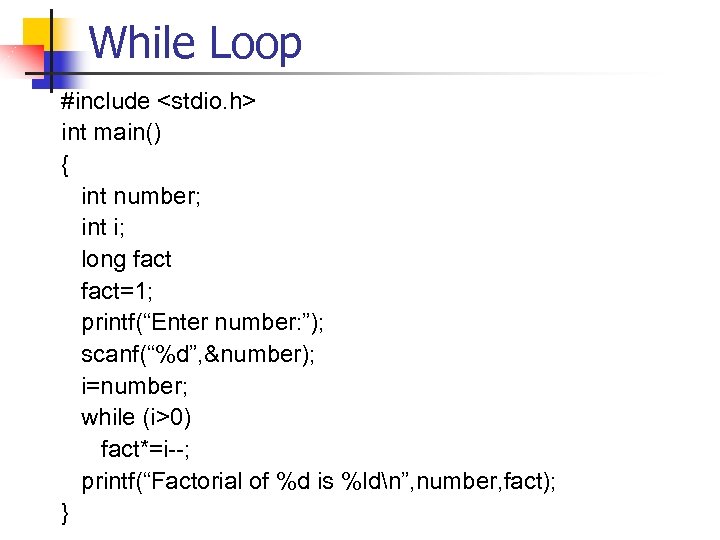
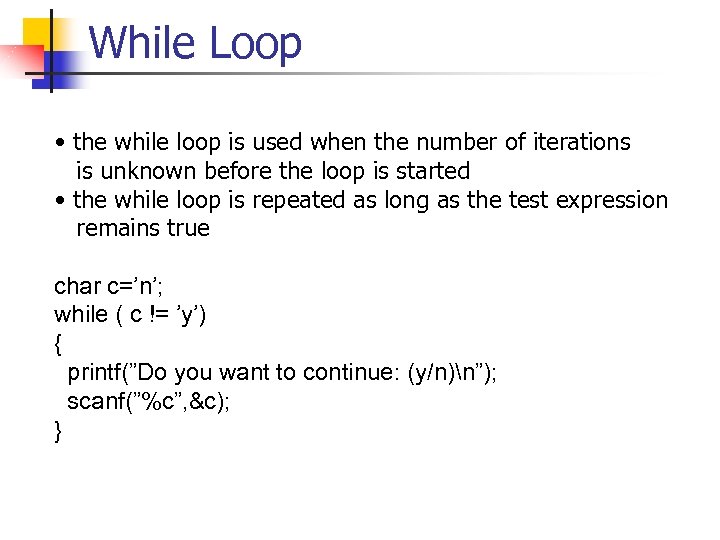 While Loop • the while loop is used when the number of iterations is unknown before the loop is started • the while loop is repeated as long as the test expression remains true char c=’n’; while ( c != ’y’) { printf(”Do you want to continue: (y/n)n”); scanf(”%c”, &c); }
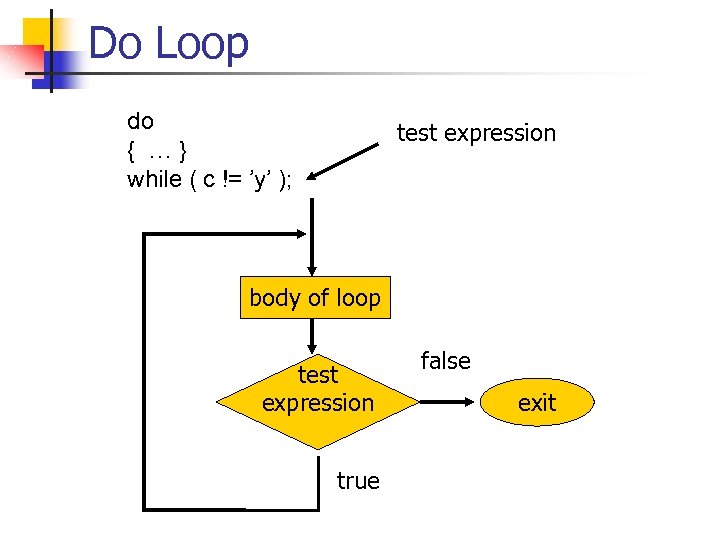 Do Loop do { …} while ( c != ’y’ ); test expression body of loop test expression true false exit
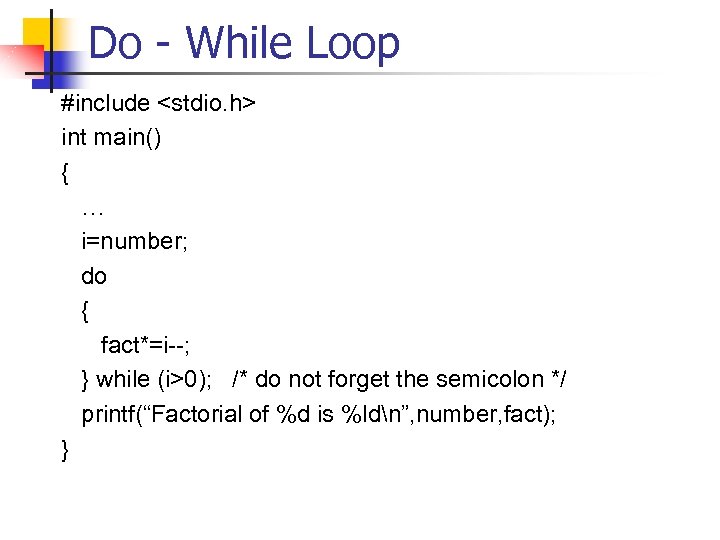 Do - While Loop #include
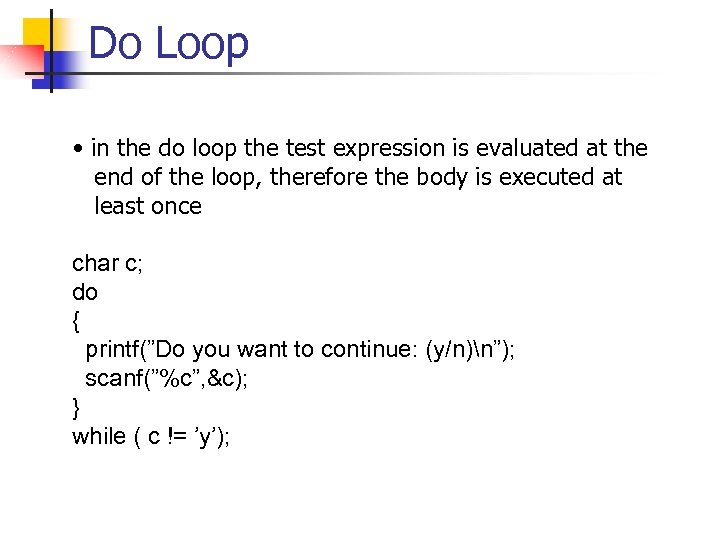 Do Loop • in the do loop the test expression is evaluated at the end of the loop, therefore the body is executed at least once char c; do { printf(”Do you want to continue: (y/n)n”); scanf(”%c”, &c); } while ( c != ’y’);
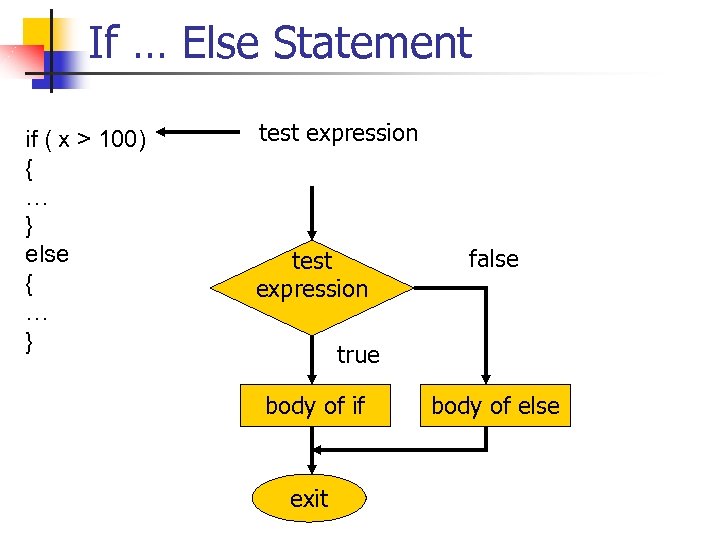 If … Else Statement if ( x > 100) { … } else { … } test expression false true body of if exit body of else
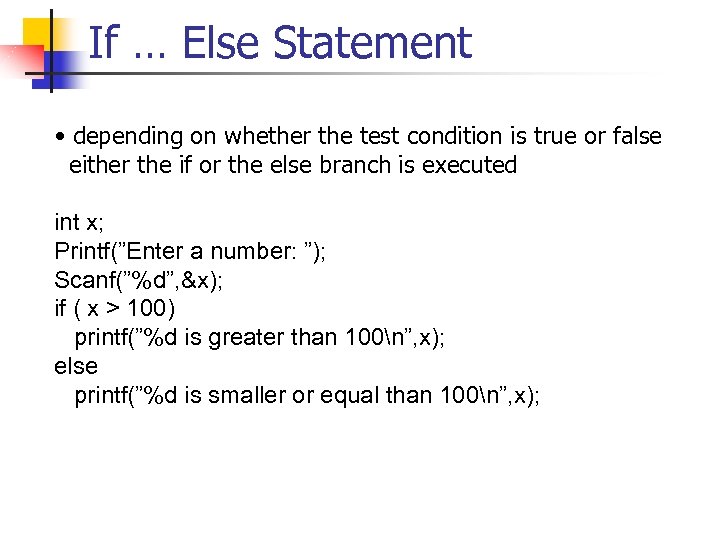 If … Else Statement • depending on whether the test condition is true or false either the if or the else branch is executed int x; Printf(”Enter a number: ”); Scanf(”%d”, &x); if ( x > 100) printf(”%d is greater than 100n”, x); else printf(”%d is smaller or equal than 100n”, x);
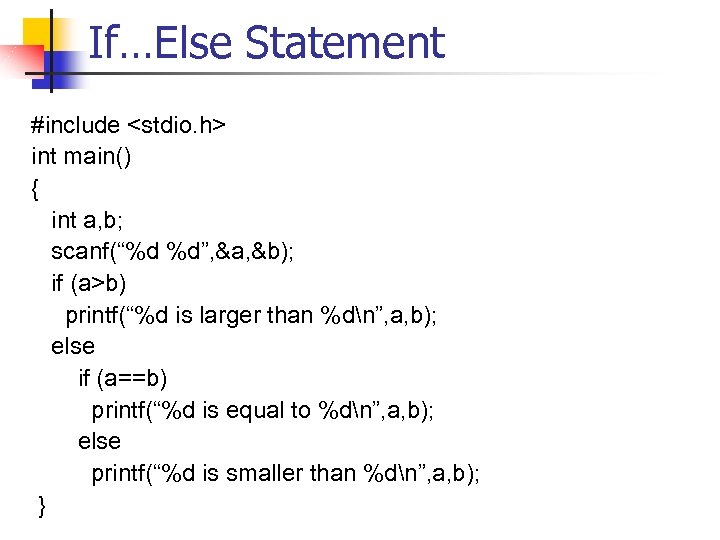 If…Else Statement #include
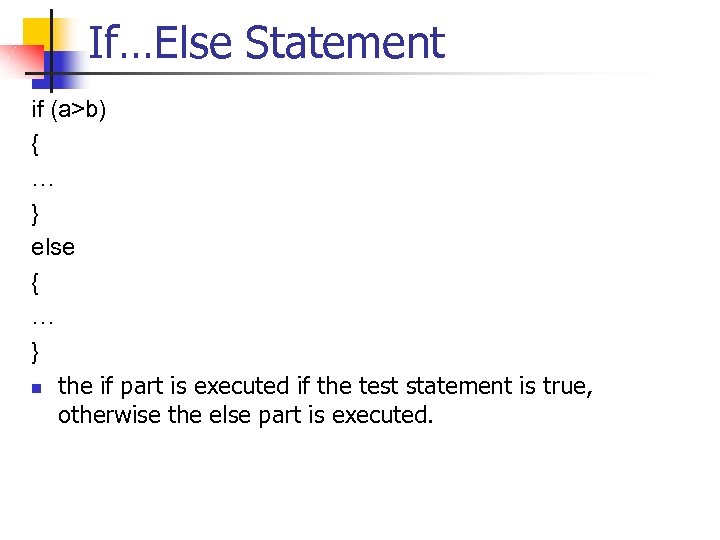 If…Else Statement if (a>b) { … } else { … } n the if part is executed if the test statement is true, otherwise the else part is executed.
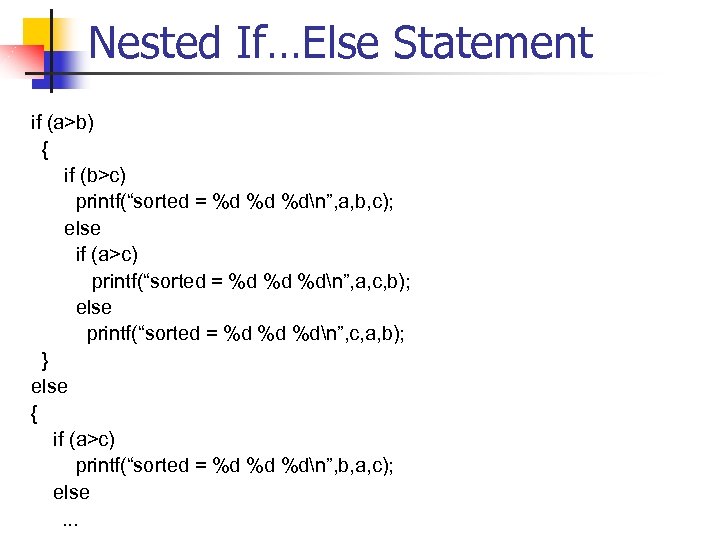 Nested If…Else Statement if (a>b) { if (b>c) printf(“sorted = %d %d %dn”, a, b, c); else if (a>c) printf(“sorted = %d %d %dn”, a, c, b); else printf(“sorted = %d %d %dn”, c, a, b); } else { if (a>c) printf(“sorted = %d %d %dn”, b, a, c); else …
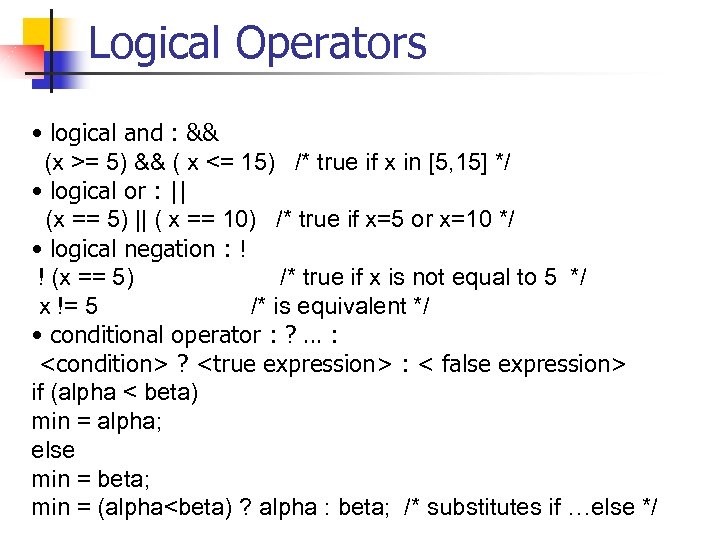 Logical Operators • logical and : && (x >= 5) && ( x <= 15) /* true if x in [5, 15] */ • logical or : || (x == 5) || ( x == 10) /* true if x=5 or x=10 */ • logical negation : ! ! (x == 5) /* true if x is not equal to 5 */ x != 5 /* is equivalent */ • conditional operator : ? … :
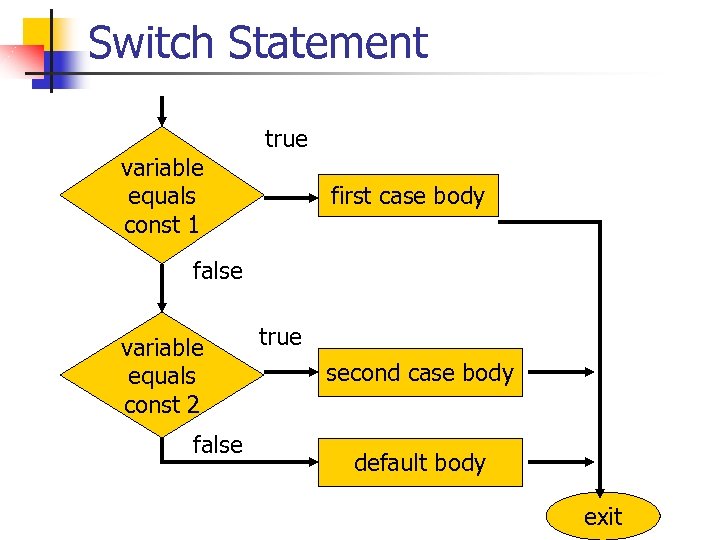 Switch Statement variable equals const 1 true first case body false variable equals const 2 false true second case body default body exit
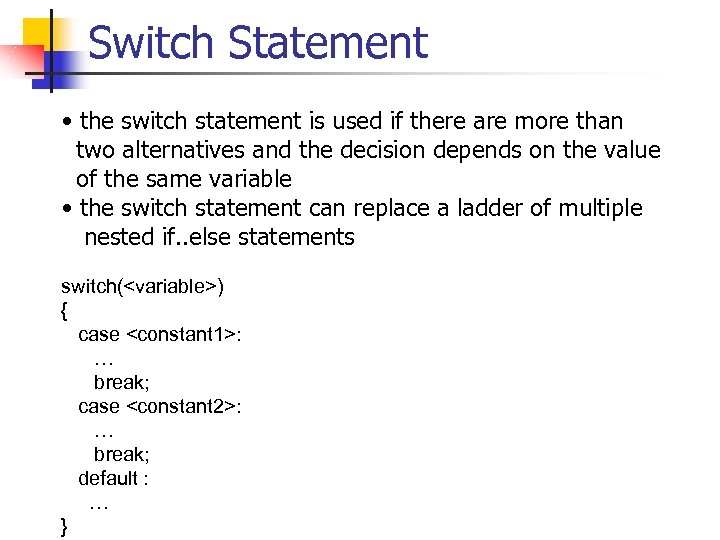 Switch Statement • the switch statement is used if there are more than two alternatives and the decision depends on the value of the same variable • the switch statement can replace a ladder of multiple nested if. . else statements switch(
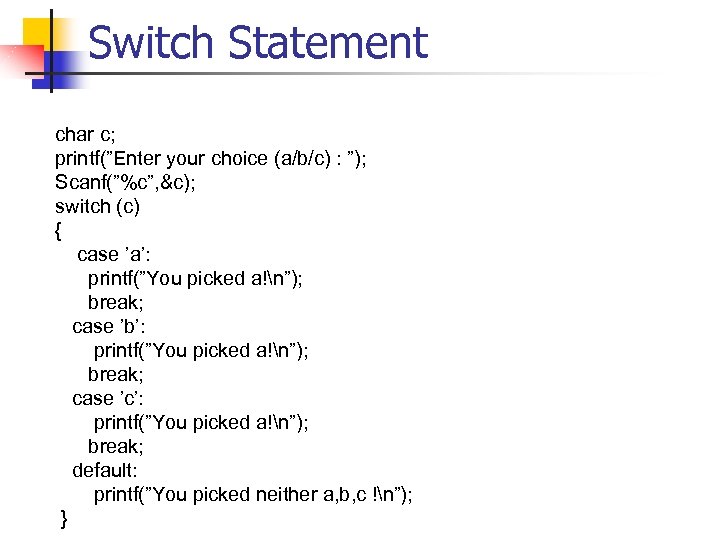 Switch Statement char c; printf(”Enter your choice (a/b/c) : ”); Scanf(”%c”, &c); switch (c) { case ’a’: printf(”You picked a!n”); break; case ’b’: printf(”You picked a!n”); break; case ’c’: printf(”You picked a!n”); break; default: printf(”You picked neither a, b, c !n”); }
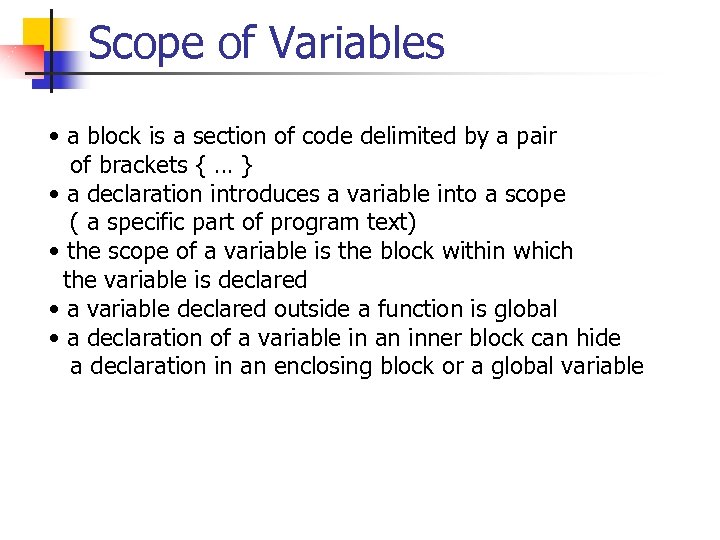 Scope of Variables • a block is a section of code delimited by a pair of brackets { … } • a declaration introduces a variable into a scope ( a specific part of program text) • the scope of a variable is the block within which the variable is declared • a variable declared outside a function is global • a declaration of a variable in an inner block can hide a declaration in an enclosing block or a global variable
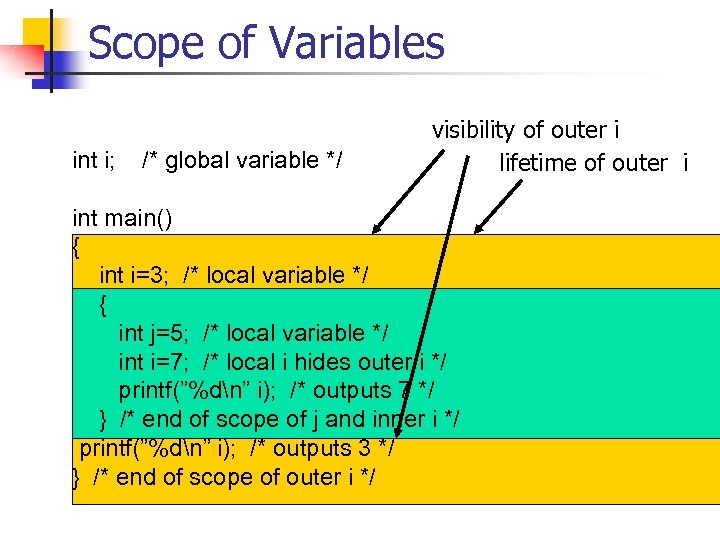 Scope of Variables int i; /* global variable */ visibility of outer i lifetime of outer i int main() { int i=3; /* local variable */ { int j=5; /* local variable */ int i=7; /* local i hides outer i */ printf(”%dn” i); /* outputs 7 */ } /* end of scope of j and inner i */ printf(”%dn” i); /* outputs 3 */ } /* end of scope of outer i */
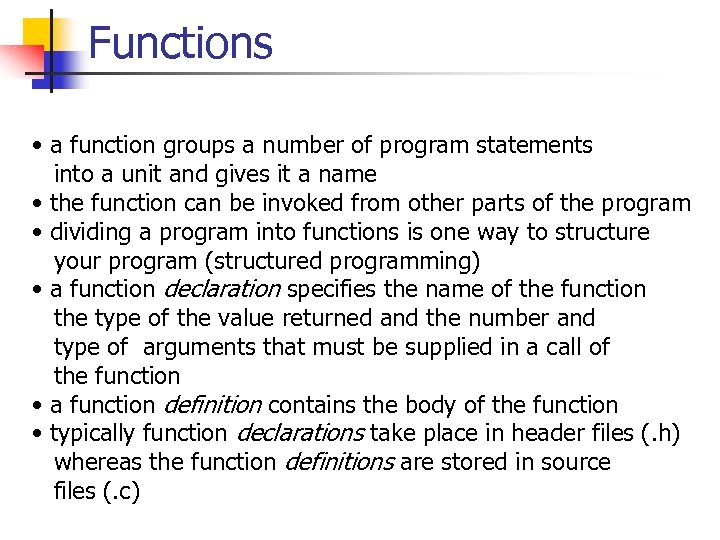 Functions • a function groups a number of program statements into a unit and gives it a name • the function can be invoked from other parts of the program • dividing a program into functions is one way to structure your program (structured programming) • a function declaration specifies the name of the function the type of the value returned and the number and type of arguments that must be supplied in a call of the function • a function definition contains the body of the function • typically function declarations take place in header files (. h) whereas the function definitions are stored in source files (. c)
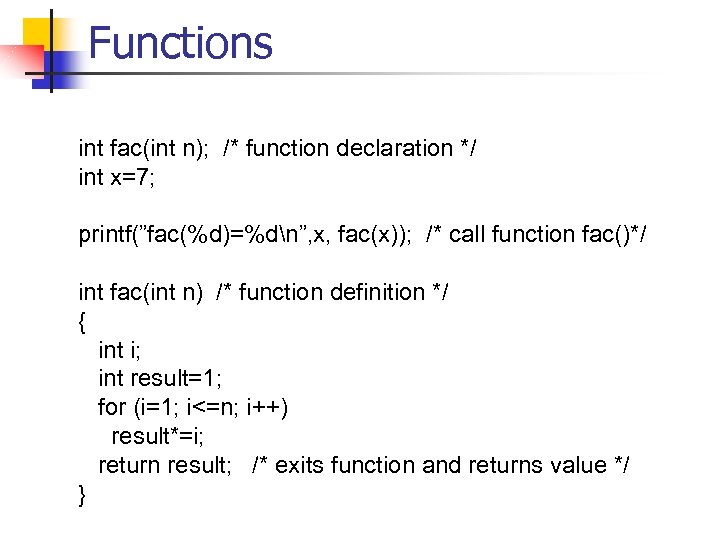 Functions int fac(int n); /* function declaration */ int x=7; printf(”fac(%d)=%dn”, x, fac(x)); /* call function fac()*/ int fac(int n) /* function definition */ { int i; int result=1; for (i=1; i<=n; i++) result*=i; return result; /* exits function and returns value */ }
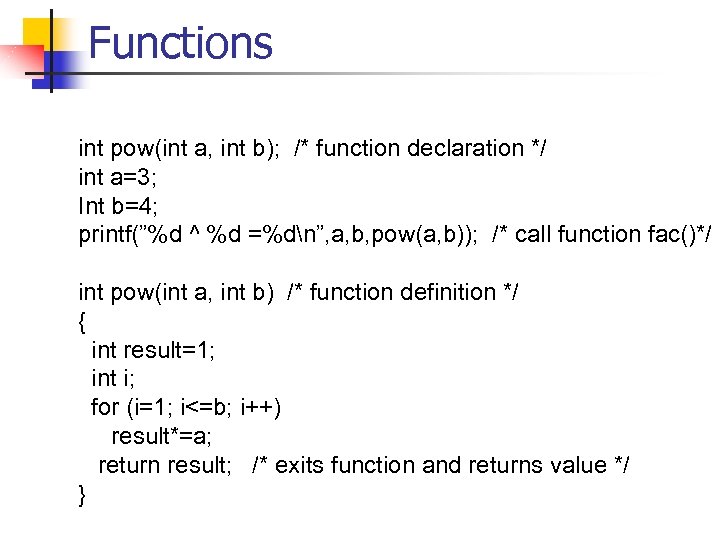 Functions int pow(int a, int b); /* function declaration */ int a=3; Int b=4; printf(”%d ^ %d =%dn”, a, b, pow(a, b)); /* call function fac()*/ int pow(int a, int b) /* function definition */ { int result=1; int i; for (i=1; i<=b; i++) result*=a; return result; /* exits function and returns value */ }
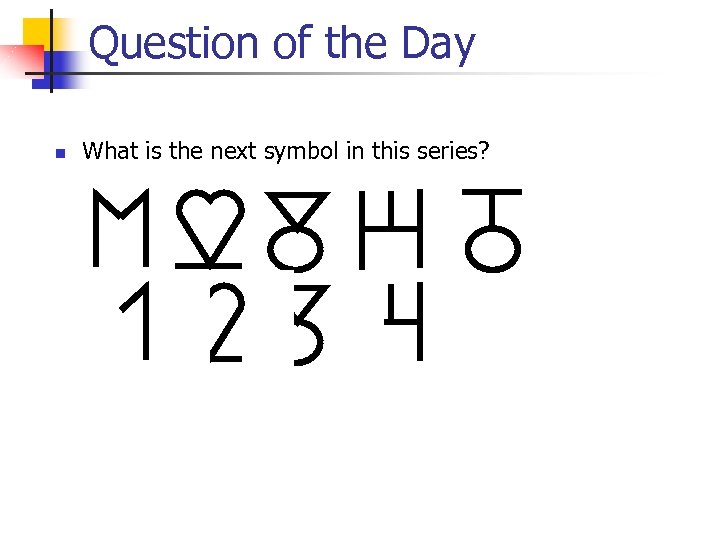 Question of the Day n What is the next symbol in this series?
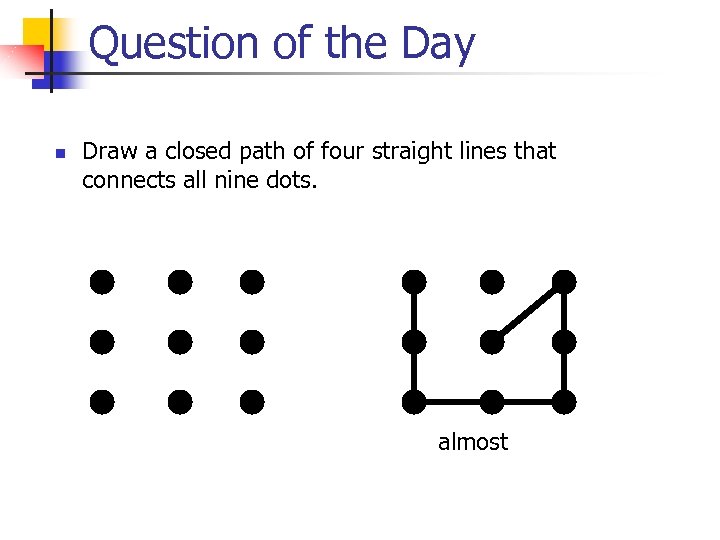 Question of the Day n Draw a closed path of four straight lines that connects all nine dots. almost
 Pointers n Pointers are used to: n Access array elements n Passing arguments to functions when the function needs to modify the original argument n Passing arrays and strings to functions n Obtaining memory from the system n Creating data structures such as linked lists
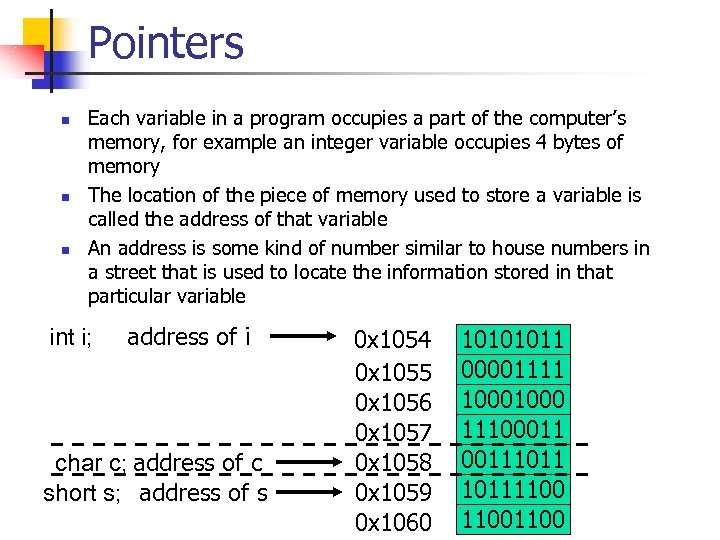 Pointers n n n Each variable in a program occupies a part of the computer’s memory, for example an integer variable occupies 4 bytes of memory The location of the piece of memory used to store a variable is called the address of that variable An address is some kind of number similar to house numbers in a street that is used to locate the information stored in that particular variable int i; address of i char c; address of c short s; address of s 0 x 1054 0 x 1055 0 x 1056 0 x 1057 0 x 1058 0 x 1059 0 x 1060 10101011 00001111 1000 1110001110111100
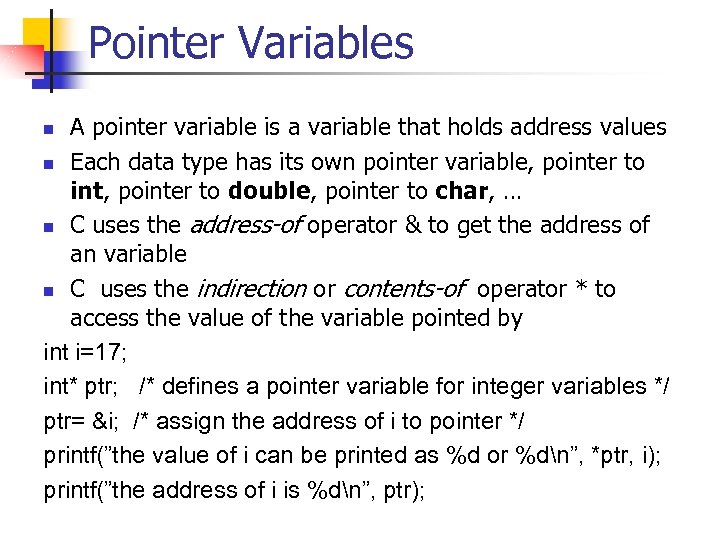 Pointer Variables A pointer variable is a variable that holds address values n Each data type has its own pointer variable, pointer to int, pointer to double, pointer to char, … n C uses the address-of operator & to get the address of an variable n C uses the indirection or contents-of operator * to access the value of the variable pointed by int i=17; int* ptr; /* defines a pointer variable for integer variables */ ptr= &i; /* assign the address of i to pointer */ printf(”the value of i can be printed as %d or %dn”, *ptr, i); printf(”the address of i is %dn”, ptr); n
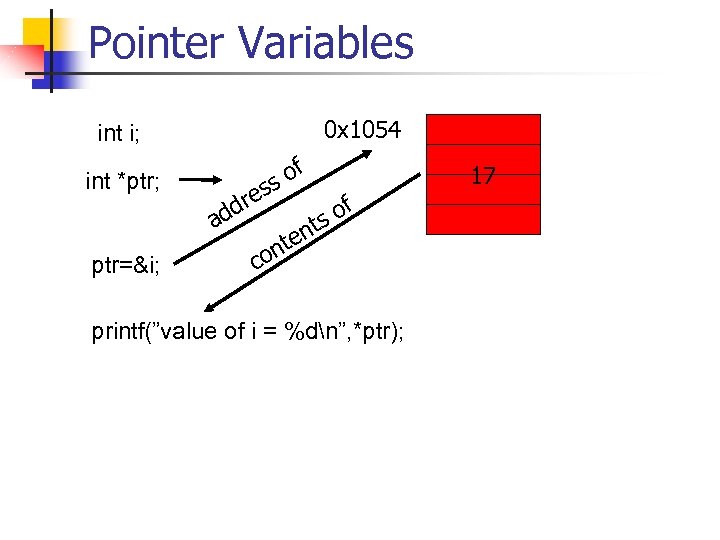 Pointer Variables 0 x 1054 int i; int *ptr; ptr=&i; dd a res of s t en nt co of s printf(”value of i = %dn”, *ptr); 17
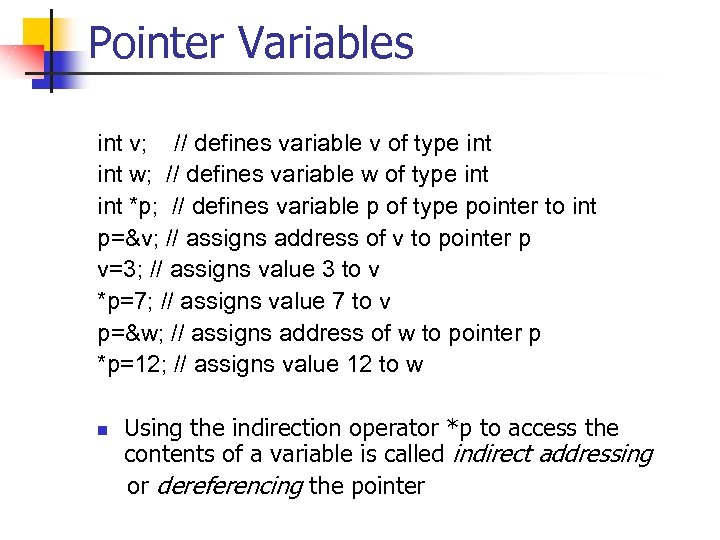 Pointer Variables int v; // defines variable v of type int w; // defines variable w of type int *p; // defines variable p of type pointer to int p=&v; // assigns address of v to pointer p v=3; // assigns value 3 to v *p=7; // assigns value 7 to v p=&w; // assigns address of w to pointer p *p=12; // assigns value 12 to w n Using the indirection operator *p to access the contents of a variable is called indirect addressing or dereferencing the pointer
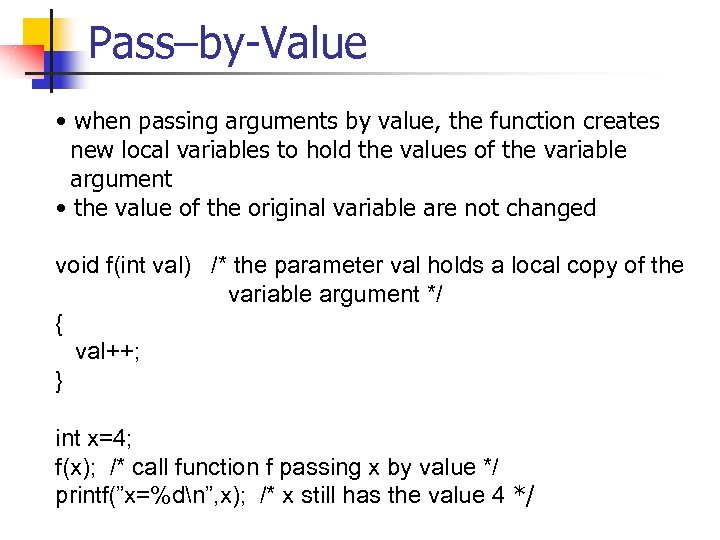 Pass–by-Value • when passing arguments by value, the function creates new local variables to hold the values of the variable argument • the value of the original variable are not changed void f(int val) /* the parameter val holds a local copy of the variable argument */ { val++; } int x=4; f(x); /* call function f passing x by value */ printf(”x=%dn”, x); /* x still has the value 4 */
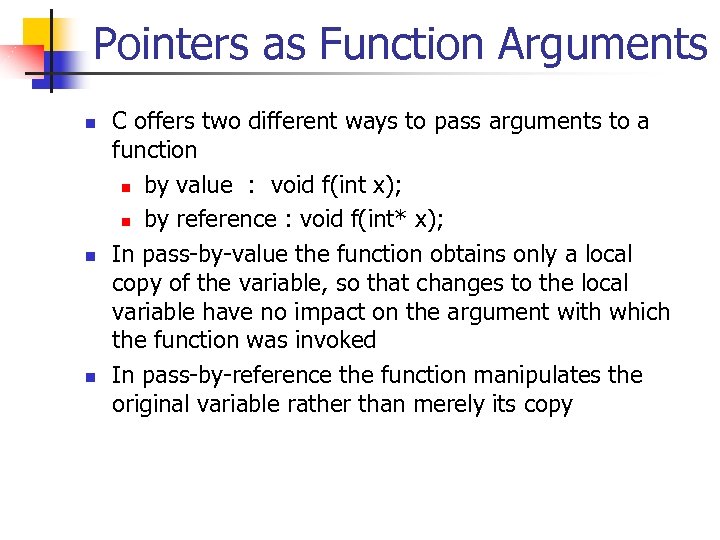 Pointers as Function Arguments n n n C offers two different ways to pass arguments to a function n by value : void f(int x); n by reference : void f(int* x); In pass-by-value the function obtains only a local copy of the variable, so that changes to the local variable have no impact on the argument with which the function was invoked In pass-by-reference the function manipulates the original variable rather than merely its copy
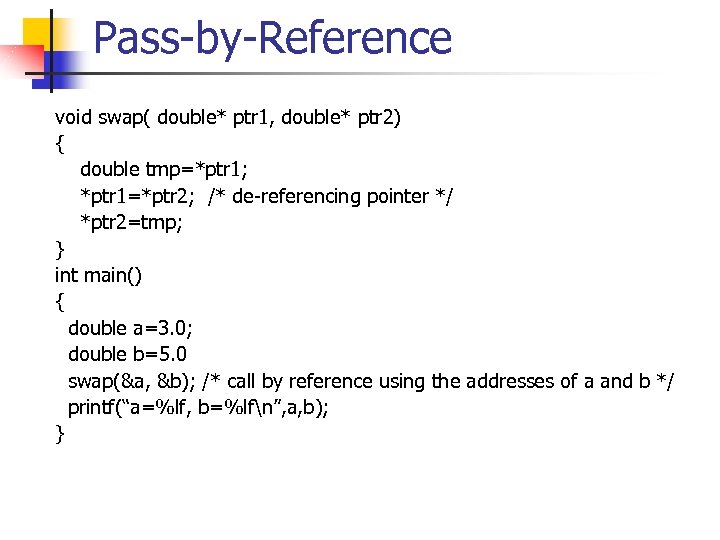 Pass-by-Reference void swap( double* ptr 1, double* ptr 2) { double tmp=*ptr 1; *ptr 1=*ptr 2; /* de-referencing pointer */ *ptr 2=tmp; } int main() { double a=3. 0; double b=5. 0 swap(&a, &b); /* call by reference using the addresses of a and b */ printf(“a=%lf, b=%lfn”, a, b); }
 Arrays n n n The idea of an array is to group similar objects into units. Arrays are structures that group items of the same data type. The elements of an array are accessed by an index number that allows random access.
![Arrays int poweroftwo[10]; /*array definition */ int poweroftwo[0]=1; /* first element has index number](https://present5.com/presentation/949a2dc2e21b4db82e8610b88be37a7e/image-66.jpg "Arrays int poweroftwo[10]; /*array definition */ int poweroftwo[0]=1; /* first element has index number") Arrays int poweroftwo[10]; /*array definition */ int poweroftwo[0]=1; /* first element has index number 0 */ int i; for (i=1; i<10, i++) poweroftwo[i]=poweroftwo[i-1]*2; for (i=0; i<10, i++) printf(“ 2 ^ %d = %dn”, i, poweroftwo[i]);
Arrays int poweroftwo[10]; /*array definition */ int poweroftwo[0]=1; /* first element has index number 0 */ int i; for (i=1; i<10, i++) poweroftwo[i]=poweroftwo[i-1]*2; for (i=0; i<10, i++) printf(“ 2 ^ %d = %dn”, i, poweroftwo[i]);
![Arrays double avg(int sz, double array[]); /* function definition*/ double x[5]={1. 2, 2. 5,](https://present5.com/presentation/949a2dc2e21b4db82e8610b88be37a7e/image-67.jpg "Arrays double avg(int sz, double array[]); /* function definition*/ double x[5]={1. 2, 2. 5,") Arrays double avg(int sz, double array[]); /* function definition*/ double x[5]={1. 2, 2. 5, 1. 7, 4. 2, 3. 9} /* initialize array */ printf(“average is %lfn”, avg(5, x)); double avg(int sz, double array[]) { int i; double sum; for (i=0; i
Arrays double avg(int sz, double array[]); /* function definition*/ double x[5]={1. 2, 2. 5, 1. 7, 4. 2, 3. 9} /* initialize array */ printf(“average is %lfn”, avg(5, x)); double avg(int sz, double array[]) { int i; double sum; for (i=0; i
![Multi-Dimensional Arrays #define ROWS 5 #define COLS 6 double matrix[ROWS][COLS]; double a[COLS]; double b[ROWS];](https://present5.com/presentation/949a2dc2e21b4db82e8610b88be37a7e/image-68.jpg "Multi-Dimensional Arrays #define ROWS 5 #define COLS 6 double matrix[ROWS][COLS]; double a[COLS]; double b[ROWS];") Multi-Dimensional Arrays #define ROWS 5 #define COLS 6 double matrix[ROWS][COLS]; double a[COLS]; double b[ROWS]; int i, j; for(i=0; i
Multi-Dimensional Arrays #define ROWS 5 #define COLS 6 double matrix[ROWS][COLS]; double a[COLS]; double b[ROWS]; int i, j; for(i=0; i
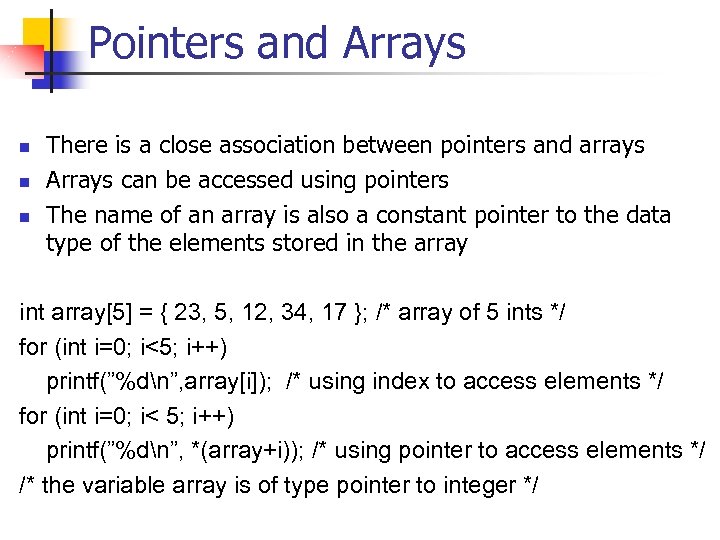 Pointers and Arrays n n n There is a close association between pointers and arrays Arrays can be accessed using pointers The name of an array is also a constant pointer to the data type of the elements stored in the array int array[5] = { 23, 5, 12, 34, 17 }; /* array of 5 ints */ for (int i=0; i<5; i++) printf(”%dn”, array[i]); /* using index to access elements */ for (int i=0; i< 5; i++) printf(”%dn”, *(array+i)); /* using pointer to access elements */ /* the variable array is of type pointer to integer */
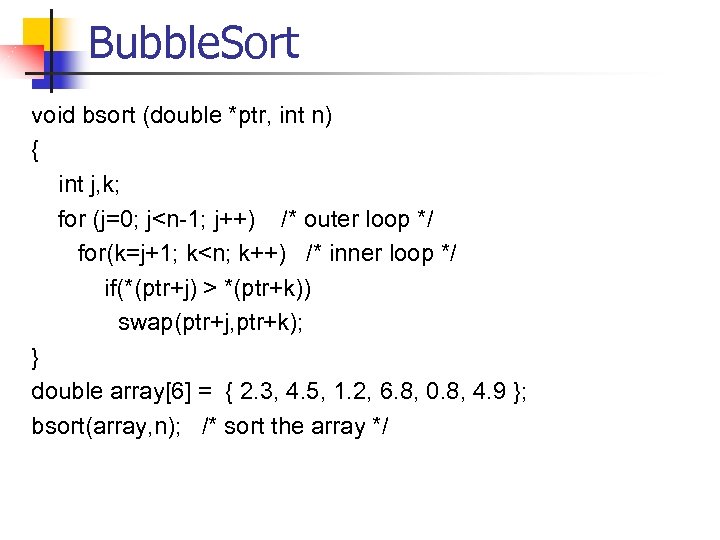 Bubble. Sort void bsort (double *ptr, int n) { int j, k; for (j=0; j
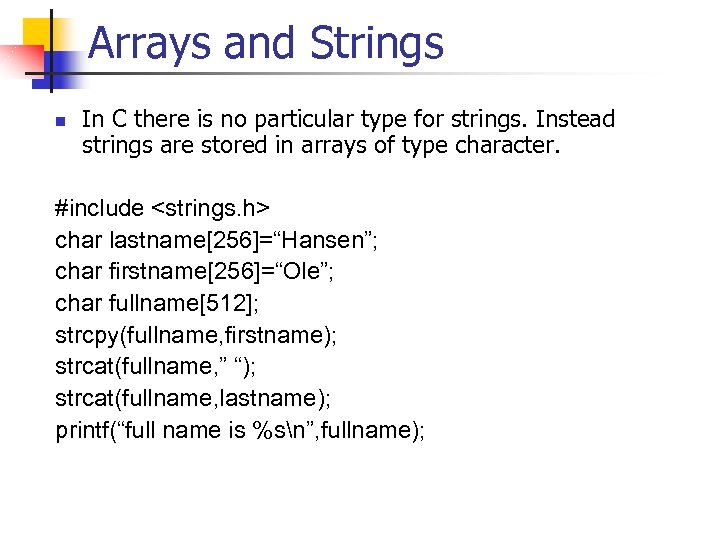 Arrays and Strings n In C there is no particular type for strings. Instead strings are stored in arrays of type character. #include
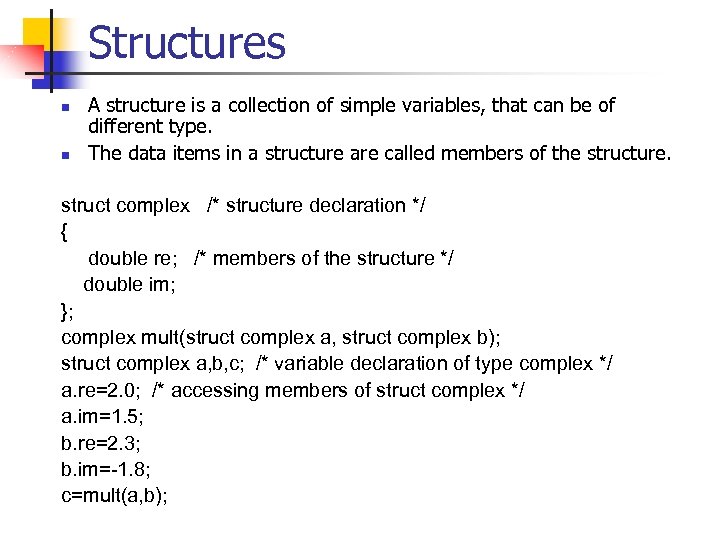 Structures n n A structure is a collection of simple variables, that can be of different type. The data items in a structure are called members of the structure. struct complex /* structure declaration */ { double re; /* members of the structure */ double im; }; complex mult(struct complex a, struct complex b); struct complex a, b, c; /* variable declaration of type complex */ a. re=2. 0; /* accessing members of struct complex */ a. im=1. 5; b. re=2. 3; b. im=-1. 8; c=mult(a, b);
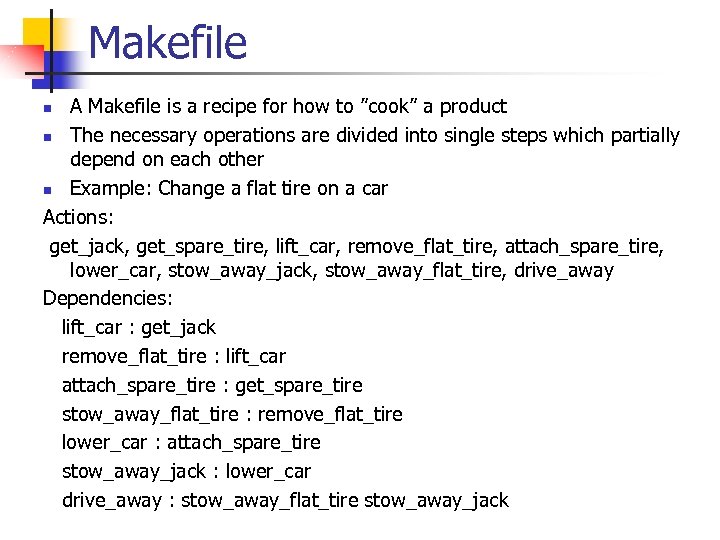 Makefile A Makefile is a recipe for how to ”cook” a product n The necessary operations are divided into single steps which partially depend on each other n Example: Change a flat tire on a car Actions: get_jack, get_spare_tire, lift_car, remove_flat_tire, attach_spare_tire, lower_car, stow_away_jack, stow_away_flat_tire, drive_away Dependencies: lift_car : get_jack remove_flat_tire : lift_car attach_spare_tire : get_spare_tire stow_away_flat_tire : remove_flat_tire lower_car : attach_spare_tire stow_away_jack : lower_car drive_away : stow_away_flat_tire stow_away_jack n
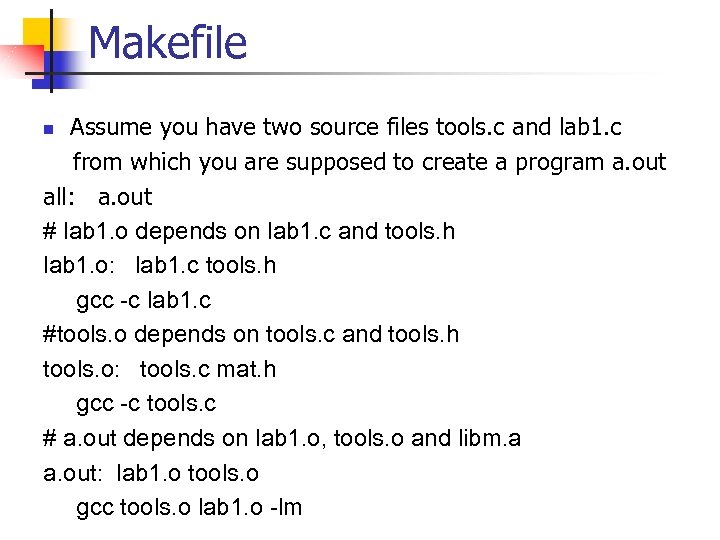 Makefile Assume you have two source files tools. c and lab 1. c from which you are supposed to create a program a. out all: a. out # lab 1. o depends on lab 1. c and tools. h lab 1. o: lab 1. c tools. h gcc -c lab 1. c #tools. o depends on tools. c and tools. h tools. o: tools. c mat. h gcc -c tools. c # a. out depends on lab 1. o, tools. o and libm. a a. out: lab 1. o tools. o gcc tools. o lab 1. o -lm n
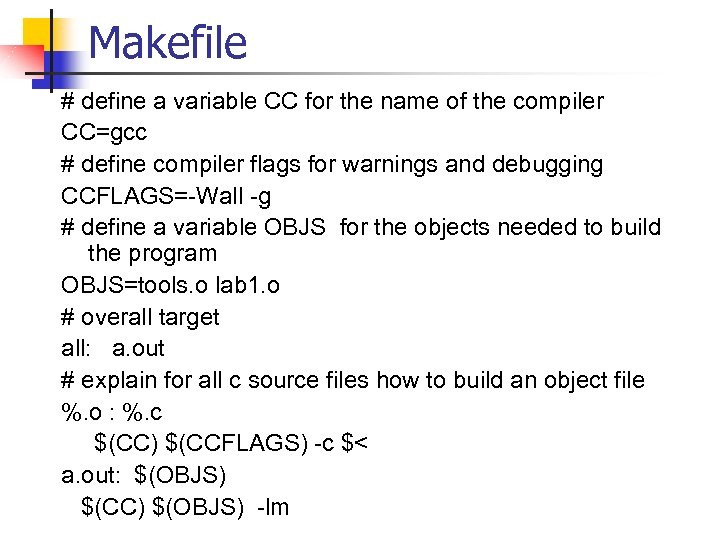 Makefile # define a variable CC for the name of the compiler CC=gcc # define compiler flags for warnings and debugging CCFLAGS=-Wall -g # define a variable OBJS for the objects needed to build the program OBJS=tools. o lab 1. o # overall target all: a. out # explain for all c source files how to build an object file %. o : %. c $(CC) $(CCFLAGS) -c $< a. out: $(OBJS) $(CC) $(OBJS) -lm