


 Скачать презентацию 15 -441 Computer Networking Lecture 3 Application Layer
f81b730c2d27724e38b67ee870f5e442.ppt
- Количество слайдов: 52
 15 -441: Computer Networking Lecture 3: Application Layer and Socket Programming
 Lecture Overview • Application layer • • Client-server Application requirements • Background • • TCP vs. UDP Byte ordering • Socket I/O • • TCP/UDP server and client I/O multiplexing Lecture 3: 9 -4 -01 2
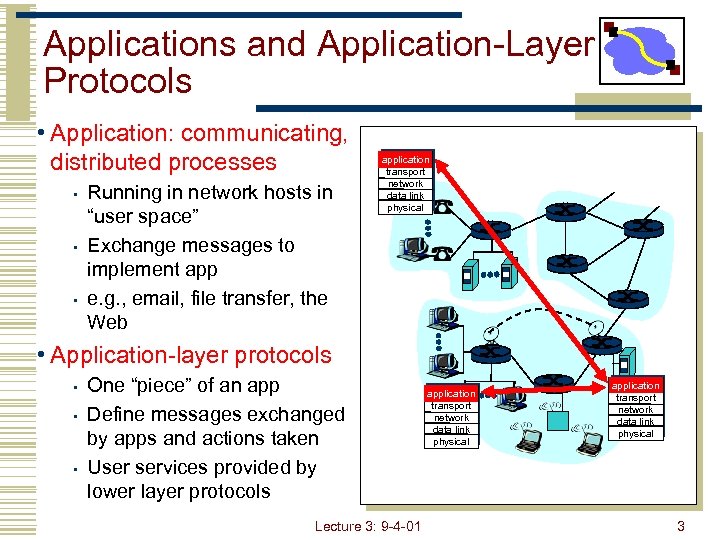 Applications and Application-Layer Protocols • Application: communicating, distributed processes • • • Running in network hosts in “user space” Exchange messages to implement app e. g. , email, file transfer, the Web application transport network data link physical • Application-layer protocols • • • One “piece” of an app Define messages exchanged by apps and actions taken User services provided by lower layer protocols Lecture 3: 9 -4 -01 application transport network data link physical 3
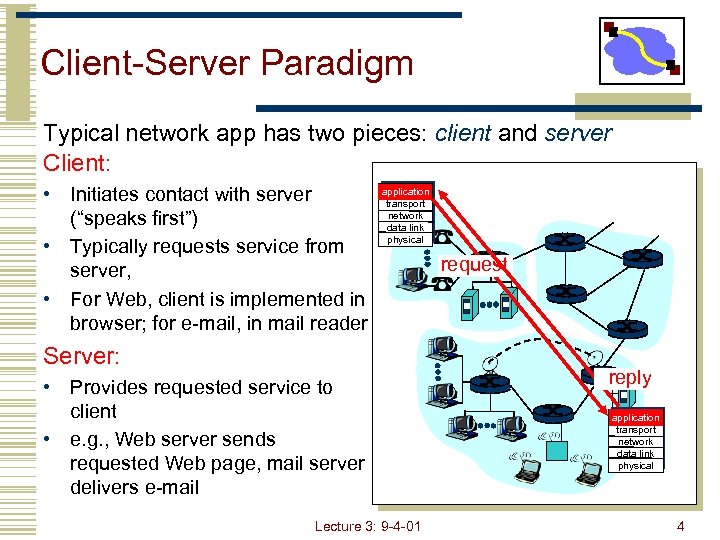 Client-Server Paradigm Typical network app has two pieces: client and server Client: • Initiates contact with server (“speaks first”) • Typically requests service from server, • For Web, client is implemented in browser; for e-mail, in mail reader application transport network data link physical Server: • Provides requested service to client • e. g. , Web server sends requested Web page, mail server delivers e-mail Lecture 3: 9 -4 -01 request reply application transport network data link physical 4
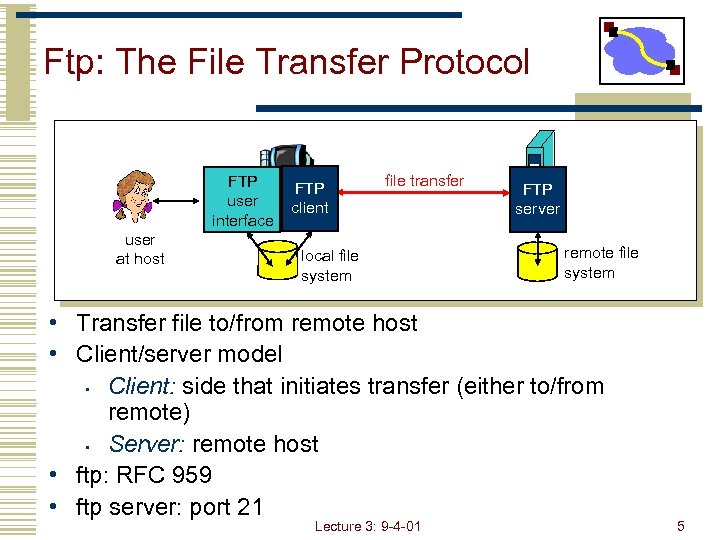 Ftp: The File Transfer Protocol FTP user interface user at host FTP client file transfer local file system FTP server remote file system • Transfer file to/from remote host • Client/server model • Client: side that initiates transfer (either to/from remote) • Server: remote host • ftp: RFC 959 • ftp server: port 21 Lecture 3: 9 -4 -01 5
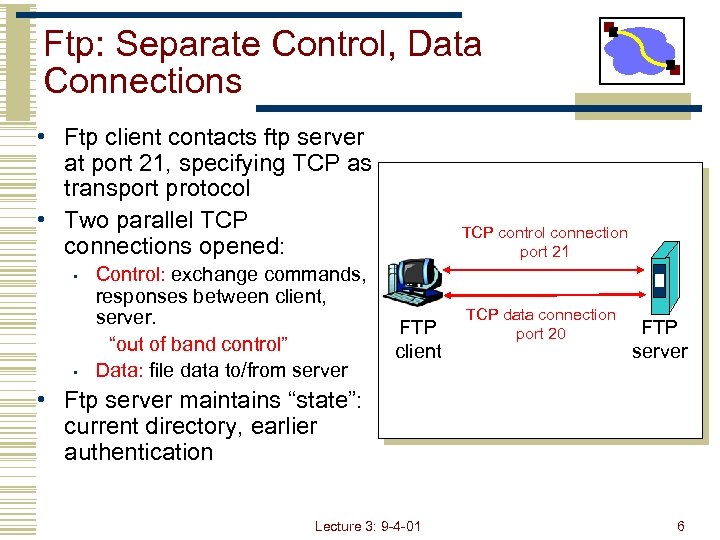 Ftp: Separate Control, Data Connections • Ftp client contacts ftp server at port 21, specifying TCP as transport protocol • Two parallel TCP connections opened: • • Control: exchange commands, responses between client, server. “out of band control” Data: file data to/from server TCP control connection port 21 FTP client TCP data connection port 20 FTP server • Ftp server maintains “state”: current directory, earlier authentication Lecture 3: 9 -4 -01 6
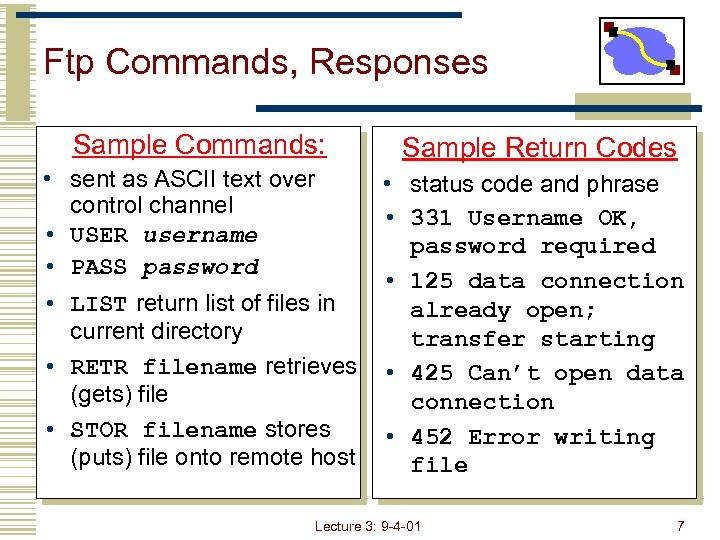 Ftp Commands, Responses Sample Commands: • sent as ASCII text over control channel • USER username • PASS password • LIST return list of files in current directory • RETR filename retrieves (gets) file • STOR filename stores (puts) file onto remote host Sample Return Codes • status code and phrase • 331 Username OK, password required • 125 data connection already open; transfer starting • 425 Can’t open data connection • 452 Error writing file Lecture 3: 9 -4 -01 7
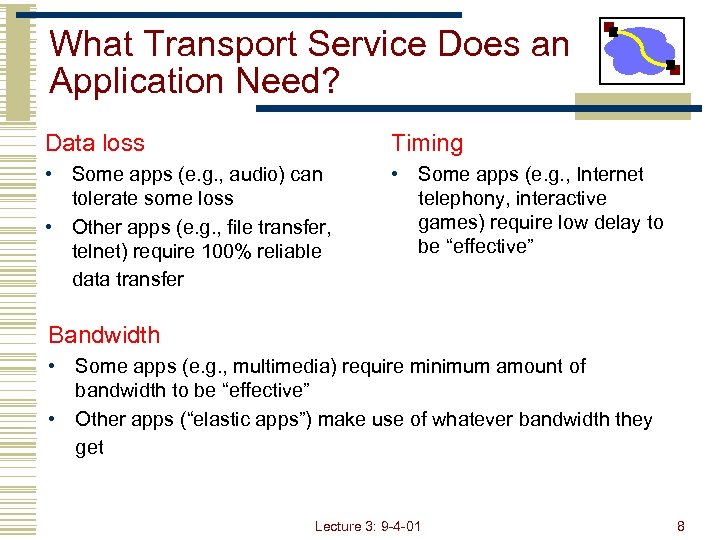 What Transport Service Does an Application Need? Data loss Timing • Some apps (e. g. , audio) can tolerate some loss • Other apps (e. g. , file transfer, telnet) require 100% reliable data transfer • Some apps (e. g. , Internet telephony, interactive games) require low delay to be “effective” Bandwidth • Some apps (e. g. , multimedia) require minimum amount of bandwidth to be “effective” • Other apps (“elastic apps”) make use of whatever bandwidth they get Lecture 3: 9 -4 -01 8
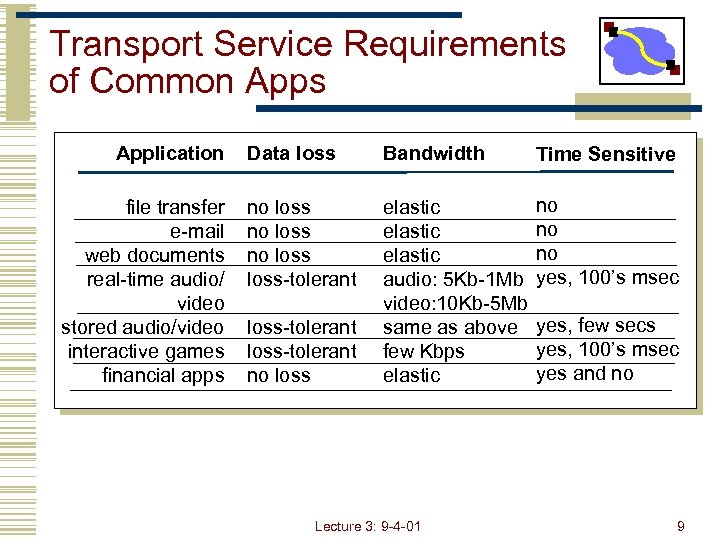 Transport Service Requirements of Common Apps Application file transfer e-mail web documents real-time audio/ video stored audio/video interactive games financial apps Data loss Bandwidth Time Sensitive no loss-tolerant elastic audio: 5 Kb-1 Mb video: 10 Kb-5 Mb same as above few Kbps elastic no no no yes, 100’s msec loss-tolerant no loss Lecture 3: 9 -4 -01 yes, few secs yes, 100’s msec yes and no 9
 Lecture Overview • Application layer • • Client-server Application requirements • Background • • TCP vs. UDP Byte ordering • Socket I/O • • TCP/UDP server and client I/O multiplexing Lecture 3: 9 -4 -01 10
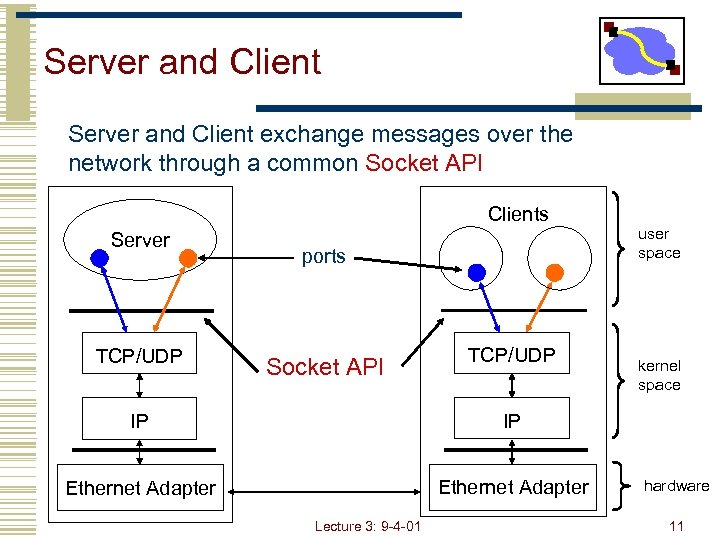 Server and Client exchange messages over the network through a common Socket API Clients Server TCP/UDP ports Socket API TCP/UDP IP Ethernet Adapter kernel space IP Ethernet Adapter user space Lecture 3: 9 -4 -01 hardware 11
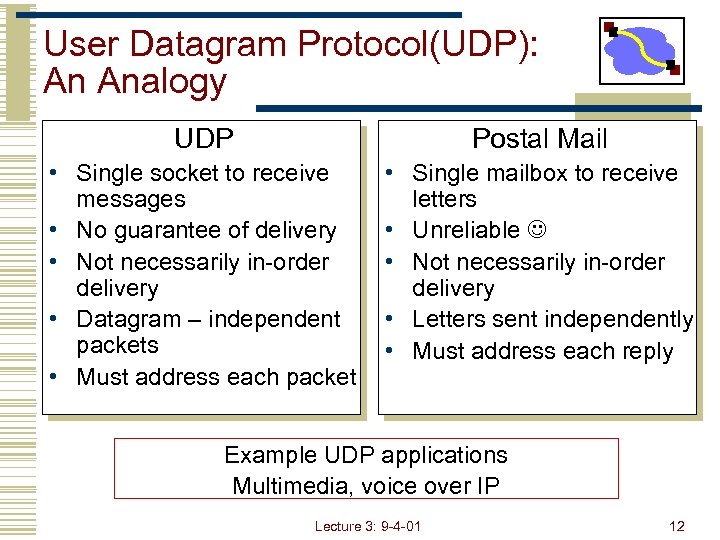 User Datagram Protocol(UDP): An Analogy UDP Postal Mail • Single socket to receive messages • No guarantee of delivery • Not necessarily in-order delivery • Datagram – independent packets • Must address each packet • Single mailbox to receive letters messages • Unreliable • Not necessarily in-order delivery • Each letter is independent Letters sent independently • Must address each reply Example UDP applications Multimedia, voice over IP Lecture 3: 9 -4 -01 12
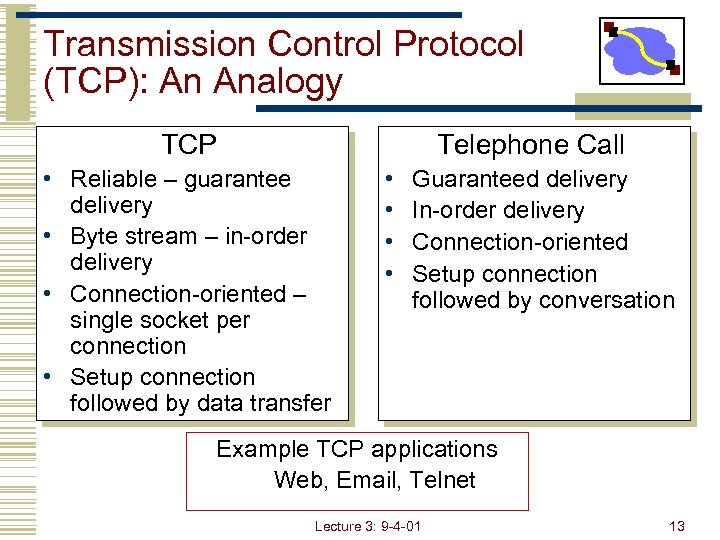 Transmission Control Protocol (TCP): An Analogy TCP Telephone Call • Reliable – guarantee delivery • Byte stream – in-order delivery • Connection-oriented – single socket per connection • Setup connection followed by data transfer • • Guaranteed delivery In-order delivery Connection-oriented Setup connection followed by conversation Example TCP applications Web, Email, Telnet Lecture 3: 9 -4 -01 13
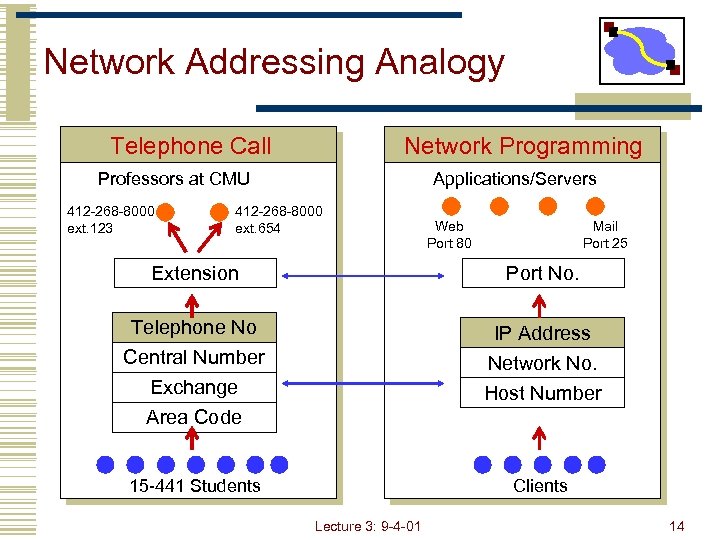 Network Addressing Analogy Telephone Call Network Programming Professors at CMU 412 -268 -8000 ext. 123 Applications/Servers 412 -268 -8000 ext. 654 Web Port 80 Mail Port 25 Extension Port No. Telephone No Central Number Exchange Area Code IP Address Network No. Host Number 15 -441 Students Clients Lecture 3: 9 -4 -01 14
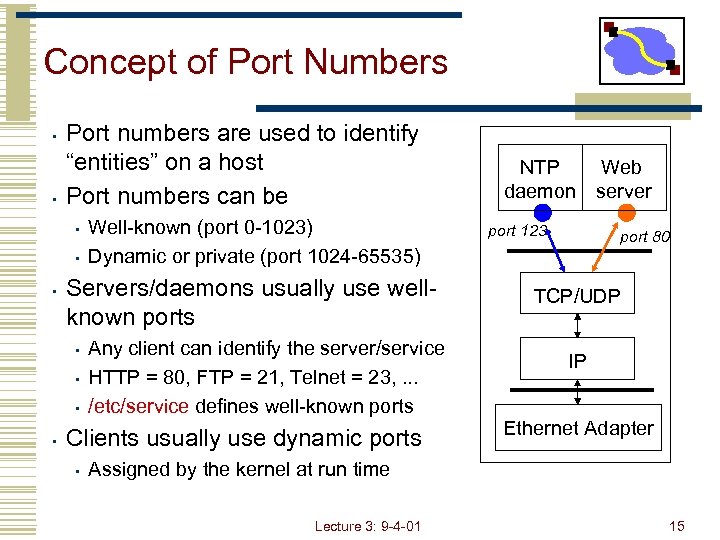 Concept of Port Numbers • • Port numbers are used to identify “entities” on a host Port numbers can be • • • Servers/daemons usually use wellknown ports • • Well-known (port 0 -1023) Dynamic or private (port 1024 -65535) Any client can identify the server/service HTTP = 80, FTP = 21, Telnet = 23, . . . /etc/service defines well-known ports Clients usually use dynamic ports • NTP daemon port 123 Web server port 80 TCP/UDP IP Ethernet Adapter Assigned by the kernel at run time Lecture 3: 9 -4 -01 15
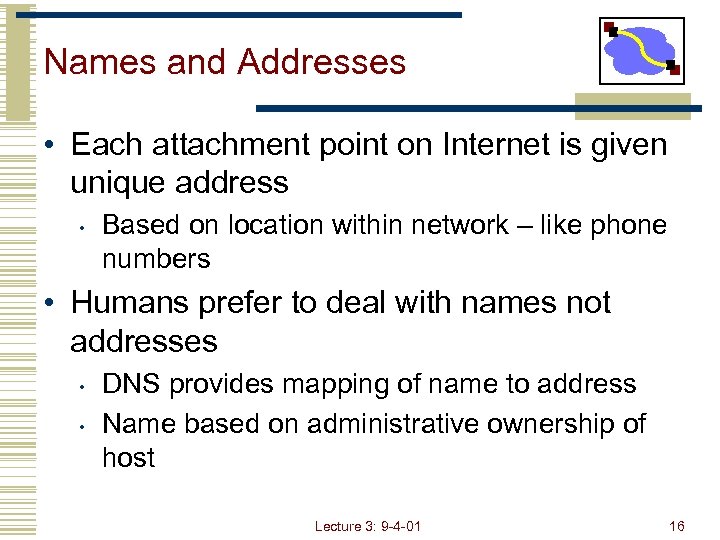 Names and Addresses • Each attachment point on Internet is given unique address • Based on location within network – like phone numbers • Humans prefer to deal with names not addresses • • DNS provides mapping of name to address Name based on administrative ownership of host Lecture 3: 9 -4 -01 16
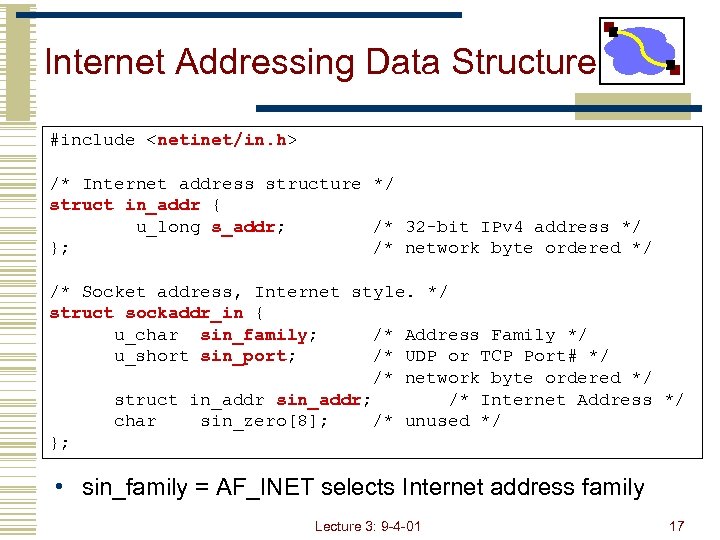 Internet Addressing Data Structure #include
![Byte Ordering union { u_int 32_t addr; /* 4 bytes address */ char c[4];](https://present5.com/presentation/f81b730c2d27724e38b67ee870f5e442/image-18.jpg "Byte Ordering union { u_int 32_t addr; /* 4 bytes address */ char c[4];") Byte Ordering union { u_int 32_t addr; /* 4 bytes address */ char c[4]; } un; /* 128. 2. 194. 95 */ un. addr = 0 x 8002 c 25 f; /* c[0] = ? */ c[0] c[1] c[2] c[3] • Big Endian • 128 194 95 95 194 2 128 Sun Solaris, Power. PC, . . . • Little Endian • 2 i 386, alpha, . . . • Network byte order = Big Endian Lecture 3: 9 -4 -01 18
Byte Ordering union { u_int 32_t addr; /* 4 bytes address */ char c[4]; } un; /* 128. 2. 194. 95 */ un. addr = 0 x 8002 c 25 f; /* c[0] = ? */ c[0] c[1] c[2] c[3] • Big Endian • 128 194 95 95 194 2 128 Sun Solaris, Power. PC, . . . • Little Endian • 2 i 386, alpha, . . . • Network byte order = Big Endian Lecture 3: 9 -4 -01 18
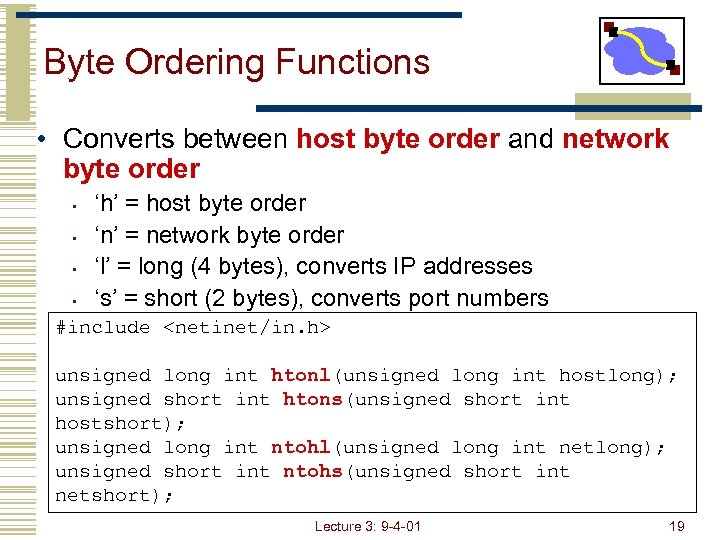 Byte Ordering Functions • Converts between host byte order and network byte order • • ‘h’ = host byte order ‘n’ = network byte order ‘l’ = long (4 bytes), converts IP addresses ‘s’ = short (2 bytes), converts port numbers #include
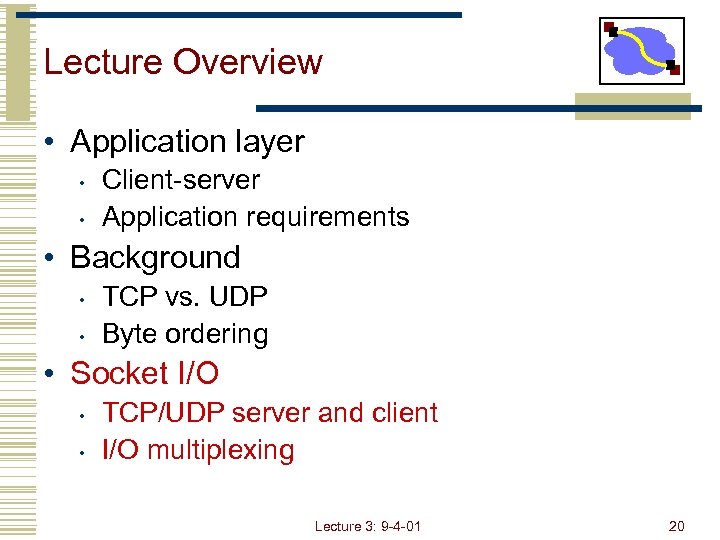 Lecture Overview • Application layer • • Client-server Application requirements • Background • • TCP vs. UDP Byte ordering • Socket I/O • • TCP/UDP server and client I/O multiplexing Lecture 3: 9 -4 -01 20
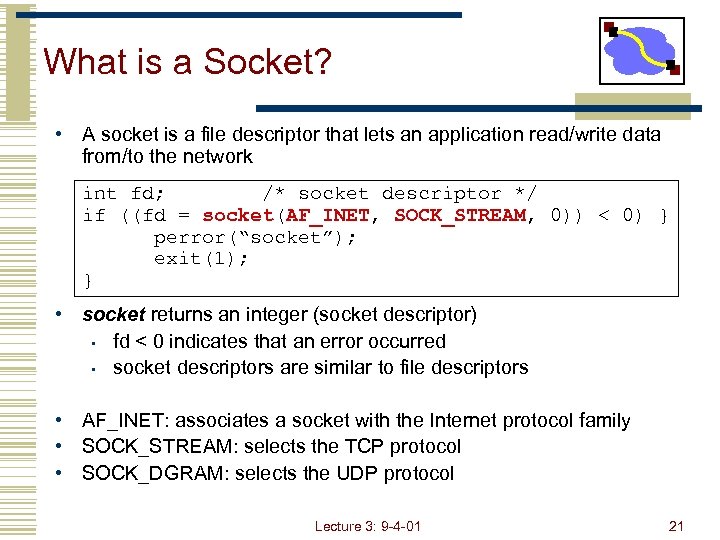 What is a Socket? • A socket is a file descriptor that lets an application read/write data from/to the network int fd; /* socket descriptor */ if ((fd = socket(AF_INET, SOCK_STREAM, 0)) < 0) } perror(“socket”); exit(1); } • socket returns an integer (socket descriptor) • fd < 0 indicates that an error occurred • socket descriptors are similar to file descriptors • AF_INET: associates a socket with the Internet protocol family • SOCK_STREAM: selects the TCP protocol • SOCK_DGRAM: selects the UDP protocol Lecture 3: 9 -4 -01 21
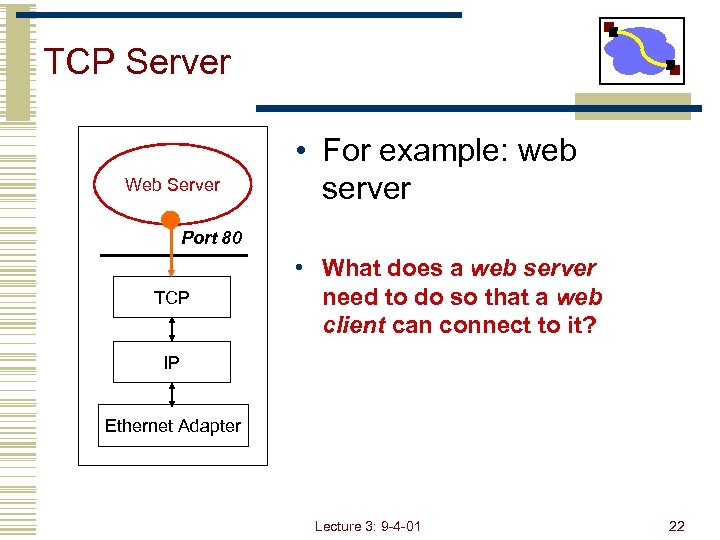 TCP Server Web Server • For example: web server Port 80 TCP • What does a web server need to do so that a web client can connect to it? IP Ethernet Adapter Lecture 3: 9 -4 -01 22
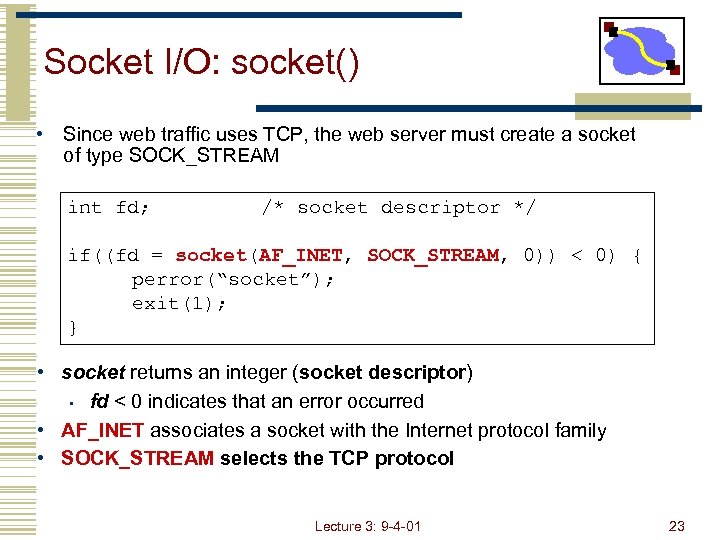 Socket I/O: socket() • Since web traffic uses TCP, the web server must create a socket of type SOCK_STREAM int fd; /* socket descriptor */ if((fd = socket(AF_INET, SOCK_STREAM, 0)) < 0) { perror(“socket”); exit(1); } • socket returns an integer (socket descriptor) • fd < 0 indicates that an error occurred • AF_INET associates a socket with the Internet protocol family • SOCK_STREAM selects the TCP protocol Lecture 3: 9 -4 -01 23
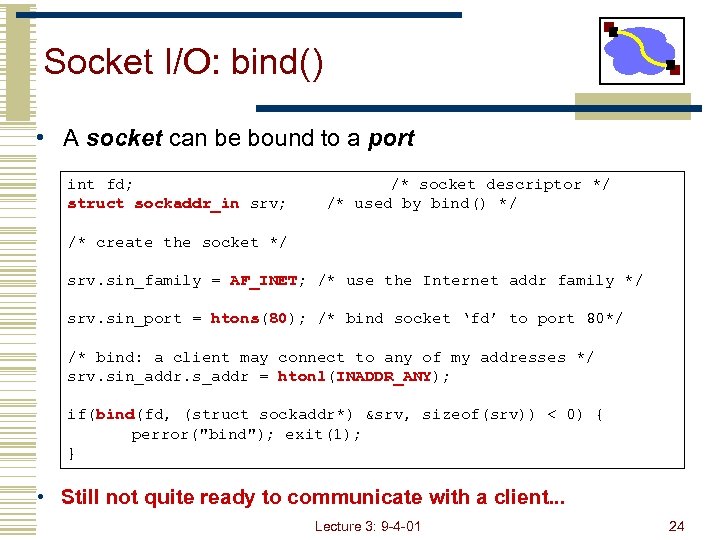 Socket I/O: bind() • A socket can be bound to a port int fd; struct sockaddr_in srv; /* socket descriptor */ /* used by bind() */ /* create the socket */ srv. sin_family = AF_INET; /* use the Internet addr family */ srv. sin_port = htons(80); /* bind socket ‘fd’ to port 80*/ /* bind: a client may connect to any of my addresses */ srv. sin_addr. s_addr = htonl(INADDR_ANY); if(bind(fd, (struct sockaddr*) &srv, sizeof(srv)) < 0) { perror("bind"); exit(1); } • Still not quite ready to communicate with a client. . . Lecture 3: 9 -4 -01 24
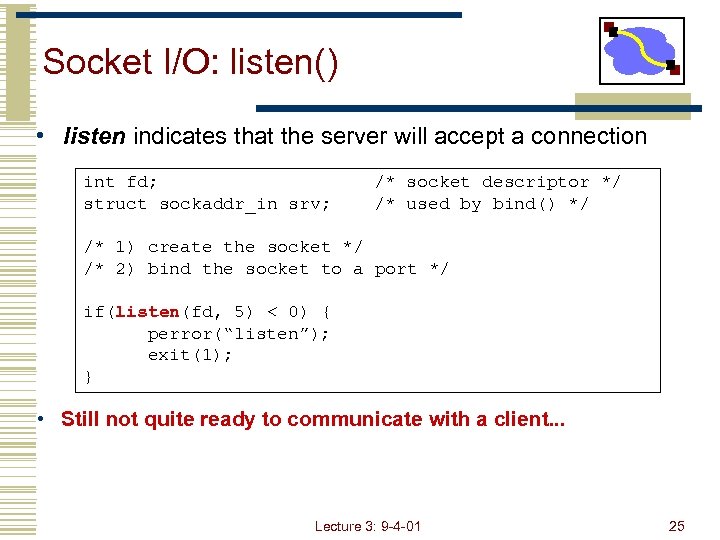 Socket I/O: listen() • listen indicates that the server will accept a connection int fd; struct sockaddr_in srv; /* socket descriptor */ /* used by bind() */ /* 1) create the socket */ /* 2) bind the socket to a port */ if(listen(fd, 5) < 0) { perror(“listen”); exit(1); } • Still not quite ready to communicate with a client. . . Lecture 3: 9 -4 -01 25
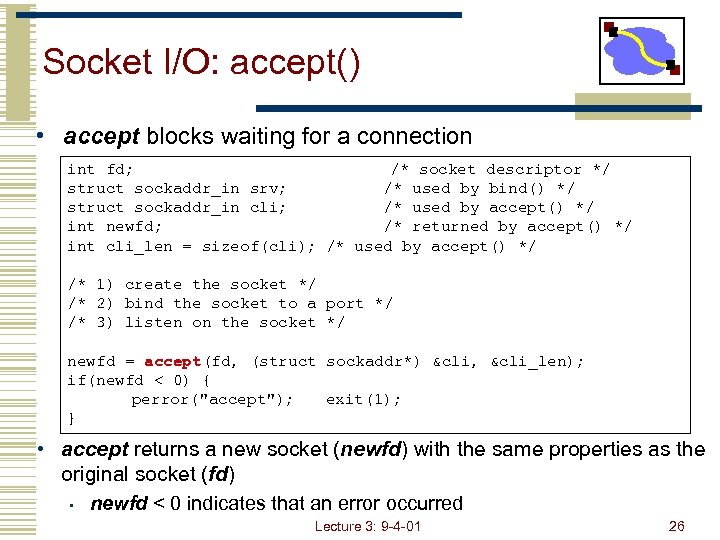 Socket I/O: accept() • accept blocks waiting for a connection int fd; /* socket descriptor */ struct sockaddr_in srv; /* used by bind() */ struct sockaddr_in cli; /* used by accept() */ int newfd; /* returned by accept() */ int cli_len = sizeof(cli); /* used by accept() */ /* 1) create the socket */ /* 2) bind the socket to a port */ /* 3) listen on the socket */ newfd = accept(fd, (struct sockaddr*) &cli, &cli_len); if(newfd < 0) { perror("accept"); exit(1); } • accept returns a new socket (newfd) with the same properties as the original socket (fd) • newfd < 0 indicates that an error occurred Lecture 3: 9 -4 -01 26
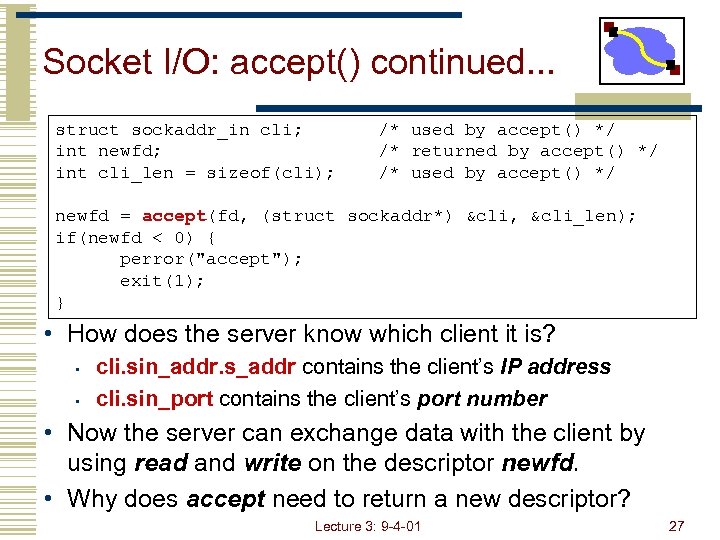 Socket I/O: accept() continued. . . struct sockaddr_in cli; int newfd; int cli_len = sizeof(cli); /* used by accept() */ /* returned by accept() */ /* used by accept() */ newfd = accept(fd, (struct sockaddr*) &cli, &cli_len); if(newfd < 0) { perror("accept"); exit(1); } • How does the server know which client it is? • • cli. sin_addr. s_addr contains the client’s IP address cli. sin_port contains the client’s port number • Now the server can exchange data with the client by using read and write on the descriptor newfd. • Why does accept need to return a new descriptor? Lecture 3: 9 -4 -01 27
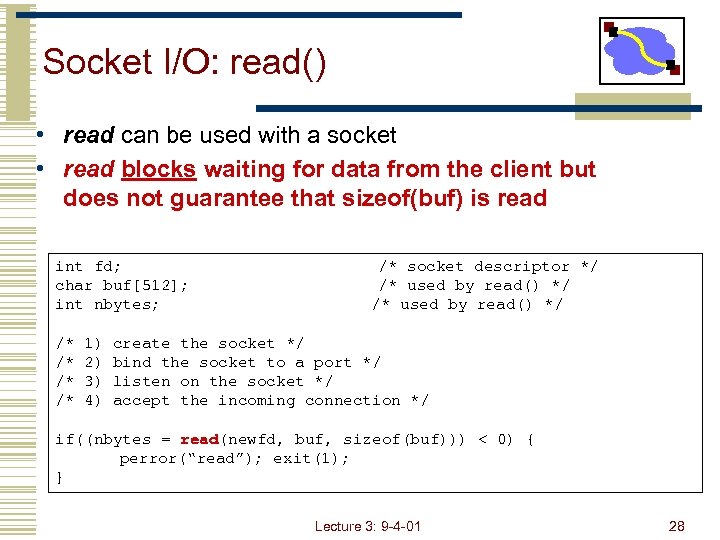 Socket I/O: read() • read can be used with a socket • read blocks waiting for data from the client but does not guarantee that sizeof(buf) is read int fd; char buf[512]; int nbytes; /* /* 1) 2) 3) 4) /* socket descriptor */ /* used by read() */ create the socket */ bind the socket to a port */ listen on the socket */ accept the incoming connection */ if((nbytes = read(newfd, buf, sizeof(buf))) < 0) { perror(“read”); exit(1); } Lecture 3: 9 -4 -01 28
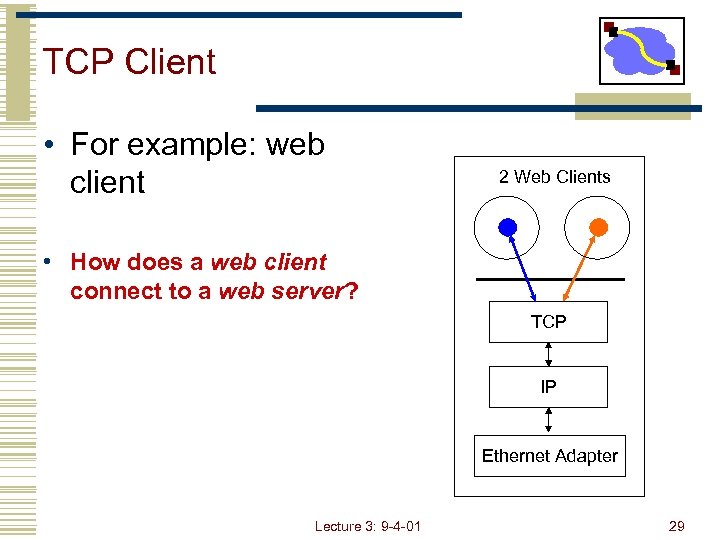 TCP Client • For example: web client 2 Web Clients • How does a web client connect to a web server? TCP IP Ethernet Adapter Lecture 3: 9 -4 -01 29
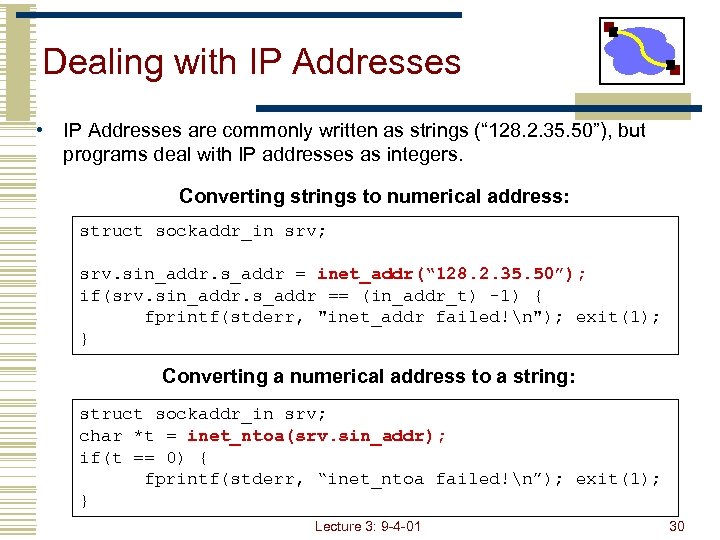 Dealing with IP Addresses • IP Addresses are commonly written as strings (“ 128. 2. 35. 50”), but programs deal with IP addresses as integers. Converting strings to numerical address: struct sockaddr_in srv; srv. sin_addr. s_addr = inet_addr(“ 128. 2. 35. 50”); if(srv. sin_addr. s_addr == (in_addr_t) -1) { fprintf(stderr, "inet_addr failed!n"); exit(1); } Converting a numerical address to a string: struct sockaddr_in srv; char *t = inet_ntoa(srv. sin_addr); if(t == 0) { fprintf(stderr, “inet_ntoa failed!n”); exit(1); } Lecture 3: 9 -4 -01 30
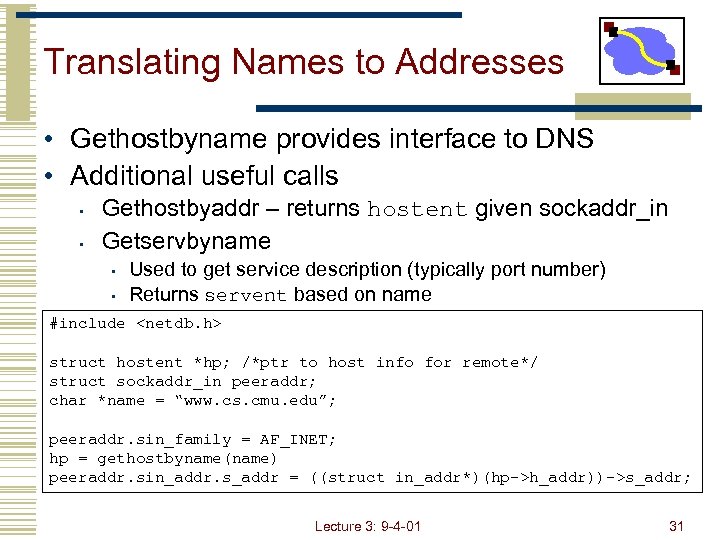 Translating Names to Addresses • Gethostbyname provides interface to DNS • Additional useful calls • • Gethostbyaddr – returns hostent given sockaddr_in Getservbyname • • Used to get service description (typically port number) Returns servent based on name #include
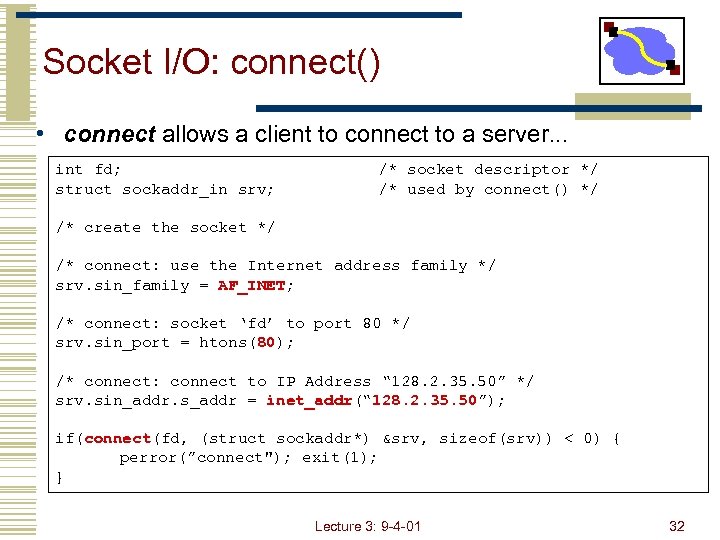 Socket I/O: connect() • connect allows a client to connect to a server. . . int fd; struct sockaddr_in srv; /* socket descriptor */ /* used by connect() */ /* create the socket */ /* connect: use the Internet address family */ srv. sin_family = AF_INET; /* connect: socket ‘fd’ to port 80 */ srv. sin_port = htons(80); /* connect: connect to IP Address “ 128. 2. 35. 50” */ srv. sin_addr. s_addr = inet_addr(“ 128. 2. 35. 50”); if(connect(fd, (struct sockaddr*) &srv, sizeof(srv)) < 0) { perror(”connect"); exit(1); } Lecture 3: 9 -4 -01 32
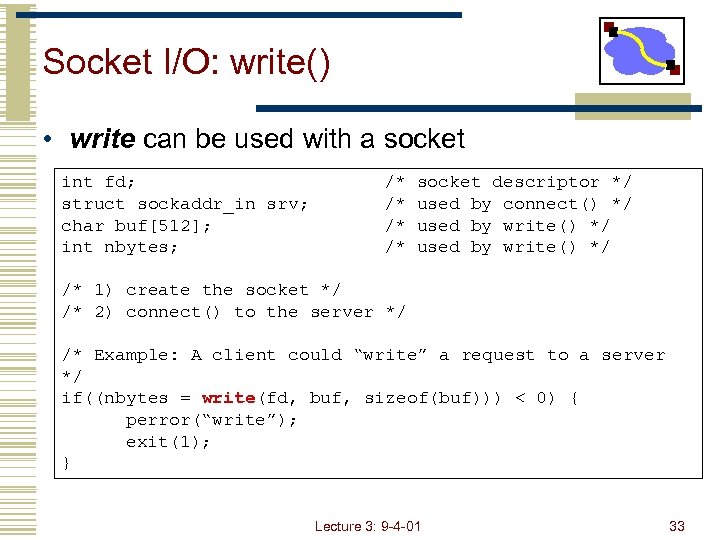 Socket I/O: write() • write can be used with a socket int fd; struct sockaddr_in srv; char buf[512]; int nbytes; /* /* socket descriptor */ used by connect() */ used by write() */ /* 1) create the socket */ /* 2) connect() to the server */ /* Example: A client could “write” a request to a server */ if((nbytes = write(fd, buf, sizeof(buf))) < 0) { perror(“write”); exit(1); } Lecture 3: 9 -4 -01 33
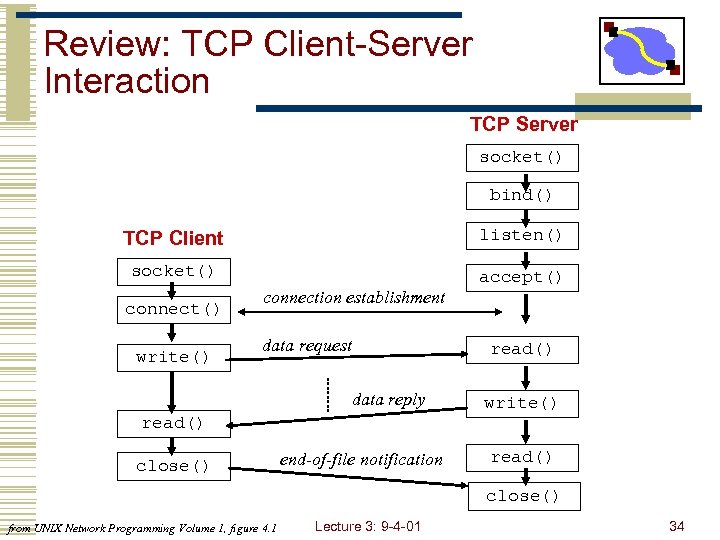 Review: TCP Client-Server Interaction TCP Server socket() bind() TCP Client listen() socket() accept() connect() write() connection establishment data request read() data reply write() read() close() end-of-file notification read() close() from UNIX Network Programming Volume 1, figure 4. 1 Lecture 3: 9 -4 -01 34
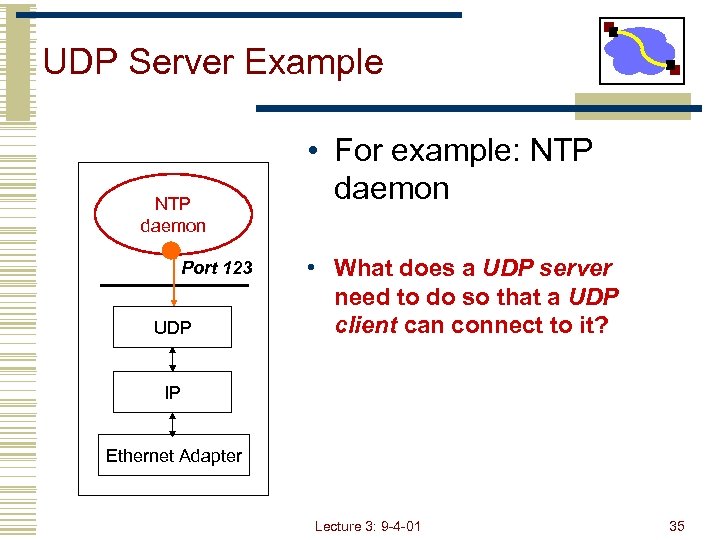 UDP Server Example NTP daemon Port 123 UDP • For example: NTP daemon • What does a UDP server need to do so that a UDP client can connect to it? IP Ethernet Adapter Lecture 3: 9 -4 -01 35
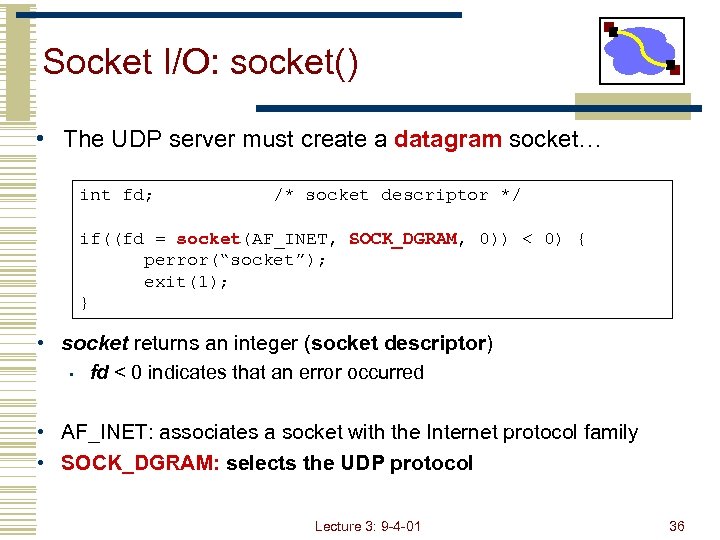 Socket I/O: socket() • The UDP server must create a datagram socket… int fd; /* socket descriptor */ if((fd = socket(AF_INET, SOCK_DGRAM, 0)) < 0) { perror(“socket”); exit(1); } • socket returns an integer (socket descriptor) • fd < 0 indicates that an error occurred • AF_INET: associates a socket with the Internet protocol family • SOCK_DGRAM: selects the UDP protocol Lecture 3: 9 -4 -01 36
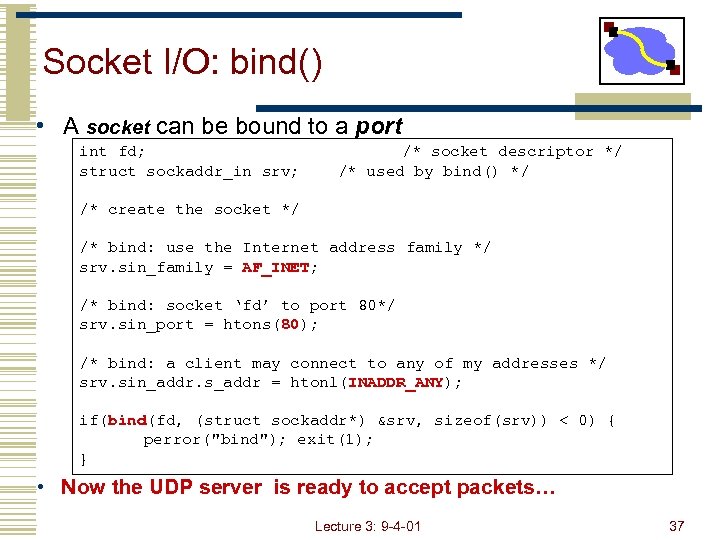 Socket I/O: bind() • A socket can be bound to a port int fd; struct sockaddr_in srv; /* socket descriptor */ /* used by bind() */ /* create the socket */ /* bind: use the Internet address family */ srv. sin_family = AF_INET; /* bind: socket ‘fd’ to port 80*/ srv. sin_port = htons(80); /* bind: a client may connect to any of my addresses */ srv. sin_addr. s_addr = htonl(INADDR_ANY); if(bind(fd, (struct sockaddr*) &srv, sizeof(srv)) < 0) { perror("bind"); exit(1); } • Now the UDP server is ready to accept packets… Lecture 3: 9 -4 -01 37
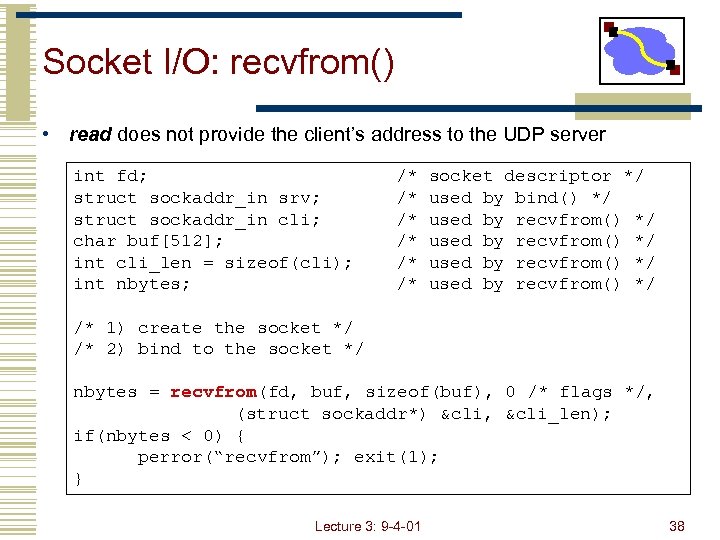 Socket I/O: recvfrom() • read does not provide the client’s address to the UDP server int fd; struct sockaddr_in srv; struct sockaddr_in cli; char buf[512]; int cli_len = sizeof(cli); int nbytes; /* /* /* socket descriptor */ used by bind() */ used by recvfrom() */ /* 1) create the socket */ /* 2) bind to the socket */ nbytes = recvfrom(fd, buf, sizeof(buf), 0 /* flags */, (struct sockaddr*) &cli, &cli_len); if(nbytes < 0) { perror(“recvfrom”); exit(1); } Lecture 3: 9 -4 -01 38
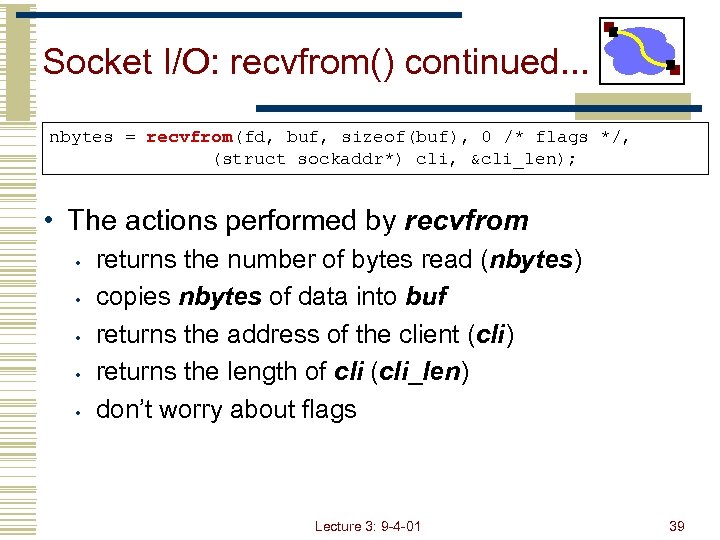 Socket I/O: recvfrom() continued. . . nbytes = recvfrom(fd, buf, sizeof(buf), 0 /* flags */, (struct sockaddr*) cli, &cli_len); • The actions performed by recvfrom • • • returns the number of bytes read (nbytes) copies nbytes of data into buf returns the address of the client (cli) returns the length of cli (cli_len) don’t worry about flags Lecture 3: 9 -4 -01 39
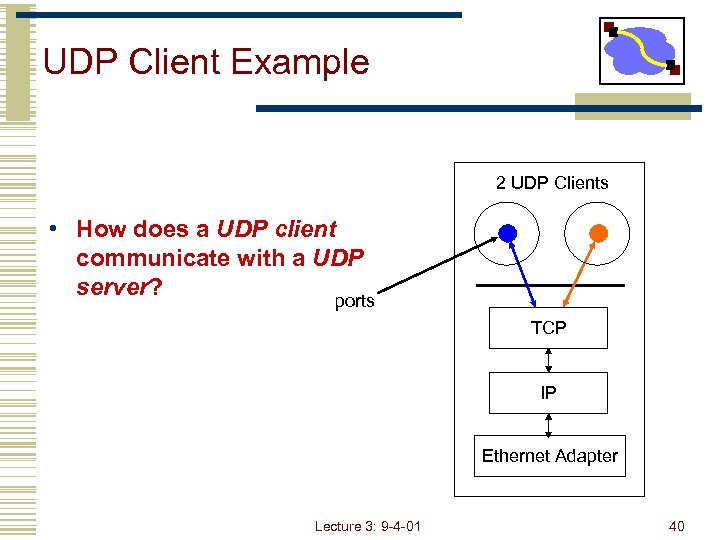 UDP Client Example 2 UDP Clients • How does a UDP client communicate with a UDP server? ports TCP IP Ethernet Adapter Lecture 3: 9 -4 -01 40
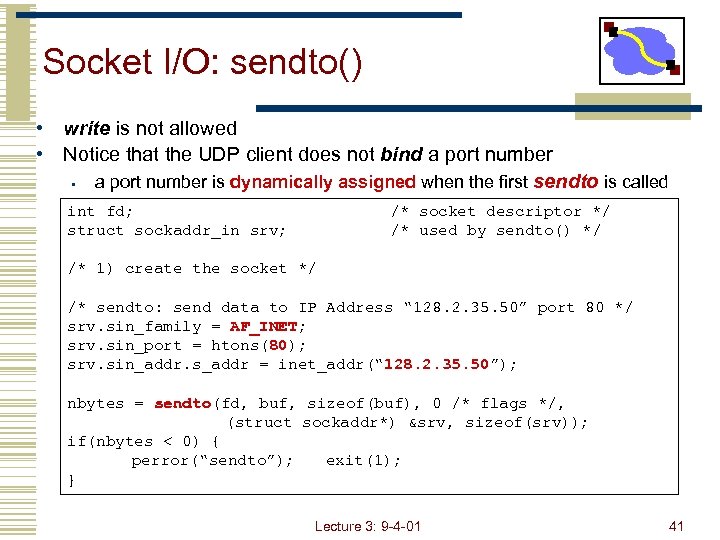 Socket I/O: sendto() • write is not allowed • Notice that the UDP client does not bind a port number • a port number is dynamically assigned when the first sendto is called int fd; struct sockaddr_in srv; /* socket descriptor */ /* used by sendto() */ /* 1) create the socket */ /* sendto: send data to IP Address “ 128. 2. 35. 50” port 80 */ srv. sin_family = AF_INET; srv. sin_port = htons(80); srv. sin_addr. s_addr = inet_addr(“ 128. 2. 35. 50”); nbytes = sendto(fd, buf, sizeof(buf), 0 /* flags */, (struct sockaddr*) &srv, sizeof(srv)); if(nbytes < 0) { perror(“sendto”); exit(1); } Lecture 3: 9 -4 -01 41
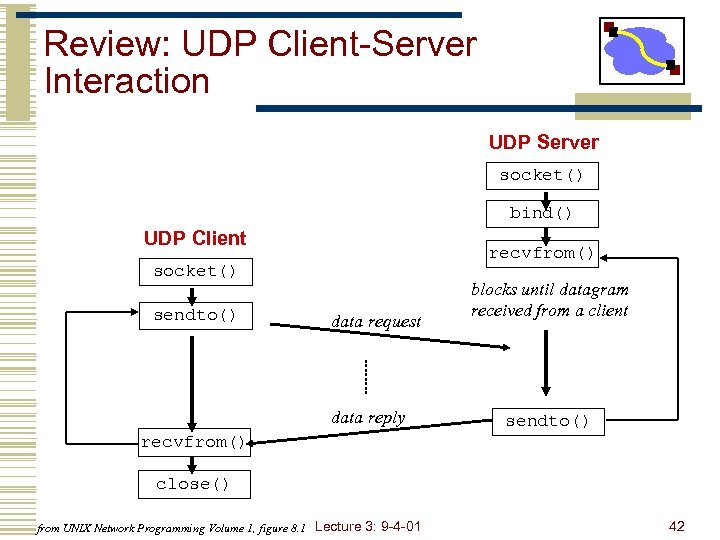 Review: UDP Client-Server Interaction UDP Server socket() bind() UDP Client recvfrom() socket() sendto() data request data reply blocks until datagram received from a client sendto() recvfrom() close() from UNIX Network Programming Volume 1, figure 8. 1 Lecture 3: 9 -4 -01 42
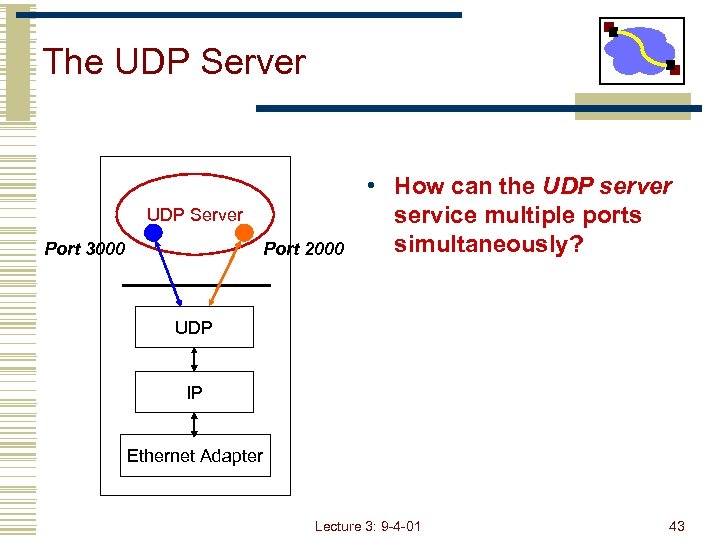 The UDP Server Port 3000 Port 2000 • How can the UDP server service multiple ports simultaneously? UDP IP Ethernet Adapter Lecture 3: 9 -4 -01 43
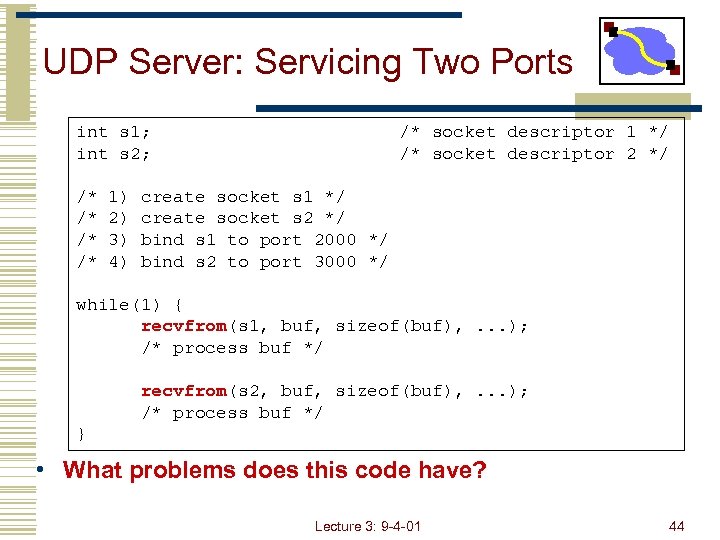 UDP Server: Servicing Two Ports int s 1; int s 2; /* /* 1) 2) 3) 4) /* socket descriptor 1 */ /* socket descriptor 2 */ create socket s 1 */ create socket s 2 */ bind s 1 to port 2000 */ bind s 2 to port 3000 */ while(1) { recvfrom(s 1, buf, sizeof(buf), . . . ); /* process buf */ recvfrom(s 2, buf, sizeof(buf), . . . ); /* process buf */ } • What problems does this code have? Lecture 3: 9 -4 -01 44
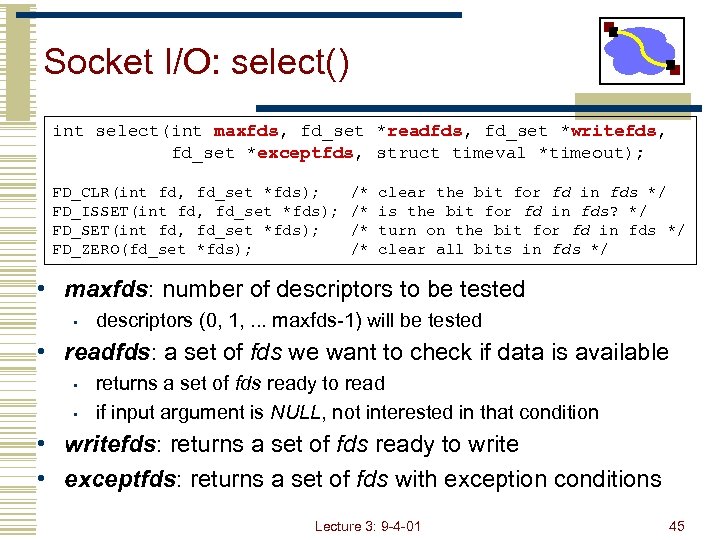 Socket I/O: select() int select(int maxfds, fd_set *readfds, fd_set *writefds, fd_set *exceptfds, struct timeval *timeout); FD_CLR(int fd, fd_set *fds); FD_ISSET(int fd, fd_set *fds); FD_ZERO(fd_set *fds); /* /* clear the bit for fd in fds */ is the bit for fd in fds? */ turn on the bit for fd in fds */ clear all bits in fds */ • maxfds: number of descriptors to be tested • descriptors (0, 1, . . . maxfds-1) will be tested • readfds: a set of fds we want to check if data is available • • returns a set of fds ready to read if input argument is NULL, not interested in that condition • writefds: returns a set of fds ready to write • exceptfds: returns a set of fds with exception conditions Lecture 3: 9 -4 -01 45
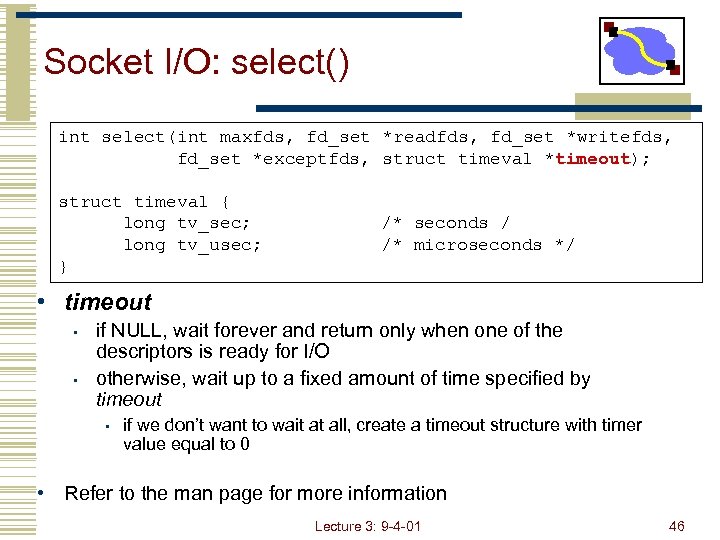 Socket I/O: select() int select(int maxfds, fd_set *readfds, fd_set *writefds, fd_set *exceptfds, struct timeval *timeout); struct timeval { long tv_sec; long tv_usec; } /* seconds / /* microseconds */ • timeout • • if NULL, wait forever and return only when one of the descriptors is ready for I/O otherwise, wait up to a fixed amount of time specified by timeout • if we don’t want to wait at all, create a timeout structure with timer value equal to 0 • Refer to the man page for more information Lecture 3: 9 -4 -01 46
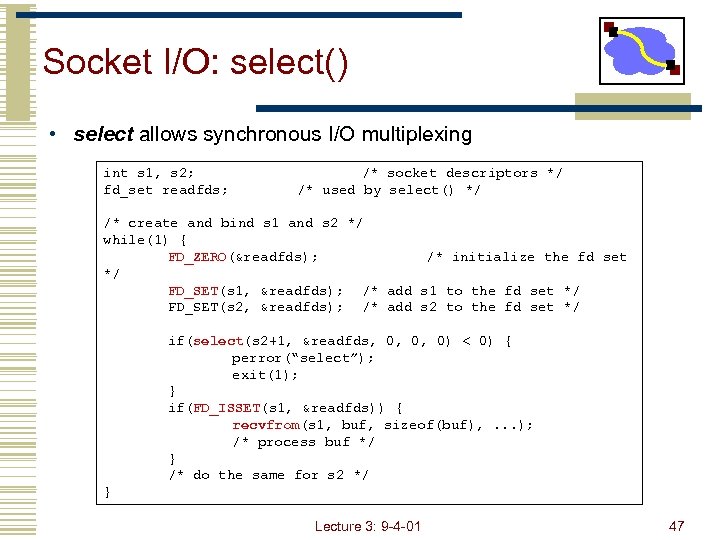 Socket I/O: select() • select allows synchronous I/O multiplexing int s 1, s 2; fd_set readfds; /* socket descriptors */ /* used by select() */ /* create and bind s 1 and s 2 */ while(1) { FD_ZERO(&readfds); /* initialize the fd set */ FD_SET(s 1, &readfds); /* add s 1 to the fd set */ FD_SET(s 2, &readfds); /* add s 2 to the fd set */ if(select(s 2+1, &readfds, 0, 0, 0) < 0) { perror(“select”); exit(1); } if(FD_ISSET(s 1, &readfds)) { recvfrom(s 1, buf, sizeof(buf), . . . ); /* process buf */ } /* do the same for s 2 */ } Lecture 3: 9 -4 -01 47
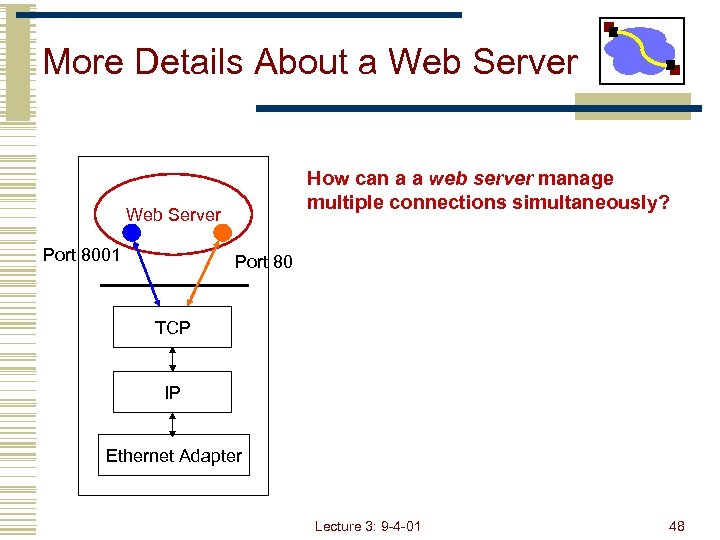 More Details About a Web Server How can a a web server manage multiple connections simultaneously? Web Server Port 8001 Port 80 TCP IP Ethernet Adapter Lecture 3: 9 -4 -01 48
![Socket I/O: select() int fd, next=0; /* original socket */ int newfd[10]; /* new](https://present5.com/presentation/f81b730c2d27724e38b67ee870f5e442/image-49.jpg "Socket I/O: select() int fd, next=0; /* original socket */ int newfd[10]; /* new") Socket I/O: select() int fd, next=0; /* original socket */ int newfd[10]; /* new socket descriptors */ while(1) { fd_set readfds; FD_ZERO(&readfds); FD_SET(fd, &readfds); /* Now use FD_SET to initialize other newfd’s that have already been returned by accept() */ select(maxfd+1, &readfds, 0, 0, 0); if(FD_ISSET(fd, &readfds)) { newfd[next++] = accept(fd, . . . ); } /* do the following for each descriptor newfd[n] */ if(FD_ISSET(newfd[n], &readfds)) { read(newfd[n], buf, sizeof(buf)); /* process data */ } } • Now the web server can support multiple connections. . . Lecture 3: 9 -4 -01 49
Socket I/O: select() int fd, next=0; /* original socket */ int newfd[10]; /* new socket descriptors */ while(1) { fd_set readfds; FD_ZERO(&readfds); FD_SET(fd, &readfds); /* Now use FD_SET to initialize other newfd’s that have already been returned by accept() */ select(maxfd+1, &readfds, 0, 0, 0); if(FD_ISSET(fd, &readfds)) { newfd[next++] = accept(fd, . . . ); } /* do the following for each descriptor newfd[n] */ if(FD_ISSET(newfd[n], &readfds)) { read(newfd[n], buf, sizeof(buf)); /* process data */ } } • Now the web server can support multiple connections. . . Lecture 3: 9 -4 -01 49
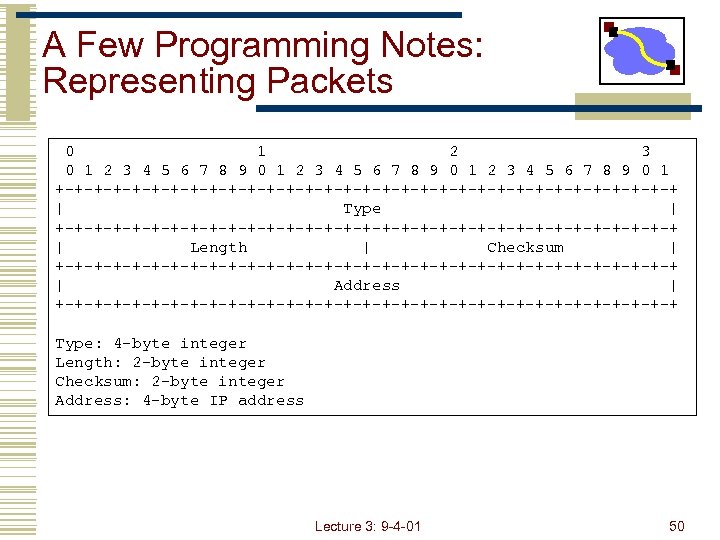 A Few Programming Notes: Representing Packets 0 1 2 3 4 5 6 7 8 9 0 1 +-+-+-+-+-+-+-+-+-+-+-+-+-+-+-+-+ | Type | +-+-+-+-+-+-+-+-+-+-+-+-+-+-+-+-+ | Length | Checksum | +-+-+-+-+-+-+-+-+-+-+-+-+-+-+-+-+ | Address | +-+-+-+-+-+-+-+-+-+-+-+-+-+-+-+-+ Type: 4 -byte integer Length: 2 -byte integer Checksum: 2 -byte integer Address: 4 -byte IP address Lecture 3: 9 -4 -01 50
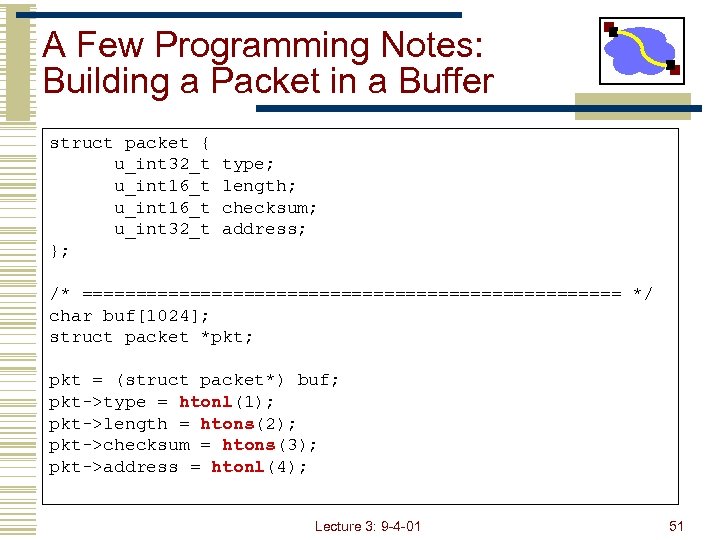 A Few Programming Notes: Building a Packet in a Buffer struct packet { u_int 32_t u_int 16_t u_int 32_t }; type; length; checksum; address; /* ========================= */ char buf[1024]; struct packet *pkt; pkt = (struct packet*) buf; pkt->type = htonl(1); pkt->length = htons(2); pkt->checksum = htons(3); pkt->address = htonl(4); Lecture 3: 9 -4 -01 51
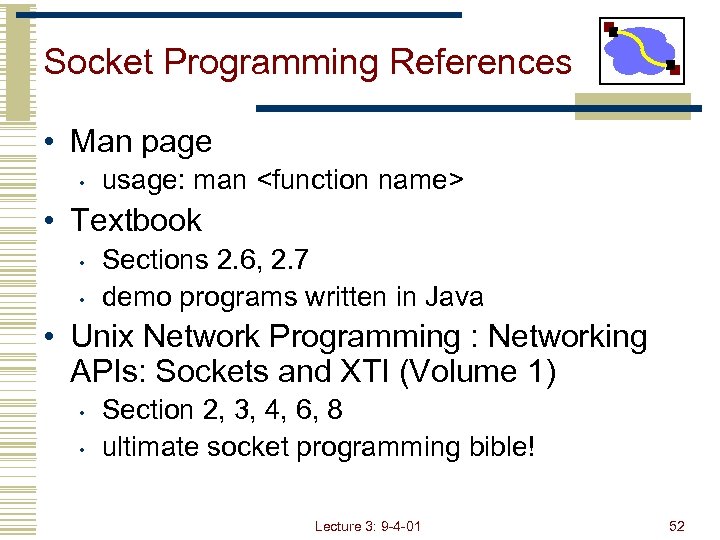 Socket Programming References • Man page • usage: man