


 Скачать презентацию 1 www its-tel com Copyright July 2004
f7c58f9530a7dcfda4f130ab4bb87f35.ppt
- Количество слайдов: 45
 1 www. its-tel. com Copyright © July 2004 by ITS
 2 www. its-tel. com Copyright © July 2004 by ITS
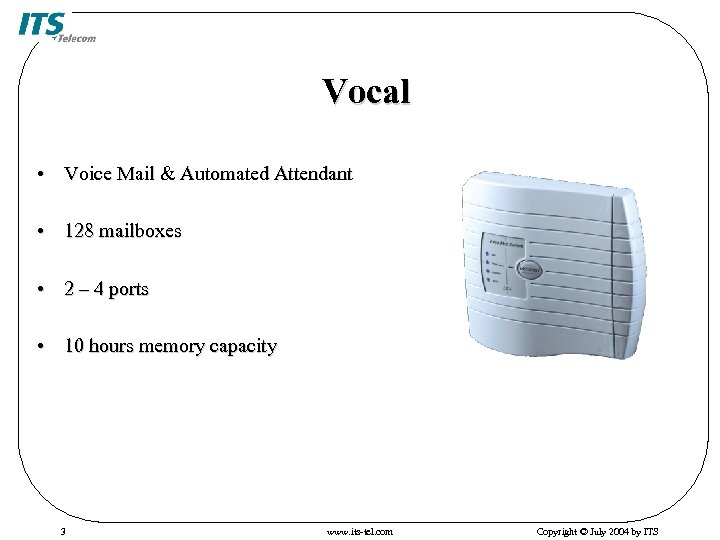 Vocal • Voice Mail & Automated Attendant • 128 mailboxes • 2 – 4 ports • 10 hours memory capacity 3 www. its-tel. com Copyright © July 2004 by ITS
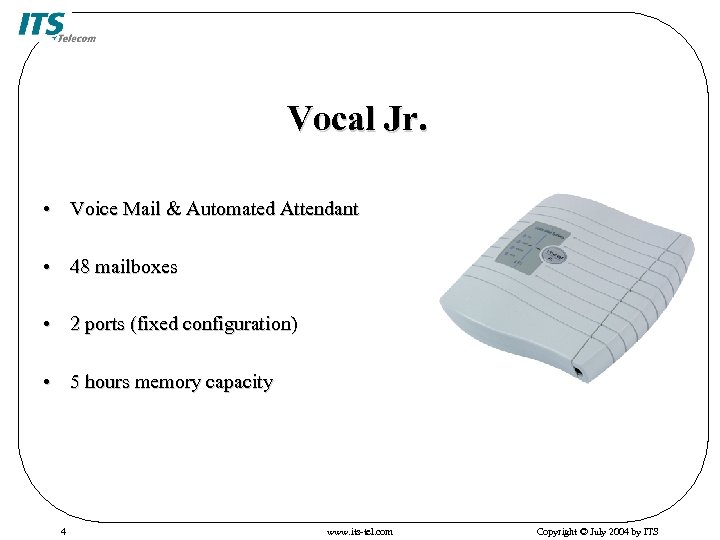 Vocal Jr. • Voice Mail & Automated Attendant • 48 mailboxes • 2 ports (fixed configuration) • 5 hours memory capacity 4 www. its-tel. com Copyright © July 2004 by ITS
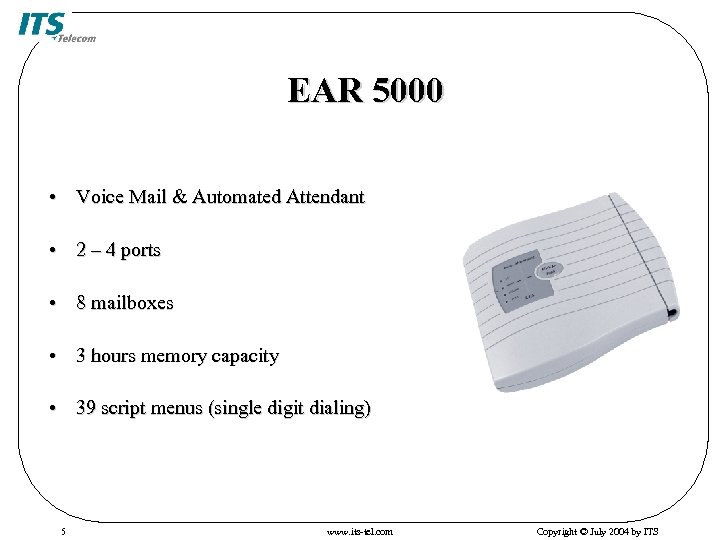 EAR 5000 • Voice Mail & Automated Attendant • 2 – 4 ports • 8 mailboxes • 3 hours memory capacity • 39 script menus (single digit dialing) 5 www. its-tel. com Copyright © July 2004 by ITS
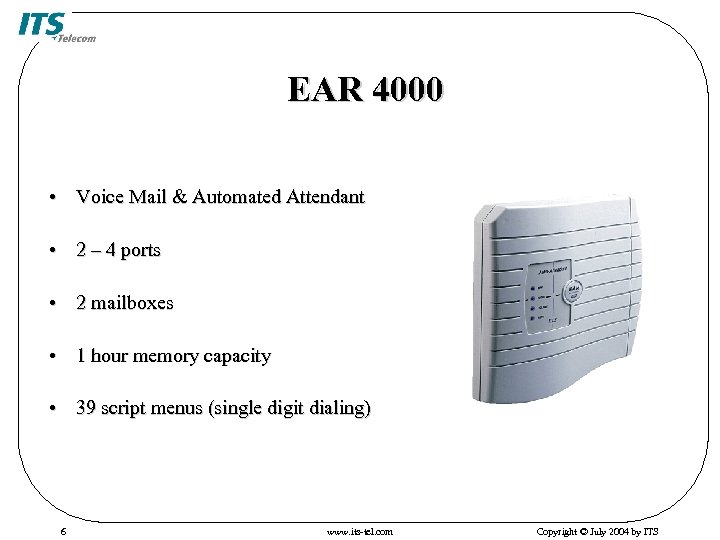 EAR 4000 • Voice Mail & Automated Attendant • 2 – 4 ports • 2 mailboxes • 1 hour memory capacity • 39 script menus (single digit dialing) 6 www. its-tel. com Copyright © July 2004 by ITS
 7 www. its-tel. com Copyright © July 2004 by ITS
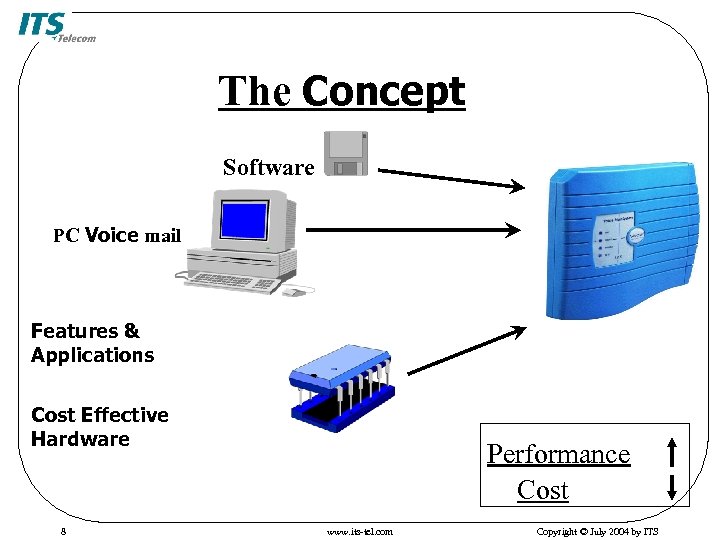 The Concept Software PC Voice mail Features & Applications Cost Effective Hardware 8 Performance Cost www. its-tel. com Copyright © July 2004 by ITS
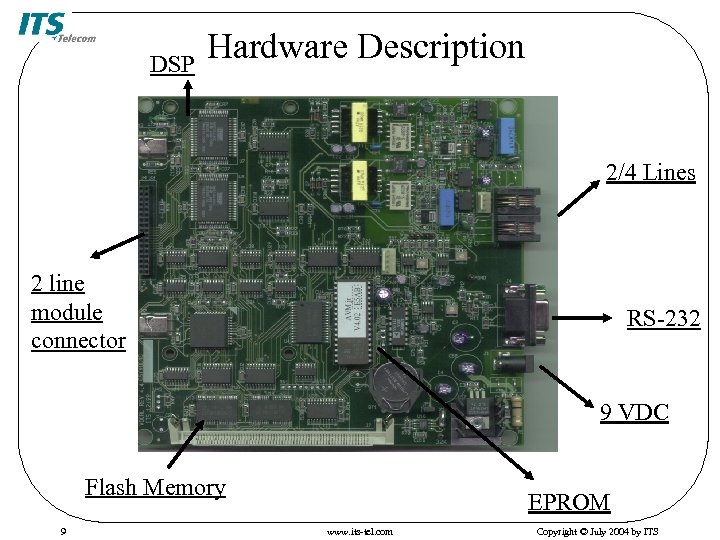 DSP Hardware Description 2/4 Lines 2 line module connector RS-232 9 VDC Flash Memory 9 EPROM www. its-tel. com Copyright © July 2004 by ITS
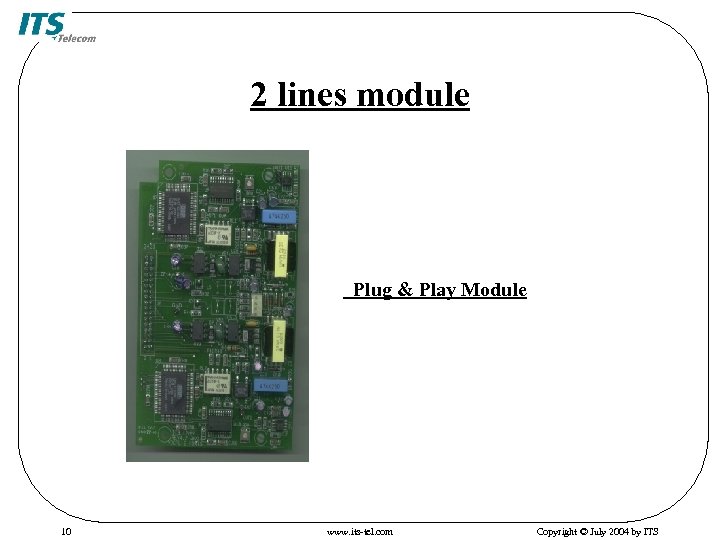 2 lines module Plug & Play Module 10 www. its-tel. com Copyright © July 2004 by ITS
 Automated Attendant Features • Multilingual option • Varied Opening Greetings • Fixed number of digits from 2 to 4 • Automatic Mode/System Schedules • 39 Script Menus • 9 minutes maximum length of opening greeting • Fax Detection and Routing • Direct Dialing to Extensions • Greeting by Port 11 www. its-tel. com Copyright © July 2004 by ITS
 Voice Mail Features • 128 Mailboxes • Up to Maximum 47 Messages per Mailbox • Customized Greetings and Language per Mailbox • Message Retrieve, Save, Copy, Delete, Forward • Password Protection • Message Notification • Do Not Disturb mode • Call Recording 12 www. its-tel. com Copyright © July 2004 by ITS
 System Administration Features • Setup Wizard • Built-in DTMF Line Monitor • Report Generator • PC Programming via VUP • Security Passwords 13 www. its-tel. com Copyright © July 2004 by ITS
 System Administration Features (Cont’d) • Integration with most existing PBXs • In-Band DTMF • Out-Band via RS-232 Serial Port (SMDI) • Adjustable Recording Length • External Notification Management 14 www. its-tel. com Copyright © July 2004 by ITS
 15 www. its-tel. com Copyright © July 2004 by ITS
 The Basic Questions for Integration with PBX • How do you transfer a call in the PBX? Hook flash time? • Can you setup VM extensions in the PBX? • What is the disconnect code for internal/external calls? • Does the PBX have In-Band DTMF capability? 16 www. its-tel. com Copyright © July 2004 by ITS
 In-Band DTMF Integration • Speech protocol between the PBX and the Voice Mail System • PBX sends DTMF information after the VM answers • The ports (in the PBX) must be defined as VM ports 17 www. its-tel. com Copyright © July 2004 by ITS
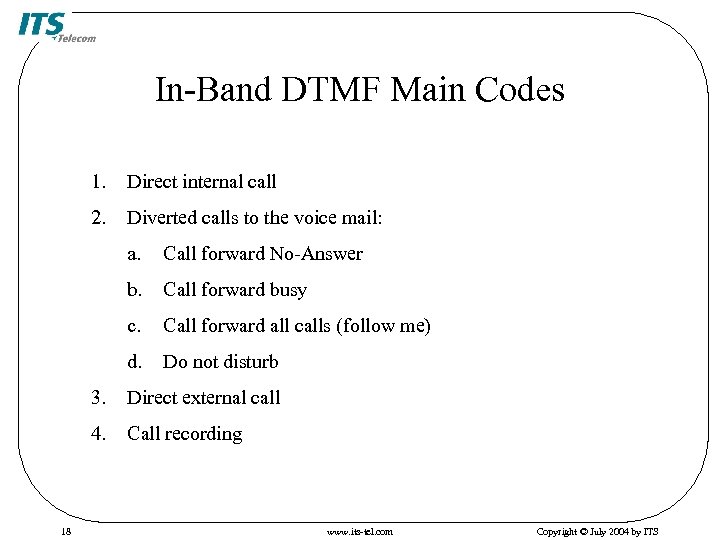 In-Band DTMF Main Codes 1. Direct internal call 2. Diverted calls to the voice mail: a. Call forward No-Answer b. Call forward busy c. Call forward all calls (follow me) d. Do not disturb 3. 4. 18 Direct external call Call recording www. its-tel. com Copyright © July 2004 by ITS
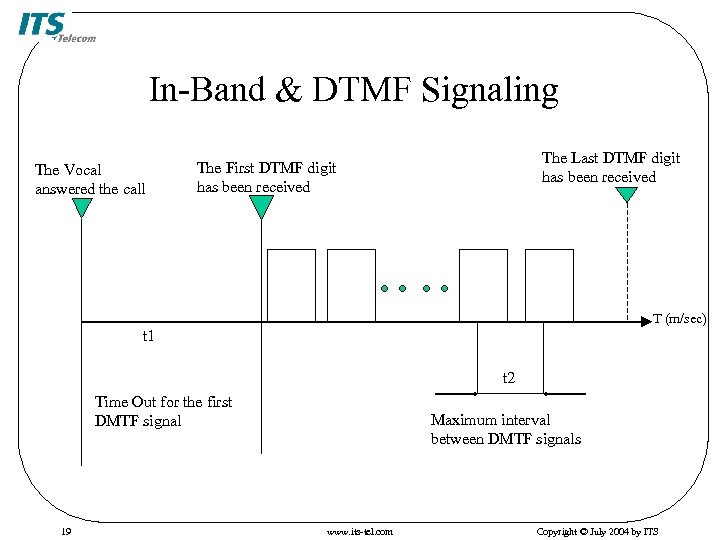 In-Band & DTMF Signaling The Vocal answered the call The Last DTMF digit has been received The First DTMF digit has been received T (m/sec) t 1 t 2 Time Out for the first DMTF signal 19 Maximum interval between DMTF signals www. its-tel. com Copyright © July 2004 by ITS
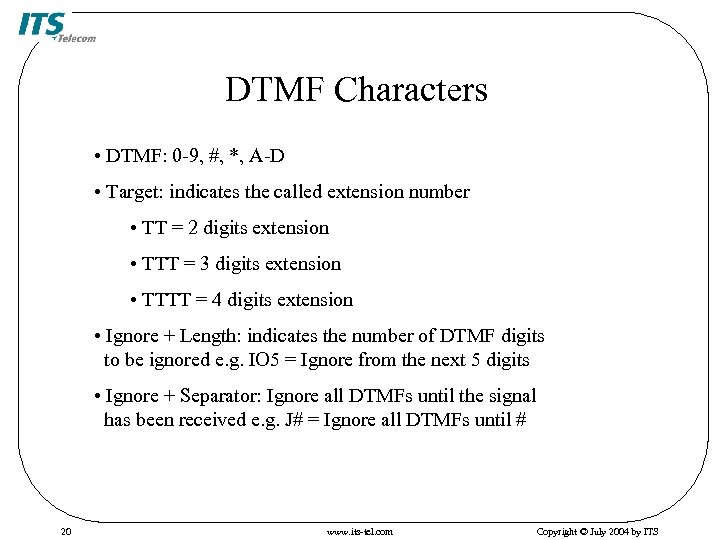 DTMF Characters • DTMF: 0 -9, #, *, A-D • Target: indicates the called extension number • TT = 2 digits extension • TTT = 3 digits extension • TTTT = 4 digits extension • Ignore + Length: indicates the number of DTMF digits to be ignored e. g. IO 5 = Ignore from the next 5 digits • Ignore + Separator: Ignore all DTMFs until the signal has been received e. g. J# = Ignore all DTMFs until # 20 www. its-tel. com Copyright © July 2004 by ITS
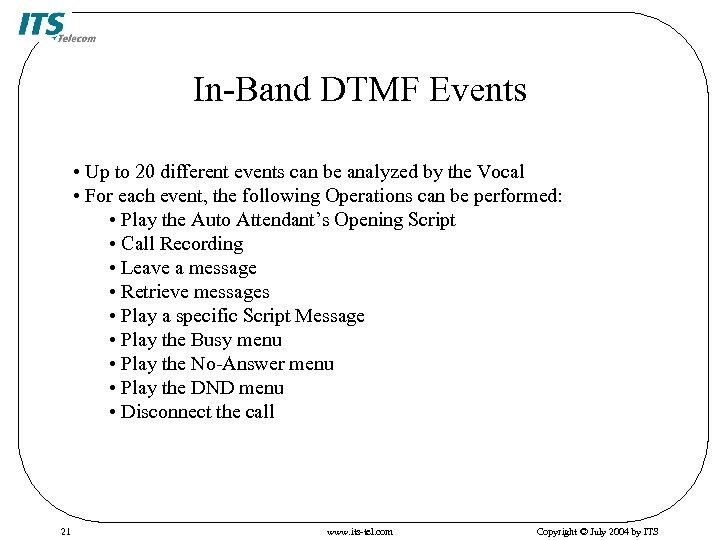 In-Band DTMF Events • Up to 20 different events can be analyzed by the Vocal • For each event, the following Operations can be performed: • Play the Auto Attendant’s Opening Script • Call Recording • Leave a message • Retrieve messages • Play a specific Script Message • Play the Busy menu • Play the No-Answer menu • Play the DND menu • Disconnect the call 21 www. its-tel. com Copyright © July 2004 by ITS
 Non-Supervised • The Voice Mail System transfers the call without any condition (Blind Transfer) • The PBX must have an In-Band DTMF capability 22 www. its-tel. com Copyright © July 2004 by ITS
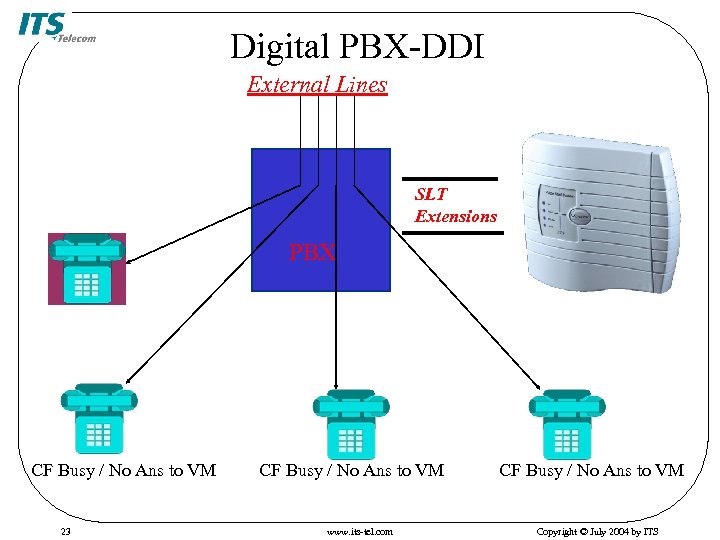 Digital PBX-DDI External Lines SLT Extensions PBX CF Busy / No Ans to VM 23 CF Busy / No Ans to VM www. its-tel. com CF Busy / No Ans to VM Copyright © July 2004 by ITS
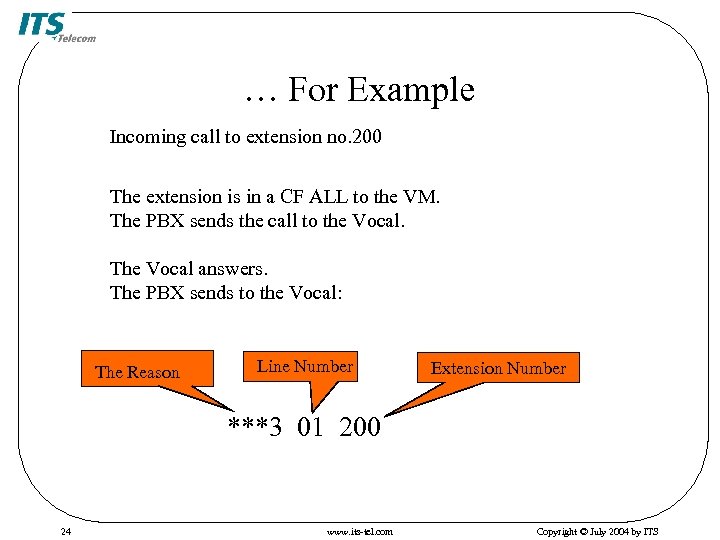 … For Example Incoming call to extension no. 200 The extension is in a CF ALL to the VM. The PBX sends the call to the Vocal. The Vocal answers. The PBX sends to the Vocal: The Reason Line Number Extension Number ***3 01 200 24 www. its-tel. com Copyright © July 2004 by ITS
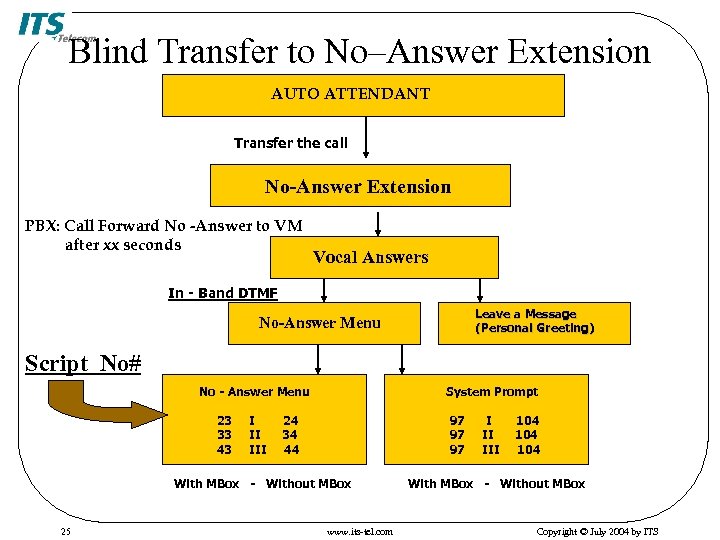 Blind Transfer to No–Answer Extension AUTO ATTENDANT Transfer the call No-Answer Extension PBX: Call Forward No -Answer to VM after xx seconds Vocal Answers In - Band DTMF Leave a Message (Personal Greeting) No-Answer Menu Script No# No - Answer Menu 23 33 43 I II III System Prompt 24 34 44 97 97 97 With MBox - Without MBox 25 www. its-tel. com I II III 104 104 With MBox - Without MBox Copyright © July 2004 by ITS
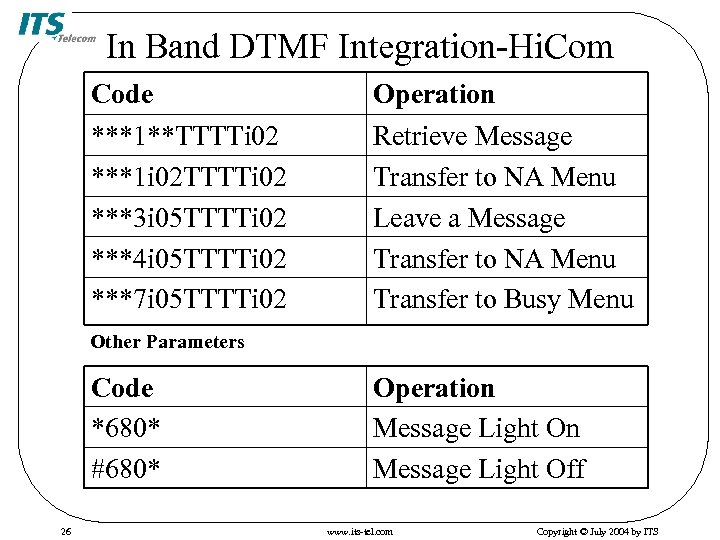 In Band DTMF Integration-Hi. Com Code Operation ***1**TTTTi 02 ***1 i 02 TTTTi 02 ***3 i 05 TTTTi 02 ***4 i 05 TTTTi 02 ***7 i 05 TTTTi 02 Retrieve Message Transfer to NA Menu Leave a Message Transfer to NA Menu Transfer to Busy Menu Other Parameters Code *680* #680* 26 Operation Message Light Off www. its-tel. com Copyright © July 2004 by ITS
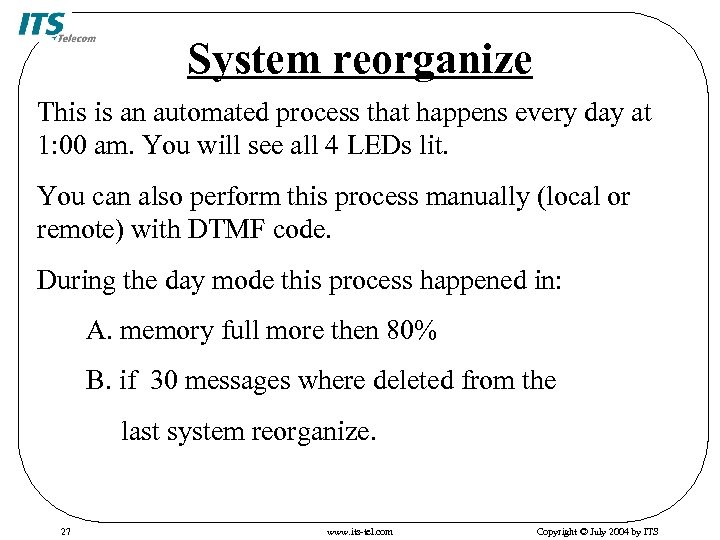 System reorganize This is an automated process that happens every day at 1: 00 am. You will see all 4 LEDs lit. You can also perform this process manually (local or remote) with DTMF code. During the day mode this process happened in: A. memory full more then 80% B. if 30 messages where deleted from the last system reorganize. 27 www. its-tel. com Copyright © July 2004 by ITS
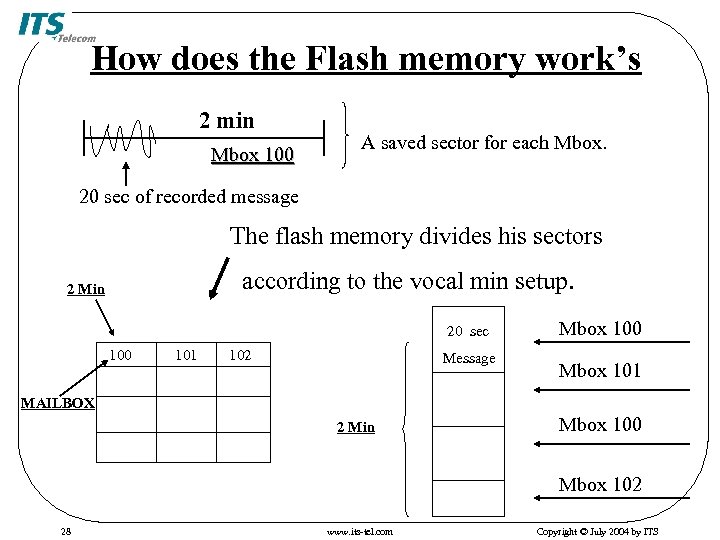 How does the Flash memory work’s 2 min Mbox 100 A saved sector for each Mbox. 20 sec of recorded message The flash memory divides his sectors according to the vocal min setup. 2 Min 20 sec 100 101 102 Message Mbox 100 Mbox 101 MAILBOX 2 Min Mbox 100 Mbox 102 28 www. its-tel. com Copyright © July 2004 by ITS
 29 www. its-tel. com Copyright © July 2004 by ITS
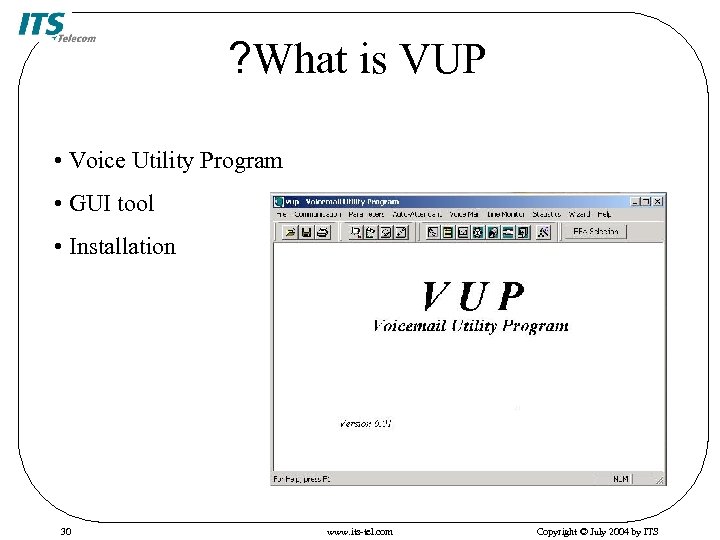 ? What is VUP • Voice Utility Program • GUI tool • Installation 30 www. its-tel. com Copyright © July 2004 by ITS
 Communication • Connects through RS-232 port • Read/Send parameters • Line monitor • System initialization 31 www. its-tel. com Copyright © July 2004 by ITS
 32 www. its-tel. com Copyright © July 2004 by ITS
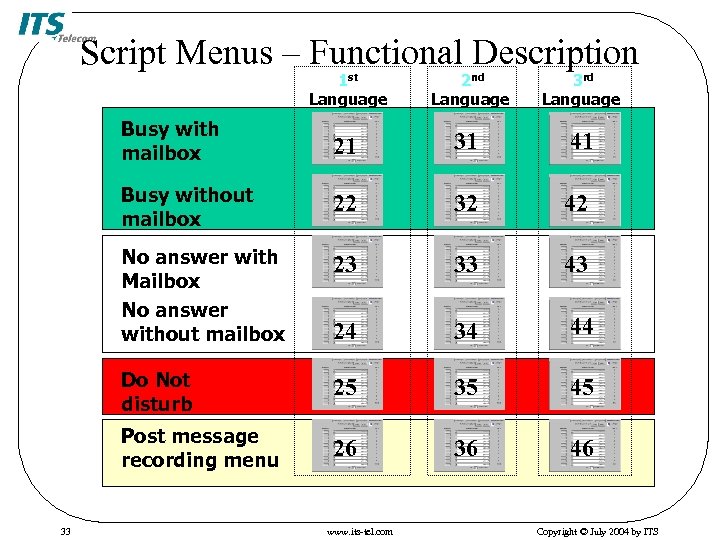 Script Menus – Functional Description 1 st Language 3 rd Language Busy with mailbox 21 31 41 Busy without mailbox 22 32 42 No answer with Mailbox No answer without mailbox 23 33 43 24 34 44 Do Not disturb 25 35 45 Post message recording menu 33 2 nd Language 26 36 46 www. its-tel. com Copyright © July 2004 by ITS
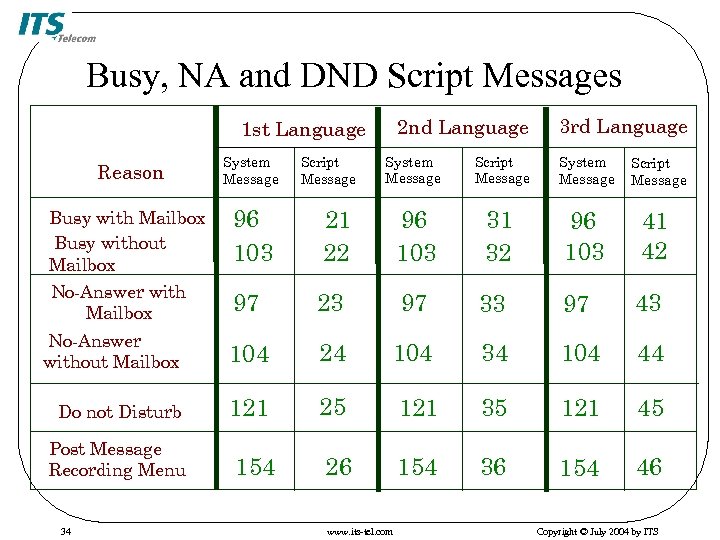 Busy, NA and DND Script Messages 2 nd Language 1 st Language 3 rd Language System Message Script Message System Message 21 22 96 103 31 32 96 103 41 42 97 23 97 33 97 43 No-Answer without Mailbox 104 24 104 34 104 44 Do not Disturb 121 25 121 35 121 45 154 26 154 36 154 46 Reason System Message Busy with Mailbox Busy without Mailbox No-Answer with Mailbox 96 103 Post Message Recording Menu 34 Script Message www. its-tel. com Script Message Copyright © July 2004 by ITS
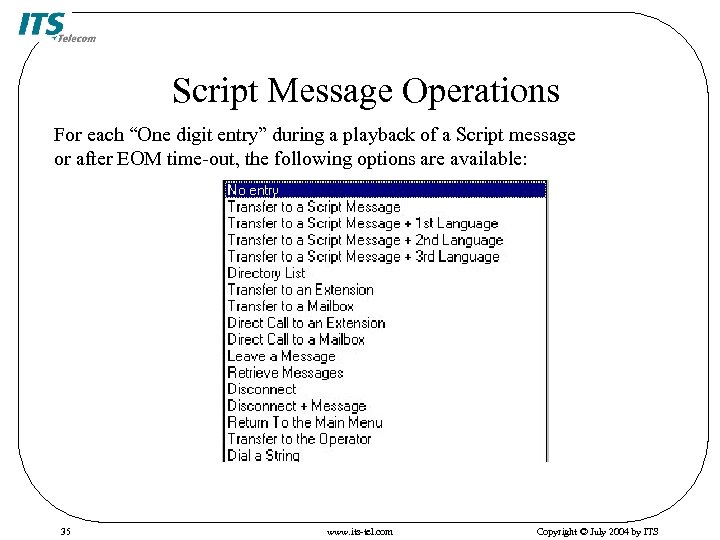 Script Message Operations For each “One digit entry” during a playback of a Script message or after EOM time-out, the following options are available: 35 www. its-tel. com Copyright © July 2004 by ITS
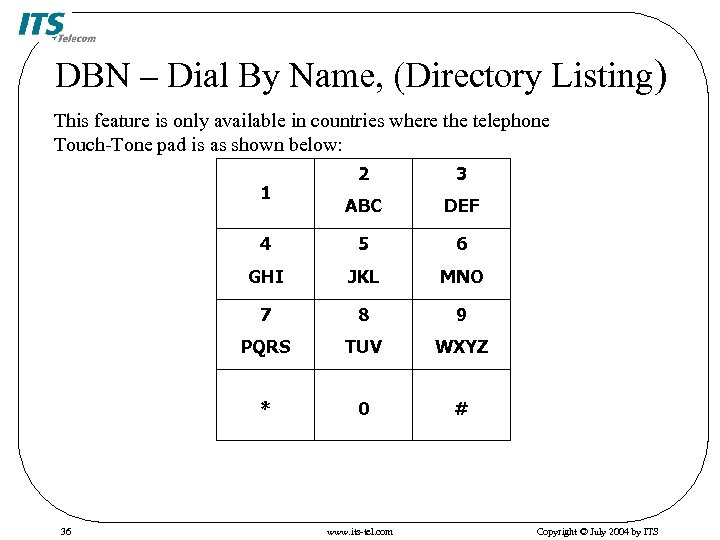 DBN – Dial By Name, (Directory Listing) This feature is only available in countries where the telephone Touch-Tone pad is as shown below: 2 3 ABC DEF 4 5 6 GHI JKL MNO 7 8 9 PQRS TUV WXYZ * 0 # 1 36 www. its-tel. com Copyright © July 2004 by ITS
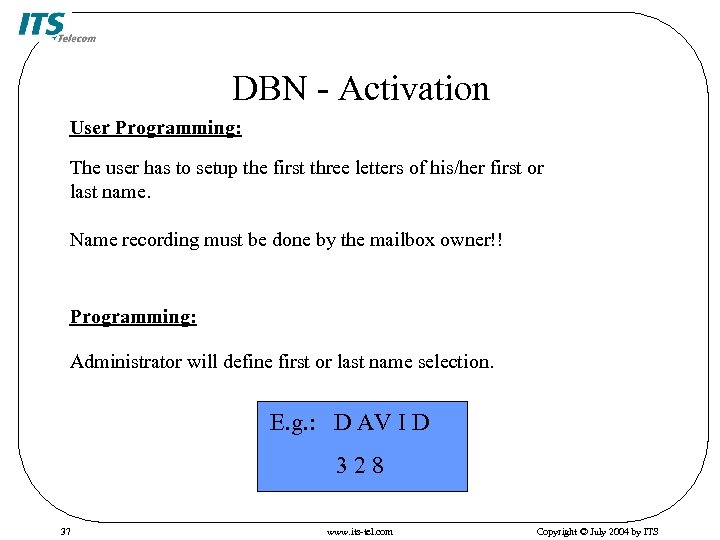 DBN - Activation User Programming: The user has to setup the first three letters of his/her first or last name. Name recording must be done by the mailbox owner!! Programming: Administrator will define first or last name selection. E. g. : D AV I D 328 37 www. its-tel. com Copyright © July 2004 by ITS
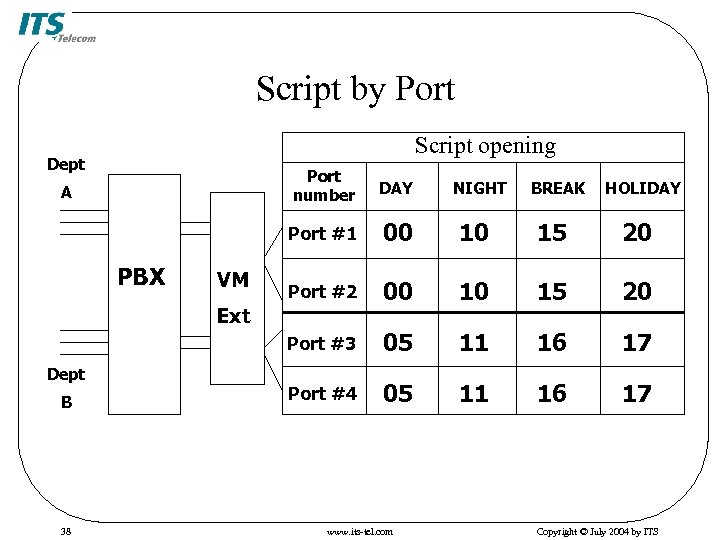 Script by Port Script opening Dept Port number VM 00 10 15 20 Port #2 00 10 15 20 Port #3 PBX DAY Port #1 A 05 11 16 17 Port #4 05 11 16 17 Ext Dept B 38 www. its-tel. com NIGHT BREAK HOLIDAY Copyright © July 2004 by ITS
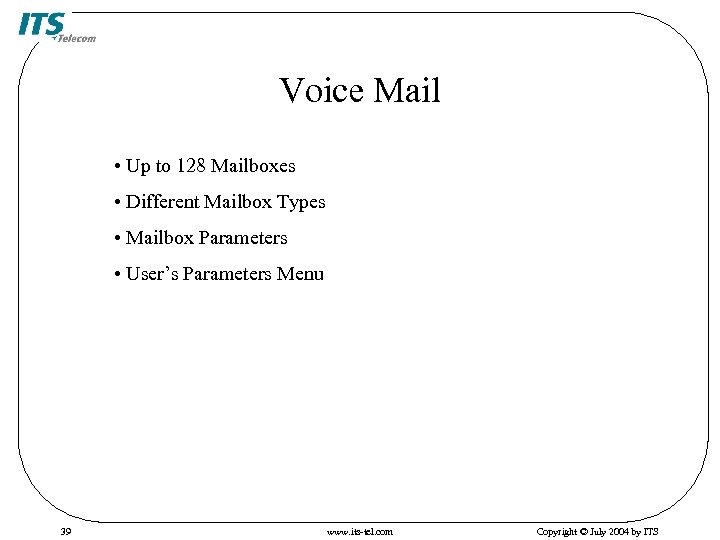 Voice Mail • Up to 128 Mailboxes • Different Mailbox Types • Mailbox Parameters • User’s Parameters Menu 39 www. its-tel. com Copyright © July 2004 by ITS
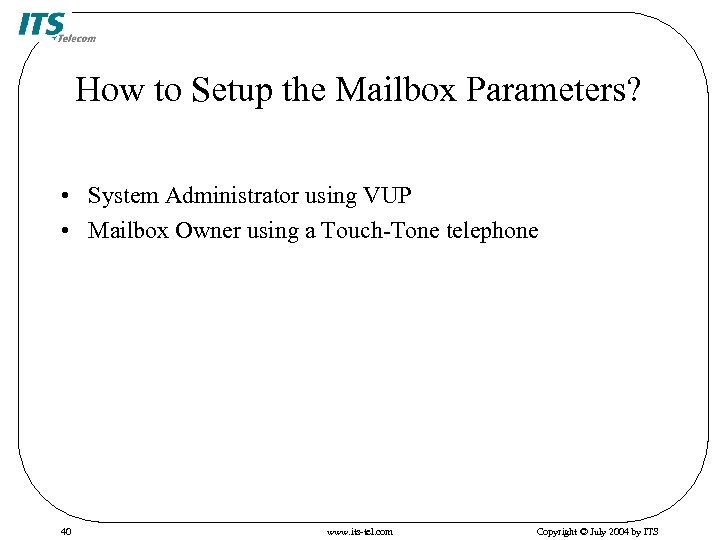 How to Setup the Mailbox Parameters? • System Administrator using VUP • Mailbox Owner using a Touch-Tone telephone 40 www. its-tel. com Copyright © July 2004 by ITS
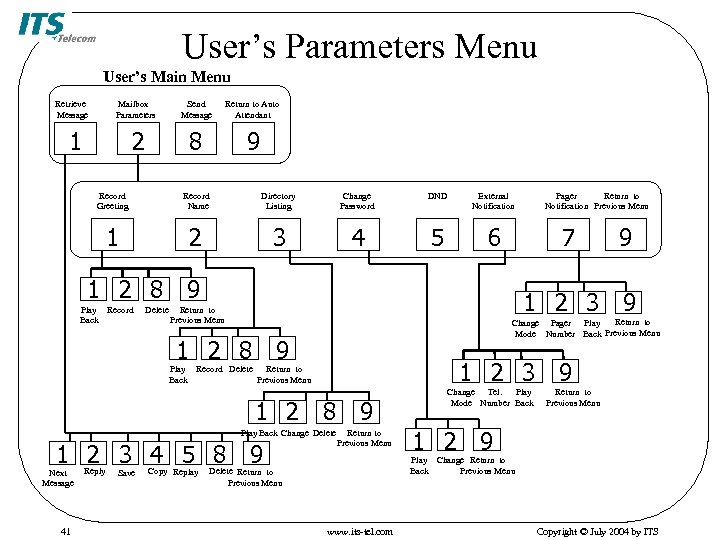 User’s Parameters Menu User’s Main Menu Retrieve Message Mailbox Parameters Send Message Return to Auto Attendant 2 8 9 1 Record Greeting Record Name Directory Listing Change Password DND External Notification 1 2 3 4 5 6 7 1 2 8 9 Play Back Record Delete Return to Change Pager Play Mode Number Back Previous Menu 1 2 8 9 Record Delete 1 2 3 9 Return to Previous Menu 1 2 8 9 Play Back Change Delete 1 2 3 4 5 8 9 Next Message 41 Reply Save Copy Replay 9 1 2 3 9 Return to Previous Menu Play Back Pager Return to Notification Previous Menu Return to Previous Menu Change Tel. Play Mode Number Back Return to Previous Menu 1 2 9 Play Change Return to Back Previous Menu Delete Return to Previous Menu www. its-tel. com Copyright © July 2004 by ITS
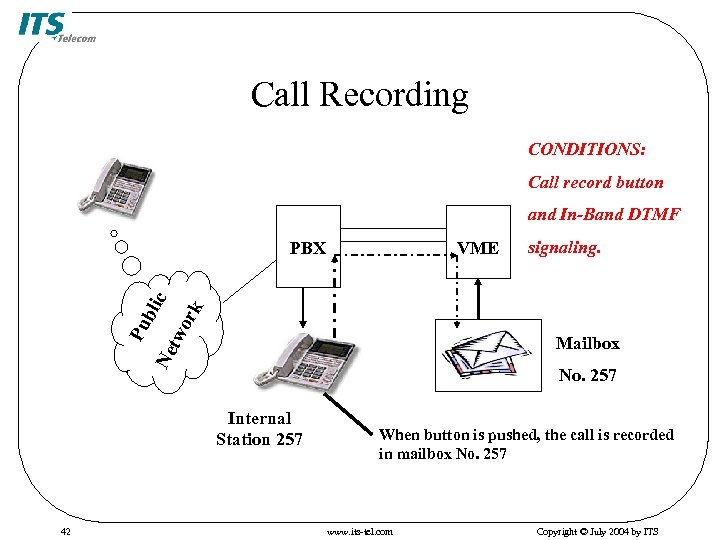 Call Recording CONDITIONS: Call record button and In-Band DTMF VME signaling. ork Ne tw Pu bli c PBX Mailbox No. 257 Internal Station 257 42 When button is pushed, the call is recorded in mailbox No. 257 www. its-tel. com Copyright © July 2004 by ITS
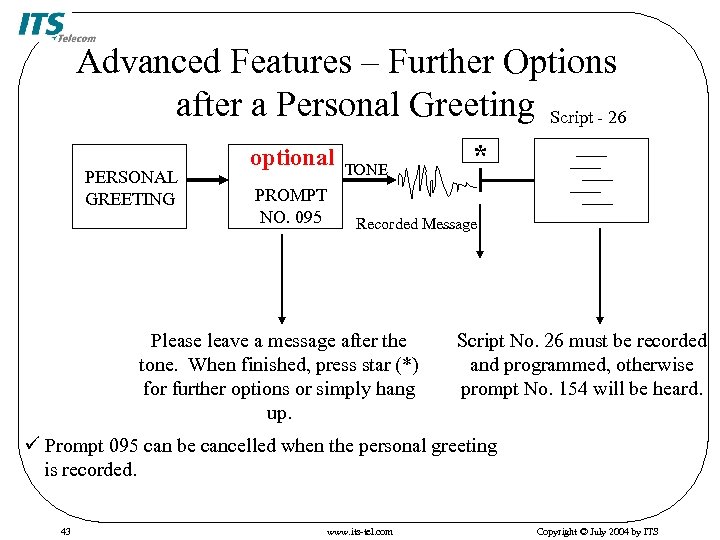 Advanced Features – Further Options after a Personal Greeting Script - 26 PERSONAL GREETING optional PROMPT NO. 095 TONE * Recorded Message Please leave a message after the tone. When finished, press star (*) for further options or simply hang up. Script No. 26 must be recorded and programmed, otherwise prompt No. 154 will be heard. ü Prompt 095 can be cancelled when the personal greeting is recorded. 43 www. its-tel. com Copyright © July 2004 by ITS
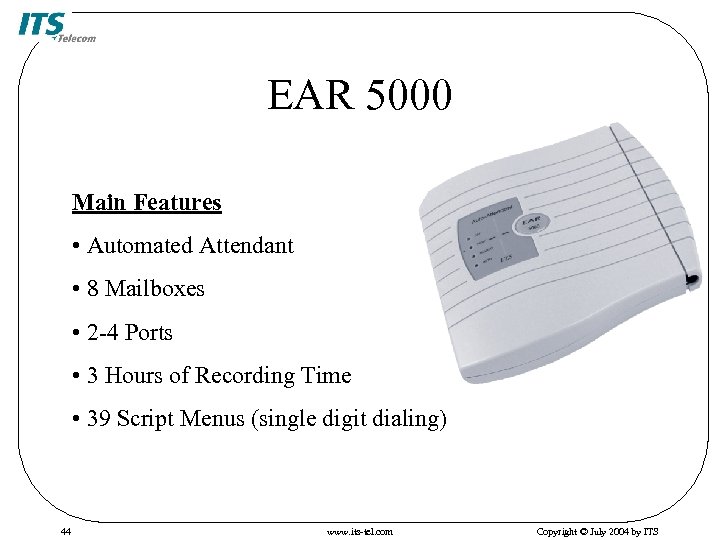 EAR 5000 Main Features • Automated Attendant • 8 Mailboxes • 2 -4 Ports • 3 Hours of Recording Time • 39 Script Menus (single digit dialing) 44 www. its-tel. com Copyright © July 2004 by ITS
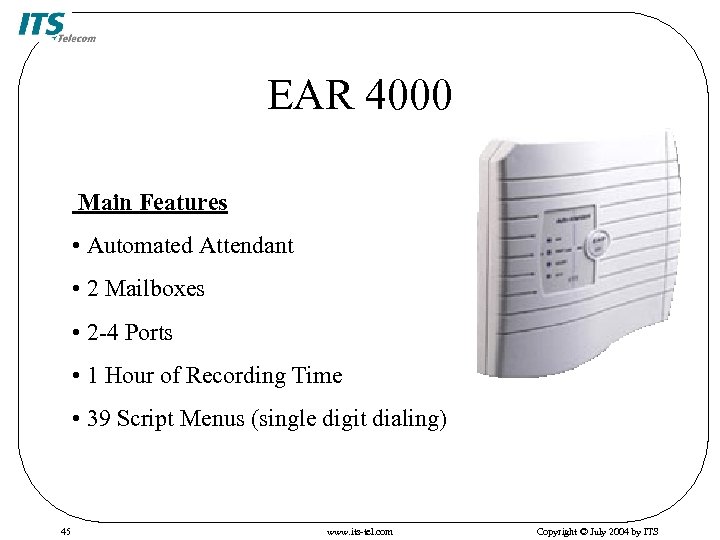 EAR 4000 Main Features • Automated Attendant • 2 Mailboxes • 2 -4 Ports • 1 Hour of Recording Time • 39 Script Menus (single digit dialing) 45 www. its-tel. com Copyright © July 2004 by ITS