


 Скачать презентацию 1 PDF-4 The Powder Diffraction File Release 2006
98931f6d269cf292cdce8474552e2d72.ppt
- Количество слайдов: 73
 1 PDF-4+ The Powder Diffraction File Release 2006
 PDF-4+ Index – Use direct links to skip to the section Ú Fundamentals Ú Design and Purpose Ú Data sources and collaborations Ú Quantitative Analysis with PDF-4+ Ú Material Data Sets (Entries) – Pattern Simulations – Molecular Display Ú Searches and Data Mining Ú Pattern Fitting Ú Combining Tools – Analyzing polymorphs 2
 PDF-4+ Notice This presentation gives an overview of features and capabilities found in the Powder Diffraction File (PDF), specifically PDF-4+ Release 2006. This presentation represents a small portion of the capabilities in the database. The presentation focuses on the database and not on the capabilities of the database when combined with the world’s leading data analysis programs. The database itself contains over 500 pages of help file documentation. This includes definitions and terms of the classifications and calculations used in the database. 3
 PDF-4+ Fundamentals 4
 PDF-4+ Basic Capabilities Ú PDF-4+ contains 254, 873 entries. Ú Entries contain > 85 data fields, some fields such as d, I, h, k, l and atomic parameters may contain dozens to hundreds of data points. Ú There are 65 different data display options. Ú There are 44 search options. Display and search options can be combined and permuted using a JAVA interface. This results in nearly endless combinations for data display and analysis, only a few of which are described here. 5
 PDF-4+ Powder Diffraction File (PDF) PDF Databases are designed to work with most commercial diffraction analysis software packages. The ICDD works with software distributors so that the PDF seamlessly interfaces to their software. Many features in the database are specifically designed for distributor use. A list of compatible software and distributors can be found here. 6
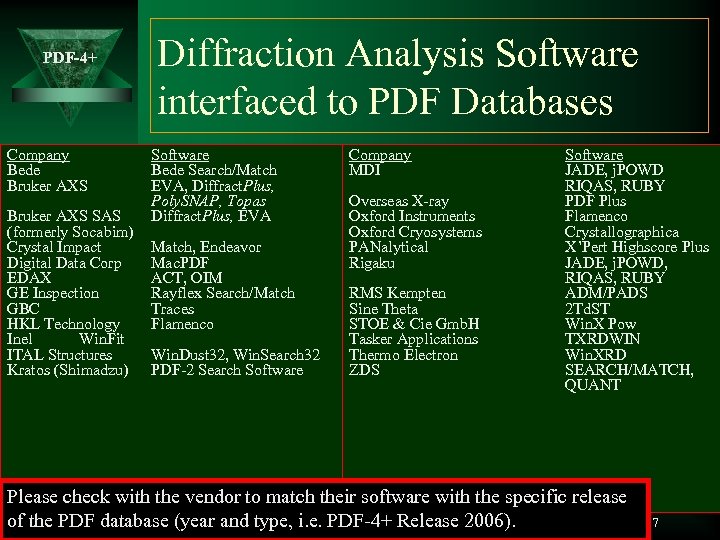 PDF-4+ Company Bede Bruker AXS SAS (formerly Socabim) Crystal Impact Digital Data Corp EDAX GE Inspection GBC HKL Technology Inel Win. Fit ITAL Structures Kratos (Shimadzu) Diffraction Analysis Software interfaced to PDF Databases Software Bede Search/Match EVA, Diffract. Plus, Poly. SNAP, Topas Diffract. Plus, EVA Match, Endeavor Mac. PDF ACT, OIM Rayflex Search/Match Traces Flamenco Win. Dust 32, Win. Search 32 PDF-2 Search Software Company MDI Overseas X-ray Oxford Instruments Oxford Cryosystems PANalytical Rigaku RMS Kempten Sine Theta STOE & Cie Gmb. H Tasker Applications Thermo Electron ZDS Software JADE, j. POWD RIQAS, RUBY PDF Plus Flamenco Crystallographica X’Pert Highscore Plus JADE, j. POWD, RIQAS, RUBY ADM/PADS 2 Td. ST Win. X Pow TXRDWIN Win. XRD SEARCH/MATCH, QUANT Please check with the vendor to match their software with the specific release of the PDF database (year and type, i. e. PDF-4+ Release 2006). 7
 PDF-4+ Design & Purpose 8
 PDF-4+ All PDF Databases are designed for rapid material identification. This differentiates a PDF database from all other databases of crystallographic or physical property data. If you are working on a known material another database may be more appropriate for your work. 9
 PDF-4+ Powder Diffraction File Rapid Material Identification with the PDF • The database is designed to use input data and match it to candidate reference materials. • Most matching is done by comparing sets of d-spacing and Intensities, however it can also be done by chemistry, properties, structural and crystallographic classifications – using dozens of different searches. • All data are converted to a standardized format for rapid search. • There are many embedded indexes facilitating searches. • Data entries are extensively cross referenced to other entries and to physical and chemical measurements. • Data are extensively classified by chemical and structural types; each classification can be searched. 10
 PDF-4+ Sources of Data 11
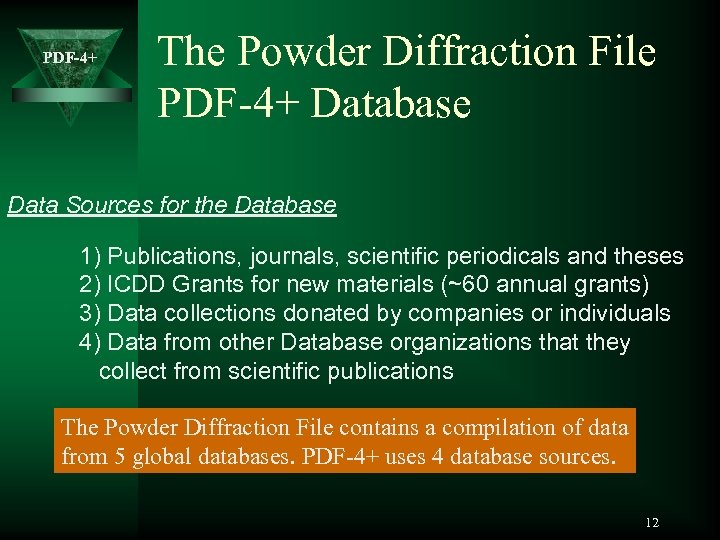 PDF-4+ The Powder Diffraction File PDF-4+ Database Data Sources for the Database 1) Publications, journals, scientific periodicals and theses 2) ICDD Grants for new materials (~60 annual grants) 3) Data collections donated by companies or individuals 4) Data from other Database organizations that they collect from scientific publications The Powder Diffraction File contains a compilation of data from 5 global databases. PDF-4+ uses 4 database sources. 12
 PDF-4+ PDF Databases – Continuous growth and change Ú Data on new materials are being constantly collected and published by laboratories around the world so the PDF database continually grows. Ú With time, data quality has steadily improved in both accuracy and precision. (Better hardware, optics, software and computational power as a function of time). This leads to improved accuracy in the database and the diffraction method of analysis. A major function of the ICDD editorial system is to evaluate quality and standardize data that has been collected by global sources over decades of time. The quality evaluations and standardization processes are also updated continually and the entire database gets reviewed each time. 13
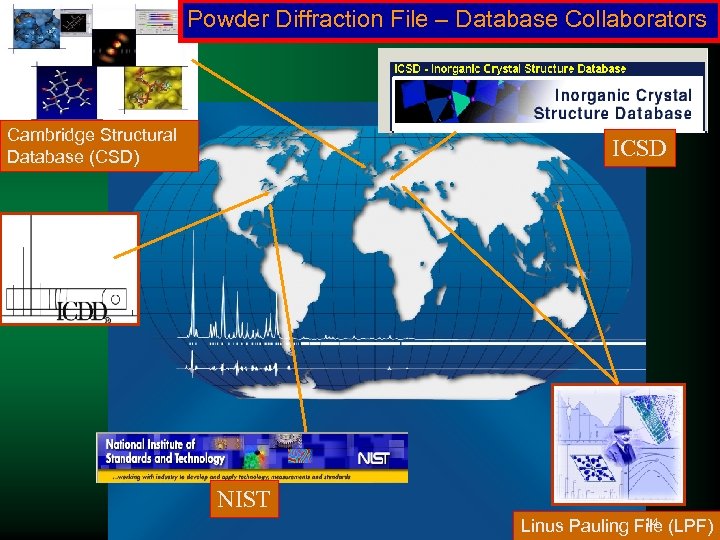 Powder Diffraction File – Database Collaborators PDF-4+ Cambridge Structural Database (CSD) ICSD NIST 14 Linus Pauling File (LPF)
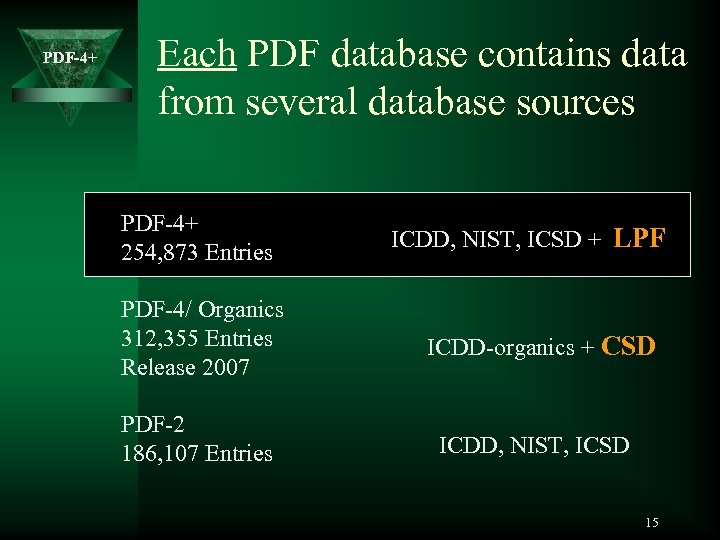 PDF-4+ Each PDF database contains data from several database sources PDF-4+ 254, 873 Entries PDF-4/ Organics 312, 355 Entries Release 2007 PDF-2 186, 107 Entries ICDD, NIST, ICSD + LPF ICDD-organics + CSD ICDD, NIST, ICSD 15
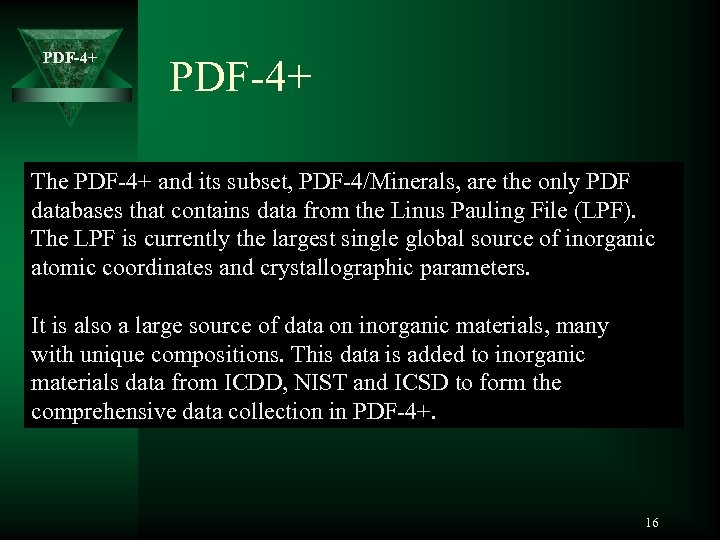 PDF-4+ The PDF-4+ and its subset, PDF-4/Minerals, are the only PDF databases that contains data from the Linus Pauling File (LPF). The LPF is currently the largest single global source of inorganic atomic coordinates and crystallographic parameters. It is also a large source of data on inorganic materials, many with unique compositions. This data is added to inorganic materials data from ICDD, NIST and ICSD to form the comprehensive data collection in PDF-4+. 16
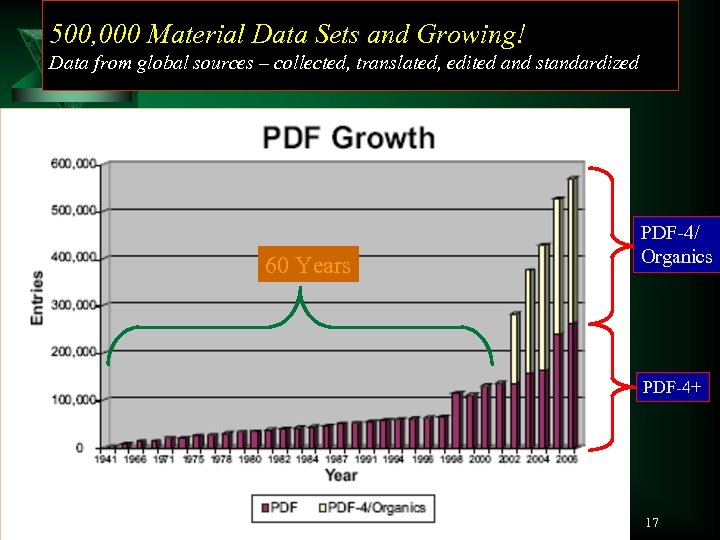 500, 000 Material Data Sets and Growing! PDF-4+from Data global sources – collected, translated, edited and standardized 60 Years PDF-4/ Organics PDF-4+ 17
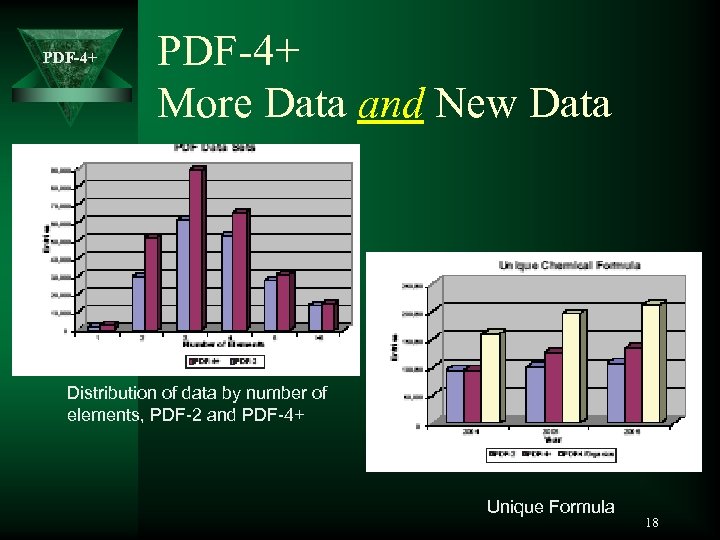 PDF-4+ More Data and New Data Distribution of data by number of elements, PDF-2 and PDF-4+ Unique Formula 18
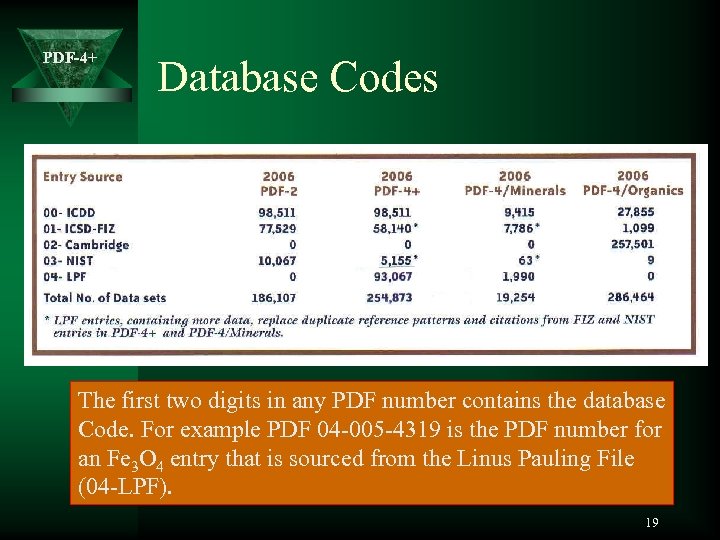 PDF-4+ Database Codes The first two digits in any PDF number contains the database Code. For example PDF 04 -005 -4319 is the PDF number for an Fe 3 O 4 entry that is sourced from the Linus Pauling File (04 -LPF). 19
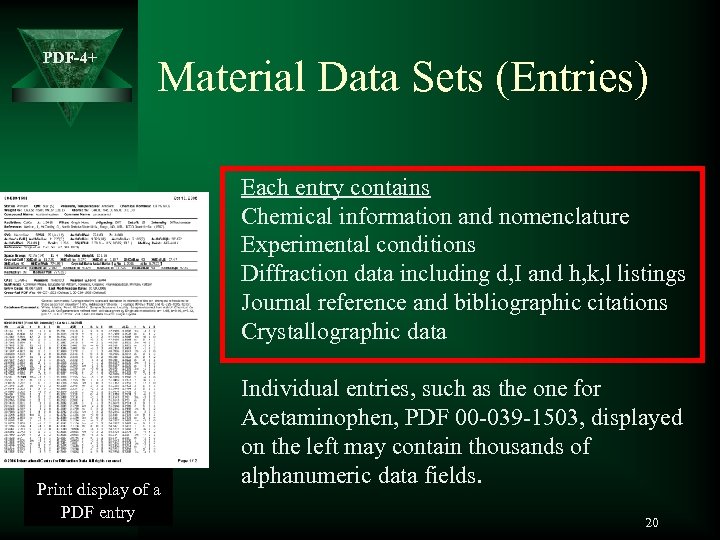 PDF-4+ Material Data Sets (Entries) Each entry contains Chemical information and nomenclature Experimental conditions Diffraction data including d, I and h, k, l listings Journal reference and bibliographic citations Crystallographic data Print display of a PDF entry Individual entries, such as the one for Acetaminophen, PDF 00 -039 -1503, displayed on the left may contain thousands of alphanumeric data fields. 20
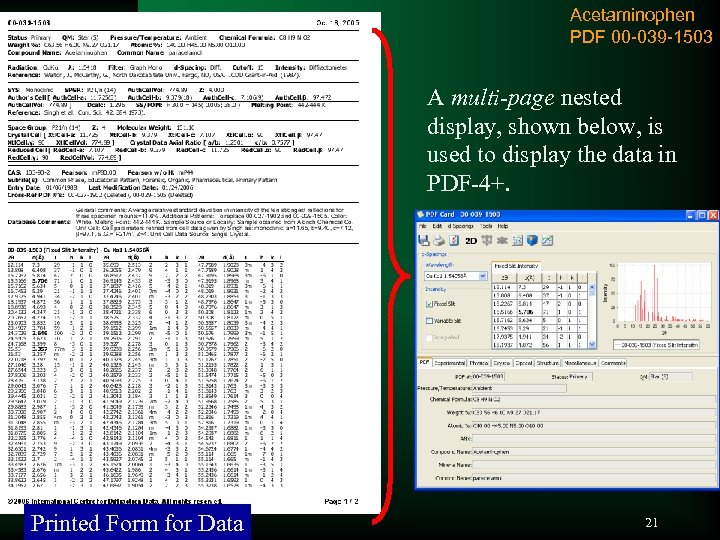 Acetaminophen PDF 00 -039 -1503 PDF-4+ A multi-page nested display, shown below, is used to display the data in PDF-4+. Printed Form for Data 21
 PDF-4+ Quantitative Analysis with PDF-4+ 22
 PDF-4+ The PDF-4+ database is designed for rapid identification and quantitative analysis. Quantitative analysis can be performed by any of three different methods and the database provides the properties required these analysis techniques. 23
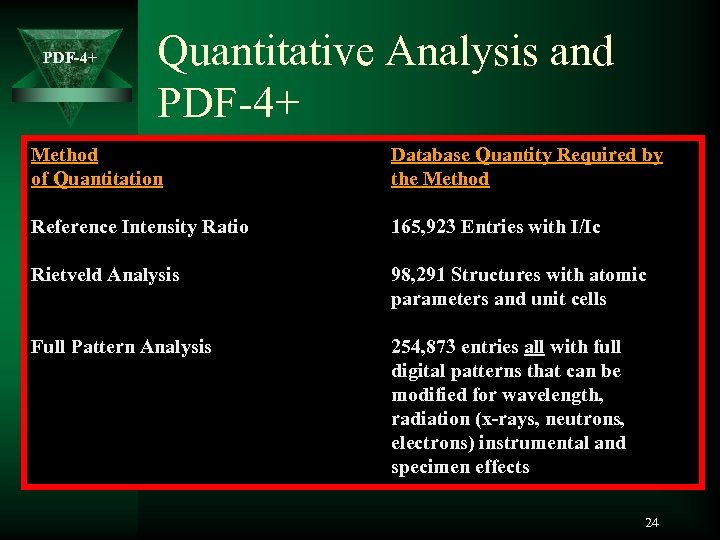 PDF-4+ Quantitative Analysis and PDF-4+ Method of Quantitation Database Quantity Required by the Method Reference Intensity Ratio 165, 923 Entries with I/Ic Rietveld Analysis 98, 291 Structures with atomic parameters and unit cells Full Pattern Analysis 254, 873 entries all with full digital patterns that can be modified for wavelength, radiation (x-rays, neutrons, electrons) instrumental and specimen effects 24
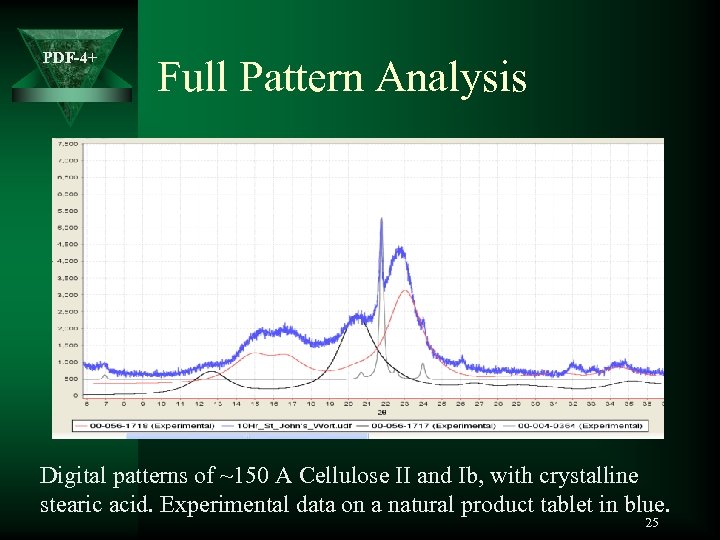 PDF-4+ Full Pattern Analysis Digital patterns of ~150 A Cellulose II and Ib, with crystalline stearic acid. Experimental data on a natural product tablet in blue. 25
 PDF-4+ Automated Quantitative Analysis by XRD PDF-4+ databases provide reference data, viewing software, critical physical properties and crystallographic properties required for quantitative analysis. The database is designed to work with many software packages, including those of all major global instrument manufacturers. These software packages provide the required calculations and refinements for automated quantitation utilizing the data in PDF-4+. With modern software and databases this operation is seamless and can be often be done in minutes. 26
 PDF-4+ Features – The PDF Entry 27
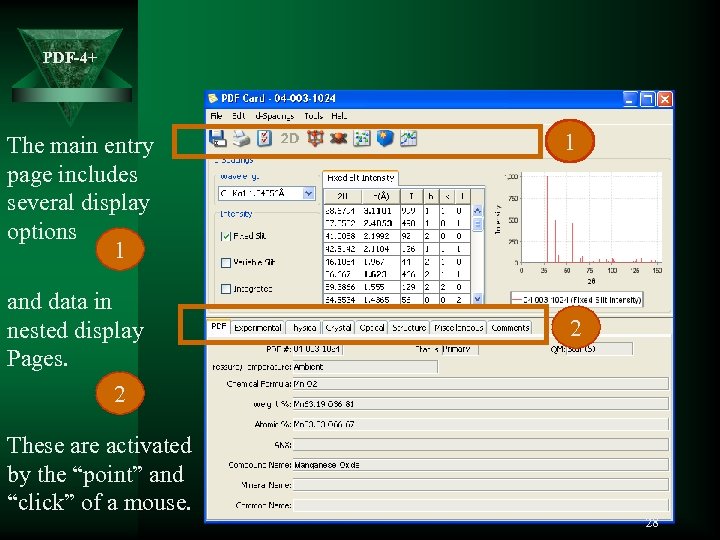 PDF-4+ The main entry page includes several display options 1 and data in nested display Pages. 2 These are activated by the “point” and “click” of a mouse. 1 2 28
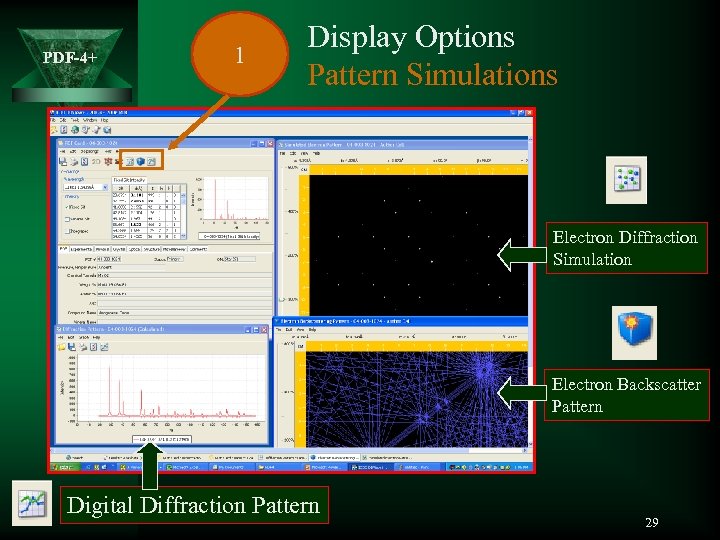 PDF-4+ 1 Display Options Pattern Simulations Electron Diffraction Simulation Electron Backscatter Pattern Digital Diffraction Pattern 29
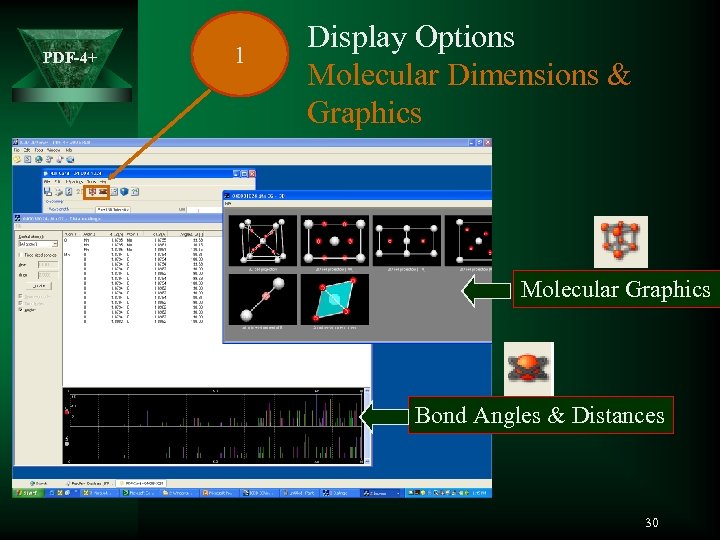 PDF-4+ 1 Display Options Molecular Dimensions & Graphics Molecular Graphics Bond Angles & Distances 30
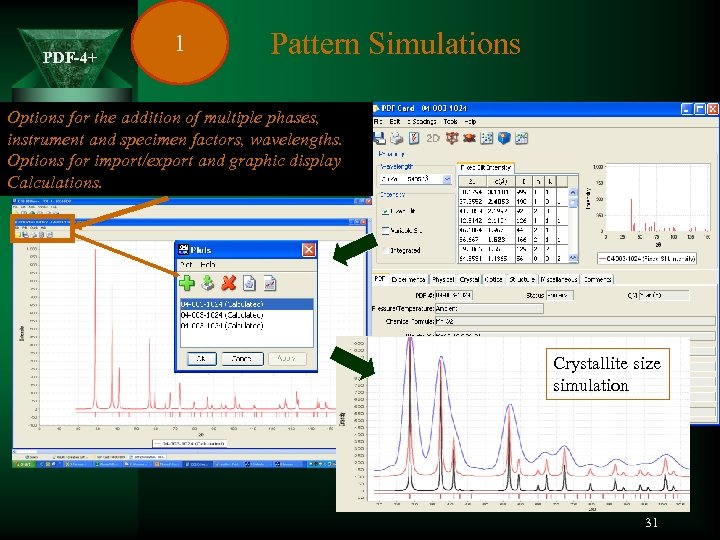 PDF-4+ 1 Pattern Simulations Options for the addition of multiple phases, instrument and specimen factors, wavelengths. Options for import/export and graphic display Calculations. Crystallite size simulation 31
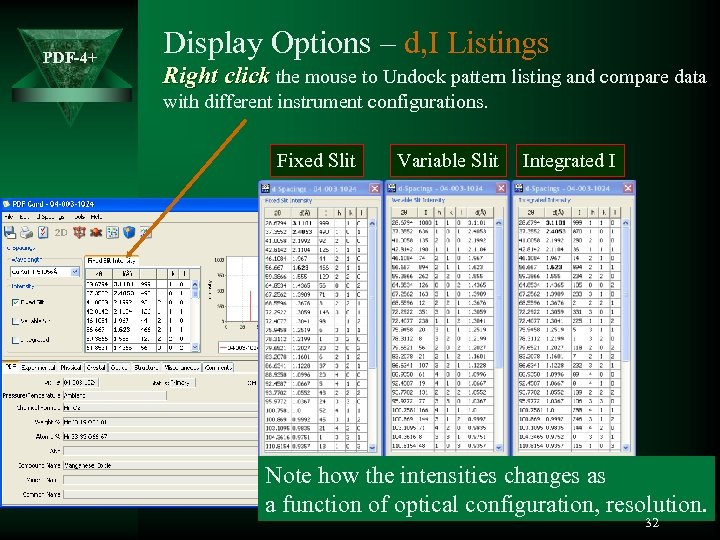 PDF-4+ Display Options – d, I Listings Right click the mouse to Undock pattern listing and compare data with different instrument configurations. Fixed Slit Variable Slit Integrated I Note how the intensities changes as a function of optical configuration, resolution. 32
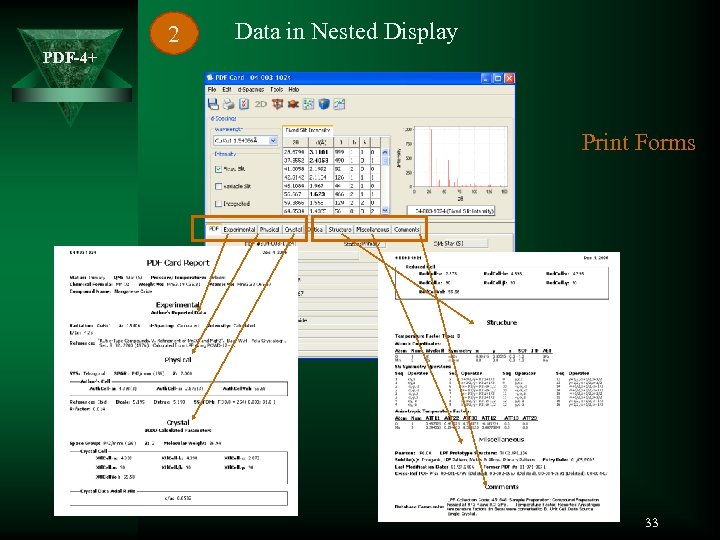 2 Data in Nested Display PDF-4+ Print Forms 33
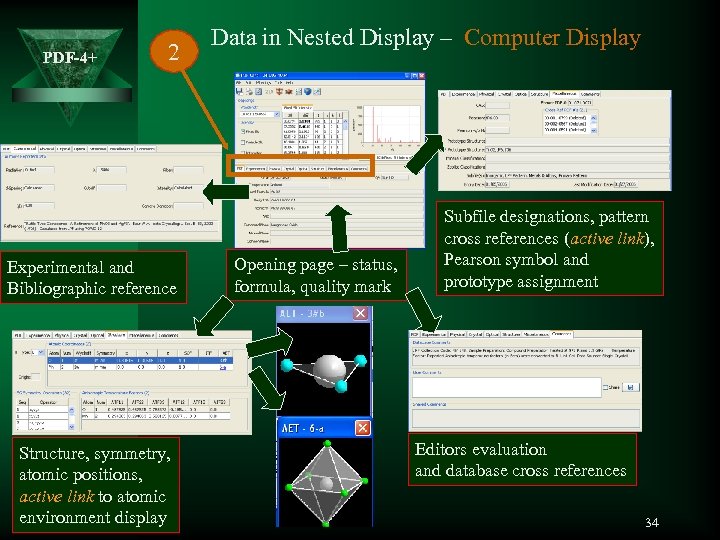 PDF-4+ 2 Experimental and Bibliographic reference Structure, symmetry, atomic positions, active link to atomic environment display Data in Nested Display – Computer Display Opening page – status, formula, quality mark Subfile designations, pattern cross references (active link), Pearson symbol and prototype assignment Editors evaluation and database cross references 34
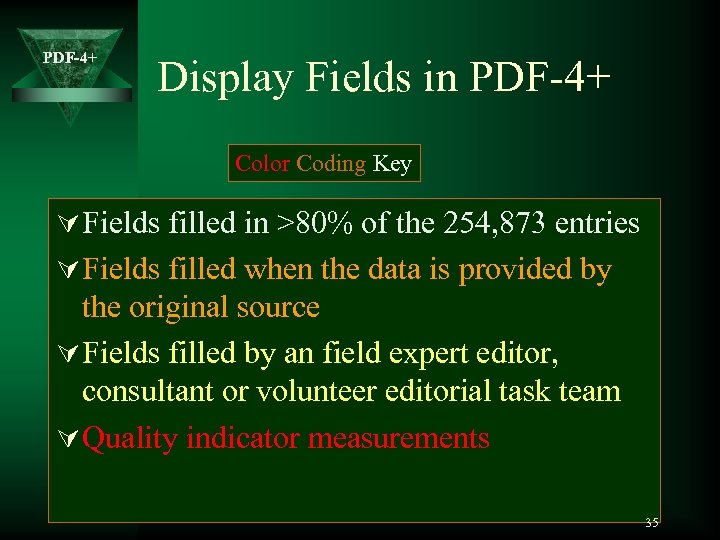 PDF-4+ Display Fields in PDF-4+ Color Coding Key Ú Fields filled in >80% of the 254, 873 entries Ú Fields filled when the data is provided by the original source Ú Fields filled by an field expert editor, consultant or volunteer editorial task team Ú Quality indicator measurements 35
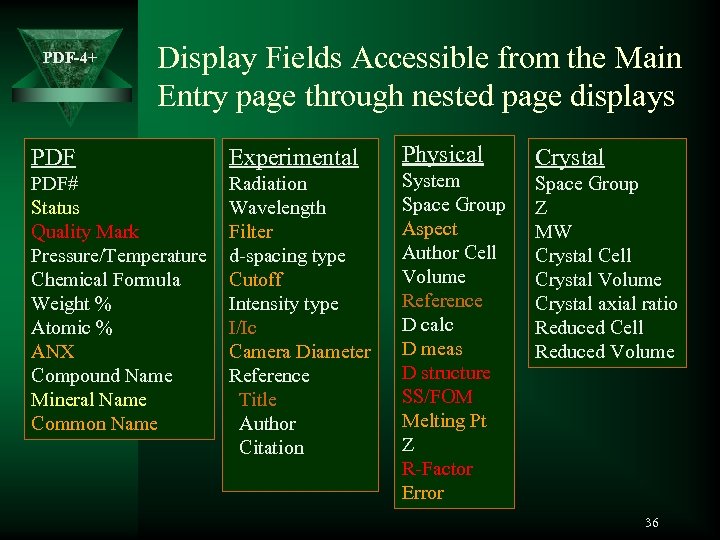 PDF-4+ Display Fields Accessible from the Main Entry page through nested page displays PDF Experimental PDF# Status Quality Mark Pressure/Temperature Chemical Formula Weight % Atomic % ANX Compound Name Mineral Name Common Name Radiation Wavelength Filter d-spacing type Cutoff Intensity type I/Ic Camera Diameter Reference Title Author Citation Physical System Space Group Aspect Author Cell Volume Reference D calc D meas D structure SS/FOM Melting Pt Z R-Factor Error Crystal Space Group Z MW Crystal Cell Crystal Volume Crystal axial ratio Reduced Cell Reduced Volume 36
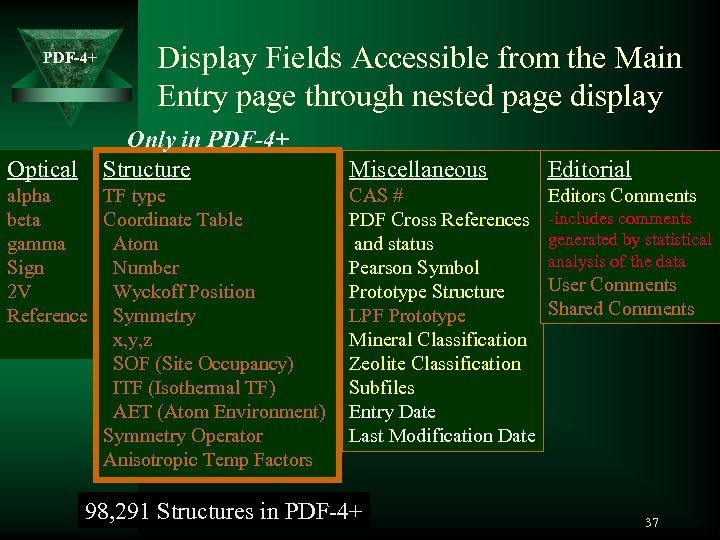 PDF-4+ Optical Display Fields Accessible from the Main Entry page through nested page display Only in PDF-4+ Structure alpha TF type beta Coordinate Table gamma Atom Sign Number 2 V Wyckoff Position Reference Symmetry x, y, z SOF (Site Occupancy) ITF (Isothermal TF) AET (Atom Environment) Symmetry Operator Anisotropic Temp Factors Miscellaneous Editorial CAS # PDF Cross References and status Pearson Symbol Prototype Structure LPF Prototype Mineral Classification Zeolite Classification Subfiles Entry Date Last Modification Date Editors Comments 98, 291 Structures in PDF-4+ -includes comments generated by statistical analysis of the data User Comments Shared Comments 37
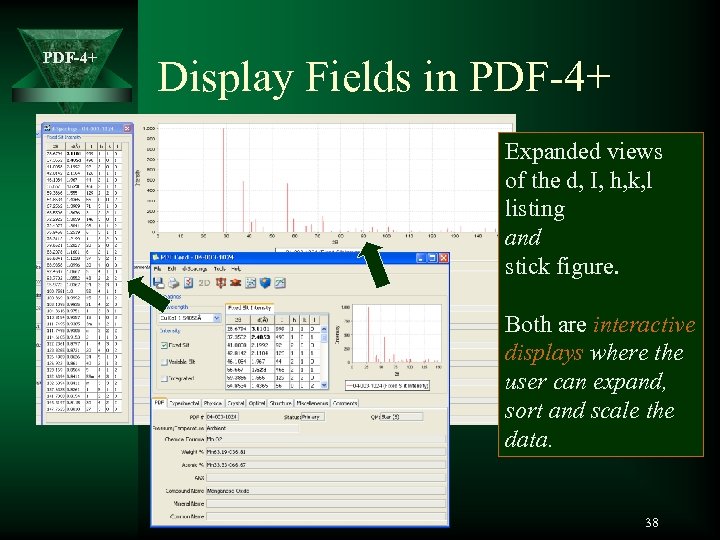 PDF-4+ Display Fields in PDF-4+ Expanded views of the d, I, h, k, l listing and stick figure. Both are interactive displays where the user can expand, sort and scale the data. 38
 PDF-4+ Searches and Data Mining 39
 PDF-4+ Searches and Data Mining Ú ICDD problem solving software – Completely re-written in Java – Powerful search and retrieval – Numerous display options – Flexible user-interface – Features based on our extensive RDB knowledge and user feedback 40
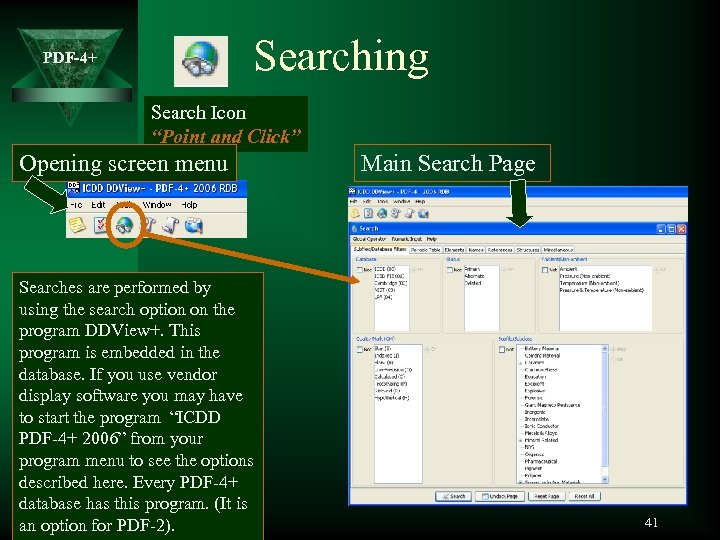 Searching PDF-4+ Search Icon “Point and Click” Opening screen menu Searches are performed by using the search option on the program DDView+. This program is embedded in the database. If you use vendor display software you may have to start the program “ICDD PDF-4+ 2006” from your program menu to see the options described here. Every PDF-4+ database has this program. (It is an option for PDF-2). Main Search Page 41
 PDF-4+ Search Ú Central input form (Main Search Page) Ú 45 unique criteria in 7 categories Ú Multiple input methods: – Lists – Text – Numeric • Estimated Standard Deviation (ESD) • Ranges – Periodic Table – Composition Table Ú Logical Boolean operators Ú Powerful cumulative searches Ú Criteria selection awareness 42
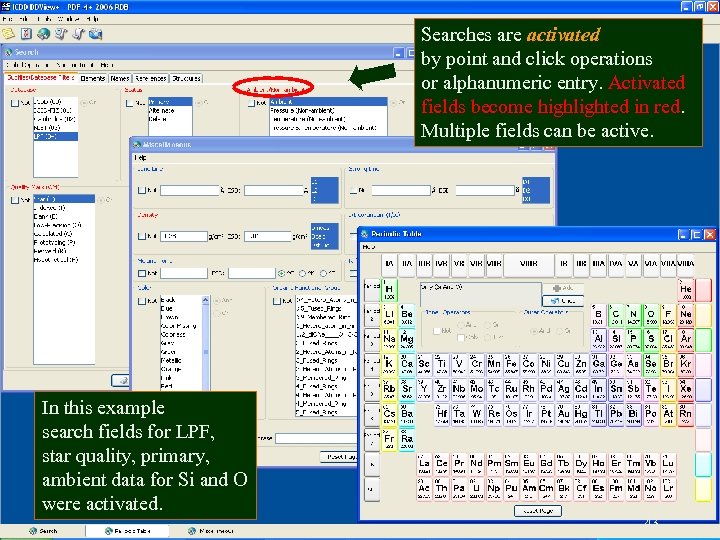 PDF-4+ Searches are activated by point and click operations or alphanumeric entry. Activated fields become highlighted in red. Multiple fields can be active. In this example search fields for LPF, star quality, primary, ambient data for Si and O were activated. 43
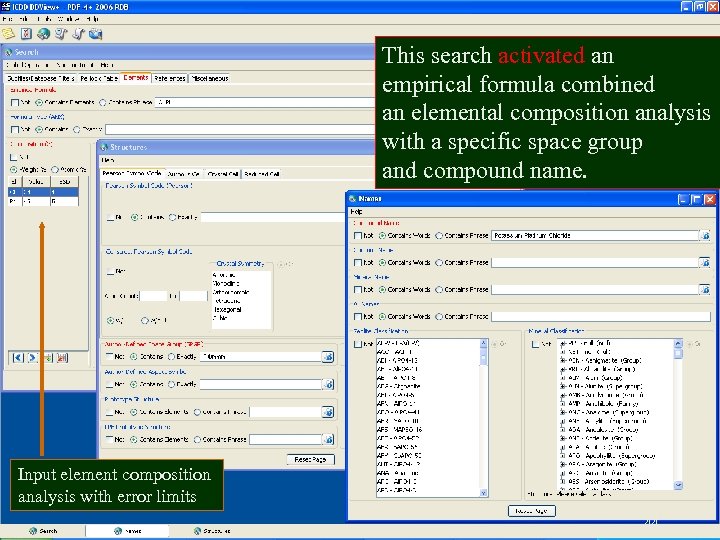 PDF-4+ This search activated an empirical formula combined an elemental composition analysis with a specific space group and compound name. Input element composition analysis with error limits 44
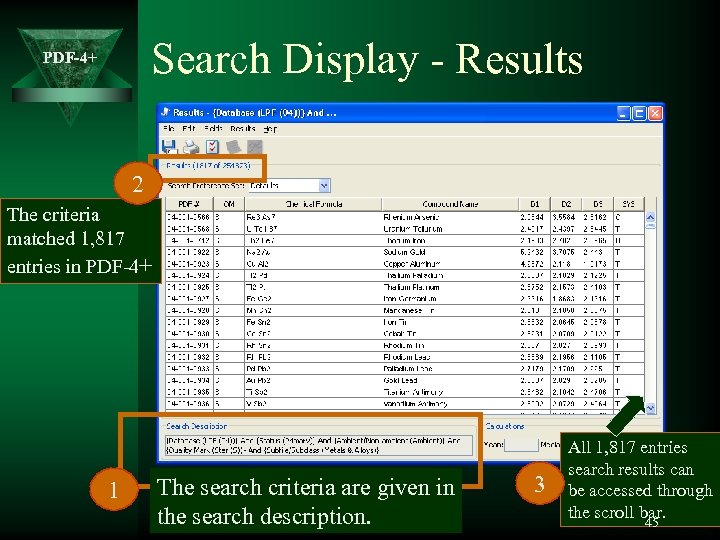 Search Display - Results PDF-4+ 2 The criteria matched 1, 817 entries in PDF-4+ 1 The search criteria are given in the search description. 3 All 1, 817 entries search results can be accessed through the scroll bar. 45
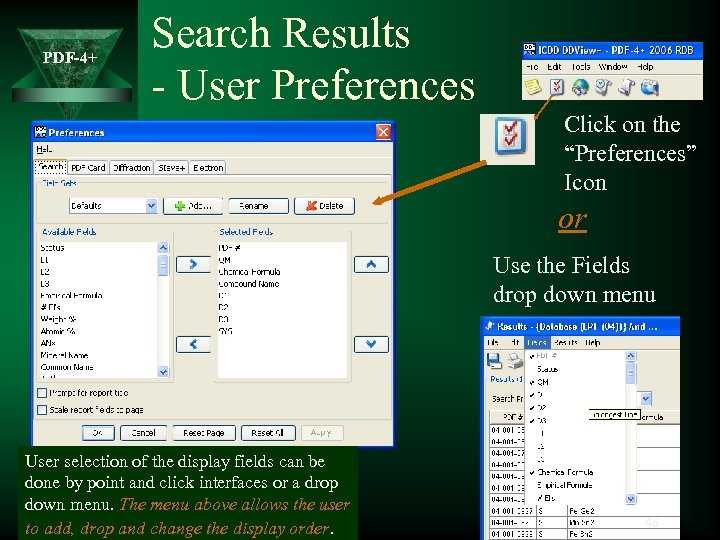 PDF-4+ Search Results - User Preferences Click on the “Preferences” Icon or Use the Fields drop down menu User selection of the display fields can be done by point and click interfaces or a drop down menu. The menu above allows the user to add, drop and change the display order. 46
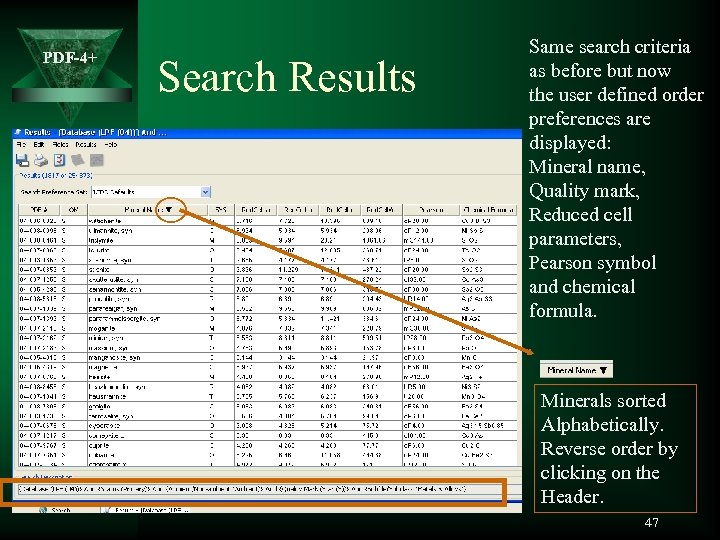 PDF-4+ Search Results Same search criteria as before but now the user defined order preferences are displayed: Mineral name, Quality mark, Reduced cell parameters, Pearson symbol and chemical formula. Minerals sorted Alphabetically. Reverse order by clicking on the Header. 47
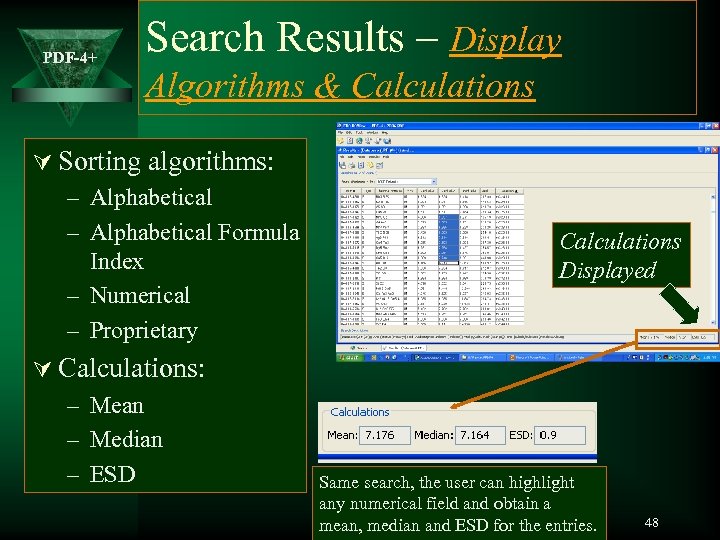 PDF-4+ Search Results – Display Algorithms & Calculations Ú Sorting algorithms: – Alphabetical Formula Index – Numerical – Proprietary Ú Calculations: – Mean – Median – ESD Calculations Displayed Same search, the user can highlight any numerical field and obtain a mean, median and ESD for the entries. 48
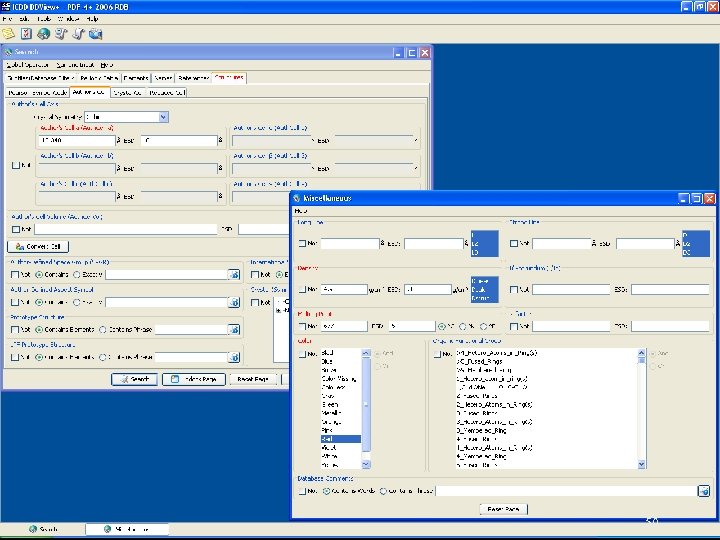
 PDF-4+ Application Example 1: Phase Identification Ú From research we obtain the following data: – Pattern is cubic – Lattice parameter a=12. 348(. 010) Å – Pattern density is ρ=4. 9(. 1) g/cm³ – Pattern color is red – Pattern melting point is 677(5) °C Ú We then input these user data into DDView+ and look for possible solution(s). 49
 PDF-4+ 50
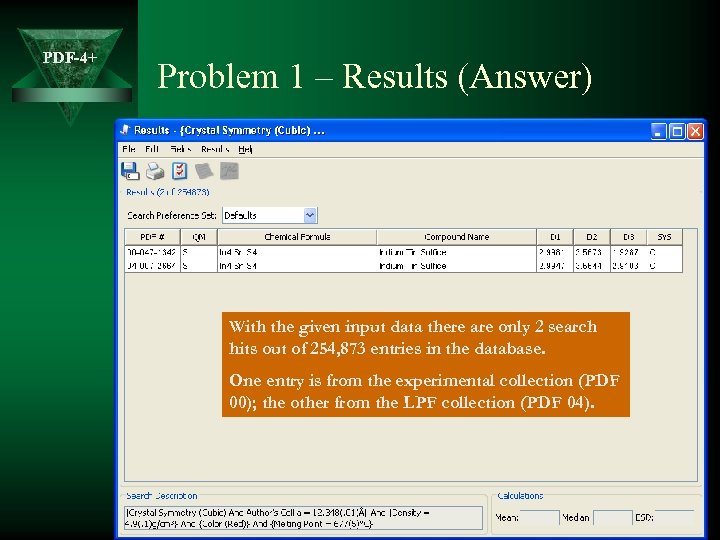 PDF-4+ Problem 1 – Results (Answer) With the given input data there are only 2 search hits out of 254, 873 entries in the database. One entry is from the experimental collection (PDF 00); the other from the LPF collection (PDF 04). 51
 PDF-4+ Application: Problem 2 Ú From research we obtain the following data: – Powder Pattern Space Group is Fm-3 m – Pattern only contains elements Cu and Zn Ú Input user data into DDView+ Ú Additionally: – If we measure the lattice parameter: – a=3. 640 Å, what is the likely concentration of Zn in the alloy? 52
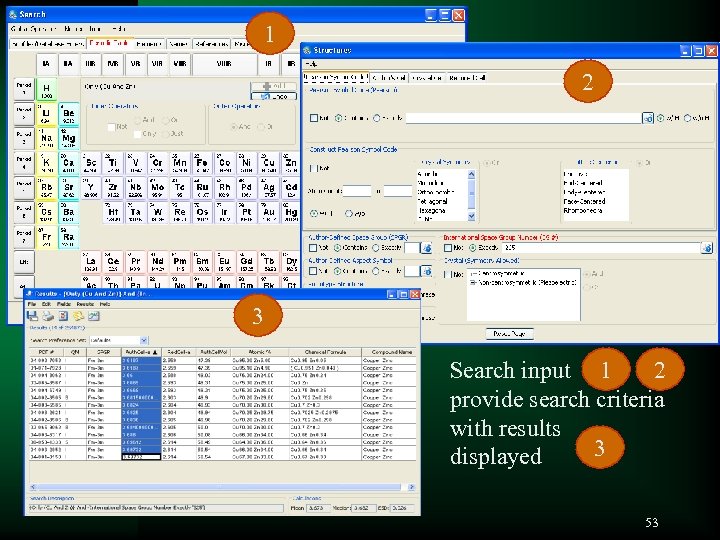 1 PDF-4+ 2 3 2 Search input 1 provide search criteria with results 3 displayed 53
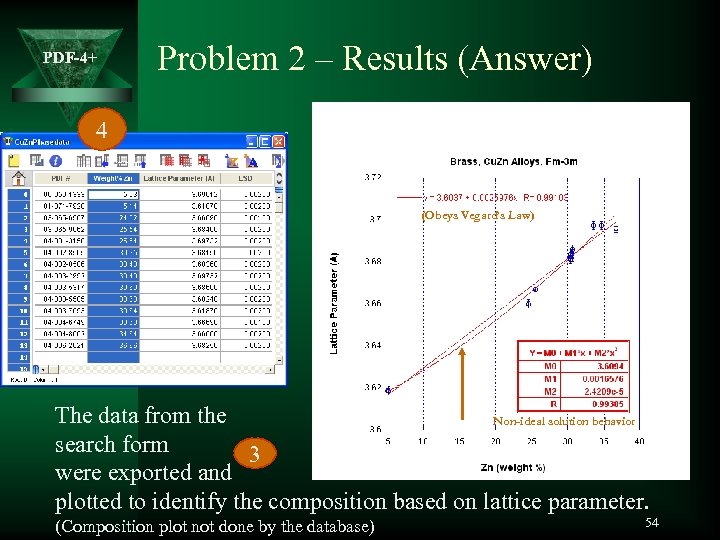 PDF-4+ Problem 2 – Results (Answer) 4 (Obeys Vegard’s Law) The data from the Non-ideal solution behavior search form 3 were exported and plotted to identify the composition based on lattice parameter. (Composition plot not done by the database) 54
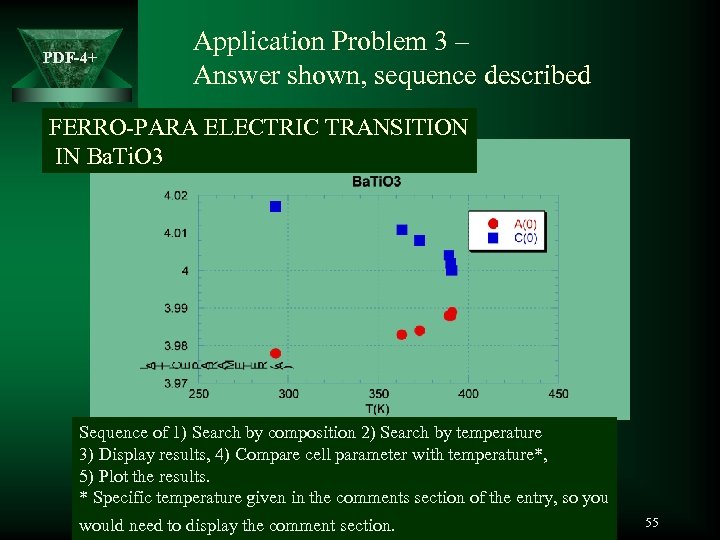 PDF-4+ Application Problem 3 – Answer shown, sequence described FERRO-PARA ELECTRIC TRANSITION IN Ba. Ti. O 3 Sequence of 1) Search by composition 2) Search by temperature 3) Display results, 4) Compare cell parameter with temperature*, 5) Plot the results. * Specific temperature given in the comments section of the entry, so you would need to display the comment section. 55
 PDF-4+ Pattern Fitting and Simulations 56
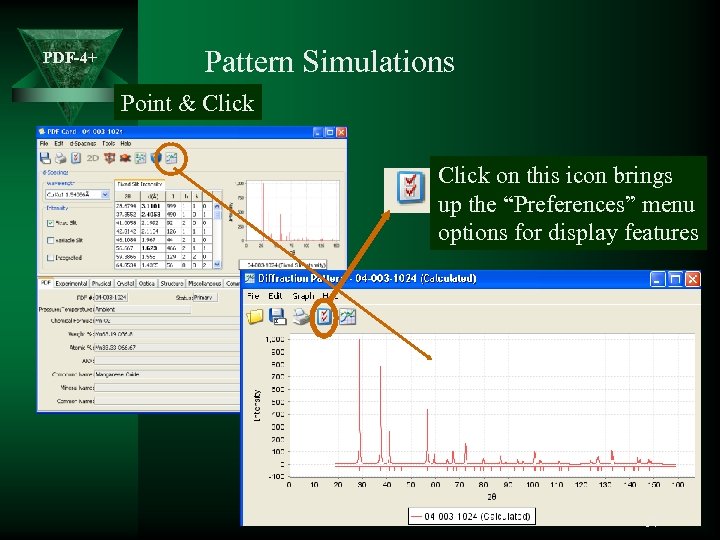 PDF-4+ Pattern Simulations Point & Click on this icon brings up the “Preferences” menu options for display features 57
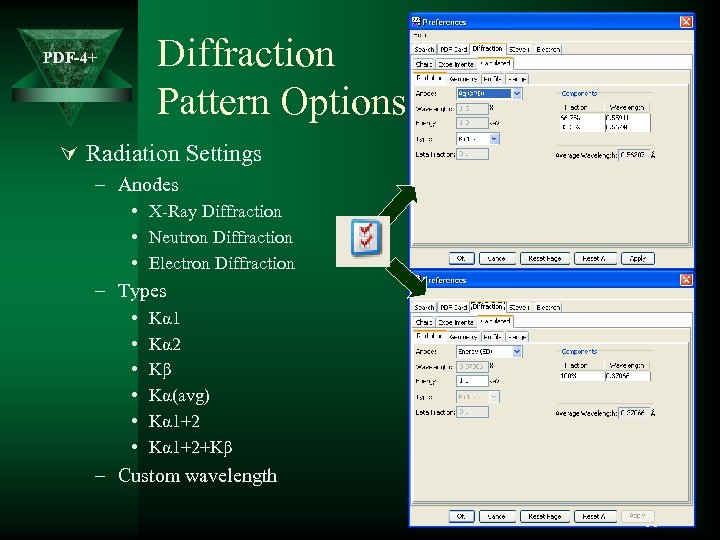 Diffraction Pattern Options PDF-4+ Ú Radiation Settings – Anodes • X-Ray Diffraction • Neutron Diffraction • Electron Diffraction – Types • • • Kα 1 Kα 2 Kβ Kα(avg) Kα 1+2+Kβ – Custom wavelength 58
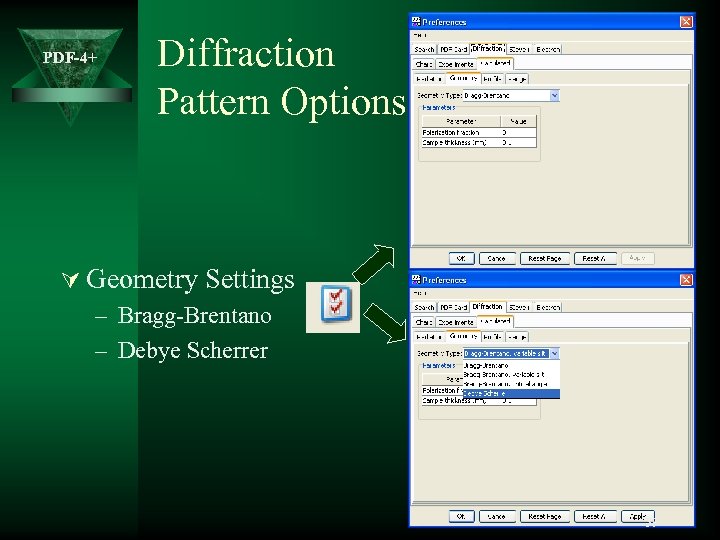 PDF-4+ Diffraction Pattern Options Ú Geometry Settings – Bragg-Brentano – Debye Scherrer 59
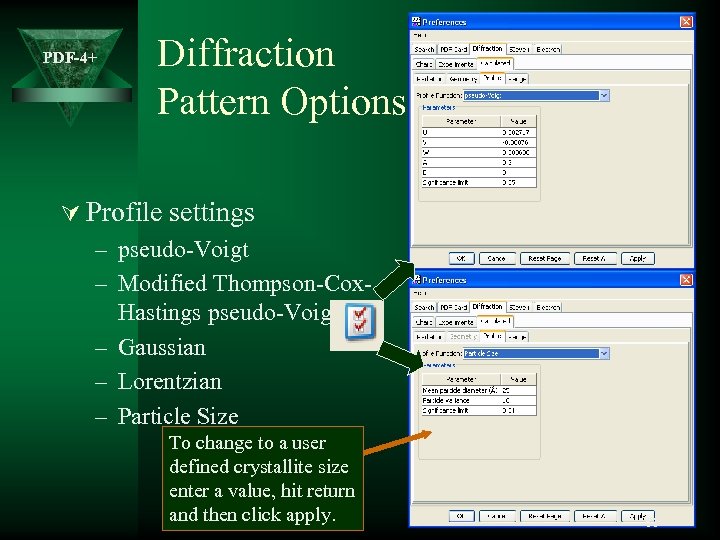 PDF-4+ Diffraction Pattern Options Ú Profile settings – pseudo-Voigt – Modified Thompson-Cox. Hastings pseudo-Voigt – Gaussian – Lorentzian – Particle Size To change to a user defined crystallite size enter a value, hit return and then click apply. 60
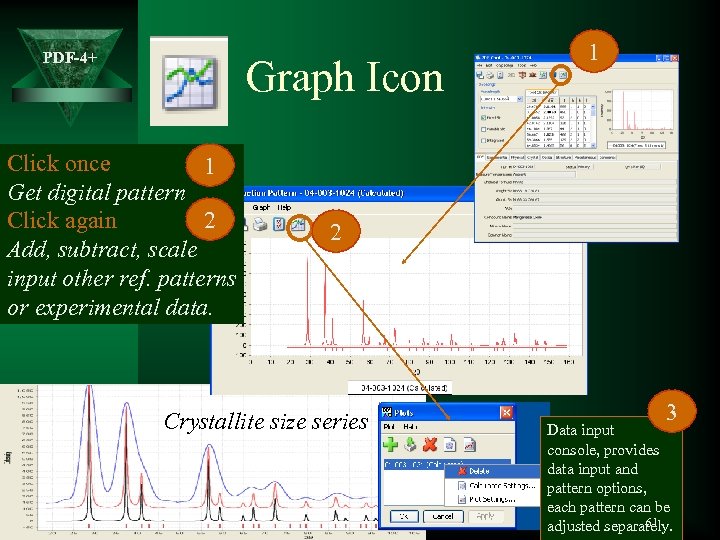 PDF-4+ Graph Icon Click once 1 Get digital pattern 2 Click again Add, subtract, scale input other ref. patterns or experimental data. 1 2 Crystallite size series 3 Data input console, provides data input and pattern options, each pattern can be 61 adjusted separately.
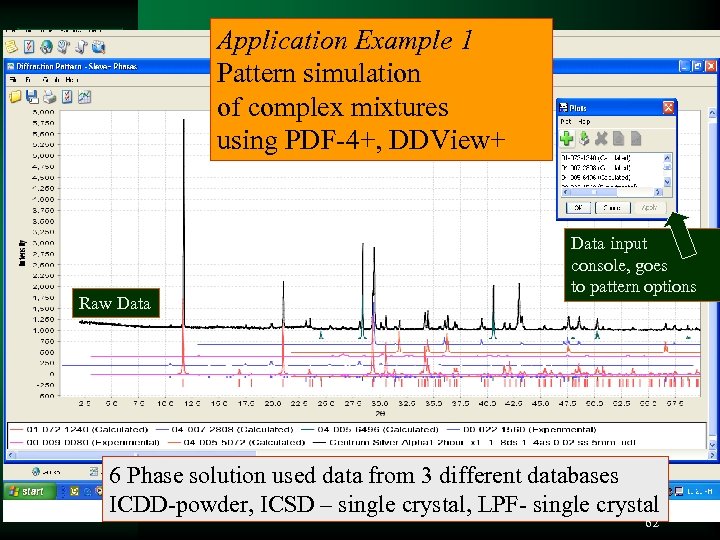 Application Example 1 Pattern simulation of complex mixtures using PDF-4+, DDView+ PDF-4+ Raw Data input console, goes to pattern options 6 Phase solution used data from 3 different databases ICDD-powder, ICSD – single crystal, LPF- single crystal 62
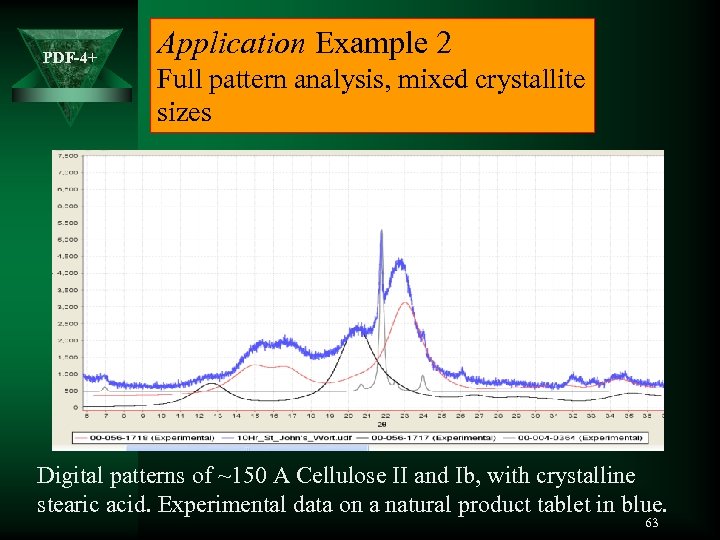 PDF-4+ Application Example 2 Full pattern analysis, mixed crystallite sizes Digital patterns of ~150 A Cellulose II and Ib, with crystalline stearic acid. Experimental data on a natural product tablet in blue. 63
 PDF-4+ Combining Tools – Analyzing Polymorphs 64
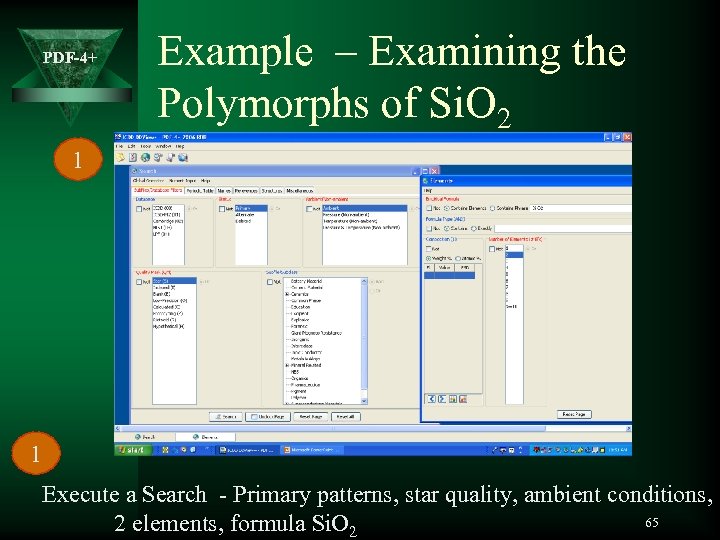 PDF-4+ Example – Examining the Polymorphs of Si. O 2 1 1 Execute a Search - Primary patterns, star quality, ambient conditions, 65 2 elements, formula Si. O 2
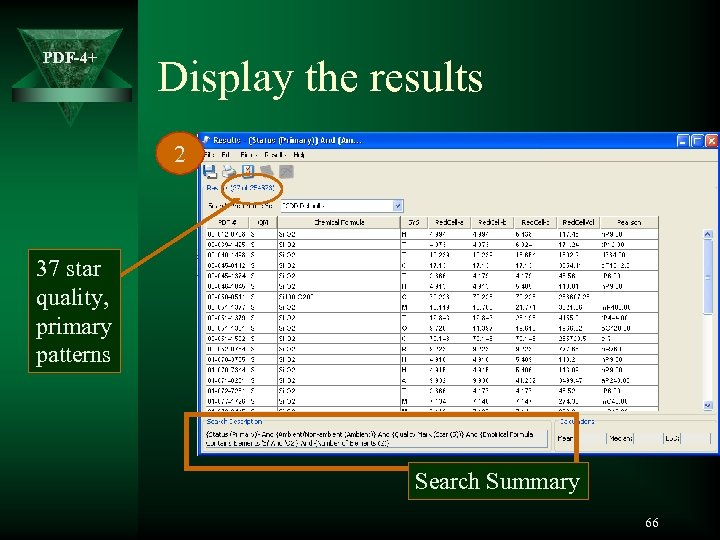 PDF-4+ Display the results 2 37 star quality, primary patterns Search Summary 66
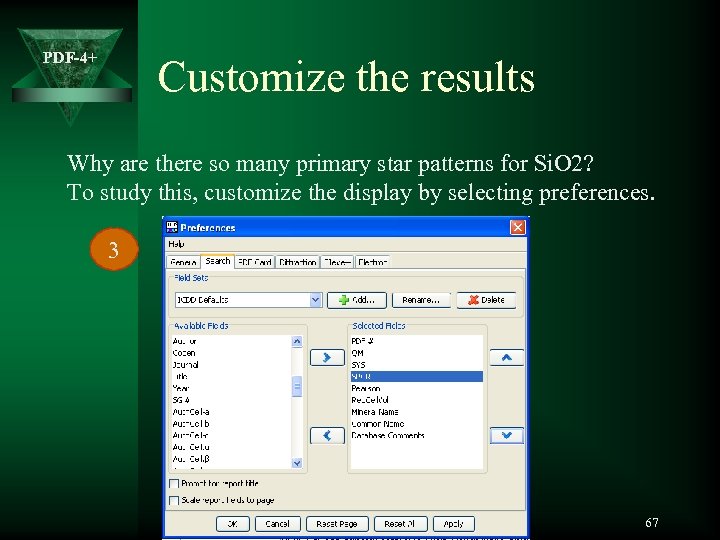 PDF-4+ Customize the results Why are there so many primary star patterns for Si. O 2? To study this, customize the display by selecting preferences. 3 67
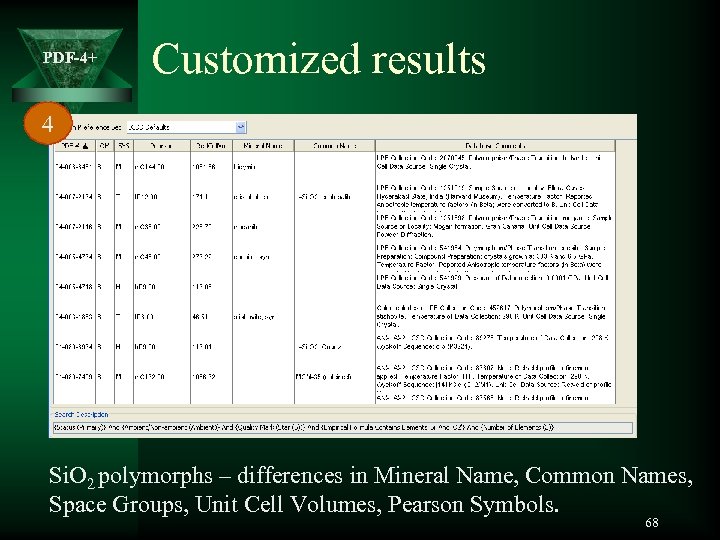 PDF-4+ Customized results 4 Si. O 2 polymorphs – differences in Mineral Name, Common Names, Space Groups, Unit Cell Volumes, Pearson Symbols. 68
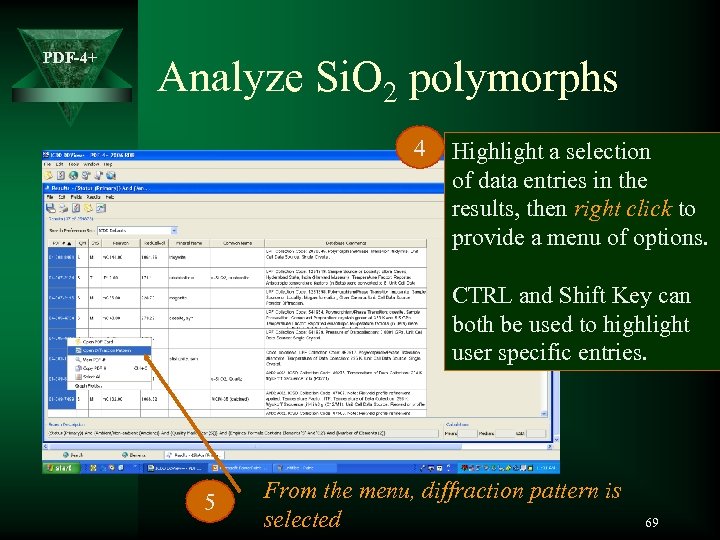 PDF-4+ Analyze Si. O 2 polymorphs 4 Highlight a selection of data entries in the results, then right click to provide a menu of options. CTRL and Shift Key can both be used to highlight user specific entries. 5 From the menu, diffraction pattern is selected 69
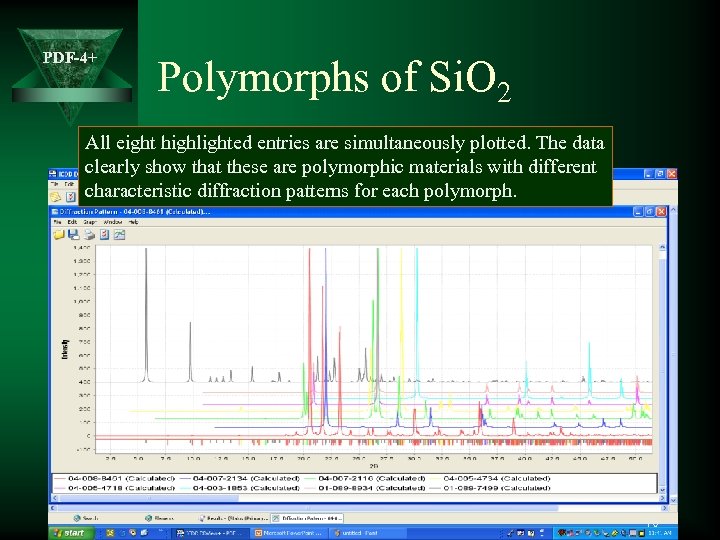 PDF-4+ Polymorphs of Si. O 2 All eight highlighted entries are simultaneously plotted. The data clearly show that these are polymorphic materials with different characteristic diffraction patterns for each polymorph. 70
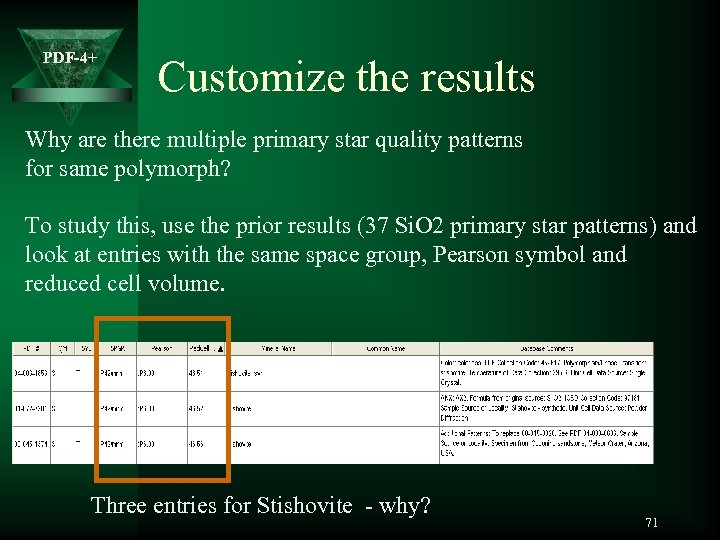 PDF-4+ Customize the results Why are there multiple primary star quality patterns for same polymorph? To study this, use the prior results (37 Si. O 2 primary star patterns) and look at entries with the same space group, Pearson symbol and reduced cell volume. Three entries for Stishovite - why? 71
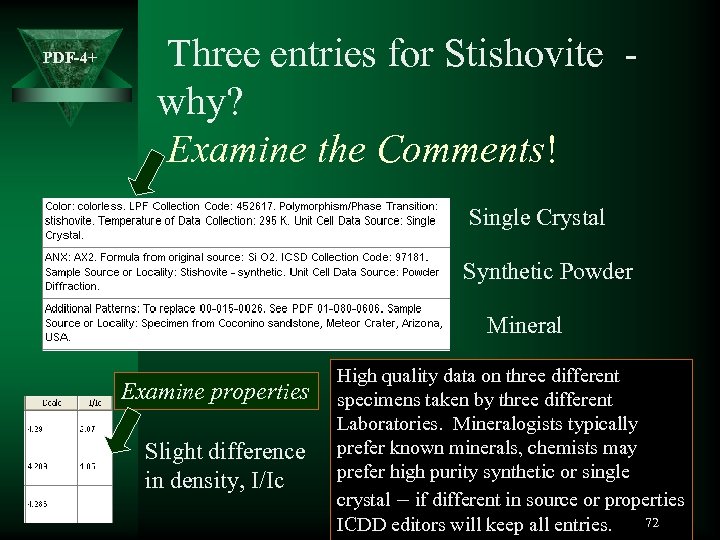 PDF-4+ Three entries for Stishovite why? Examine the Comments! Single Crystal Synthetic Powder Mineral Examine properties Slight difference in density, I/Ic High quality data on three different specimens taken by three different Laboratories. Mineralogists typically prefer known minerals, chemists may prefer high purity synthetic or single crystal – if different in source or properties 72 ICDD editors will keep all entries.
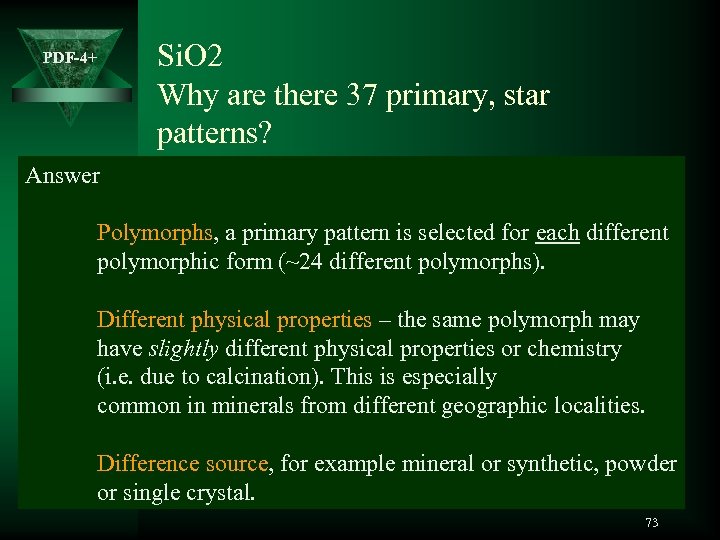 Si. O 2 Why are there 37 primary, star patterns? PDF-4+ Answer Polymorphs, a primary pattern is selected for each different polymorphic form (~24 different polymorphs). Different physical properties – the same polymorph may have slightly different physical properties or chemistry (i. e. due to calcination). This is especially common in minerals from different geographic localities. Difference source, for example mineral or synthetic, powder or single crystal. 73