 Скачать презентацию 1 Next Generation Web Apps Towards Transformative UX
29e7dafaff3c6f2f6ce52f41256d3078.ppt
- Количество слайдов: 32




1 Next Generation Web Apps Towards Transformative UX Maristella Matera, Matteo Picozzi
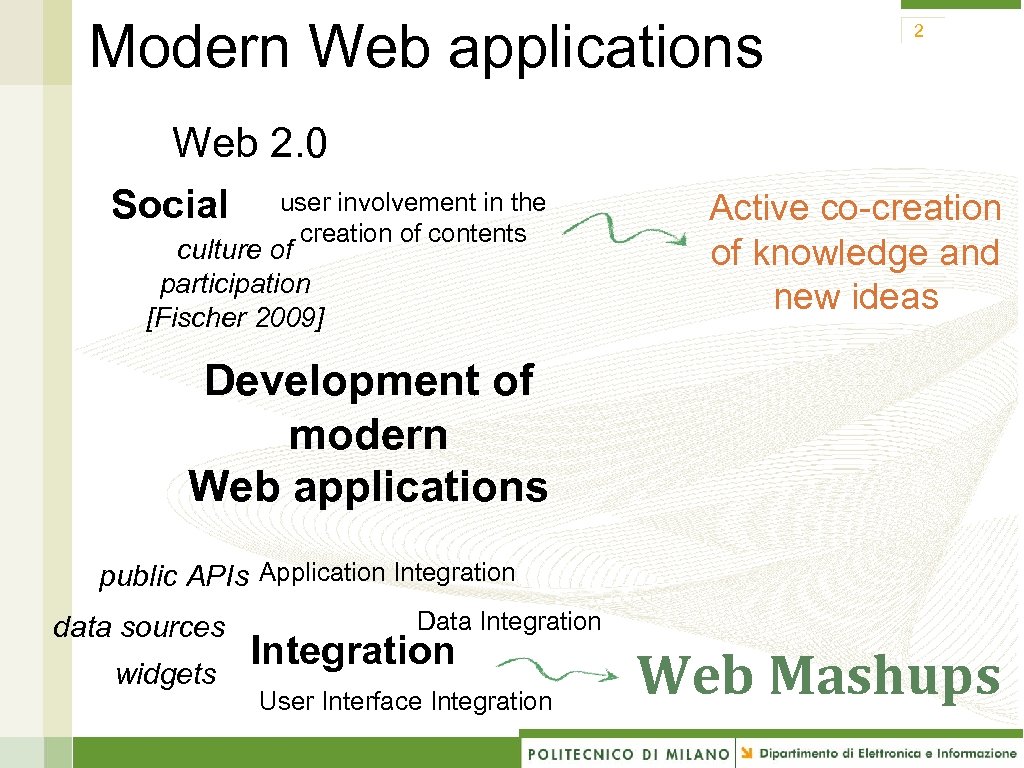
Modern Web applications Web 2. 0 Social user involvement in the creation of contents culture of participation [Fischer 2009] 2 Active co-creation of knowledge and new ideas Development of modern Web applications public APIs Application Integration data sources widgets Data Integration User Interface Integration Web Mashups
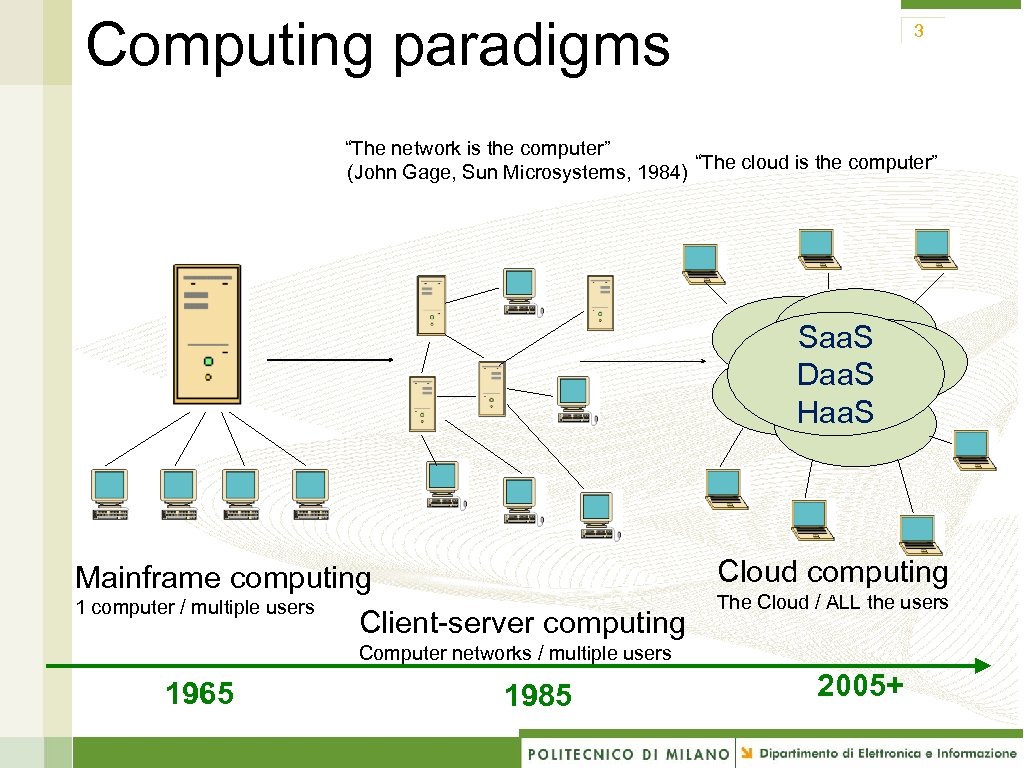
Computing paradigms 3 “The network is the computer” (John Gage, Sun Microsystems, 1984) “The cloud is the computer” Saa. S Daa. S Haa. S Mainframe computing 1 computer / multiple users Client-server computing Cloud computing The Cloud / ALL the users Computer networks / multiple users 1965 1985 2005+
5 The developers’ point of view… Availability on the Web of ready-to-use “building blocks”: • Software services (content, functionality) accessible throuhg public Web APIs to build composite applications • API: Application Programming Interface a defined set of HTTP request messages, along with a definition of the structure of response messages, which is usually in XML or JSON format [wikipedia. com]
Mashups 6 Mashup: young integration practice using the Web as platform. Some definitions: “. . . a mashup is a web application that combines data from more than one source into a single integrated tool…” [wikipedia. com] “. . . you can integrate two or more […] Web APIs to create something new and unique, known as a mashup…” [IBM web site] Similar terms: service mashups, data mashups
Mashup = Integration in the Web 2. 0 way 7 Highly user-driven: • Oftentimes the actual providers of content/functionality are not even aware of being “wrapped” • Google Maps example: initially skilled users «hacked» the code of the application Strong evolution: from hacking to first systematic development approaches in a few years
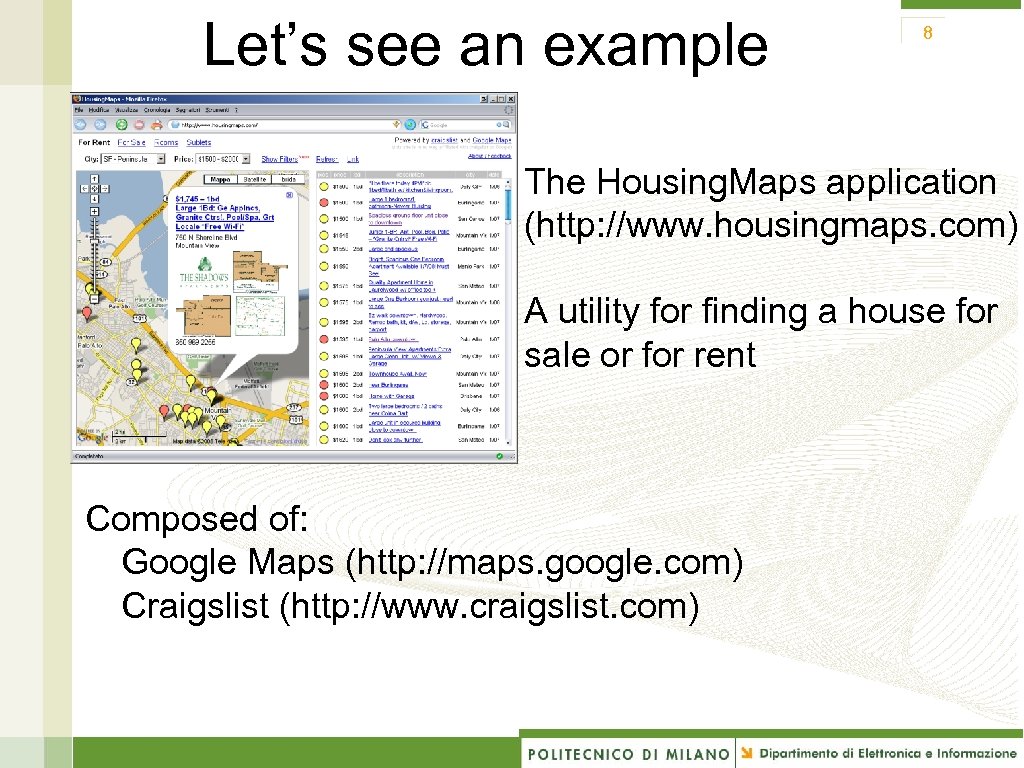
Let’s see an example 8 The Housing. Maps application (http: //www. housingmaps. com) A utility for finding a house for sale or for rent Composed of: Google Maps (http: //maps. google. com) Craigslist (http: //www. craigslist. com)
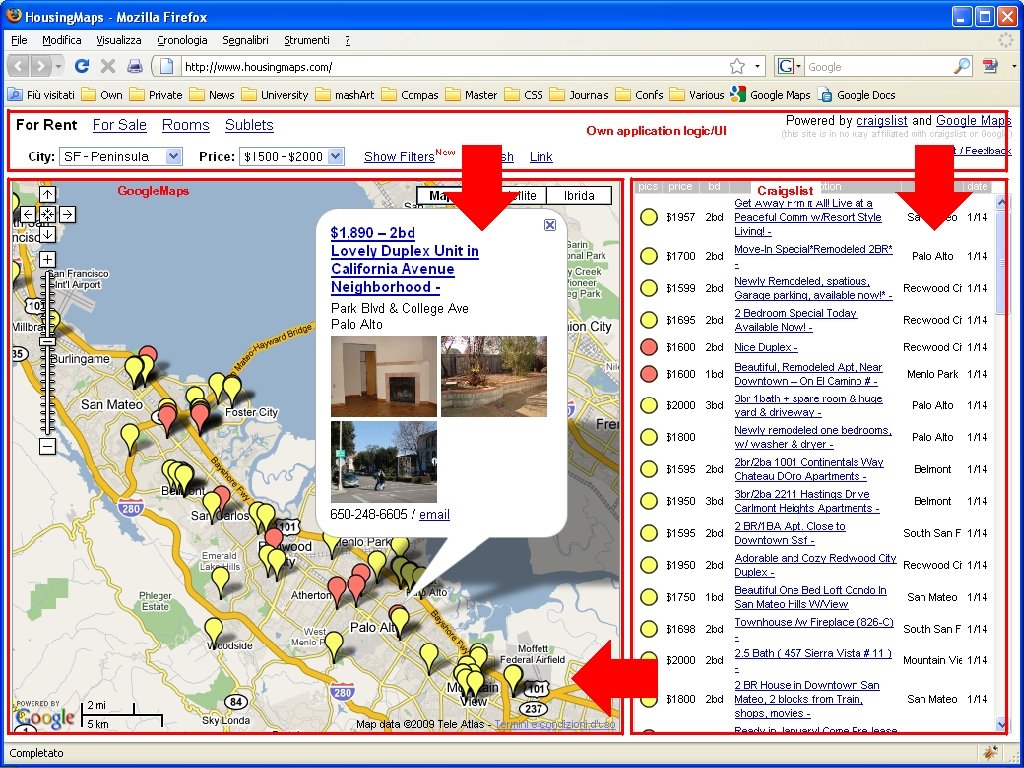
A mashup example Own application logic/UI Google. Maps Craigslist Housing. Maps (http: //www. housingmaps. com) http: //maps. google. com http: //www. craigslist. com
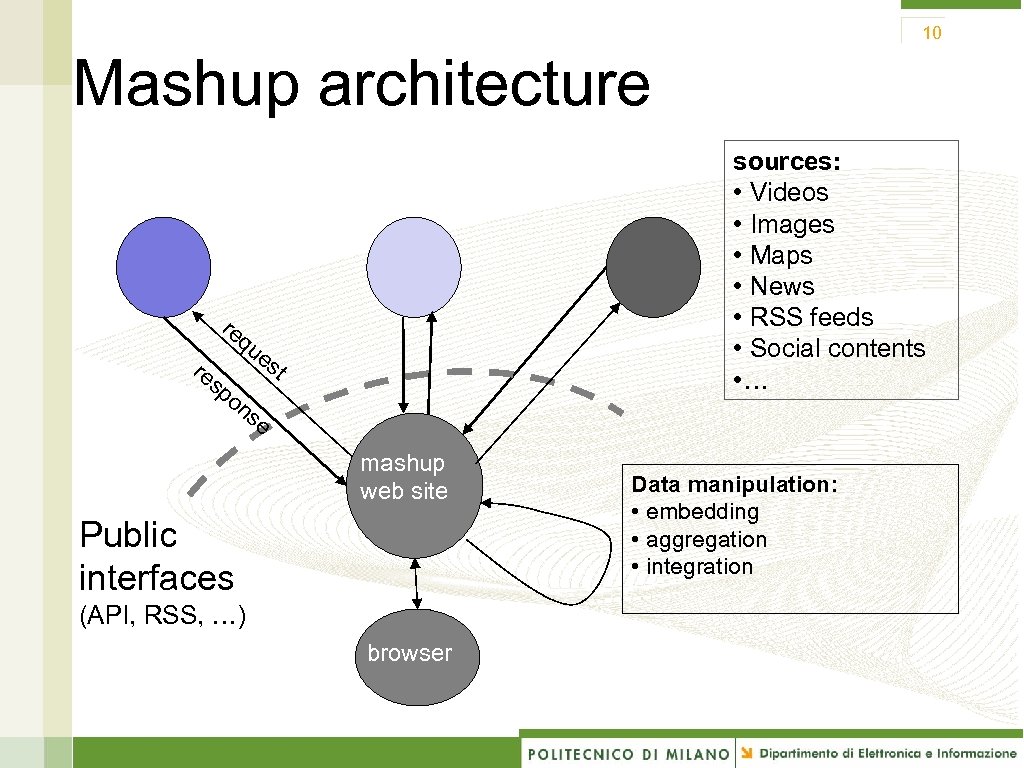
10 Mashup architecture re q sources: • Videos • Images • Maps • News • RSS feeds • Social contents • … ue re s po st ns e mashup web site Public interfaces (API, RSS, …) browser Data manipulation: • embedding • aggregation • integration
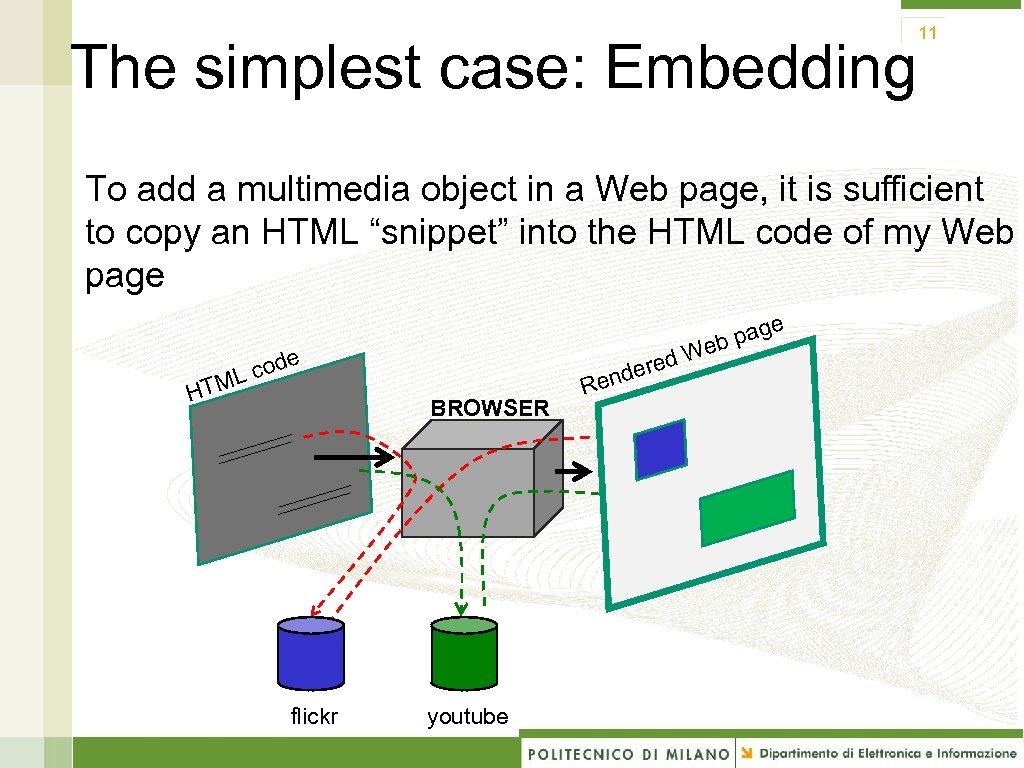
The simplest case: Embedding 11 To add a multimedia object in a Web page, it is sufficient to copy an HTML “snippet” into the HTML code of my Web page e e cod L HTM ered d BROWSER flickr youtube Ren g b pa e W foto
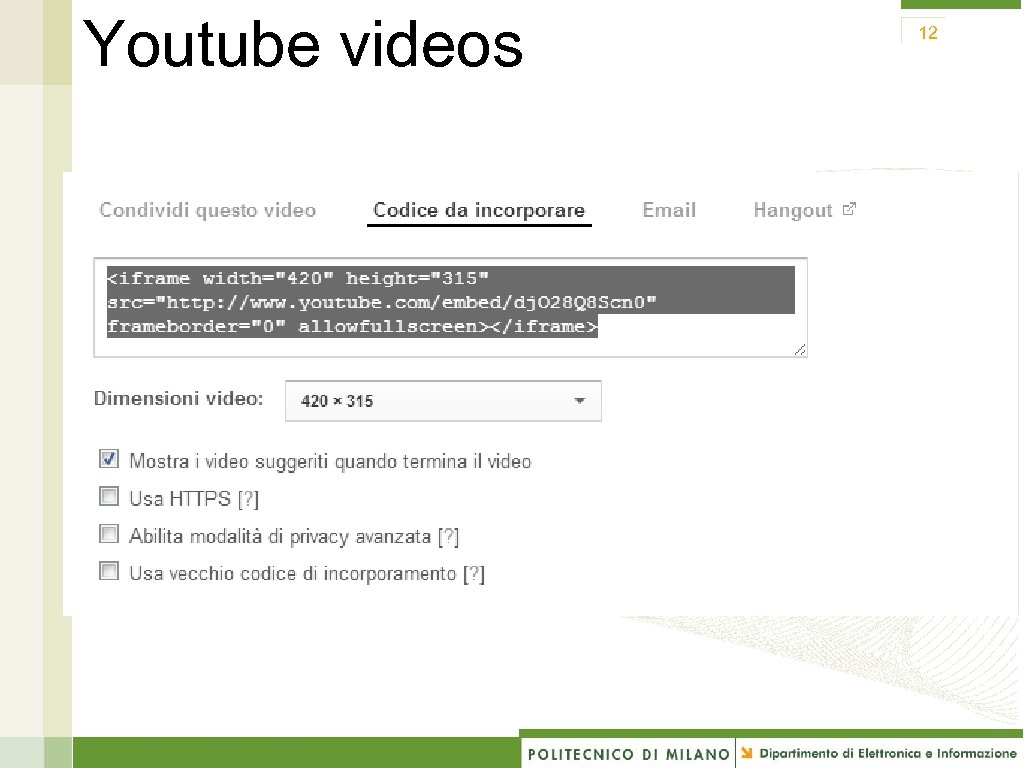
Youtube videos 12
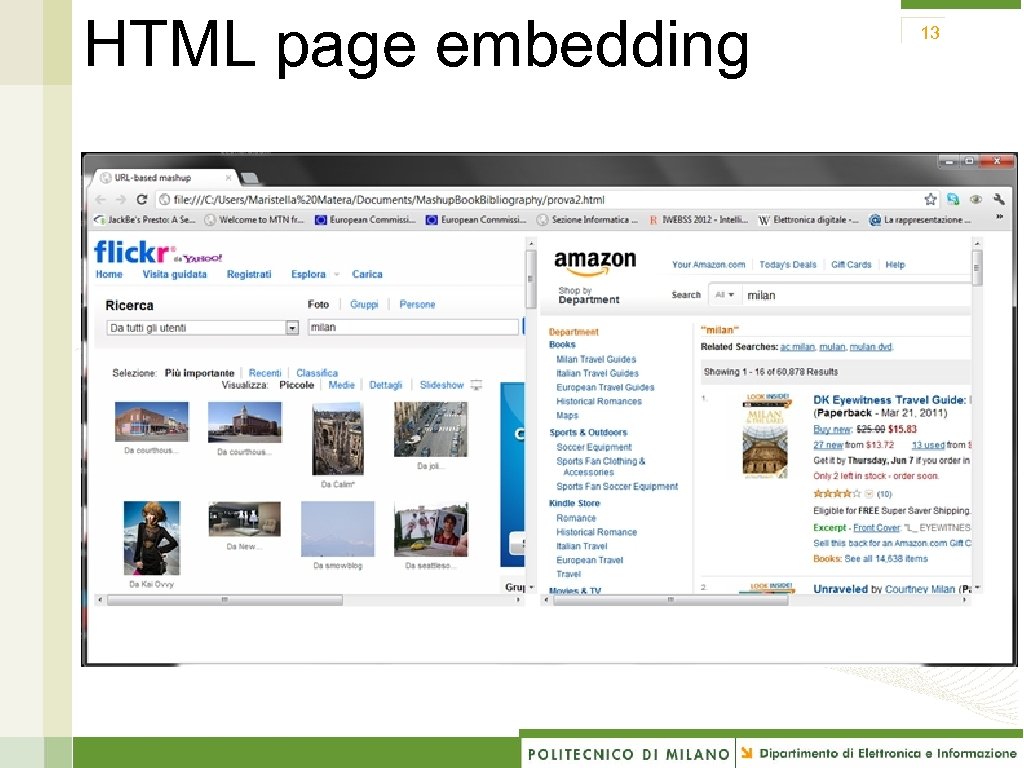
HTML page embedding 13
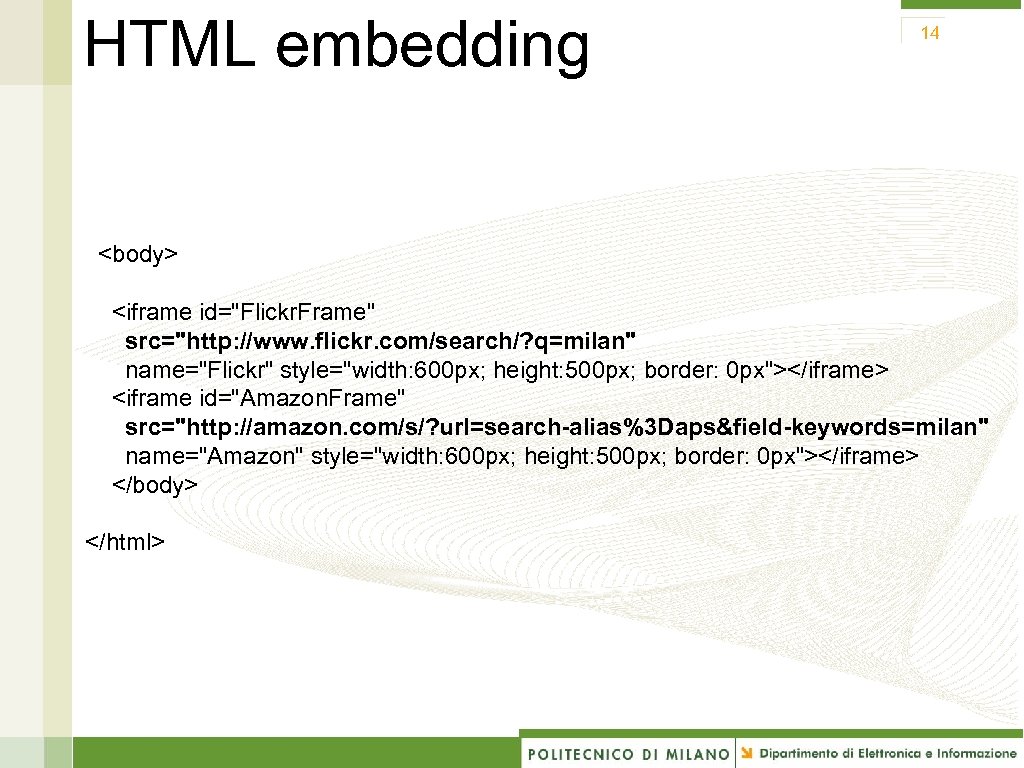
HTML embedding 14 <body> <iframe id="Flickr. Frame" src="http: //www. flickr. com/search/? q=milan" name="Flickr" style="width: 600 px; height: 500 px; border: 0 px"></iframe> <iframe id="Amazon. Frame" src="http: //amazon. com/s/? url=search-alias%3 Daps&field-keywords=milan" name="Amazon" style="width: 600 px; height: 500 px; border: 0 px"></iframe> </body> </html>
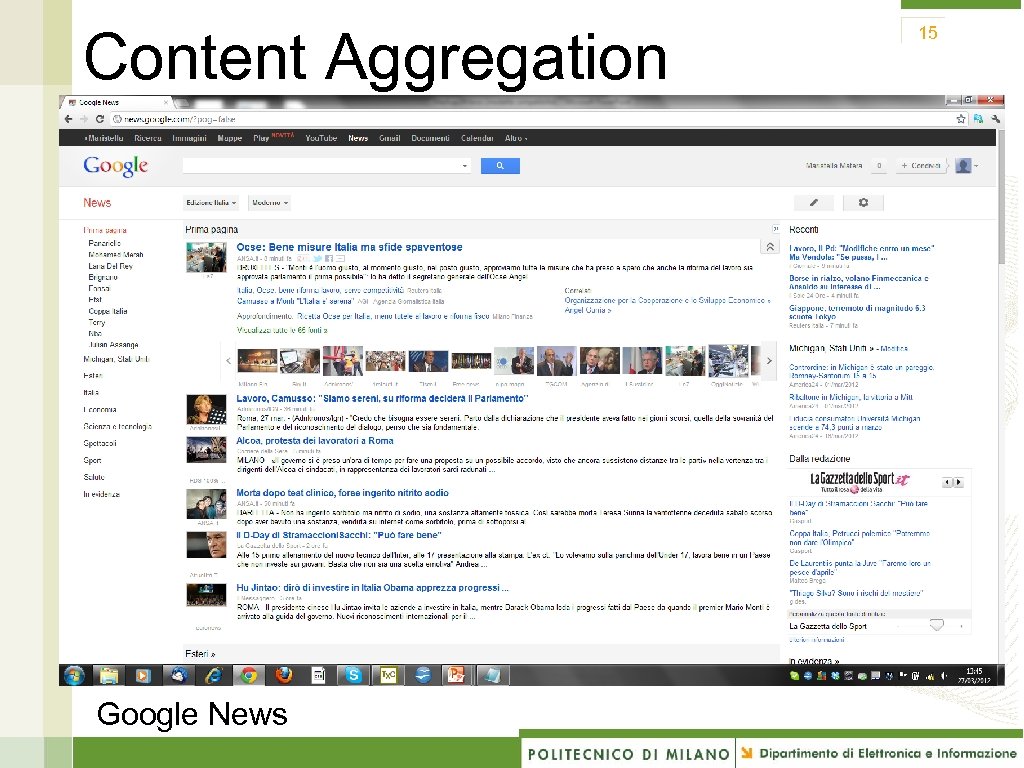
Content Aggregation Google News 15
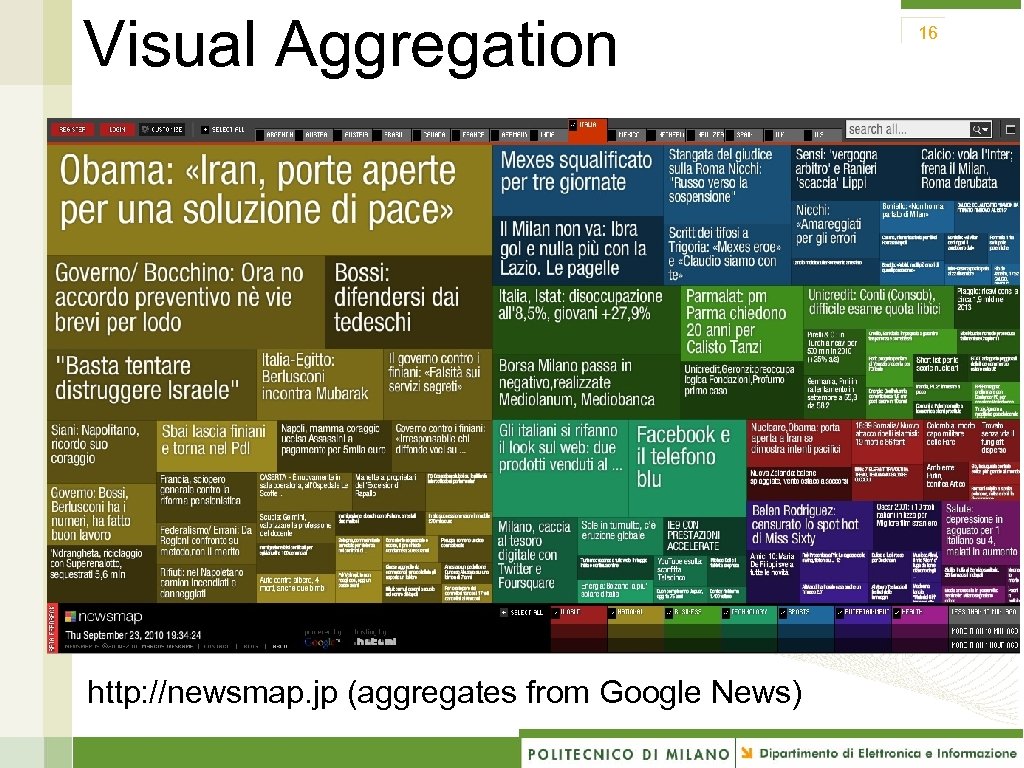
Visual Aggregation http: //newsmap. jp (aggregates from Google News) 16
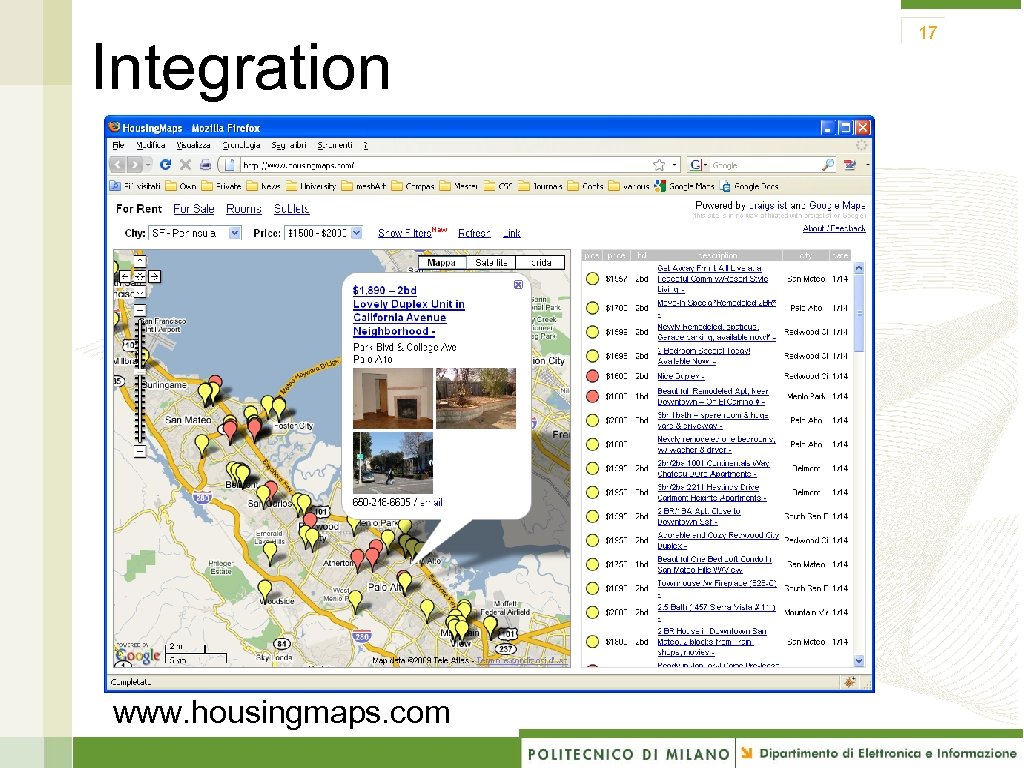
Integration www. housingmaps. com 17
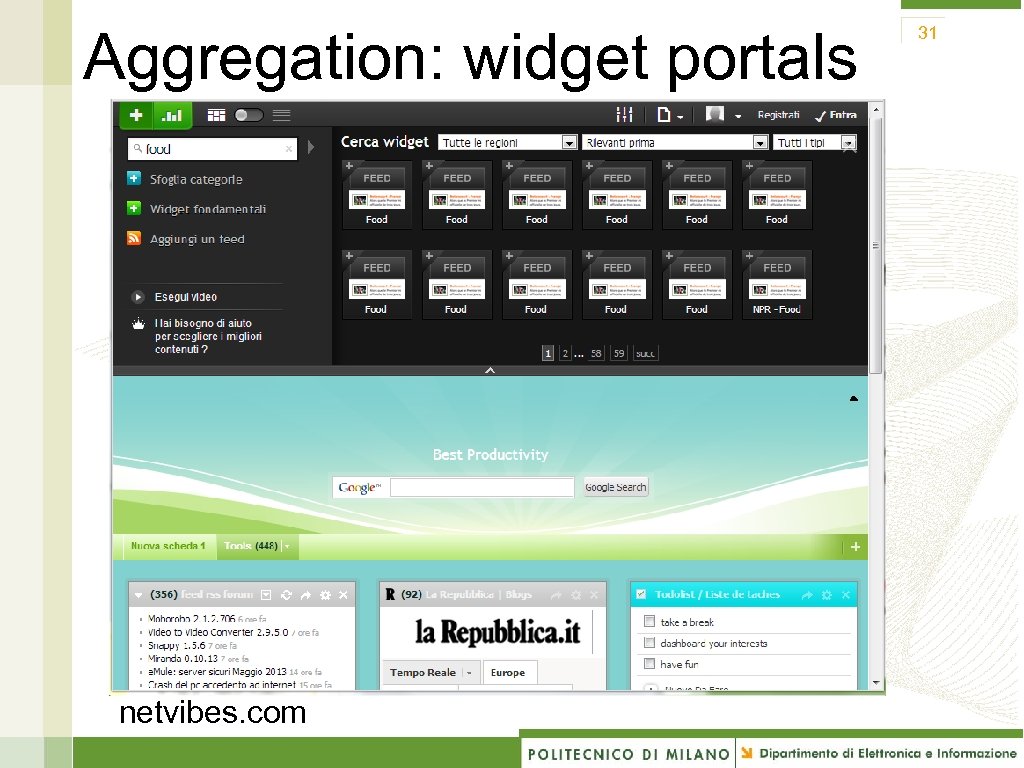
Components 18 • Collections: • Programmable. Web (www. programmabel. Web. com) • Mashery (developer. mashery. com/apis) • … • Ecosystems: offer software components that are «compatible» and «integrable» to build composite applications • Word. Press (www. wordpress. org ) offer a large set of widgets and the possibility to include corresponding plugins into the development workspace • Netvibes. com: a portal with a huge number of widgets
Let’s build some examples 19 1. Wordpress plugins 2. HTML embedding: The Expo Mashup
User-driven innovation 20 “There are creative people all around the world, hundreds of millions of them, and they are going to think of things to do with our basic platform that we didn’t think of” Vinton Cerf – Google
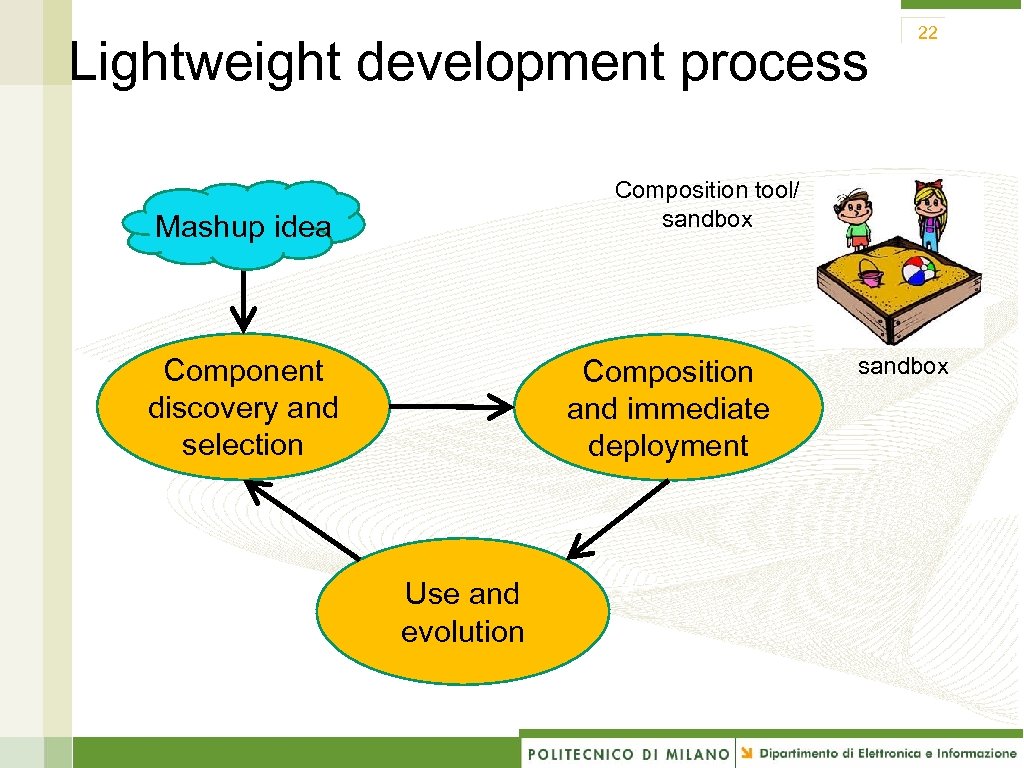
Lightweight development process 22 Composition tool/ sandbox Mashup idea Component discovery and selection Composition and immediate deployment Use and evolution sandbox
26 Mashup development manually Select the components (e. g. , GMaps API and the Craigslist RSS): • Include GMaps component • Define a layout for the RSS feed • Set markers through GMaps API Problems • Manual development for skilled programmers • Manual parsing of RSS feed • No common Web API format
Assisted development 27 Mashup tools/platforms • Simplify the overall development process, enabling even the less experienced user to mash up own applications
Aggregation: widget portals netvibes. com 31
Content extraction 32
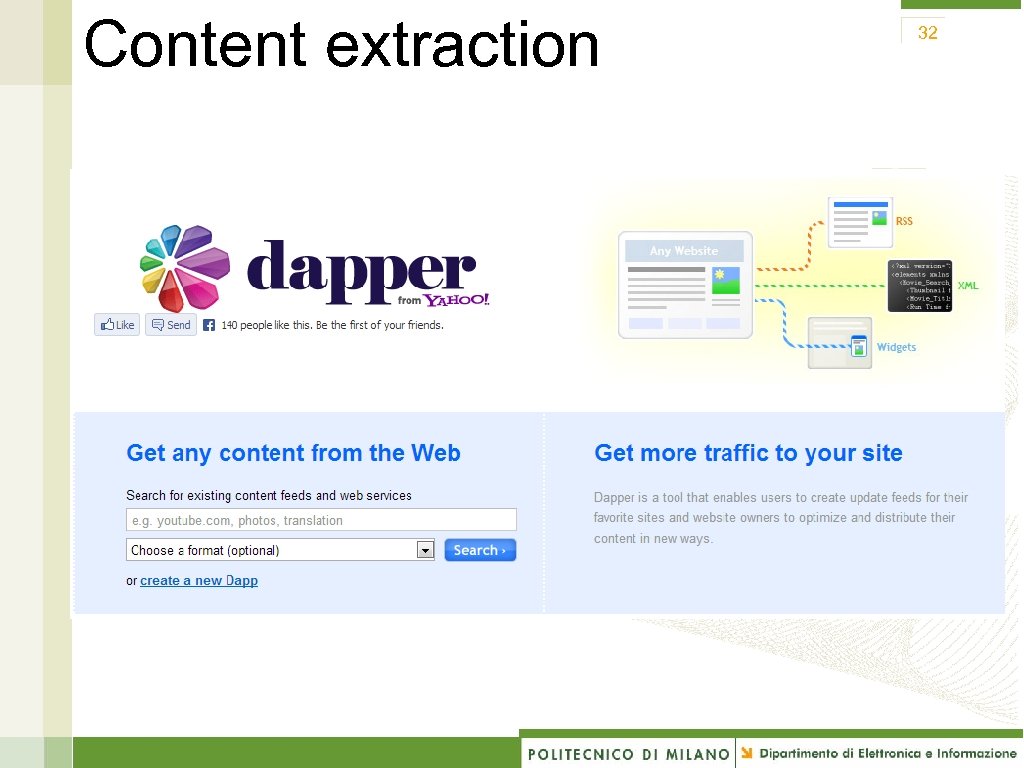
Examples 33 1. Dapper for content extraction + Netvibes 2. Our tools
36 How the mashup paradigm can transform UX?
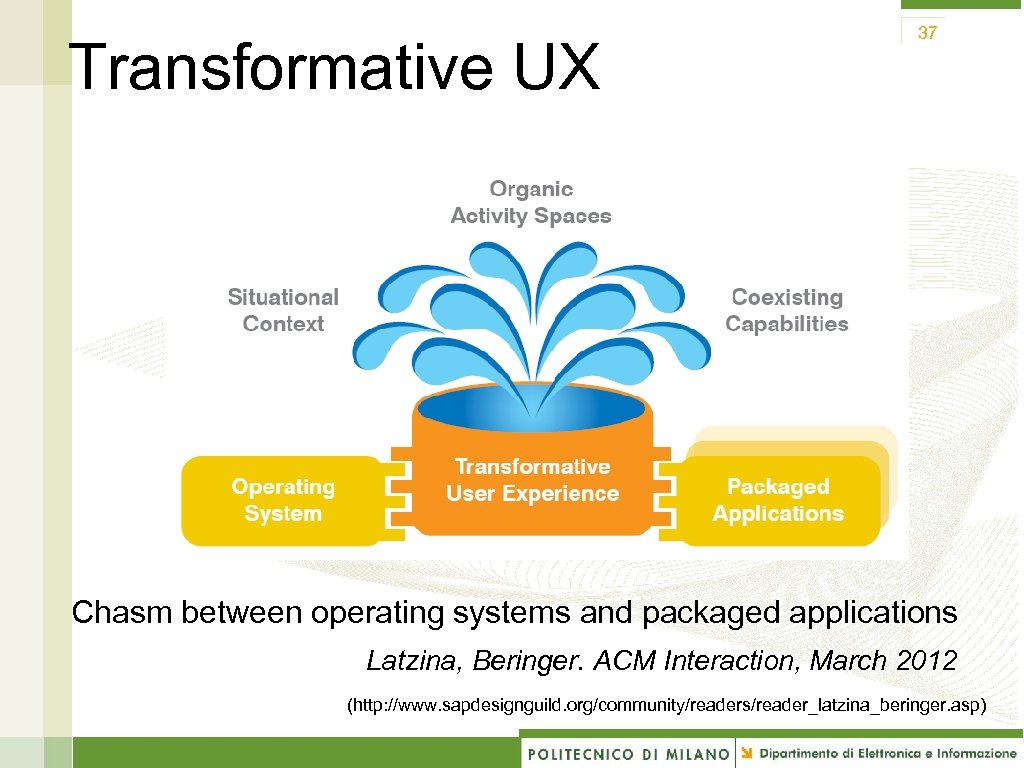
Transformative UX 37 Chasm between operating systems and packaged applications Latzina, Beringer. ACM Interaction, March 2012 (http: //www. sapdesignguild. org/community/readers/reader_latzina_beringer. asp)
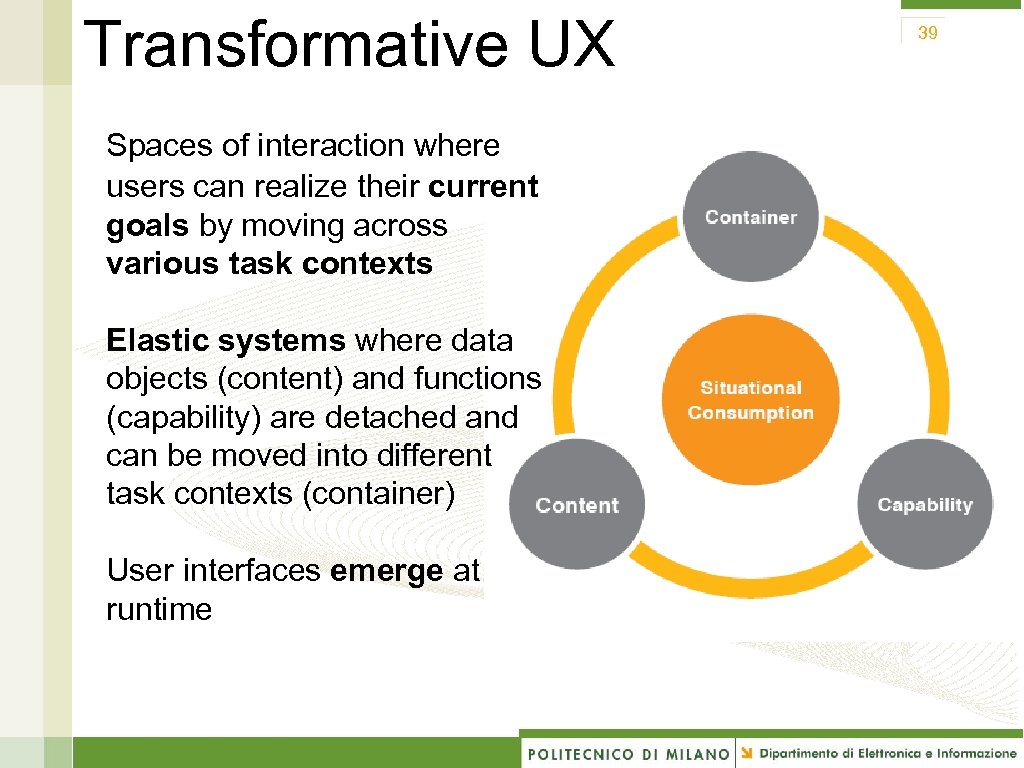
Transformative UX Spaces of interaction where users can realize their current goals by moving across various task contexts Elastic systems where data objects (content) and functions (capability) are detached and can be moved into different task contexts (container) User interfaces emerge at runtime 39
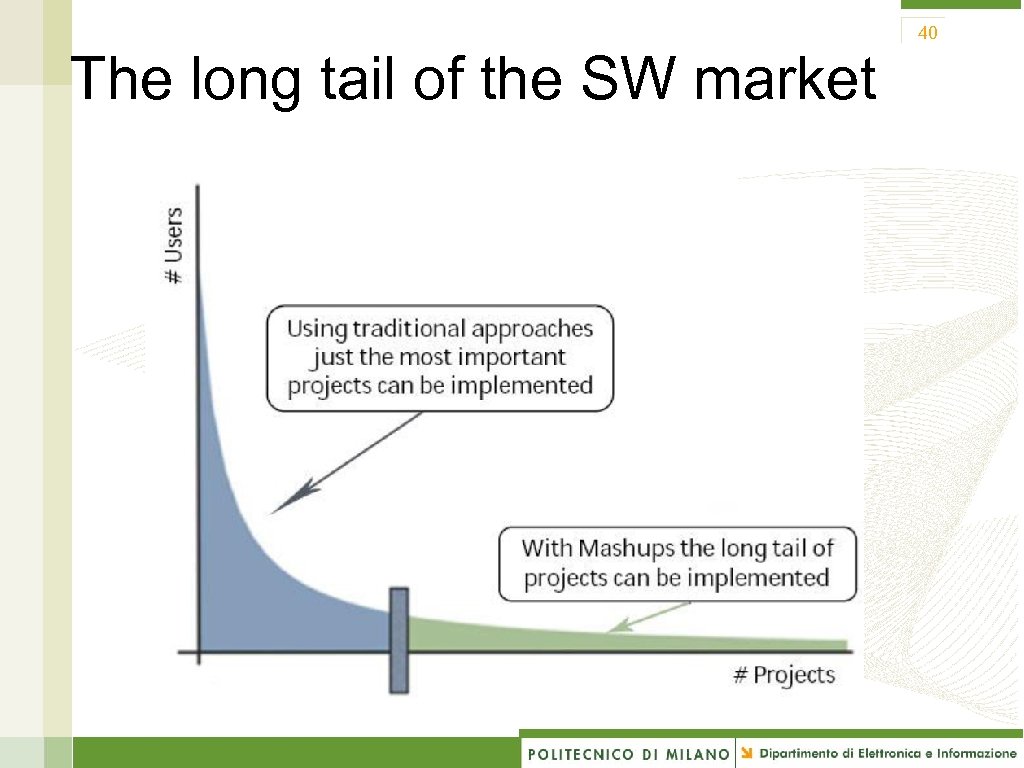
40 The long tail of the SW market
Web engineering: evolution 41 Evolution of web application development: Manual development: static (plain HTML) and dynamic (PHP, JSP, . . . ) pages coded via simple text editors or dedicated tools Tool-aided development: authoring tools enable developers to reason on the application content and «structure» ; the tools automatically generate the code Mashup development: we are going toward the userdriven development of web applications
42 Mashup: pros 42 “Lightweight” applications reduced amount of code to be written; just the code for integrating APIs «Lightweight» development availability of tools who do not require many technical skills – e. g. , pipes Low (o zero) costs for gathering data Rapid development Reduced time-to-market, quick prototyping
43 Mashup: cons 43 Dependency from the online data sources data quality, performances, service availbility and reliability, change in the service policy (licensing, acess restrictions, etc. ) APIs: standards e versioning Intellectual property and copyright “right to remix”: in which measure?
Скачать презентацию 1 Next Generation Web Apps Towards Transformative UX
29e7dafaff3c6f2f6ce52f41256d3078.ppt