 Скачать презентацию 1 Insert Picture Here Oracle Database 11
f1ddf2c2c2df683da920c550d2834bba.ppt
- Количество слайдов: 47



1
<Insert Picture Here> Oracle Database 11 g Secure. Files and Database File System (DBFS) Kevin Jernigan Senior Director Product Management Amit Ganesh Vice President Data and Systems Technology
Oracle Open. World Latin America 2010 December 7– 9, 2010 3
Oracle Open. World Beijing 2010 December 13– 16, 2010 4
Oracle Products Available Online Oracle Store Buy Oracle license and support online today at oracle. com/store 5
The following is intended to outline our general product direction. It is intended for information purposes only, and may not be incorporated into any contract. It is not a commitment to deliver any material, code, or functionality, and should not be relied upon in making purchasing decisions. The development, release, and timing of any features or functionality described for Oracle’s products remains at the sole discretion of Oracle. 6
Agenda • • • Enterprise Data Secure. Files: Changing the paradigm Secure. Files: High Performance Database File System (DBFS) Summary 7
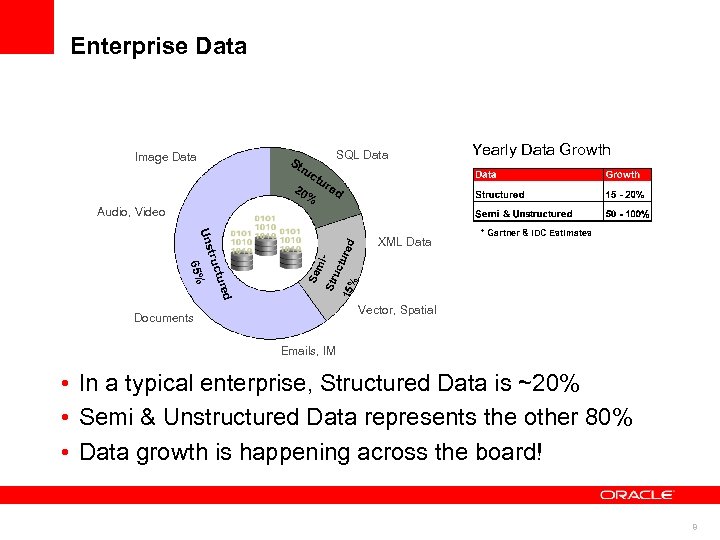
Enterprise Data Image Data St SQL Data ru 20 ctu % Yearly Data Growth re d d ture 65% truc Uns Se mi. Str uc 15% tured Audio, Video XML Data * Gartner & IDC Estimates Vector, Spatial Documents Emails, IM • In a typical enterprise, Structured Data is ~20% • Semi & Unstructured Data represents the other 80% • Data growth is happening across the board! 8
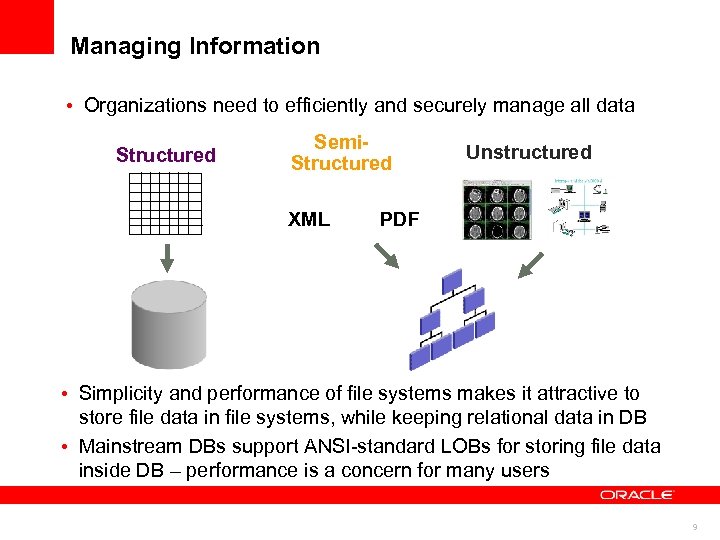
Managing Information • Organizations need to efficiently and securely manage all data Structured Semi. Structured XML Unstructured PDF • Simplicity and performance of file systems makes it attractive to store file data in file systems, while keeping relational data in DB • Mainstream DBs support ANSI-standard LOBs for storing file data inside DB – performance is a concern for many users 9
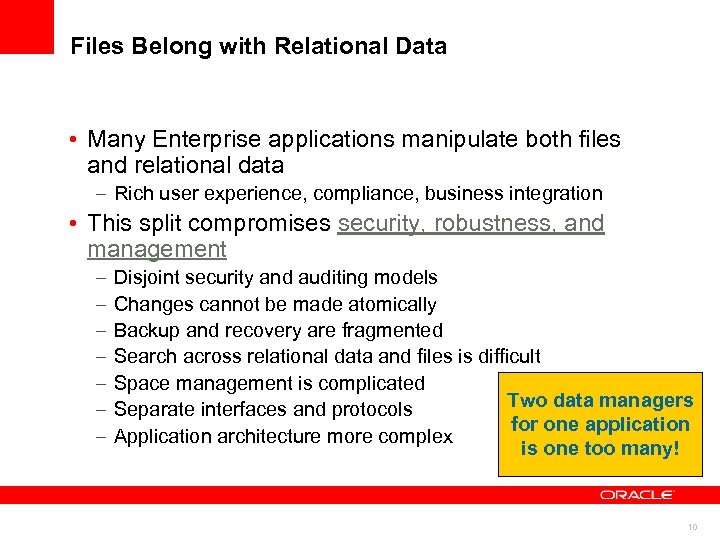
Files Belong with Relational Data • Many Enterprise applications manipulate both files and relational data – Rich user experience, compliance, business integration • This split compromises security, robustness, and management – – – – Disjoint security and auditing models Changes cannot be made atomically Backup and recovery are fragmented Search across relational data and files is difficult Space management is complicated Two data managers Separate interfaces and protocols for one application Application architecture more complex is one too many! 10
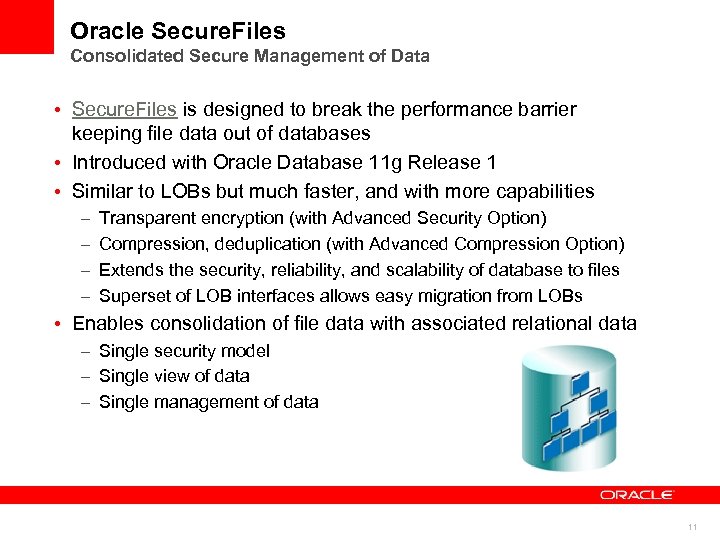
Oracle Secure. Files Consolidated Secure Management of Data • Secure. Files is designed to break the performance barrier keeping file data out of databases • Introduced with Oracle Database 11 g Release 1 • Similar to LOBs but much faster, and with more capabilities – – Transparent encryption (with Advanced Security Option) Compression, deduplication (with Advanced Compression Option) Extends the security, reliability, and scalability of database to files Superset of LOB interfaces allows easy migration from LOBs • Enables consolidation of file data with associated relational data – Single security model – Single view of data – Single management of data 11
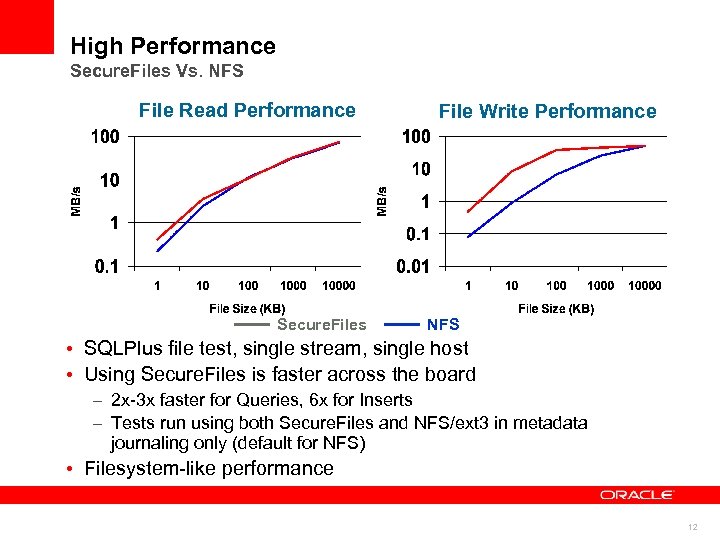
High Performance Secure. Files Vs. NFS File Read Performance Secure. Files File Write Performance NFS • SQLPlus file test, single stream, single host • Using Secure. Files is faster across the board – 2 x-3 x faster for Queries, 6 x for Inserts – Tests run using both Secure. Files and NFS/ext 3 in metadata journaling only (default for NFS) • Filesystem-like performance 12
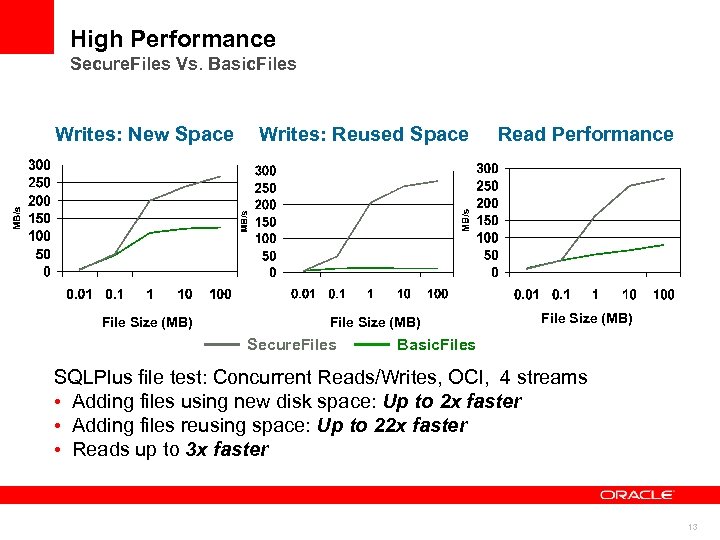
High Performance Secure. Files Vs. Basic. Files Writes: New Space File Size (MB) Writes: Reused Space File Size (MB) Secure. Files Read Performance File Size (MB) Basic. Files SQLPlus file test: Concurrent Reads/Writes, OCI, 4 streams • Adding files using new disk space: Up to 2 x faster • Adding files reusing space: Up to 22 x faster • Reads up to 3 x faster 13
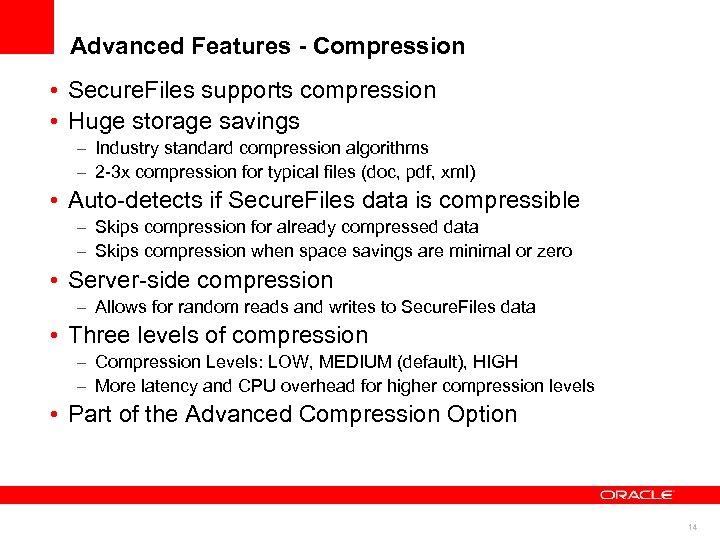
Advanced Features - Compression • Secure. Files supports compression • Huge storage savings – Industry standard compression algorithms – 2 -3 x compression for typical files (doc, pdf, xml) • Auto-detects if Secure. Files data is compressible – Skips compression for already compressed data – Skips compression when space savings are minimal or zero • Server-side compression – Allows for random reads and writes to Secure. Files data • Three levels of compression – Compression Levels: LOW, MEDIUM (default), HIGH – More latency and CPU overhead for higher compression levels • Part of the Advanced Compression Option 14
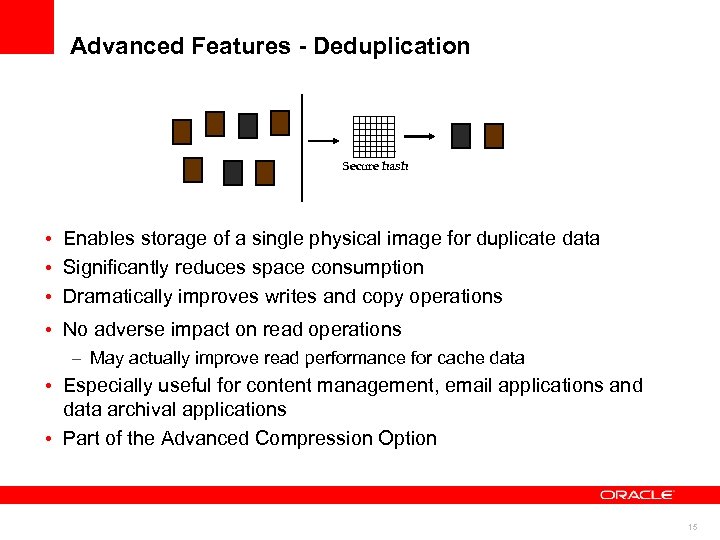
Advanced Features - Deduplication Secure hash • Enables storage of a single physical image for duplicate data • Significantly reduces space consumption • Dramatically improves writes and copy operations • No adverse impact on read operations – May actually improve read performance for cache data • Especially useful for content management, email applications and data archival applications • Part of the Advanced Compression Option 15
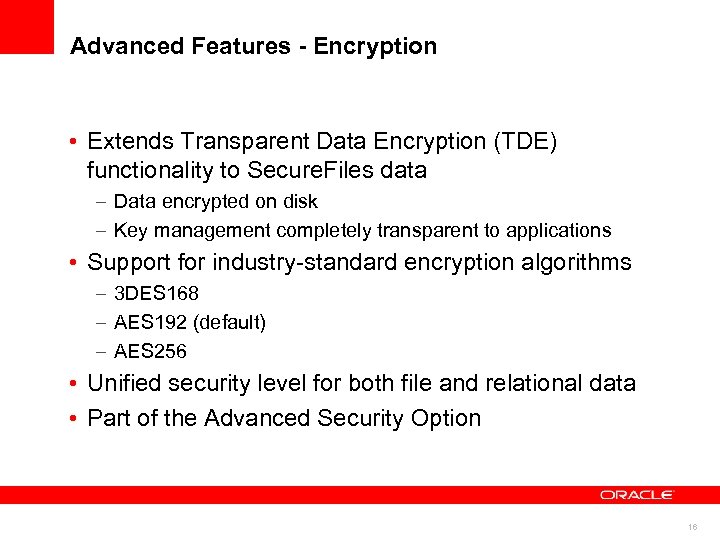
Advanced Features - Encryption • Extends Transparent Data Encryption (TDE) functionality to Secure. Files data – Data encrypted on disk – Key management completely transparent to applications • Support for industry-standard encryption algorithms – 3 DES 168 – AES 192 (default) – AES 256 • Unified security level for both file and relational data • Part of the Advanced Security Option 16
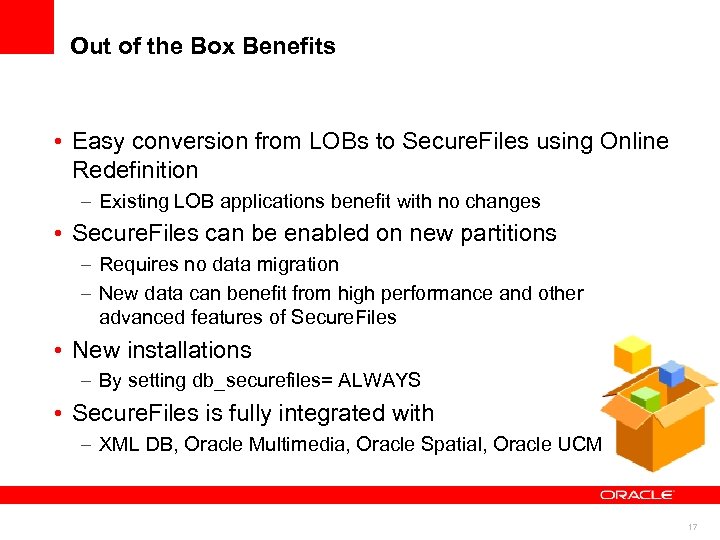
Out of the Box Benefits • Easy conversion from LOBs to Secure. Files using Online Redefinition – Existing LOB applications benefit with no changes • Secure. Files can be enabled on new partitions – Requires no data migration – New data can benefit from high performance and other advanced features of Secure. Files • New installations – By setting db_securefiles= ALWAYS • Secure. Files is fully integrated with – XML DB, Oracle Multimedia, Oracle Spatial, Oracle UCM 17
Secure. Files Interfaces • Secure. Files is 100% backwards compatible with ANSI SQL 92 LOB interfaces • Database clients use standard LOB interfaces – JDBC, OCI, OCCI, . NET, PL/SQL 18
Database File System - DBFS 19
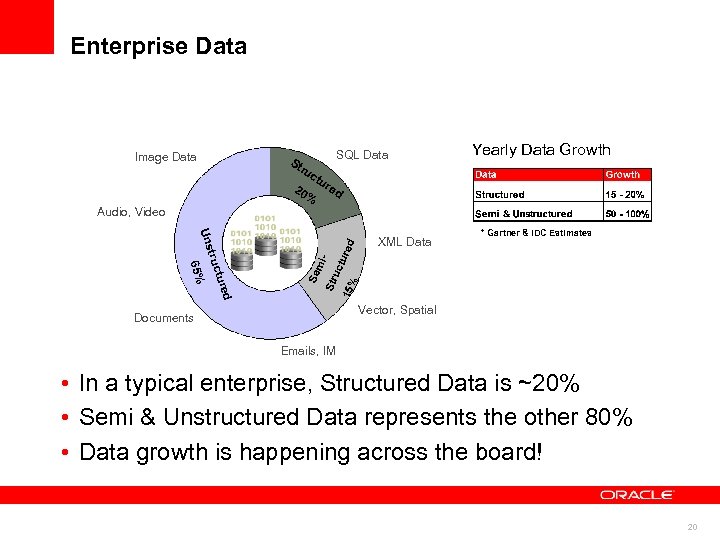
Enterprise Data Image Data St SQL Data ru 20 ctu % Yearly Data Growth re d d ture 65% truc Uns Se mi. Str uc 15% tured Audio, Video XML Data * Gartner & IDC Estimates Vector, Spatial Documents Emails, IM • In a typical enterprise, Structured Data is ~20% • Semi & Unstructured Data represents the other 80% • Data growth is happening across the board! 20
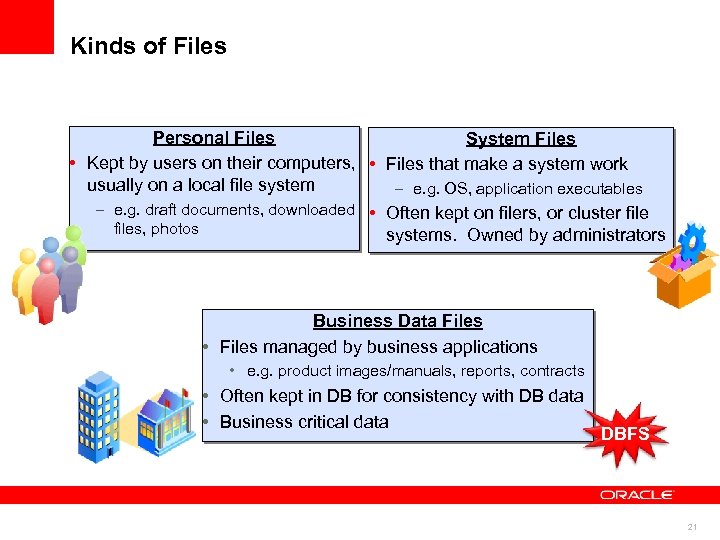
Kinds of Files Personal Files System Files • Kept by users on their computers, • Files that make a system work usually on a local file system – e. g. OS, application executables – e. g. draft documents, downloaded • Often kept on filers, or cluster files, photos systems. Owned by administrators Business Data Files • Files managed by business applications • e. g. product images/manuals, reports, contracts • Often kept in DB for consistency with DB data • Business critical data DBFS 21
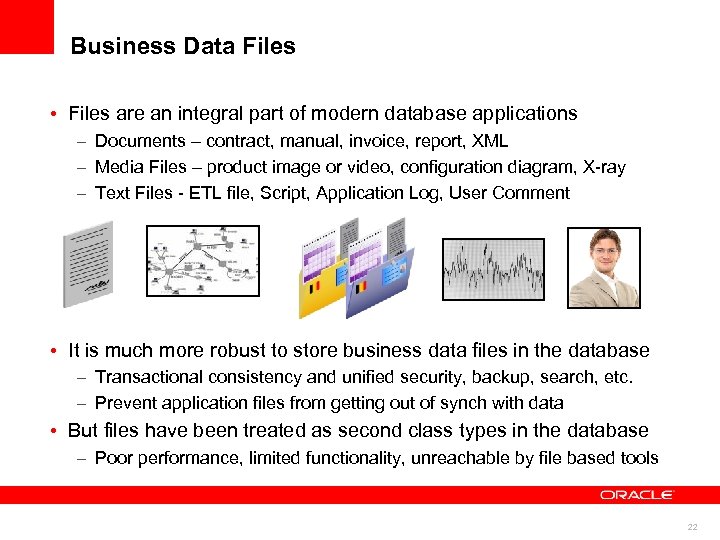
Business Data Files • Files are an integral part of modern database applications – Documents – contract, manual, invoice, report, XML – Media Files – product image or video, configuration diagram, X-ray – Text Files - ETL file, Script, Application Log, User Comment • It is much more robust to store business data files in the database – Transactional consistency and unified security, backup, search, etc. – Prevent application files from getting out of synch with data • But files have been treated as second class types in the database – Poor performance, limited functionality, unreachable by file based tools 22
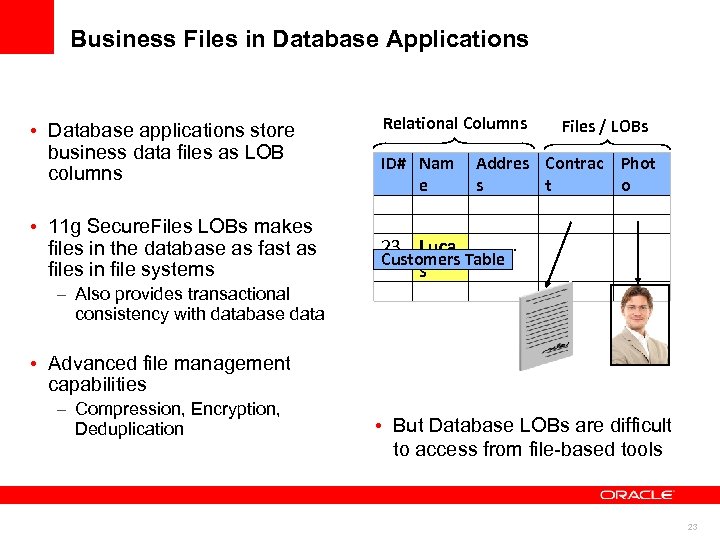
Business Files in Database Applications • Database applications store business data files as LOB columns • 11 g Secure. Files LOBs makes files in the database as fast as files in file systems Relational Columns ID# Nam e Files / LOBs Addres Contrac Phot s t o …. . 23 Luca Customers Table s – Also provides transactional consistency with database data • Advanced file management capabilities – Compression, Encryption, Deduplication • But Database LOBs are difficult to access from file-based tools 23
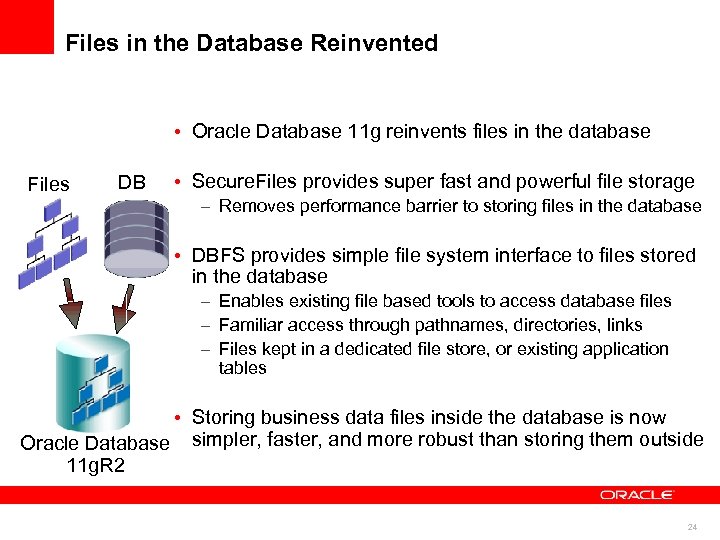
Files in the Database Reinvented • Oracle Database 11 g reinvents files in the database Files DB • Secure. Files provides super fast and powerful file storage – Removes performance barrier to storing files in the database • DBFS provides simple file system interface to files stored in the database – Enables existing file based tools to access database files – Familiar access through pathnames, directories, links – Files kept in a dedicated file store, or existing application tables • Storing business data files inside the database is now Oracle Database simpler, faster, and more robust than storing them outside 11 g. R 2 24
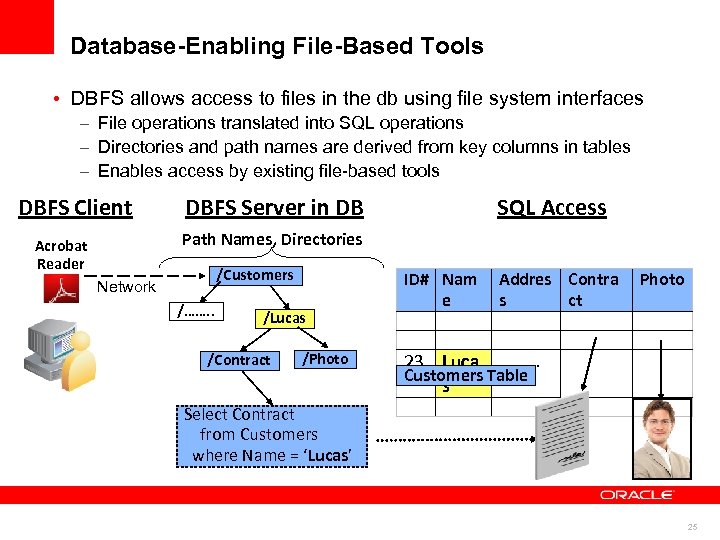
Database-Enabling File-Based Tools • DBFS allows access to files in the db using file system interfaces – File operations translated into SQL operations – Directories and path names are derived from key columns in tables – Enables access by existing file-based tools DBFS Client DBFS Server in DB SQL Access Path Names, Directories Acrobat Reader /Customers Network /……. . /Lucas /Contract /Photo ID# Nam e Addres Contra s ct Photo …. . 23 Luca Customers Table s Select Contract from Customers where Name = ‘Lucas’ 25
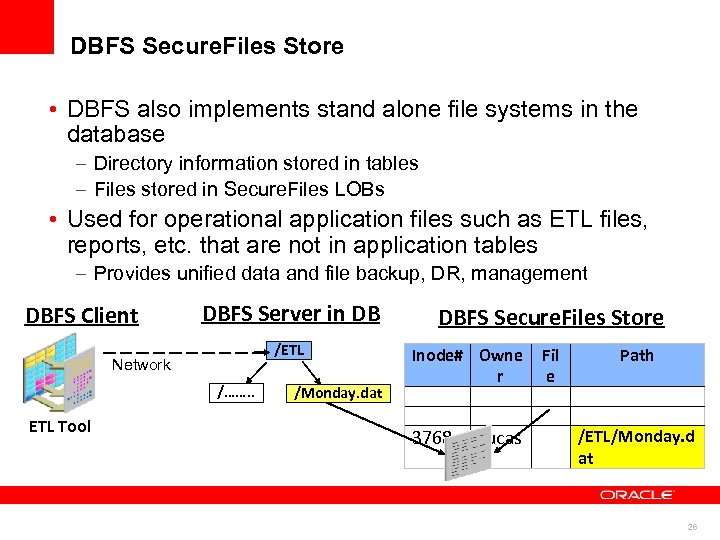
DBFS Secure. Files Store • DBFS also implements stand alone file systems in the database – Directory information stored in tables – Files stored in Secure. Files LOBs • Used for operational application files such as ETL files, reports, etc. that are not in application tables – Provides unified data and file backup, DR, management DBFS Client DBFS Server in DB /ETL Network /……. . ETL Tool /Monday. dat DBFS Secure. Files Store Inode# Owne r 3768 Lucas Fil e Path /ETL/Monday. d at 26
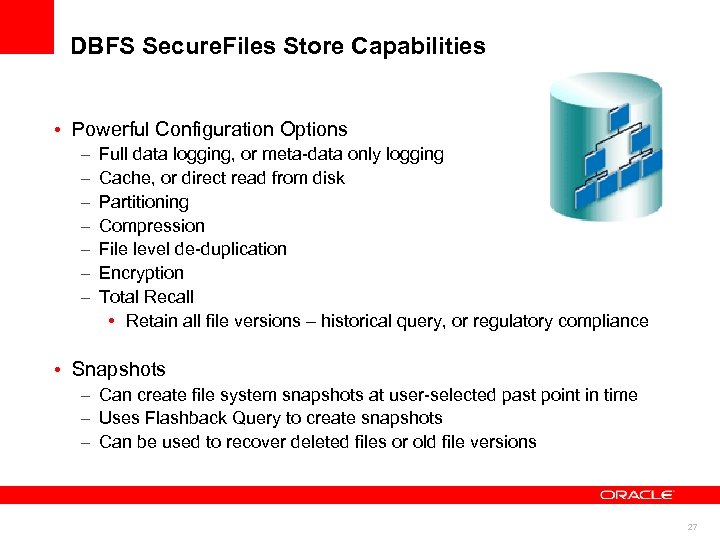
DBFS Secure. Files Store Capabilities • Powerful Configuration Options – – – – Full data logging, or meta-data only logging Cache, or direct read from disk Partitioning Compression File level de-duplication Encryption Total Recall • Retain all file versions – historical query, or regulatory compliance • Snapshots – Can create file system snapshots at user-selected past point in time – Uses Flashback Query to create snapshots – Can be used to recover deleted files or old file versions 27
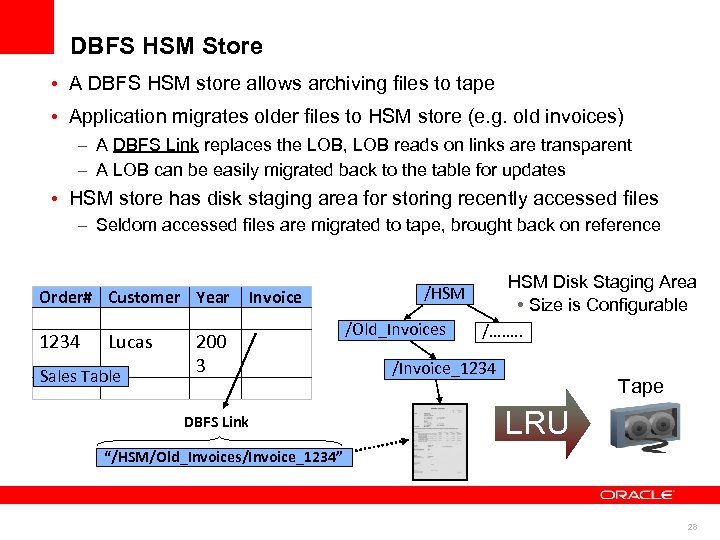
DBFS HSM Store • A DBFS HSM store allows archiving files to tape • Application migrates older files to HSM store (e. g. old invoices) – A DBFS Link replaces the LOB, LOB reads on links are transparent – A LOB can be easily migrated back to the table for updates • HSM store has disk staging area for storing recently accessed files – Seldom accessed files are migrated to tape, brought back on reference Order# Customer Year 1234 Lucas Sales Table Invoice 200 3 DBFS Link /HSM /Old_Invoices HSM Disk Staging Area • Size is Configurable /……. . /Invoice_1234 Tape LRU “/HSM/Old_Invoices/Invoice_1234” 28
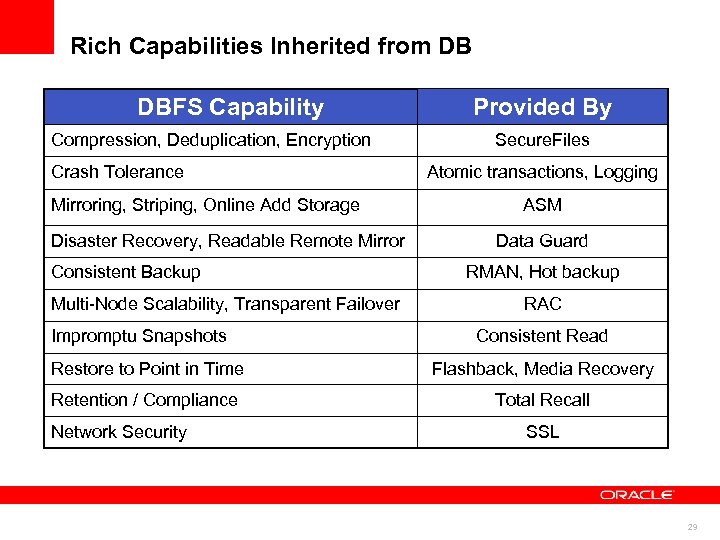
Rich Capabilities Inherited from DB DBFS Capability Compression, Deduplication, Encryption Crash Tolerance Mirroring, Striping, Online Add Storage Disaster Recovery, Readable Remote Mirror Consistent Backup Multi-Node Scalability, Transparent Failover Impromptu Snapshots Provided By Secure. Files Atomic transactions, Logging ASM Data Guard RMAN, Hot backup RAC Consistent Read Restore to Point in Time Flashback, Media Recovery Retention / Compliance Total Recall Network Security SSL 29
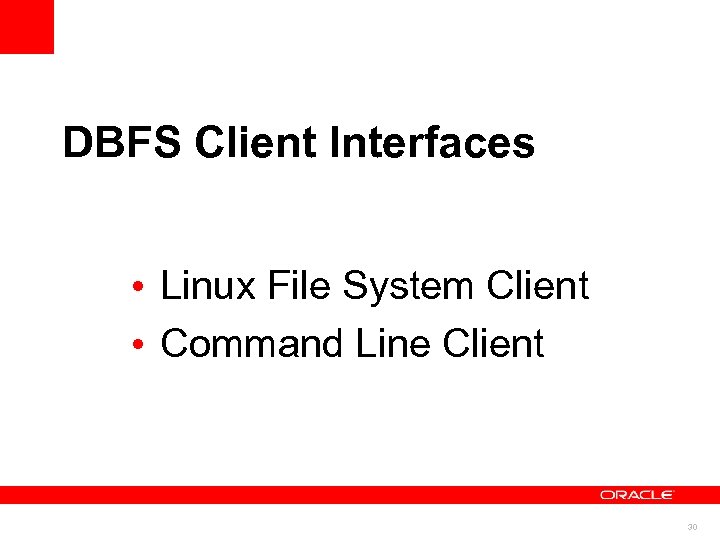
DBFS Client Interfaces • Linux File System Client • Command Line Client 30
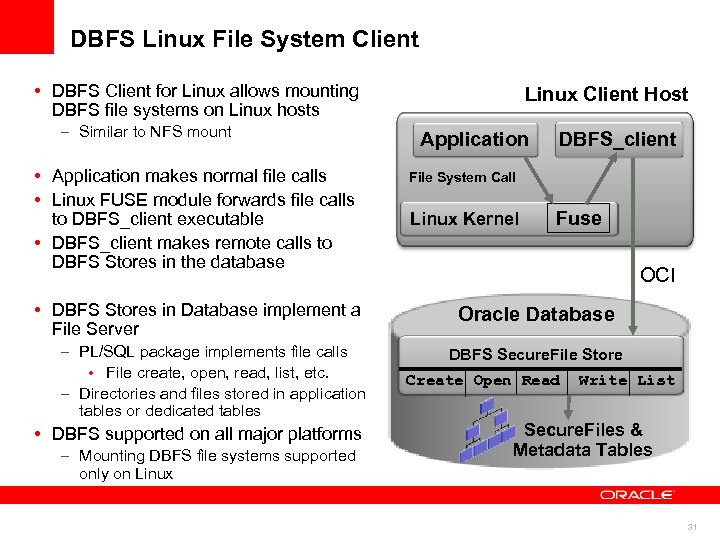
DBFS Linux File System Client • DBFS Client for Linux allows mounting DBFS file systems on Linux hosts – Similar to NFS mount • Application makes normal file calls • Linux FUSE module forwards file calls to DBFS_client executable • DBFS_client makes remote calls to DBFS Stores in the database • DBFS Stores in Database implement a File Server – PL/SQL package implements file calls • File create, open, read, list, etc. – Directories and files stored in application tables or dedicated tables • DBFS supported on all major platforms – Mounting DBFS file systems supported only on Linux Client Host Application DBFS_client File System Call Linux Kernel Fuse OCI Oracle Database DBFS Secure. File Store Create Open Read Write List Secure. Files & Metadata Tables 31
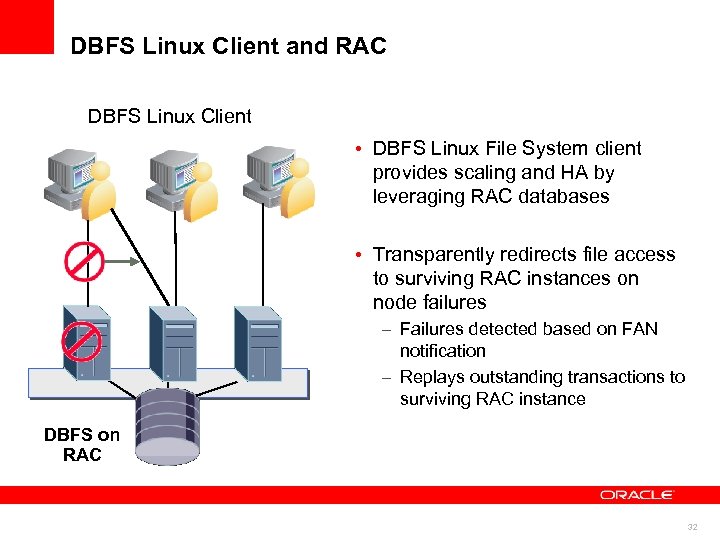
DBFS Linux Client and RAC DBFS Linux Client • DBFS Linux File System client provides scaling and HA by leveraging RAC databases Linux Client For DB File System • Transparently redirects file access to surviving RAC instances on node failures – Failures detected based on FAN notification – Replays outstanding transactions to surviving RAC instance DBFS on RAC 32
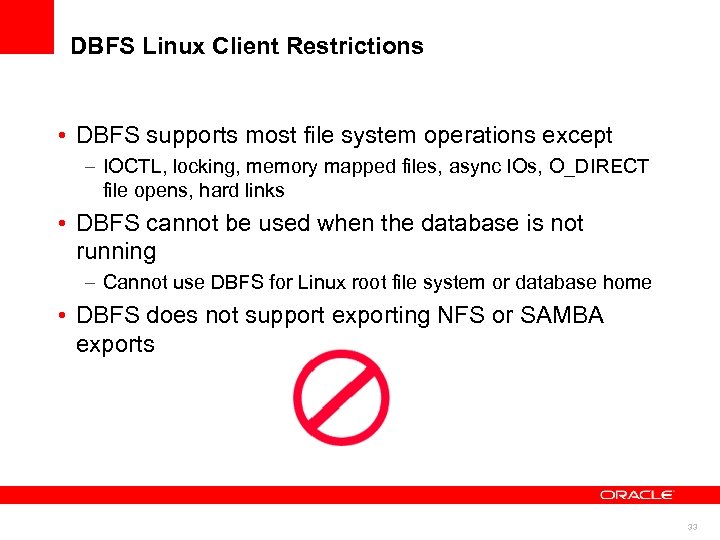
DBFS Linux Client Restrictions • DBFS supports most file system operations except – IOCTL, locking, memory mapped files, async IOs, O_DIRECT file opens, hard links • DBFS cannot be used when the database is not running – Cannot use DBFS for Linux root file system or database home • DBFS does not support exporting NFS or SAMBA exports 33
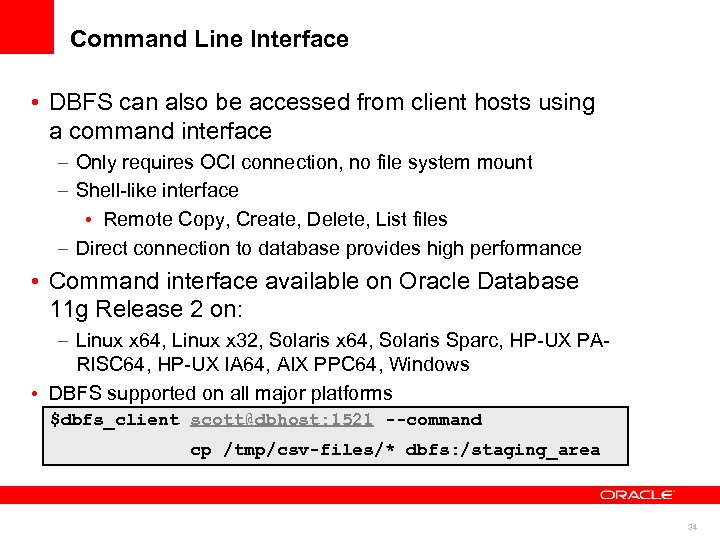
Command Line Interface • DBFS can also be accessed from client hosts using a command interface – Only requires OCI connection, no file system mount – Shell-like interface • Remote Copy, Create, Delete, List files – Direct connection to database provides high performance • Command interface available on Oracle Database 11 g Release 2 on: – Linux x 64, Linux x 32, Solaris x 64, Solaris Sparc, HP-UX PARISC 64, HP-UX IA 64, AIX PPC 64, Windows • DBFS supported on all major platforms $dbfs_client scott@dbhost: 1521 --command – Mounting DBFS file systems supported only on Linux cp /tmp/csv-files/* dbfs: /staging_area 34
DBFS Server Interface 35
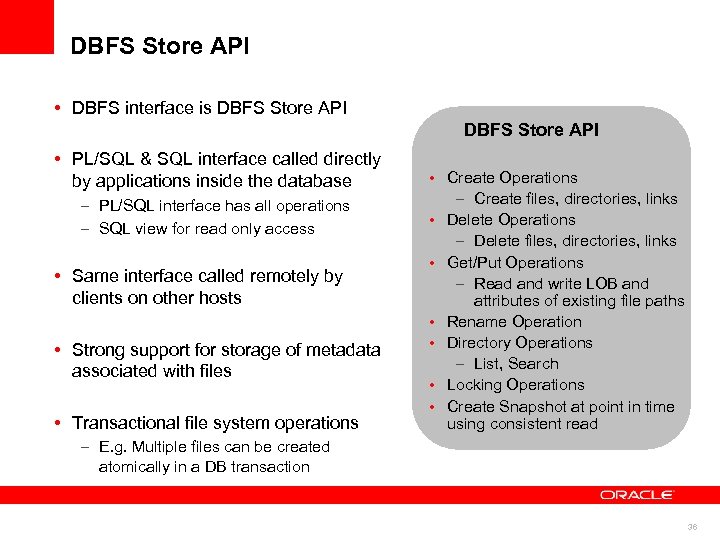
DBFS Store API • DBFS interface is DBFS Store API • PL/SQL & SQL interface called directly by applications inside the database – PL/SQL interface has all operations – SQL view for read only access • Same interface called remotely by clients on other hosts • Strong support for storage of metadata associated with files • Transactional file system operations • Create Operations – Create files, directories, links • Delete Operations – Delete files, directories, links • Get/Put Operations – Read and write LOB and attributes of existing file paths • Rename Operation • Directory Operations – List, Search • Locking Operations • Create Snapshot at point in time using consistent read – E. g. Multiple files can be created atomically in a DB transaction 36
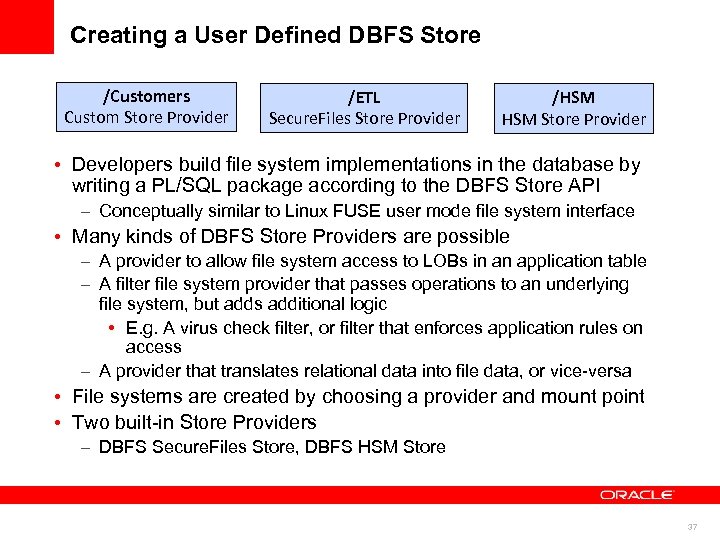
Creating a User Defined DBFS Store /Customers Custom Store Provider /ETL Secure. Files Store Provider /HSM Store Provider • Developers build file system implementations in the database by writing a PL/SQL package according to the DBFS Store API – Conceptually similar to Linux FUSE user mode file system interface • Many kinds of DBFS Store Providers are possible – A provider to allow file system access to LOBs in an application table – A filter file system provider that passes operations to an underlying file system, but adds additional logic • E. g. A virus check filter, or filter that enforces application rules on access – A provider that translates relational data into file data, or vice-versa • File systems are created by choosing a provider and mount point • Two built-in Store Providers – DBFS Secure. Files Store, DBFS HSM Store 37
Building your own “file system” integrated with your application • Similar to how databases allow you to create a data model & an application, you can now build your own file system – Innovate and create new value by creating a file system interface • Database developers can now write a robust file system: No need to be a OS kernel developer or debug kernel crashes • Create a file system interface to data stored in relational tables: Like a “file system view” for an existing database application • Write a file system in Java, SQL/PL/SQL – Or any other language using callouts • Build your application-integrated file system in less than a day – Writing a basic read only file system view on the LOBs that are currently in your database application in 60 seconds! 38
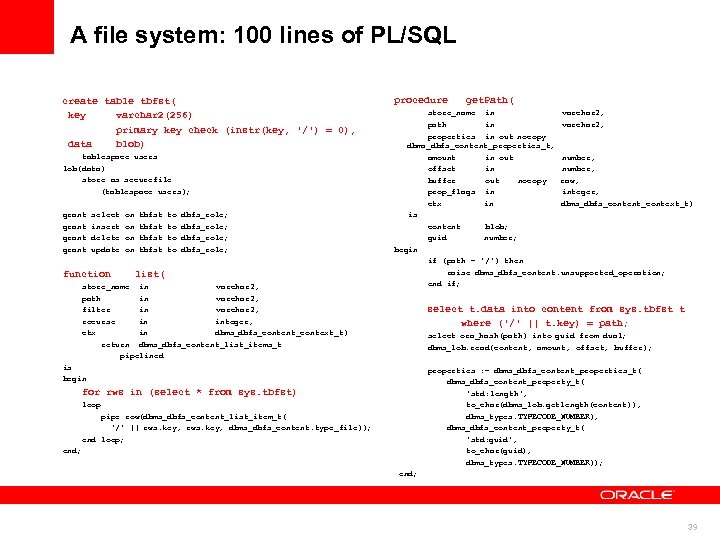
A file system: 100 lines of PL/SQL create table tbfst( key varchar 2(256) primary key check (instr(key, '/') = 0), data blob) tablespace users lob(data) store as securefile (tablespace users); grant select insert delete update function on on tbfst to to dbfs_role; list( store_name in varchar 2, path in varchar 2, filter in varchar 2, recurse in integer, ctx in dbms_dbfs_content_context_t) return dbms_dbfs_content_list_items_t pipelined procedure get. Path( store_name in varchar 2, path in varchar 2, properties in out nocopy dbms_dbfs_content_properties_t, amount in out number, offset in number, buffer out nocopy raw, prop_flags in integer, ctx in dbms_dbfs_content_context_t) is content blob; guid number; begin if (path = '/') then raise dbms_dbfs_content. unsupported_operation; end if; select t. data into content from sys. tbfst t where ('/' || t. key) = path; select ora_hash(path) into guid from dual; dbms_lob. read(content, amount, offset, buffer); is begin properties : = dbms_dbfs_content_properties_t( dbms_dbfs_content_property_t( 'std: length', to_char(dbms_lob. getlength(content)), dbms_types. TYPECODE_NUMBER), dbms_dbfs_content_property_t( 'std: guid', to_char(guid), dbms_types. TYPECODE_NUMBER)); for rws in (select * from sys. tbfst) loop pipe row(dbms_dbfs_content_list_item_t( '/' || rws. key, dbms_dbfs_content. type_file)); end loop; end; 39
DBFS Examples 40
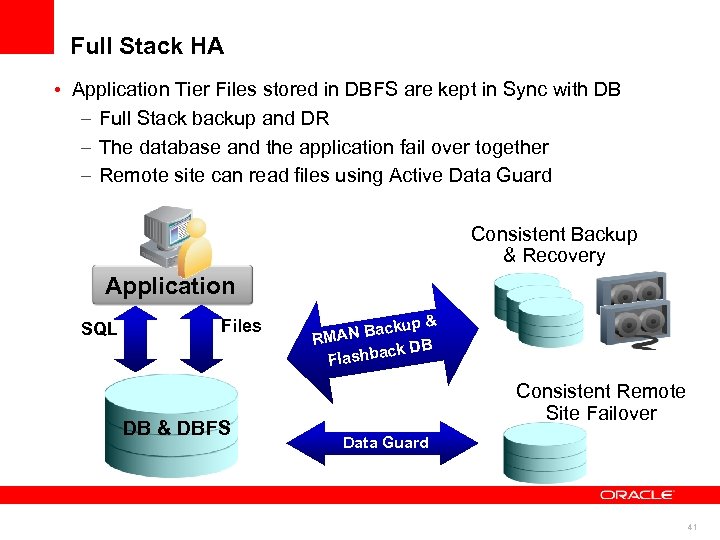
Full Stack HA • Application Tier Files stored in DBFS are kept in Sync with DB – Full Stack backup and DR – The database and the application fail over together – Remote site can read files using Active Data Guard Consistent Backup & Recovery Application SQL Files DB & DBFS up & N Back RMA k DB ashbac Fl Consistent Remote Site Failover Data Guard 41
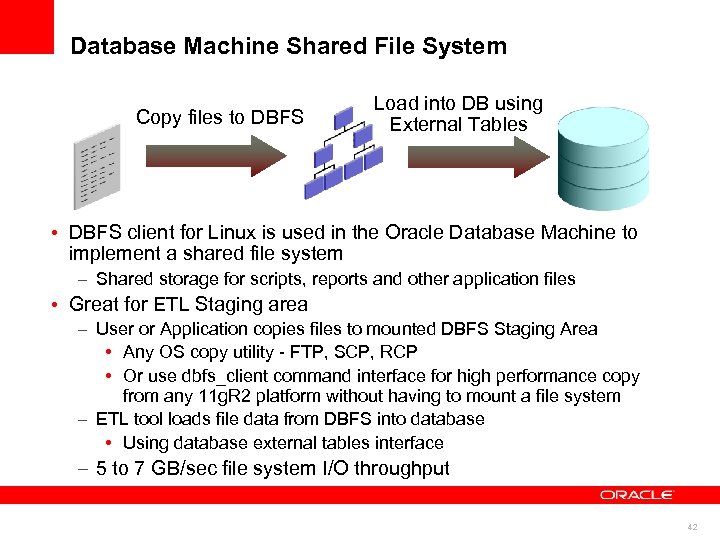
Database Machine Shared File System Copy files to DBFS Load into DB using External Tables • DBFS client for Linux is used in the Oracle Database Machine to implement a shared file system – Shared storage for scripts, reports and other application files • Great for ETL Staging area – User or Application copies files to mounted DBFS Staging Area • Any OS copy utility - FTP, SCP, RCP • Or use dbfs_client command interface for high performance copy from any 11 g. R 2 platform without having to mount a file system – ETL tool loads file data from DBFS into database • Using database external tables interface – 5 to 7 GB/sec file system I/O throughput 42
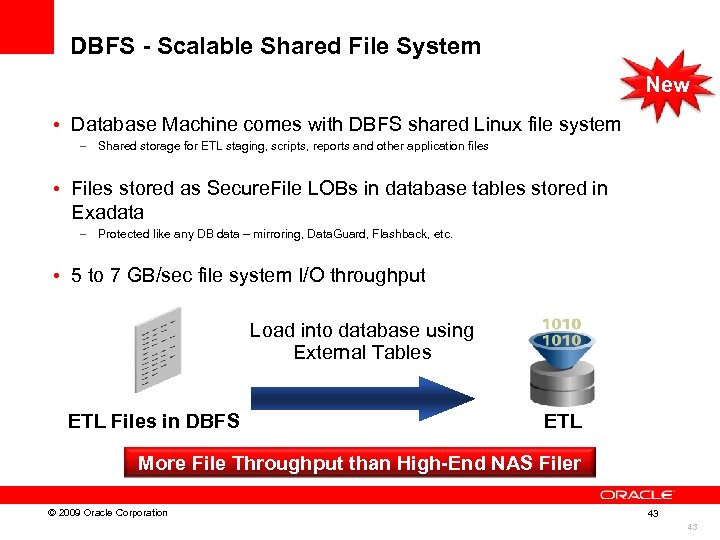
DBFS - Scalable Shared File System New • Database Machine comes with DBFS shared Linux file system – Shared storage for ETL staging, scripts, reports and other application files • Files stored as Secure. File LOBs in database tables stored in Exadata – Protected like any DB data – mirroring, Data. Guard, Flashback, etc. • 5 to 7 GB/sec file system I/O throughput Load into database using External Tables ETL Files in DBFS ETL More File Throughput than High-End NAS Filer © 2009 Oracle Corporation 43 43
Conclusion 44
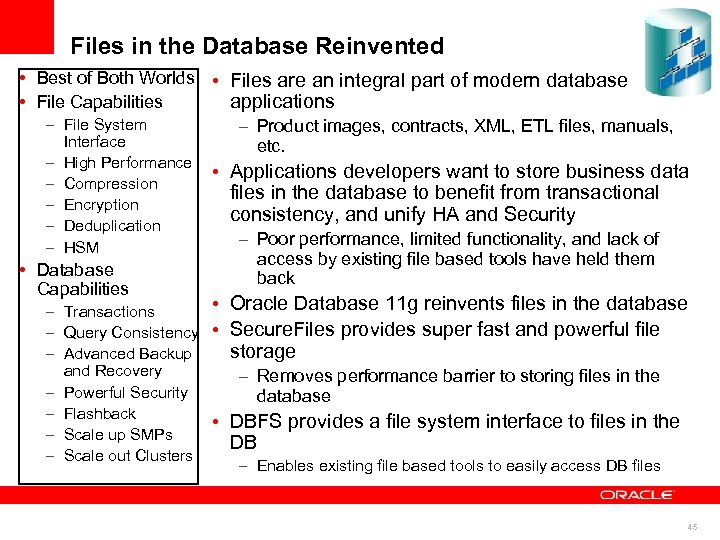
Files in the Database Reinvented • Best of Both Worlds • Files are an integral part of modern database applications • File Capabilities – File System – Product images, contracts, XML, ETL files, manuals, Interface etc. – – – High Performance Compression Encryption Deduplication HSM • Database Capabilities – Transactions – Query Consistency – Advanced Backup and Recovery – Powerful Security – Flashback – Scale up SMPs – Scale out Clusters • Applications developers want to store business data files in the database to benefit from transactional consistency, and unify HA and Security – Poor performance, limited functionality, and lack of access by existing file based tools have held them back • Oracle Database 11 g reinvents files in the database • Secure. Files provides super fast and powerful file storage – Removes performance barrier to storing files in the database • DBFS provides a file system interface to files in the DB – Enables existing file based tools to easily access DB files 45
46
47
Скачать презентацию 1 Insert Picture Here Oracle Database 11
f1ddf2c2c2df683da920c550d2834bba.ppt