


 Скачать презентацию 1 Communications and Services Certifications 2
546542ca9f11129d5cb57f37238abc43.ppt
- Количество слайдов: 198
 1
1
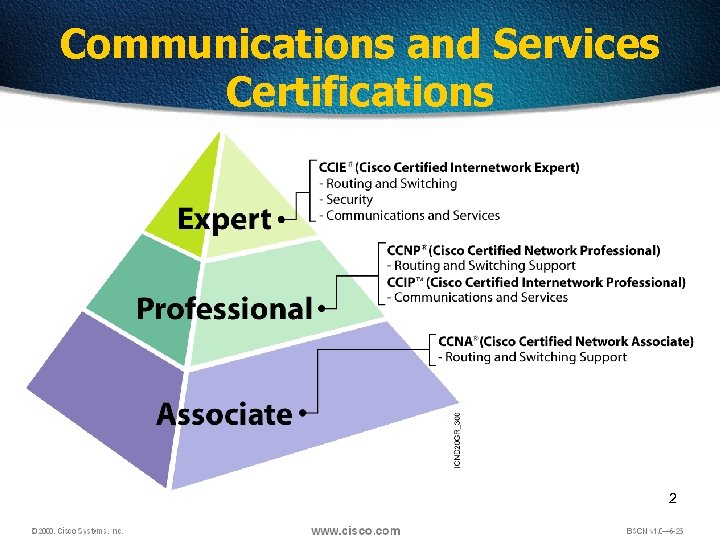 Communications and Services Certifications 2
 3
3
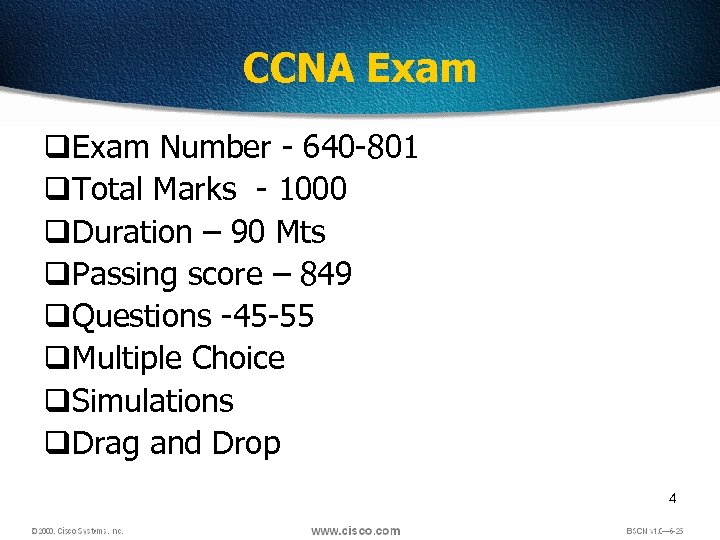 CCNA Exam q. Exam Number - 640 -801 q. Total Marks - 1000 q. Duration – 90 Mts q. Passing score – 849 q. Questions -45 -55 q. Multiple Choice q. Simulations q. Drag and Drop 4
 Benefits q. Peer Validation § Personal § Potential Employer q. Career advancement 5
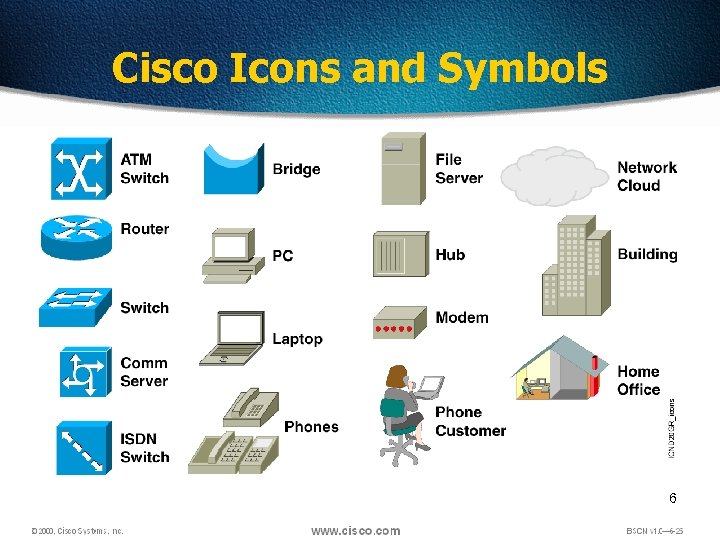 Cisco Icons and Symbols 6
 Data Networks Sharing data through the use of floppy disks is not an efficient or cost-effective manner. Businesses needed a solution that would successfully address the following three problems: • How to avoid duplication of equipment and resources • How to communicate efficiently • How to set up and manage a network Businesses realized that networking technology could increase productivity while saving money. 7
 Networking Devices Equipment that connects directly to a network segment is referred to as a device. These devices are broken up into two classifications. q End-user devices q Network devices End-user devices include computers, printers, scanners, and other devices that provide services directly to the user. Network devices include all the devices that connect the enduser devices together to allow them to communicate. 8
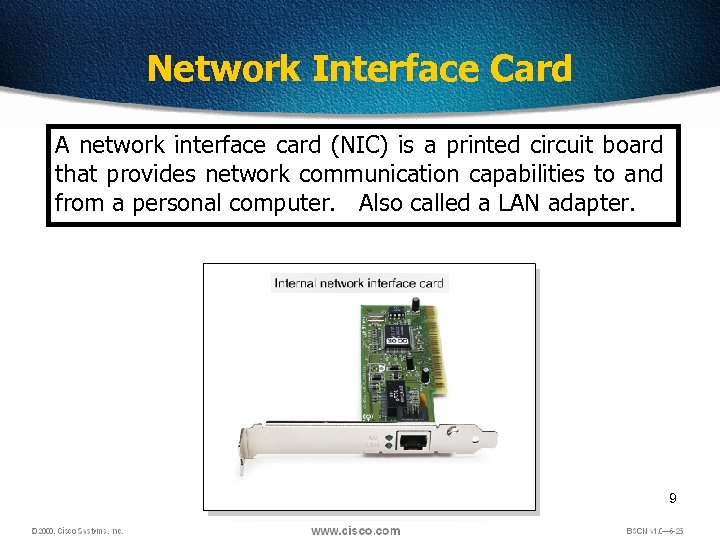 Network Interface Card A network interface card (NIC) is a printed circuit board that provides network communication capabilities to and from a personal computer. Also called a LAN adapter. 9
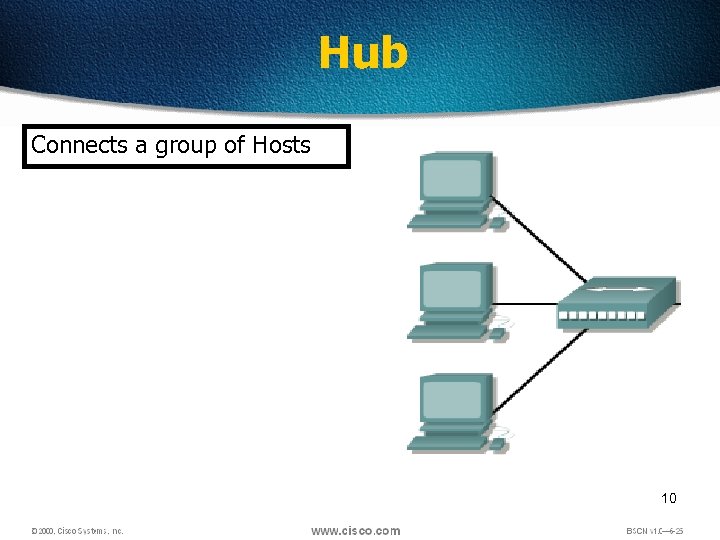 Hub Connects a group of Hosts 10
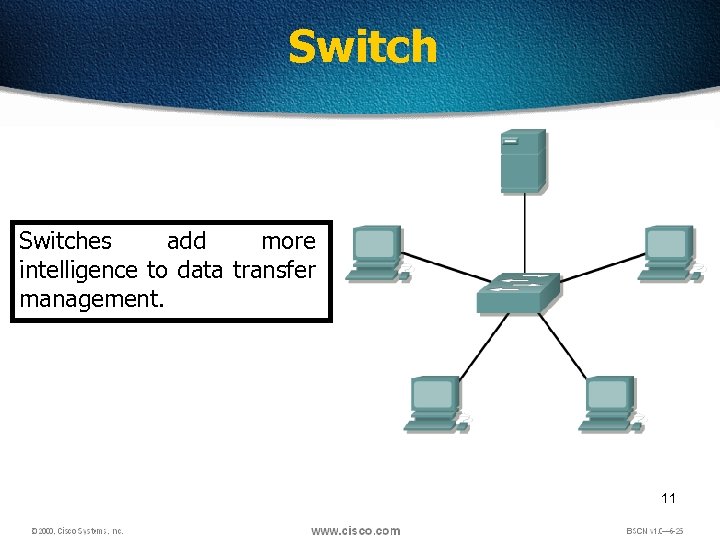 Switches add more intelligence to data transfer management. 11
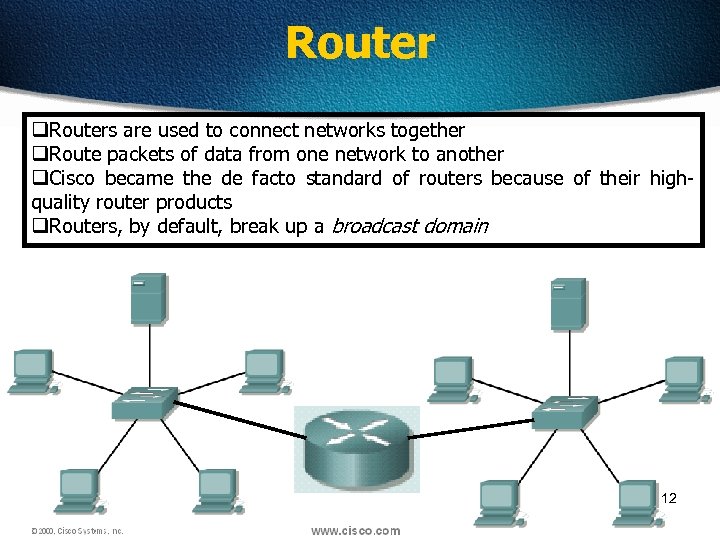 Router q. Routers are used to connect networks together q. Route packets of data from one network to another q. Cisco became the de facto standard of routers because of their highquality router products q. Routers, by default, break up a broadcast domain 12
 Network Topologies Network topology defines the structure of the network. One part of the topology definition is the physical topology, which is the actual layout of the wire or media. The other part is the logical topology, which defines how the media is accessed by the hosts for sending data. 13
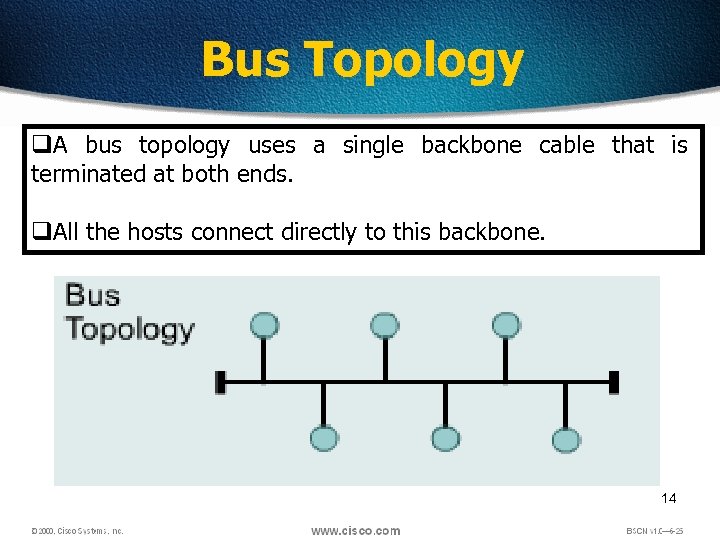 Bus Topology q. A bus topology uses a single backbone cable that is terminated at both ends. q. All the hosts connect directly to this backbone. 14
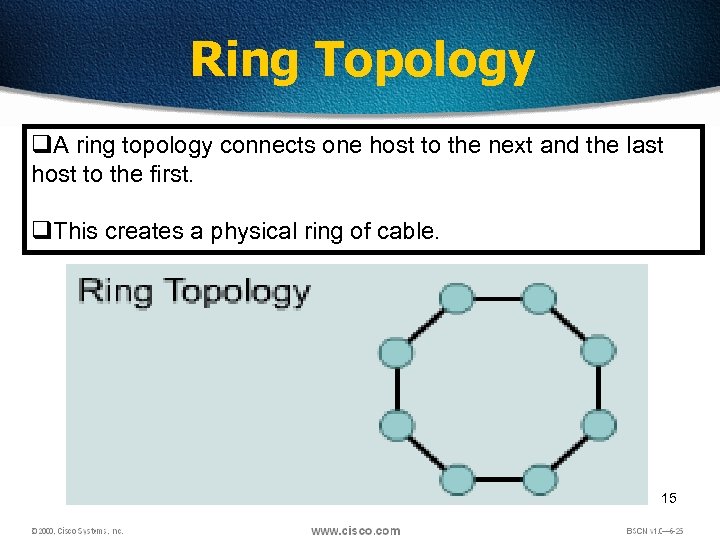 Ring Topology q. A ring topology connects one host to the next and the last host to the first. q. This creates a physical ring of cable. 15
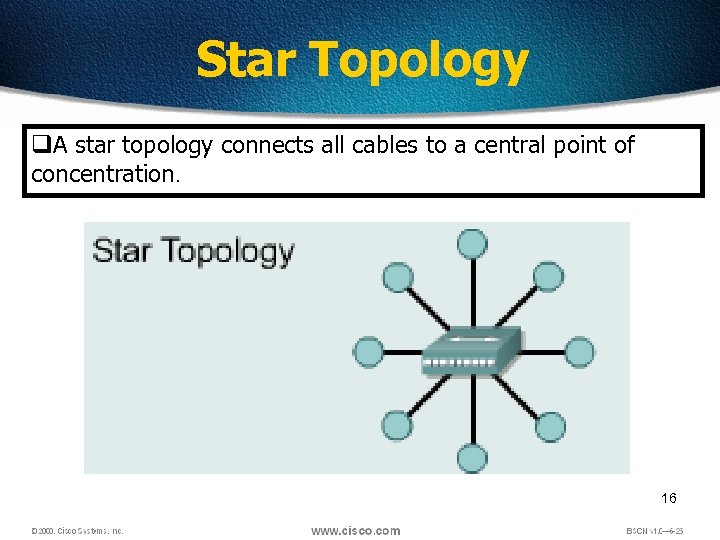 Star Topology q. A star topology connects all cables to a central point of concentration. 16
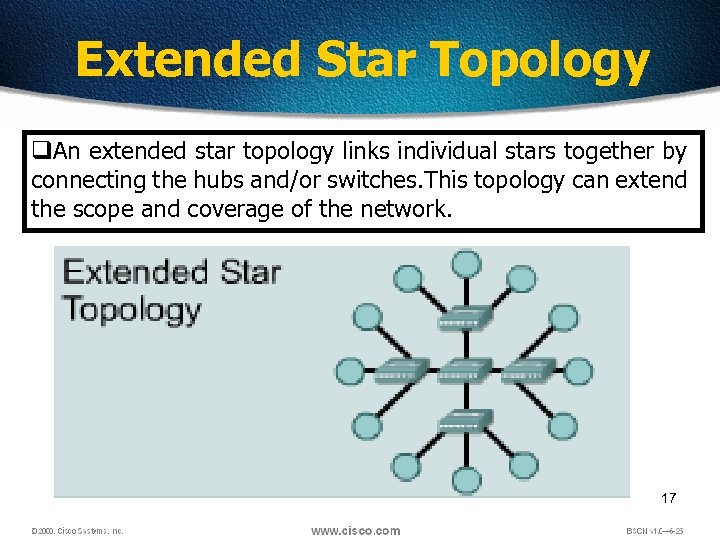 Extended Star Topology q. An extended star topology links individual stars together by connecting the hubs and/or switches. This topology can extend the scope and coverage of the network. 17
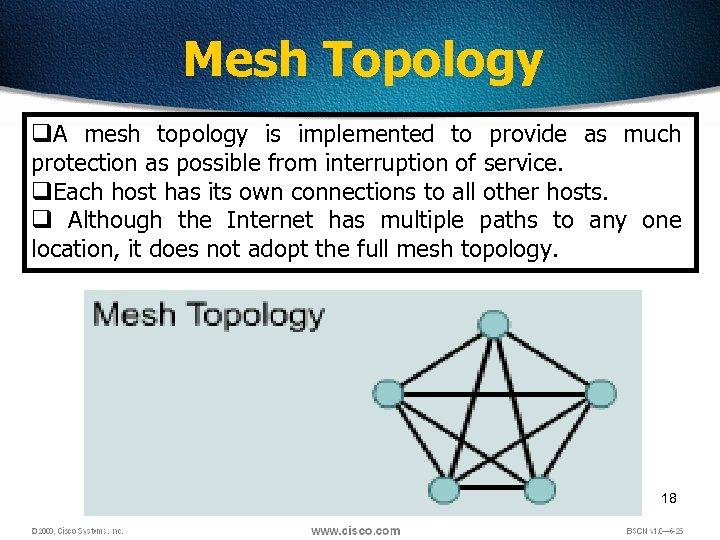 Mesh Topology q. A mesh topology is implemented to provide as much protection as possible from interruption of service. q. Each host has its own connections to all other hosts. q Although the Internet has multiple paths to any one location, it does not adopt the full mesh topology. 18
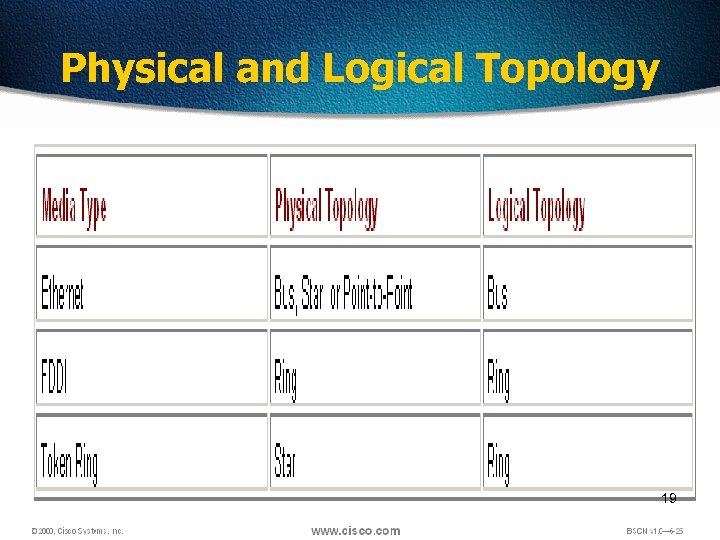 Physical and Logical Topology 19
 LANs, MANs, & WANs q. One early solution was the creation of local-area network (LAN) standards which provided an open set of guidelines for creating network hardware and software, making equipment from different companies compatible. q. What was needed was a way for information to move efficiently and quickly, not only within a company, but also from one business to another. q. The solution was the creation of metropolitan-area networks (MANs) and wide-area networks (WANs). 20
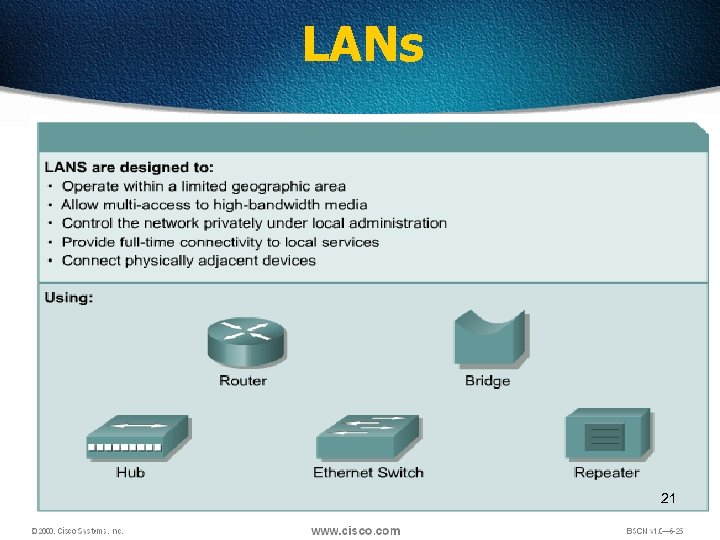 LANs 21
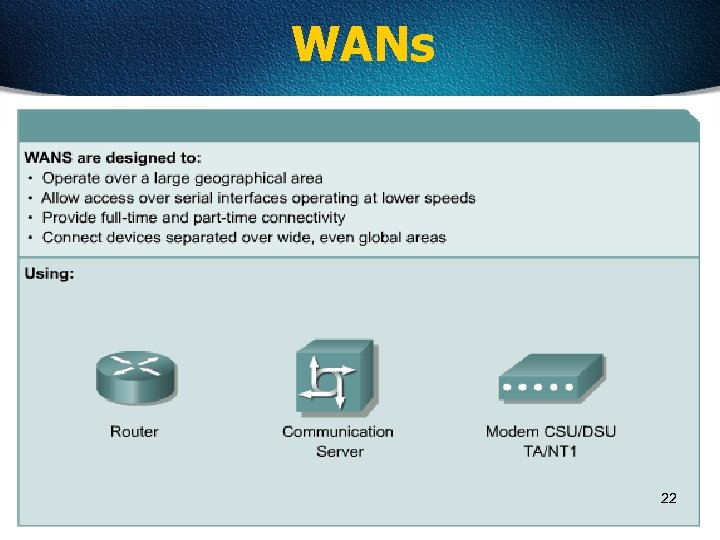 WANs 22
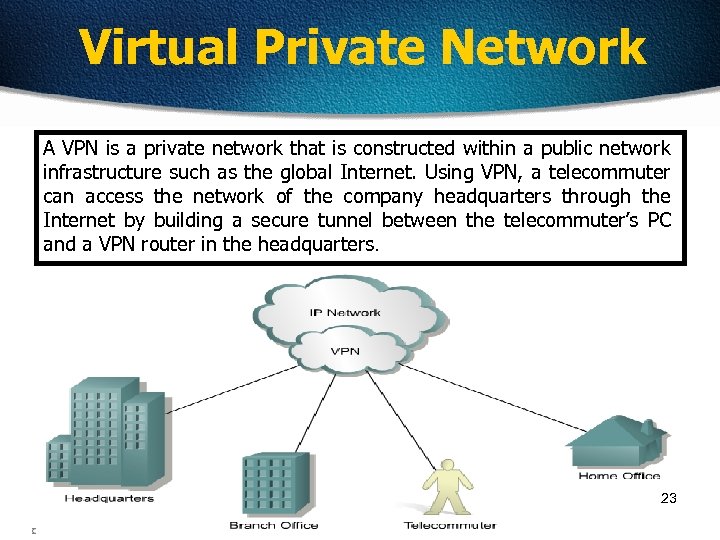 Virtual Private Network A VPN is a private network that is constructed within a public network infrastructure such as the global Internet. Using VPN, a telecommuter can access the network of the company headquarters through the Internet by building a secure tunnel between the telecommuter’s PC and a VPN router in the headquarters. 23
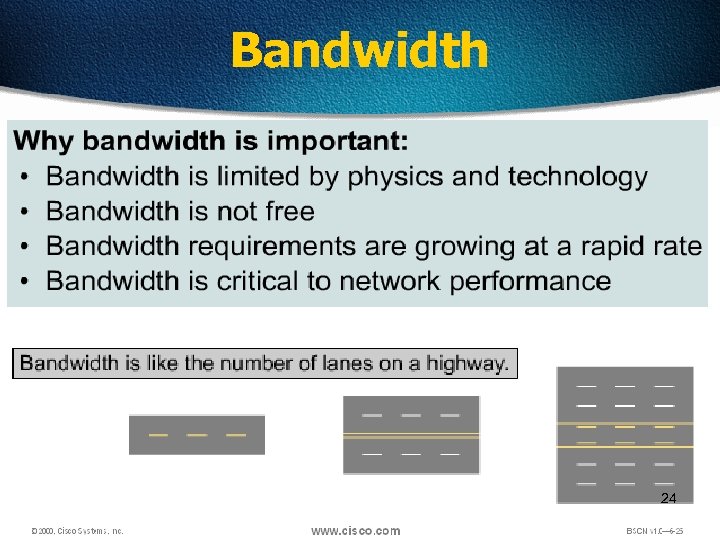 Bandwidth 24
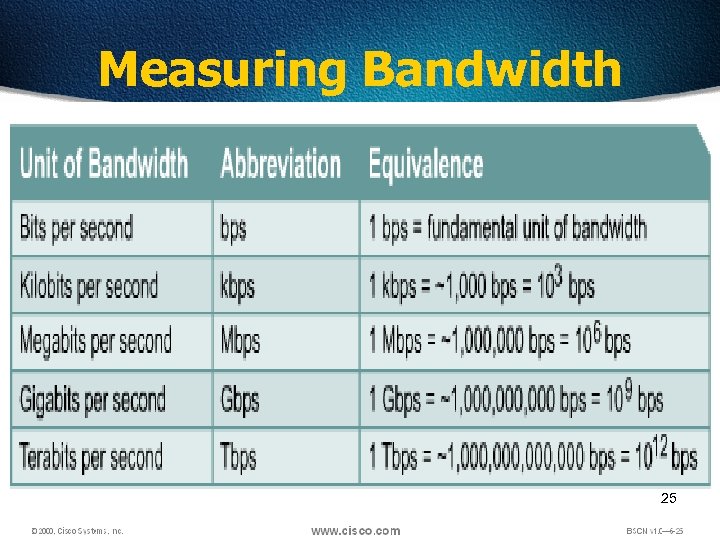 Measuring Bandwidth 25
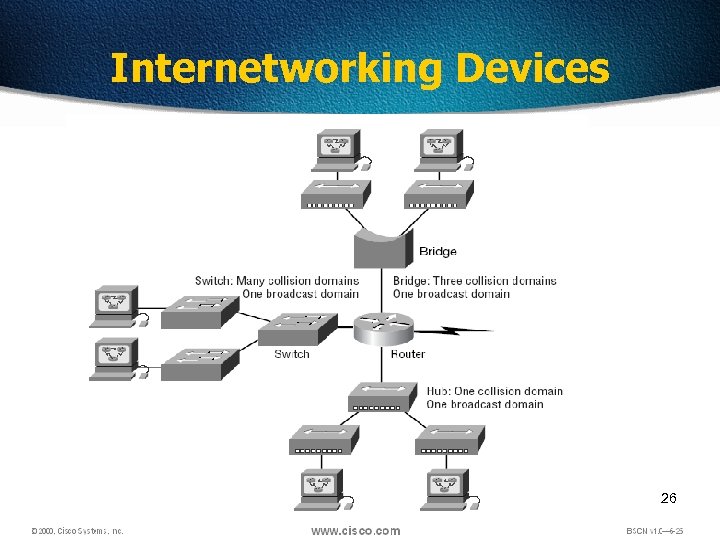 Internetworking Devices 26
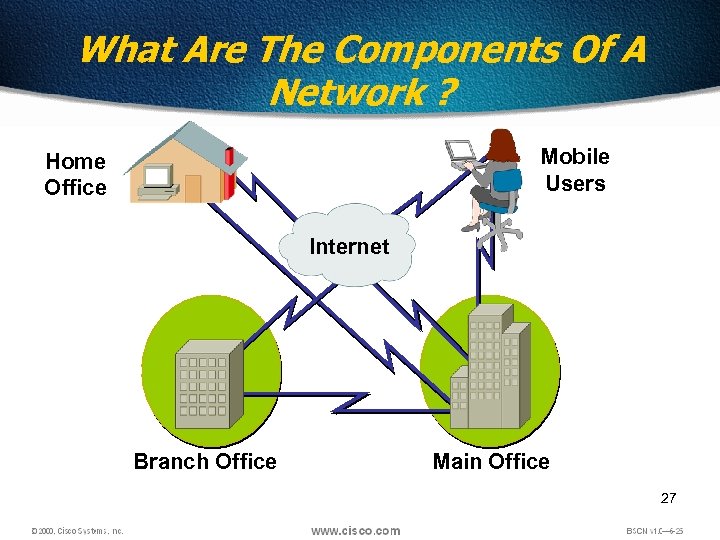 What Are The Components Of A Network ? Mobile Users Home Office Internet Branch Office Main Office 27
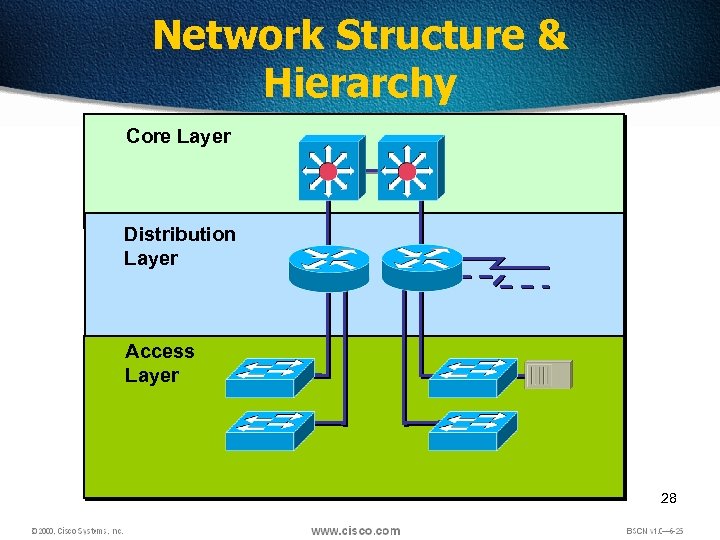 Network Structure & Hierarchy Core Layer Distribution Layer Access Layer 28
 Institute of Electrical and Electronics Engineers (IEEE) 802 Standards q IEEE 802. 1: Standards related to network management. q IEEE 802. 2: General standard for the data link layer in the OSI Reference Model. The IEEE divides this layer into two sublayers -the logical link control (LLC) layer and the media access control (MAC) layer. q IEEE 802. 3: Defines the MAC layer for bus networks that use CSMA/CD. This is the basis of the Ethernet standard. q IEEE 802. 4: Defines the MAC layer for bus networks that use a token-passing mechanism (token bus networks). q IEEE 802. 5: Defines the MAC layer for token-ring networks. q IEEE 802. 6: Standard for Metropolitan Area Networks (MANs) 29
 30
30
 Why do we need the OSI Model? q. To address the problem of networks increasing in size and in number, the International Organization for Standardization (ISO) researched many network schemes and recognized that there was a need to create a network model q. This would help network builders implement networks that could communicate and work together q. ISO therefore, released the OSI reference model in 1984. 31
 Don’t Get Confused. ISO - International Organization for Standardization OSI - Open System Interconnection IOS - Internetwork Operating System To avoid confusion, some people say “International Standard Organization. ” 32
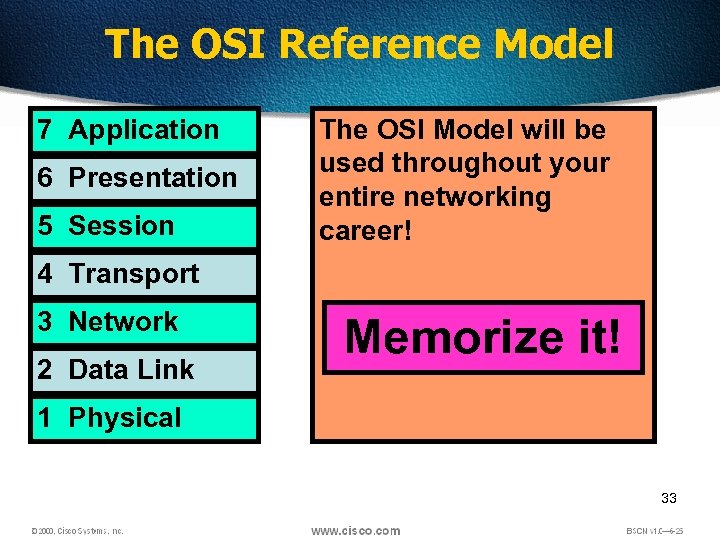 The OSI Reference Model 7 Application 6 Presentation 5 Session The OSI Model will be used throughout your entire networking career! 4 Transport 3 Network 2 Data Link Memorize it! 1 Physical 33
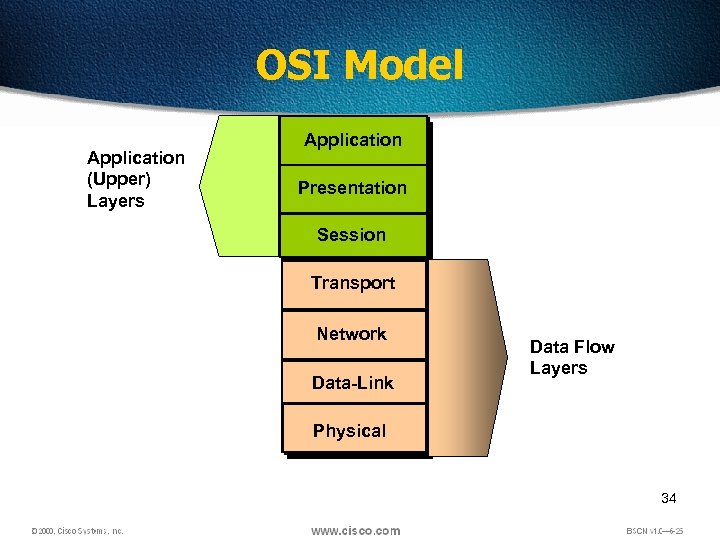 OSI Model Application (Upper) Layers Application Presentation Session Transport Network Data-Link Data Flow Layers Physical 34
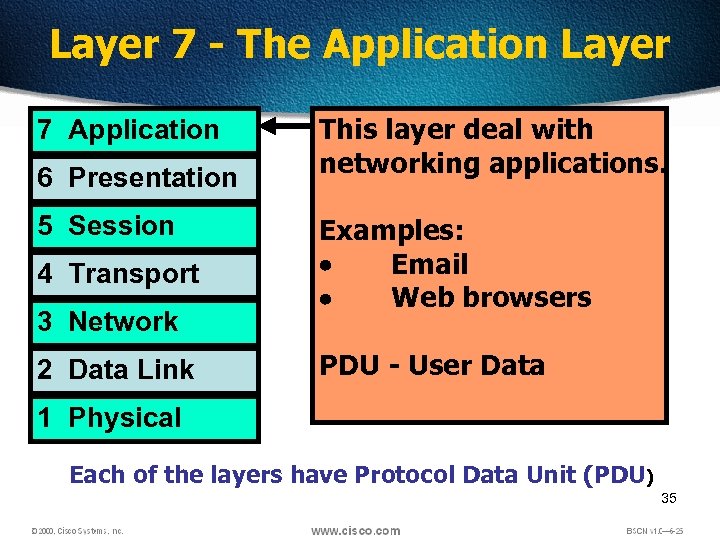 Layer 7 - The Application Layer 7 Application 6 Presentation 5 Session 4 Transport 3 Network 2 Data Link This layer deal with networking applications. Examples: Email Web browsers PDU - User Data 1 Physical Each of the layers have Protocol Data Unit (PDU) 35
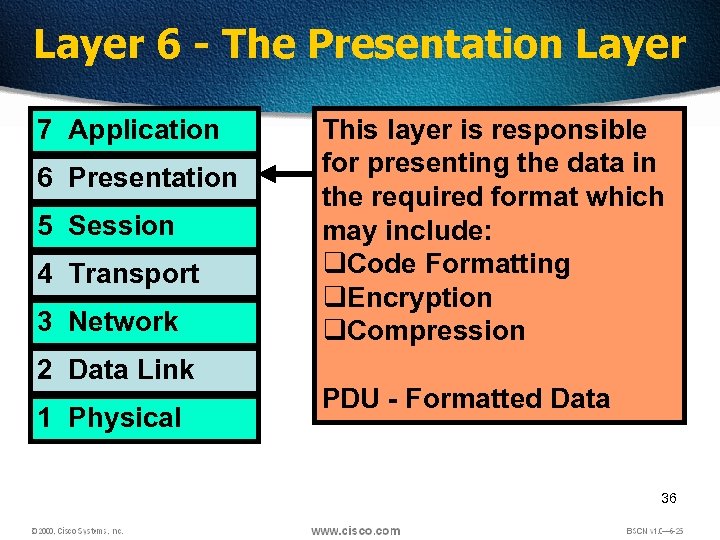 Layer 6 - The Presentation Layer 7 Application 6 Presentation 5 Session 4 Transport 3 Network 2 Data Link 1 Physical This layer is responsible for presenting the data in the required format which may include: q. Code Formatting q. Encryption q. Compression PDU - Formatted Data 36
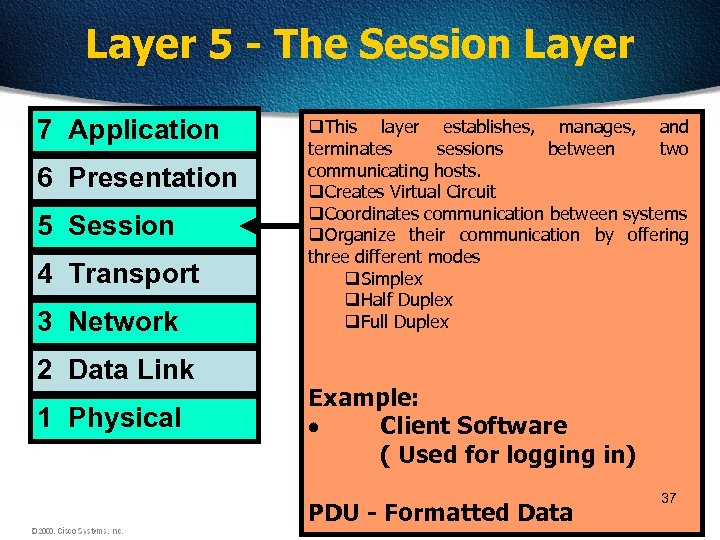 Layer 5 - The Session Layer 7 Application 6 Presentation 5 Session 4 Transport 3 Network 2 Data Link 1 Physical q. This layer establishes, manages, and terminates sessions between two communicating hosts. q. Creates Virtual Circuit q. Coordinates communication between systems q. Organize their communication by offering three different modes q. Simplex q. Half Duplex q. Full Duplex Example: Client Software ( Used for logging in) PDU - Formatted Data 37
 Half Duplex • It uses only one wire pair with a digital signal running in both directions on the wire. • It also uses the CSMA/CD protocol to help prevent collisions and to permit retransmitting if a collision does occur. • If a hub is attached to a switch, it must operate in halfduplex mode because the end stations must be able to detect collisions. • Half-duplex Ethernet—typically 10 Base. T—is only about 30 to 40 percent efficient because a large 10 Base. T network will usually only give you 3 to 4 Mbps—at most. 38
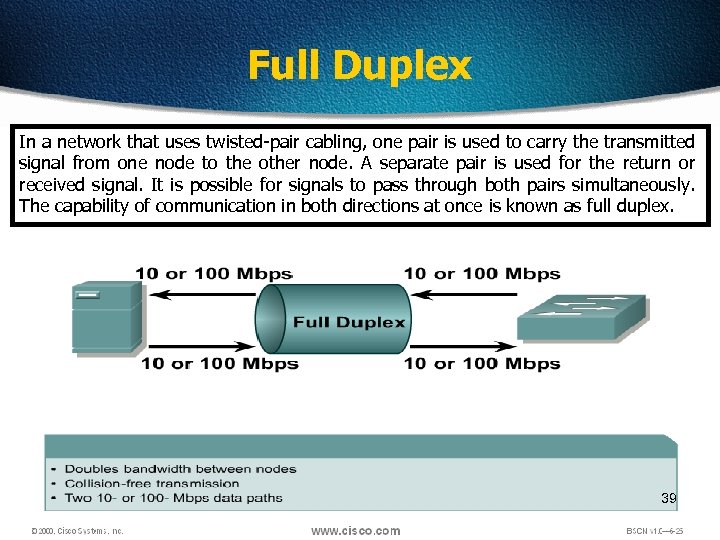 Full Duplex In a network that uses twisted-pair cabling, one pair is used to carry the transmitted signal from one node to the other node. A separate pair is used for the return or received signal. It is possible for signals to pass through both pairs simultaneously. The capability of communication in both directions at once is known as full duplex. 39
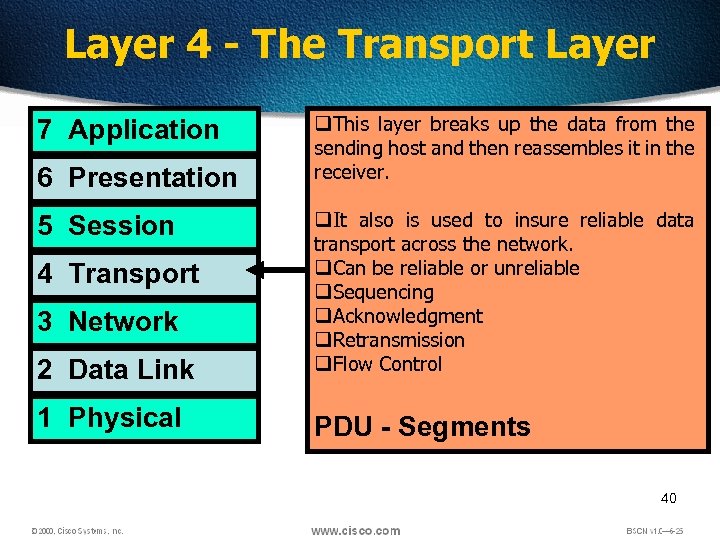 Layer 4 - The Transport Layer 7 Application 6 Presentation q. This layer breaks up the data from the sending host and then reassembles it in the receiver. 2 Data Link q. It also is used to insure reliable data transport across the network. q. Can be reliable or unreliable q. Sequencing q. Acknowledgment q. Retransmission q. Flow Control 1 Physical PDU - Segments 5 Session 4 Transport 3 Network 40
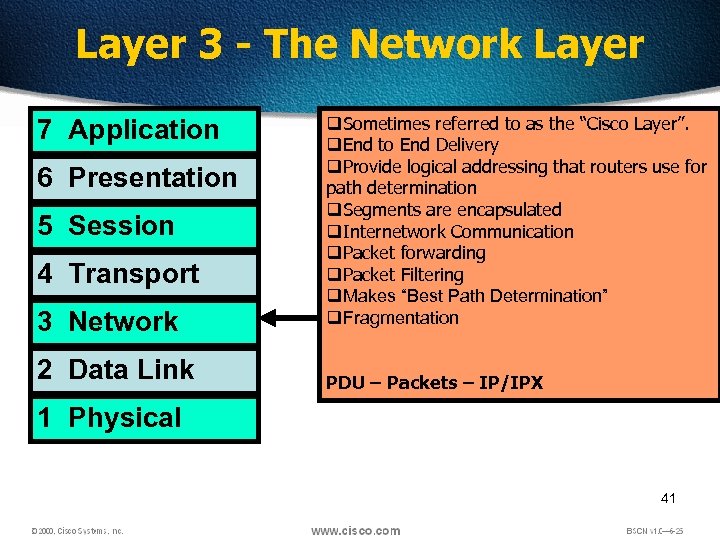 Layer 3 - The Network Layer 7 Application 6 Presentation 5 Session 4 Transport 3 Network 2 Data Link q. Sometimes referred to as the “Cisco Layer”. q. End to End Delivery q. Provide logical addressing that routers use for path determination q. Segments are encapsulated q. Internetwork Communication q. Packet forwarding q. Packet Filtering q. Makes “Best Path Determination” q. Fragmentation PDU – Packets – IP/IPX 1 Physical 41
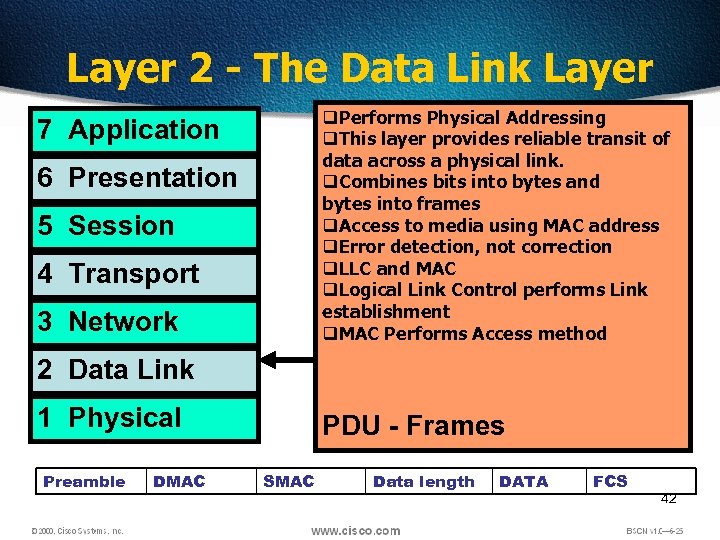 Layer 2 - The Data Link Layer q. Performs Physical Addressing q. This layer provides reliable transit of data across a physical link. q. Combines bits into bytes and bytes into frames q. Access to media using MAC address q. Error detection, not correction q. LLC and MAC q. Logical Link Control performs Link establishment q. MAC Performs Access method 7 Application 6 Presentation 5 Session 4 Transport 3 Network 2 Data Link 1 Physical Preamble DMAC PDU - Frames SMAC Data length DATA FCS 42
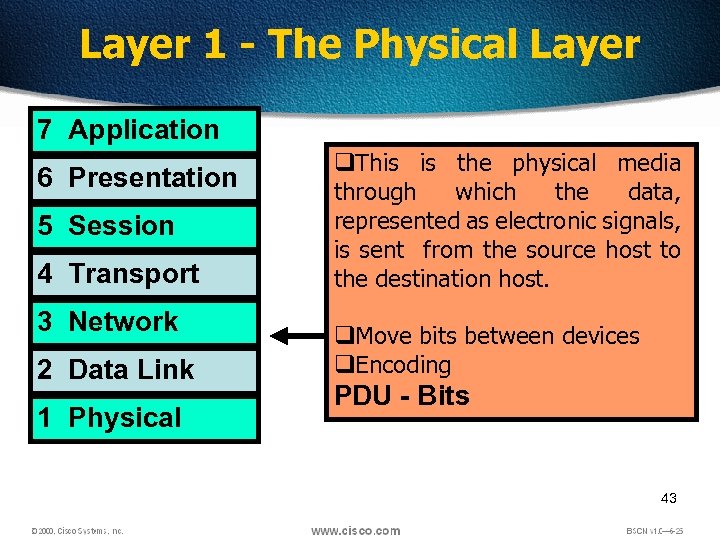 Layer 1 - The Physical Layer 7 Application 6 Presentation 5 Session 4 Transport 3 Network 2 Data Link 1 Physical q. This is the physical media through which the data, represented as electronic signals, is sent from the source host to the destination host. q. Move bits between devices q. Encoding PDU - Bits 43
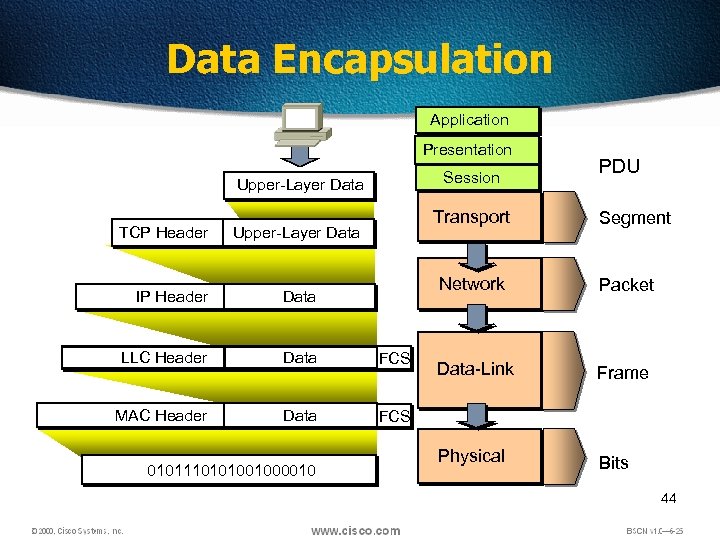 Data Encapsulation Application Presentation Session Upper-Layer Data TCP Header Transport Upper-Layer Data PDU Segment Network IP Header Data LLC Header Data FCS MAC Header Data Packet Data-Link Frame Physical Bits FCS 0101110101001000010 44
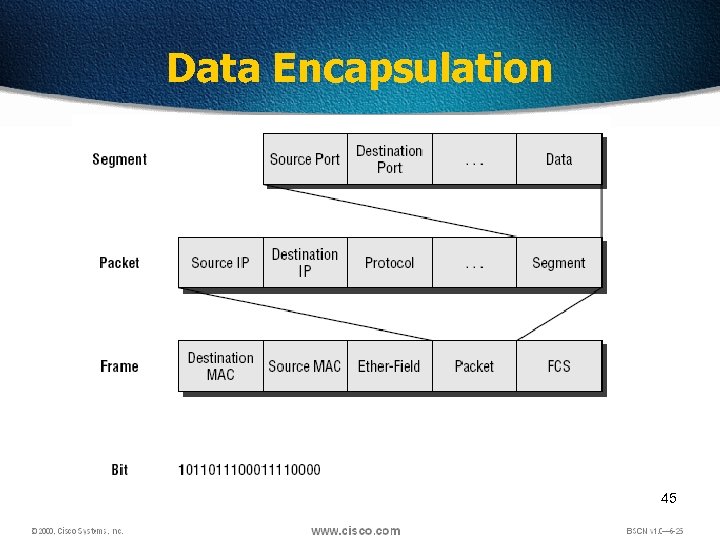 Data Encapsulation 45
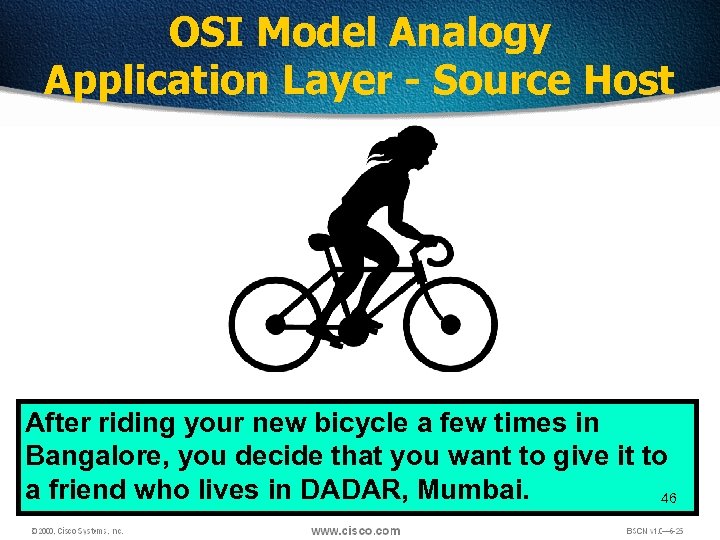 OSI Model Analogy Application Layer - Source Host After riding your new bicycle a few times in Bangalore, you decide that you want to give it to a friend who lives in DADAR, Mumbai. 46
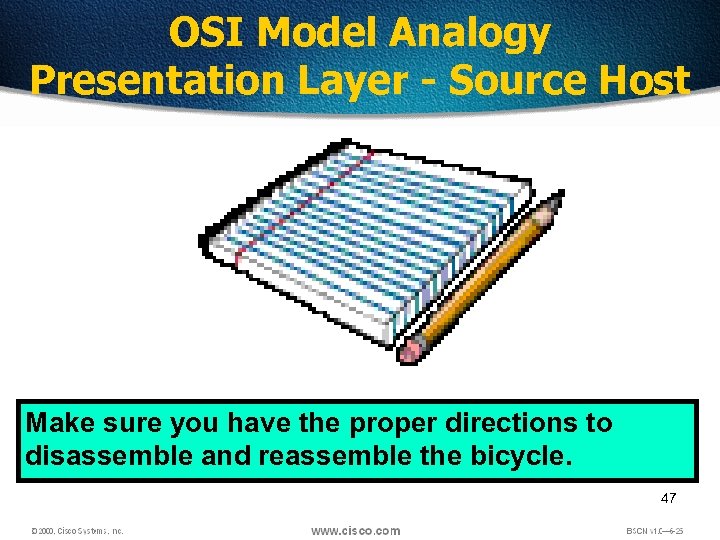 OSI Model Analogy Presentation Layer - Source Host Make sure you have the proper directions to disassemble and reassemble the bicycle. 47
 OSI Model Analogy Session Layer - Source Host Call your friend and make sure you have his correct address. 48
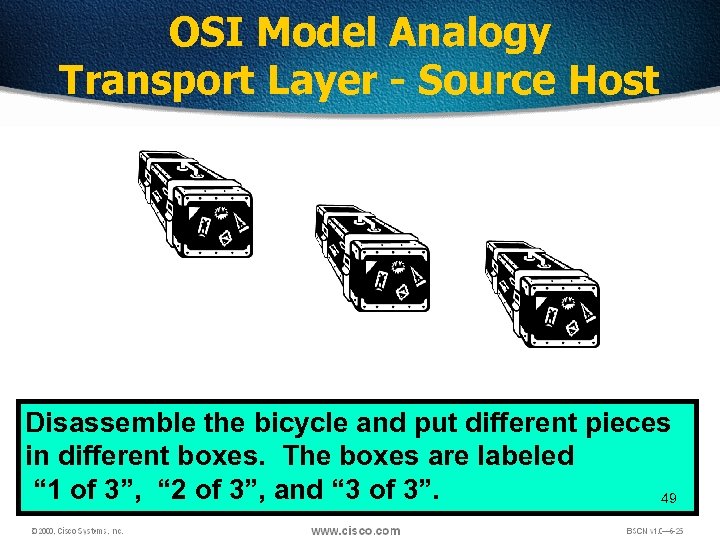 OSI Model Analogy Transport Layer - Source Host Disassemble the bicycle and put different pieces in different boxes. The boxes are labeled “ 1 of 3”, “ 2 of 3”, and “ 3 of 3”. 49
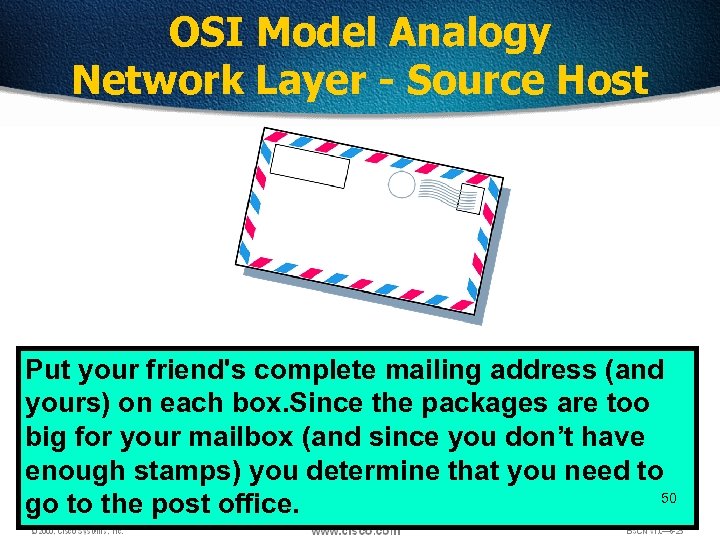 OSI Model Analogy Network Layer - Source Host Put your friend's complete mailing address (and yours) on each box. Since the packages are too big for your mailbox (and since you don’t have enough stamps) you determine that you need to 50 go to the post office.
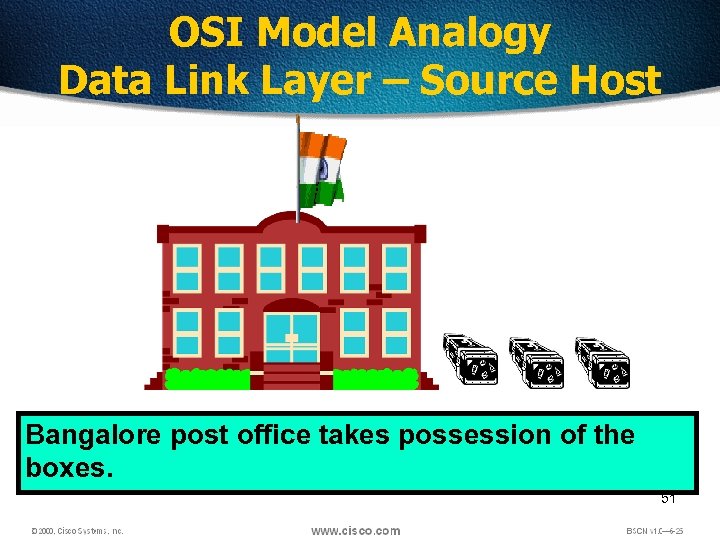 OSI Model Analogy Data Link Layer – Source Host Bangalore post office takes possession of the boxes. 51
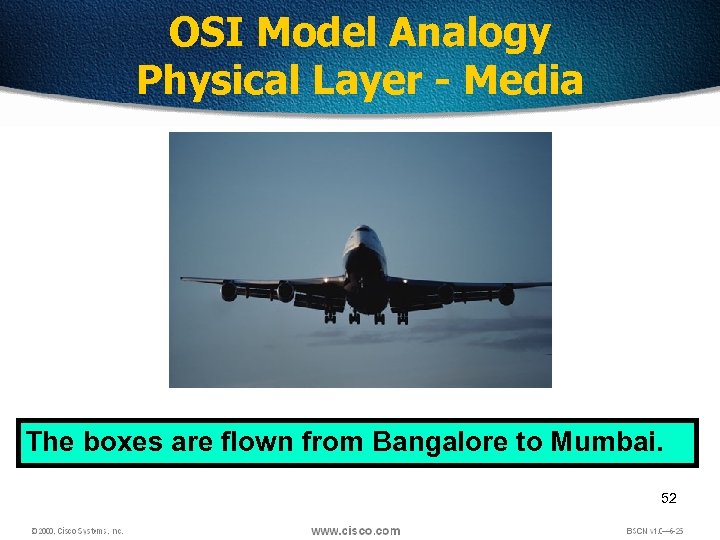 OSI Model Analogy Physical Layer - Media The boxes are flown from Bangalore to Mumbai. 52
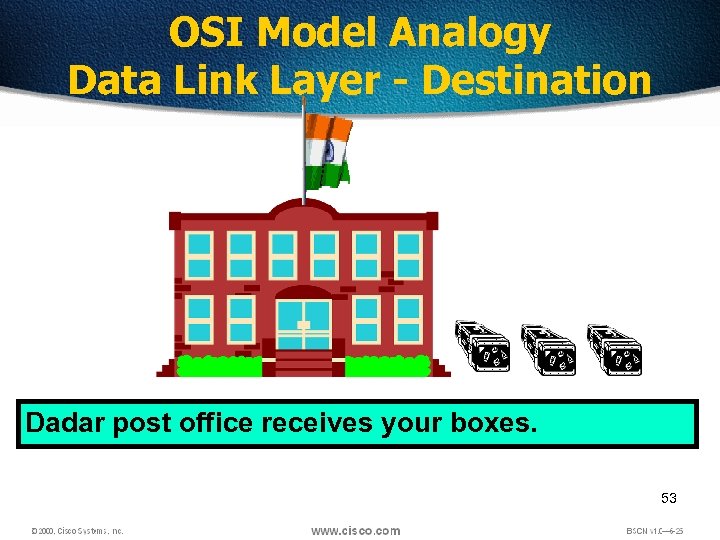 OSI Model Analogy Data Link Layer - Destination Dadar post office receives your boxes. 53
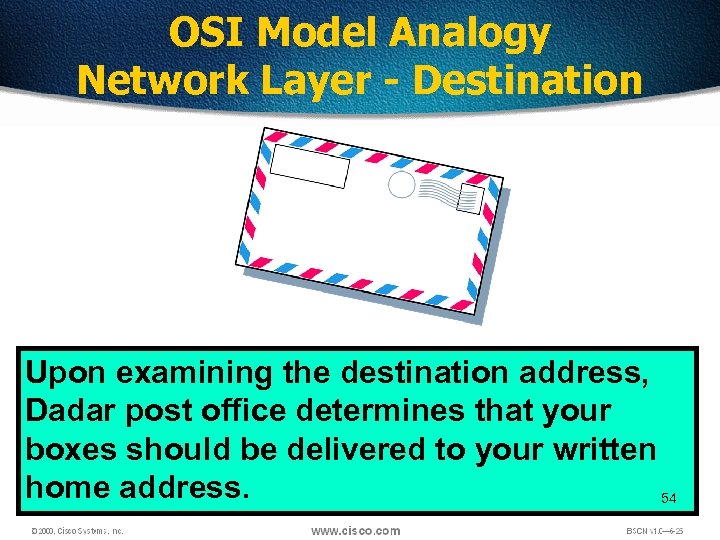 OSI Model Analogy Network Layer - Destination Upon examining the destination address, Dadar post office determines that your boxes should be delivered to your written home address. 54
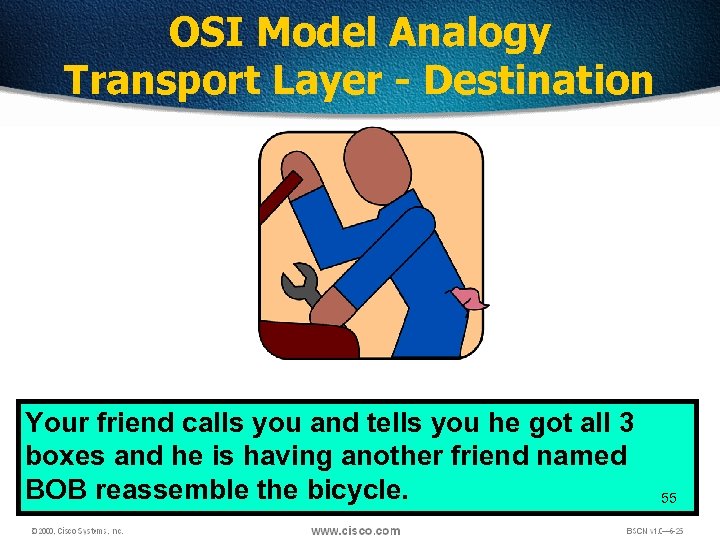 OSI Model Analogy Transport Layer - Destination Your friend calls you and tells you he got all 3 boxes and he is having another friend named BOB reassemble the bicycle. 55
 OSI Model Analogy Session Layer - Destination Your friend hangs up because he is done talking to you. 56
 OSI Model Analogy Presentation Layer - Destination BOB is finished and “presents” the bicycle to your friend. Another way to say it is that your friend is finally getting him “present”. 57
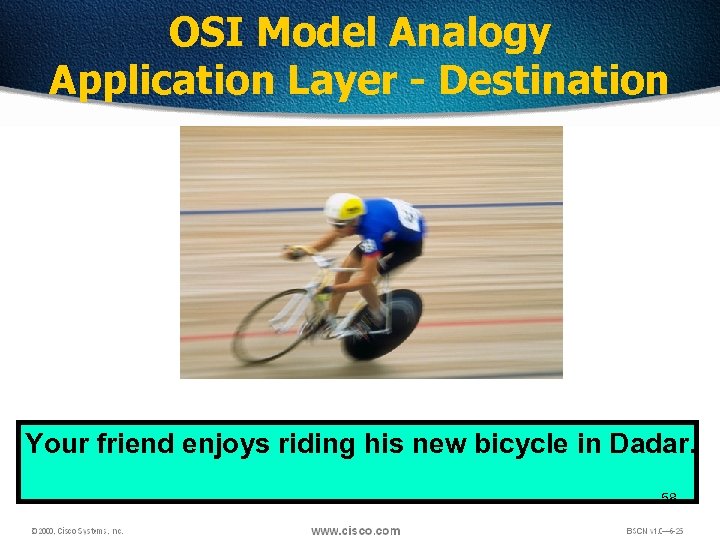 OSI Model Analogy Application Layer - Destination Your friend enjoys riding his new bicycle in Dadar. 58
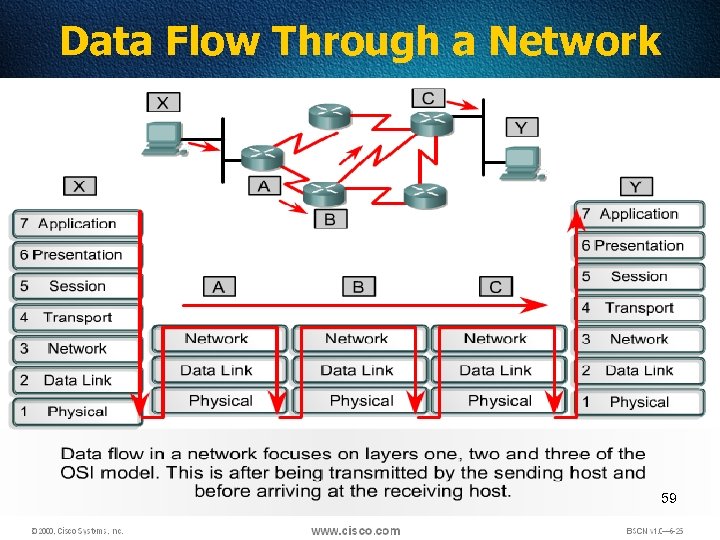 Data Flow Through a Network 59
 Type of Transmission q. Unicast q. Multicast q. Broadcast 60
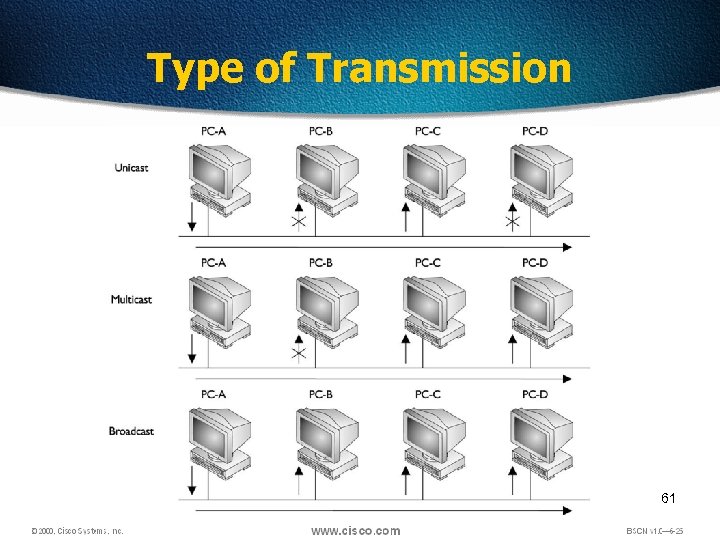 Type of Transmission 61
 Broadcast Domain q A group of devices receiving broadcast frames initiating from any device within the group q Routers do not forward broadcast frames, broadcast domains are not forwarded from one broadcast to another. 62
 Collision q The effect of two nodes sending transmissions simultaneously in Ethernet. When they meet on the physical media, the frames from each node collide and are damaged. 63
 Collision Domain q The network area in Ethernet over which frames that have collided will be detected. q Collisions are propagated by hubs and repeaters q Collisions are Not propagated by switches, routers, or bridges 64
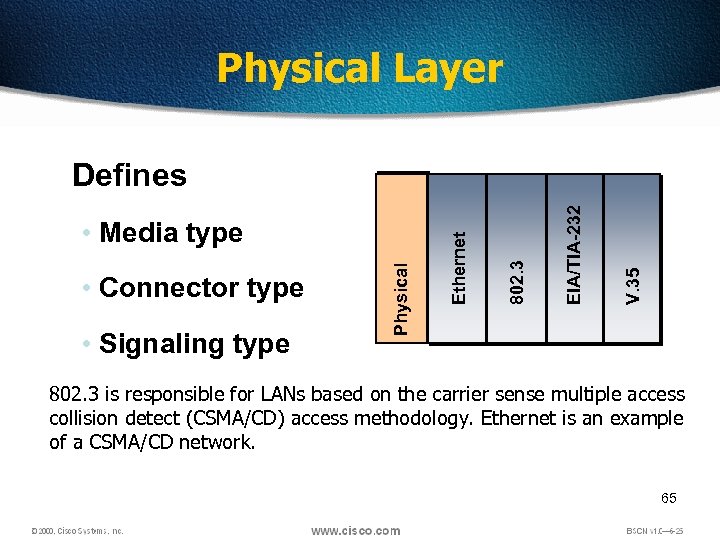 Physical Layer • Signaling type V. 35 EIA/TIA-232 802. 3 • Connector type Physical • Media type Ethernet Defines 802. 3 is responsible for LANs based on the carrier sense multiple access collision detect (CSMA/CD) access methodology. Ethernet is an example of a CSMA/CD network. 65
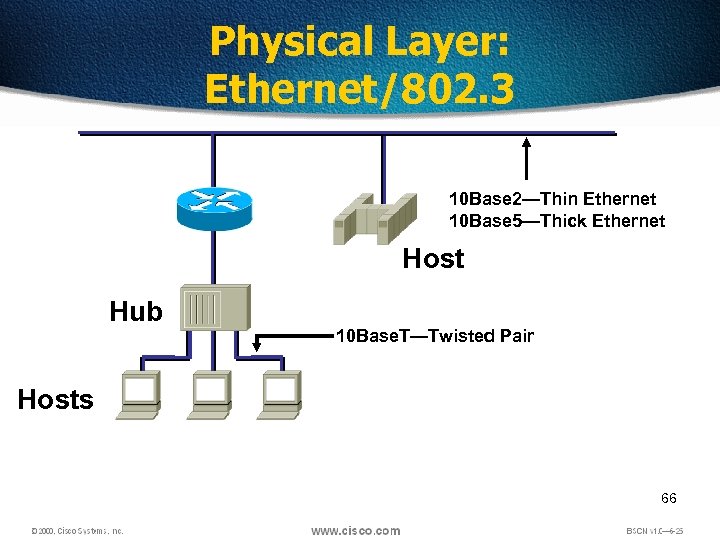 Physical Layer: Ethernet/802. 3 10 Base 2—Thin Ethernet 10 Base 5—Thick Ethernet Host Hub 10 Base. T—Twisted Pair Hosts 66
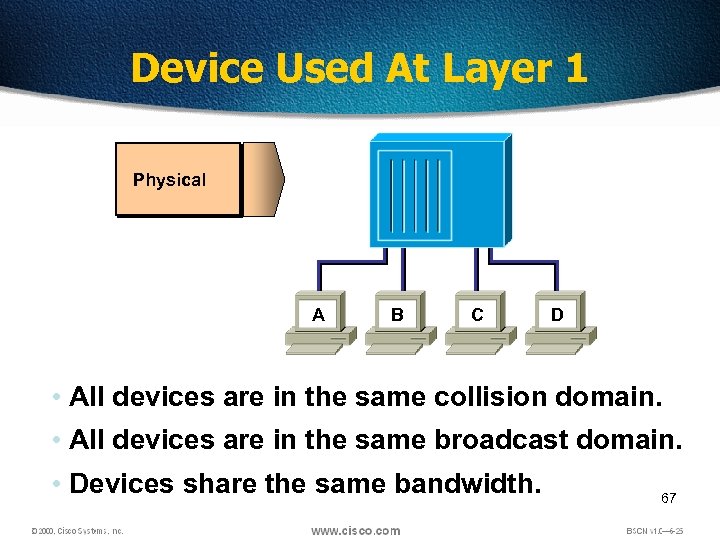 Device Used At Layer 1 Physical A B C D • All devices are in the same collision domain. • All devices are in the same broadcast domain. • Devices share the same bandwidth. 67
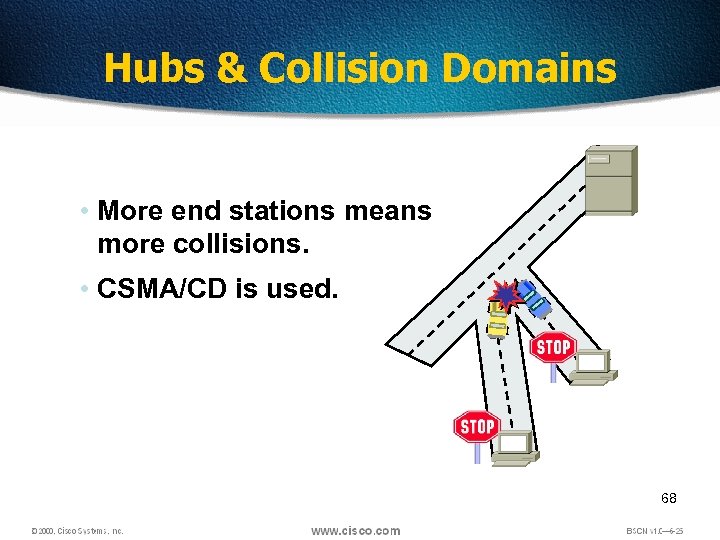 Hubs & Collision Domains • More end stations means more collisions. • CSMA/CD is used. 68
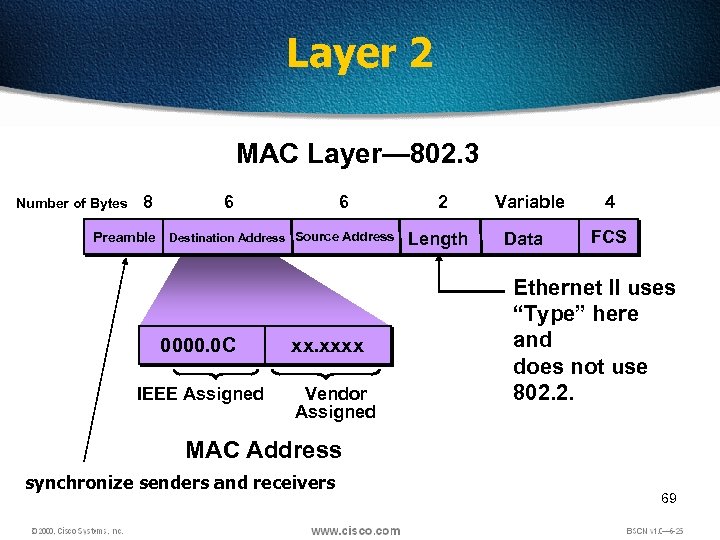 Layer 2 MAC Layer— 802. 3 Number of Bytes 8 6 6 Preamble Destination Address Source Address 0000. 0 C IEEE Assigned xx. xxxx Vendor Assigned 2 Length Variable Data 4 FCS Ethernet II uses “Type” here and does not use 802. 2. MAC Address synchronize senders and receivers 69
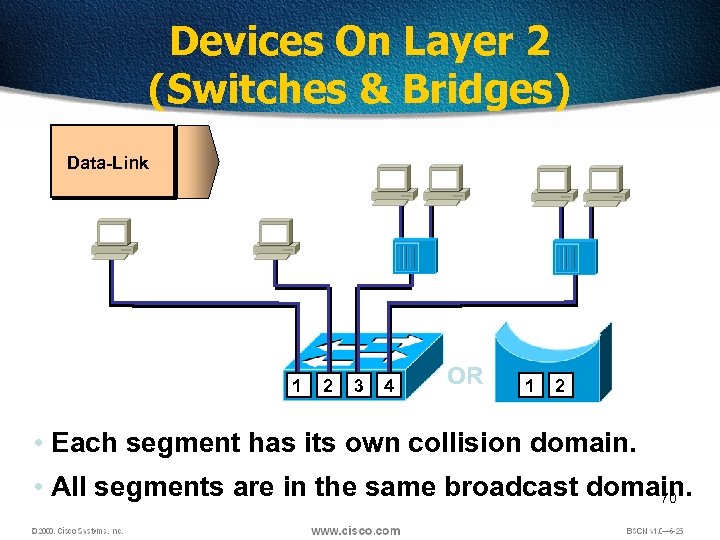 Devices On Layer 2 (Switches & Bridges) Data-Link 1 2 3 4 OR 1 2 • Each segment has its own collision domain. • All segments are in the same broadcast domain. 70
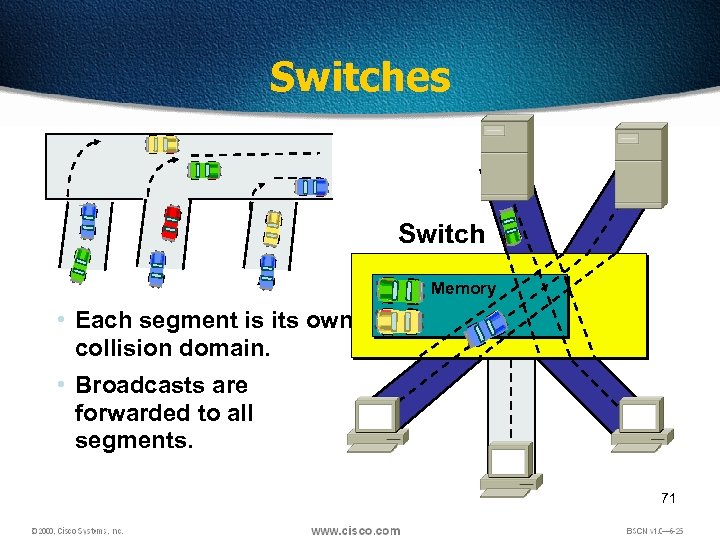 Switches Switch Memory • Each segment is its own collision domain. • Broadcasts are forwarded to all segments. 71
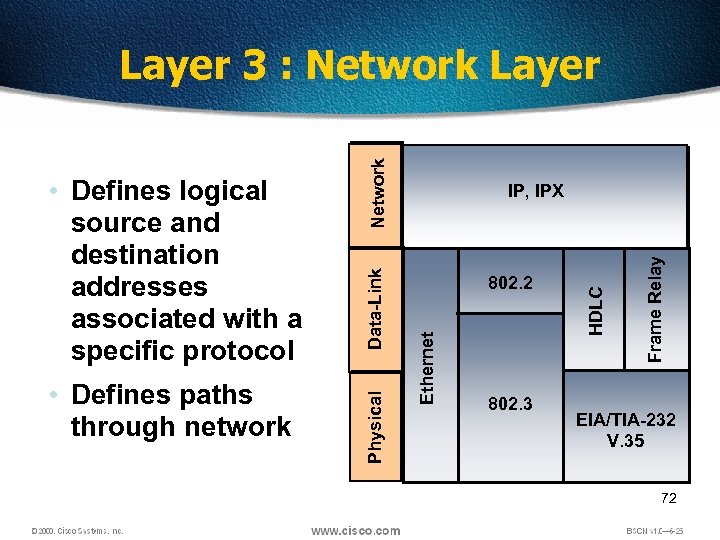 802. 3 Frame Relay 802. 2 HDLC Data-Link IP, IPX Ethernet • Defines paths through network Physical • Defines logical source and destination addresses associated with a specific protocol Network Layer 3 : Network Layer EIA/TIA-232 V. 35 72
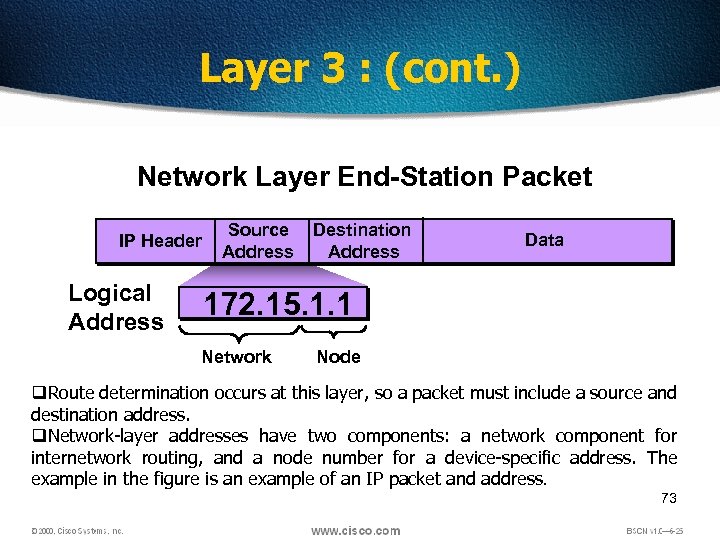 Layer 3 : (cont. ) Network Layer End-Station Packet IP Header Logical Address Source Address Destination Address Data 172. 15. 1. 1 Network Node q. Route determination occurs at this layer, so a packet must include a source and destination address. q. Network-layer addresses have two components: a network component for internetwork routing, and a node number for a device-specific address. The example in the figure is an example of an IP packet and address. 73
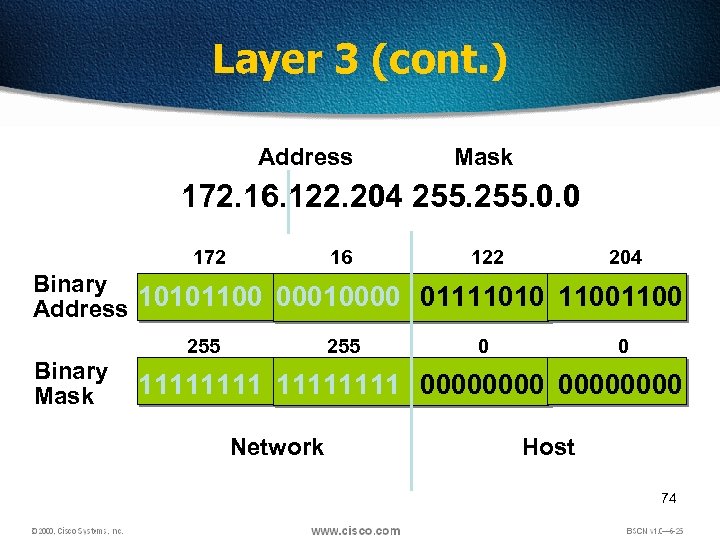 Layer 3 (cont. ) Address Mask 172. 16. 122. 204 255. 0. 0 172 16 122 204 Binary Address 10101100 00010000 01111010 1100 Binary Mask 255 0 0 11111111 00000000 Network Host 74
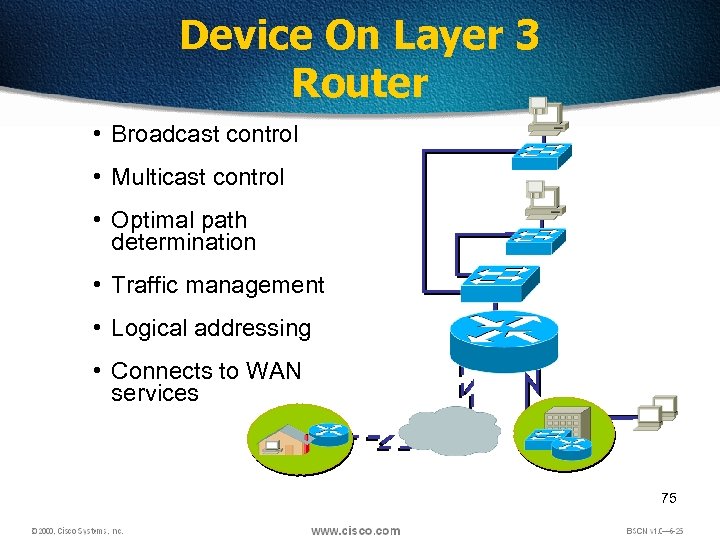 Device On Layer 3 Router • Broadcast control • Multicast control • Optimal path determination • Traffic management • Logical addressing • Connects to WAN services 75
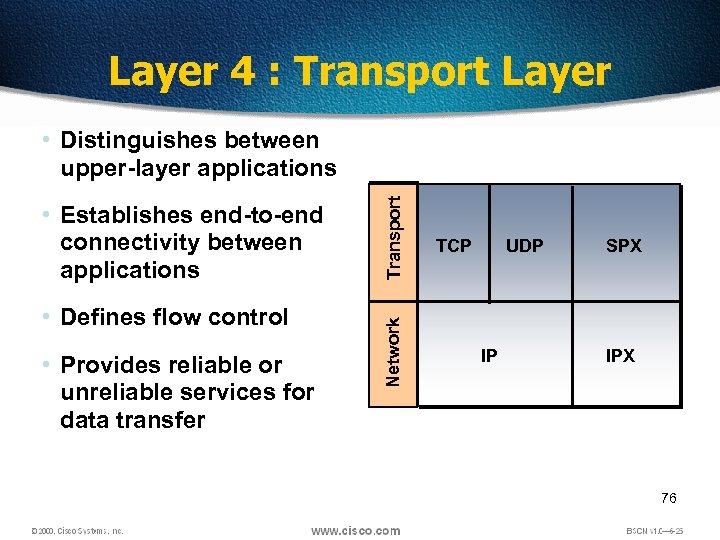 Layer 4 : Transport Layer • Defines flow control • Provides reliable or unreliable services for data transfer Network • Establishes end-to-end connectivity between applications Transport • Distinguishes between upper-layer applications TCP UDP IP SPX IPX 76
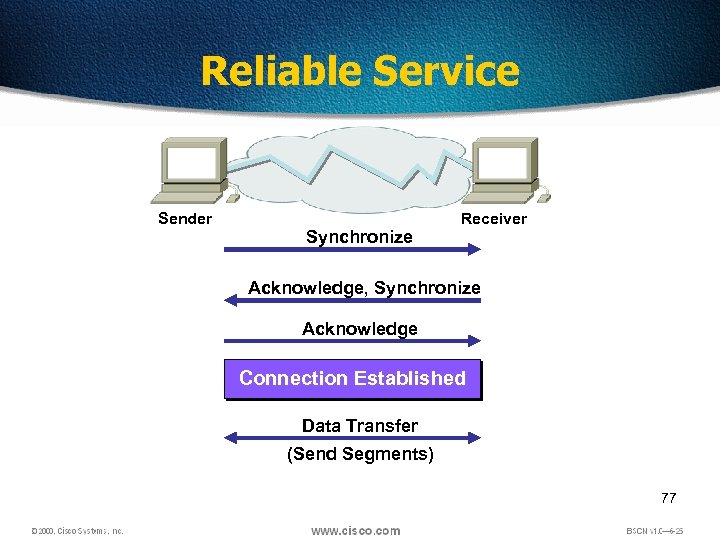 Reliable Service Sender Synchronize Receiver Acknowledge, Synchronize Acknowledge Connection Established Data Transfer (Send Segments) 77
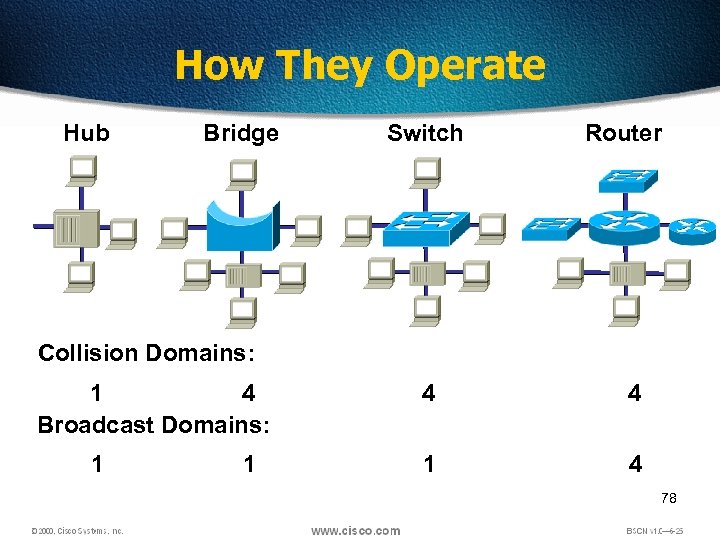 How They Operate Hub Bridge Switch Router Collision Domains: 1 4 Broadcast Domains: 1 1 4 4 1 4 78
 79
79
 Why Another Model? Although the OSI reference model is universally recognized, the historical and technical open standard of the Internet is Transmission Control Protocol / Internet Protocol (TCP/IP). The TCP/IP reference model and the TCP/IP protocol stack make data communication possible between any two computers, anywhere in the world, at nearly the speed of light. The U. S. Department of Defense (Do. D) created the TCP/IP reference model because it wanted a network that could survive 80 any conditions, even a nuclear war.
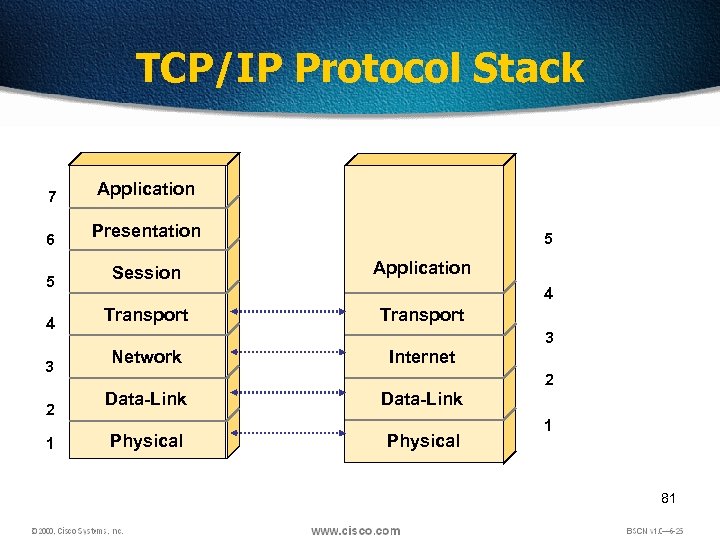 TCP/IP Protocol Stack 7 Application 6 Presentation 5 Session 4 Transport 3 2 1 5 Application 4 Transport 3 Network Internet 2 Data-Link Physical 1 81
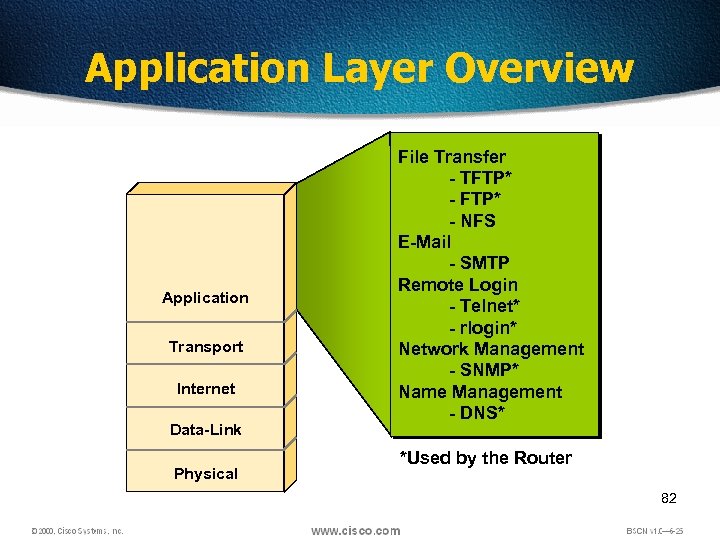 Application Layer Overview Application Transport Internet Data-Link Physical File Transfer - TFTP* - NFS E-Mail - SMTP Remote Login - Telnet* - rlogin* Network Management - SNMP* Name Management - DNS* *Used by the Router 82
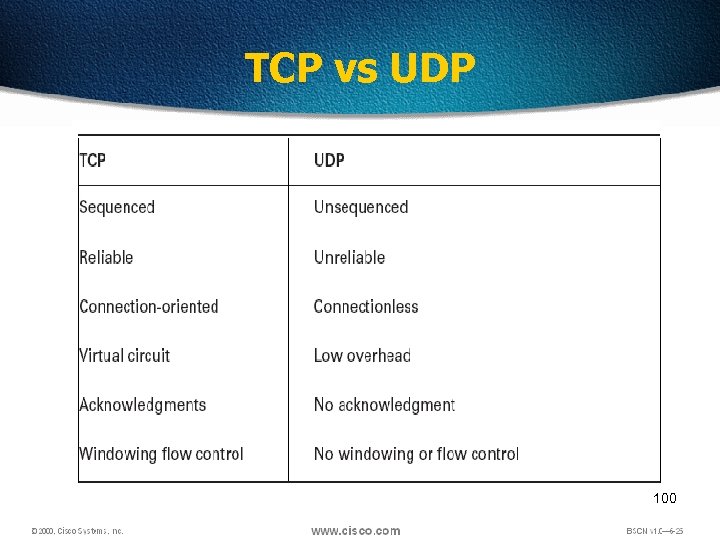
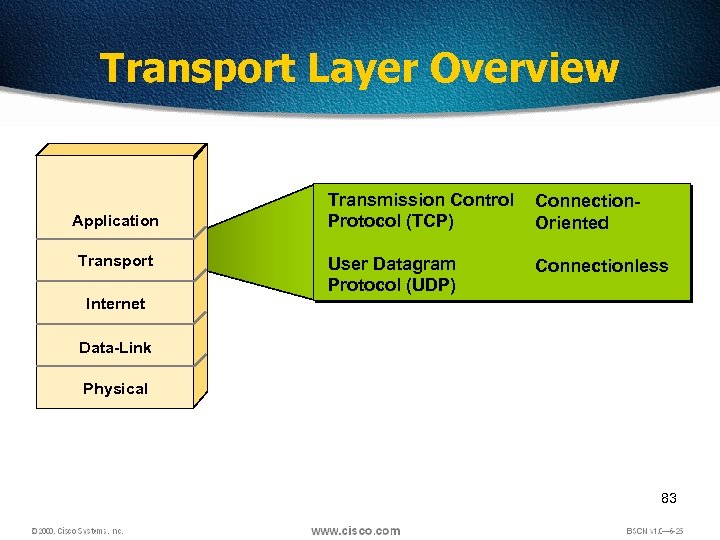 Transport Layer Overview Application Transport Internet Transmission Control Protocol (TCP) Connection. Oriented User Datagram Protocol (UDP) Connectionless Data-Link Physical 83
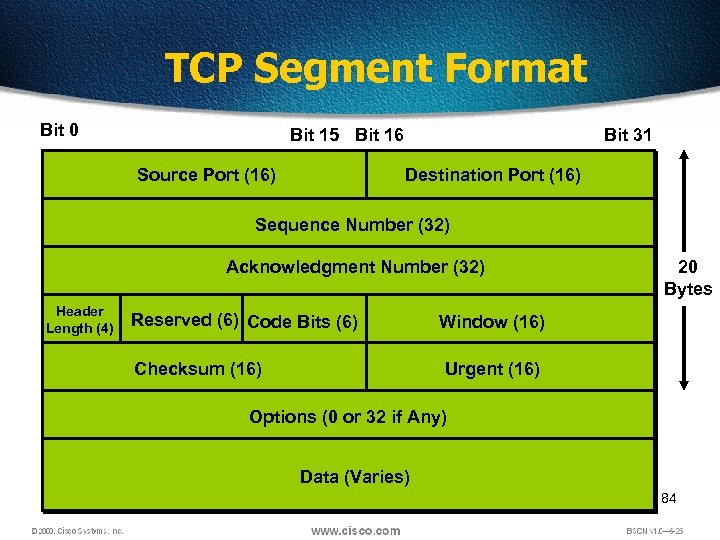 TCP Segment Format Bit 0 Bit 15 Bit 16 Source Port (16) Bit 31 Destination Port (16) Sequence Number (32) Acknowledgment Number (32) Header Length (4) Reserved (6) Code Bits (6) Checksum (16) 20 Bytes Window (16) Urgent (16) Options (0 or 32 if Any) Data (Varies) 84
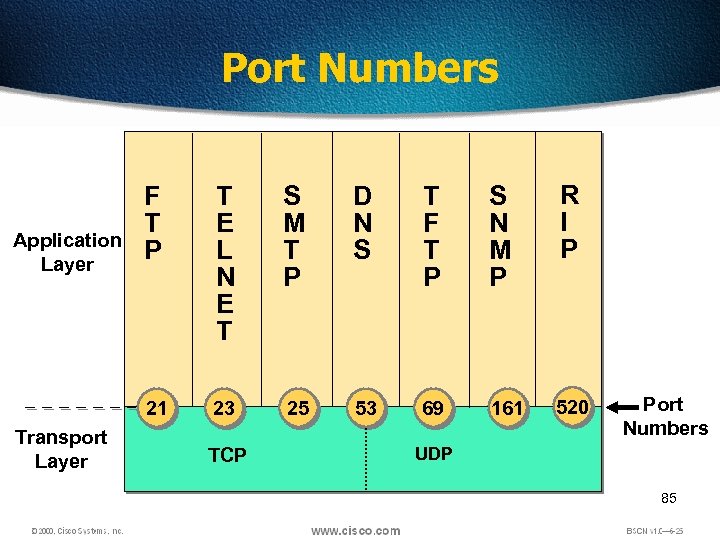 Port Numbers Transport Layer T E L N E T S M T P D N S T F T P S N M P R I P 21 Application Layer F T P 23 25 53 69 161 520 TCP Port Numbers UDP 85
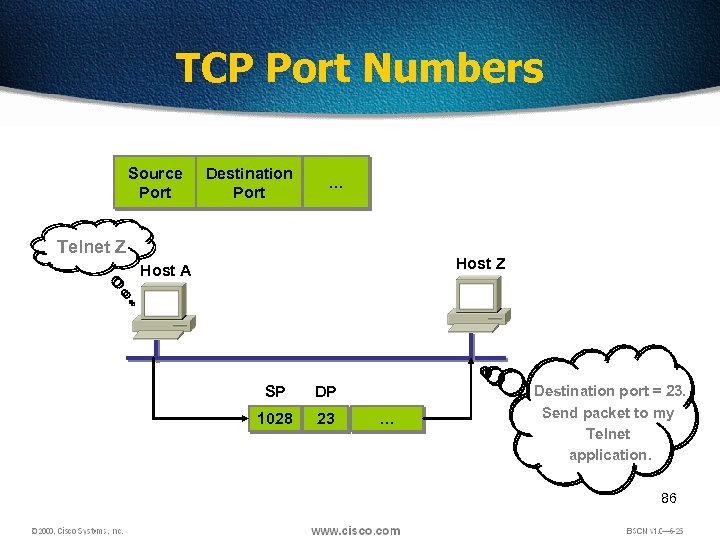 TCP Port Numbers Source Port Destination Port … Telnet Z Host A SP DP 1028 23 … Destination port = 23. Send packet to my Telnet application. 86
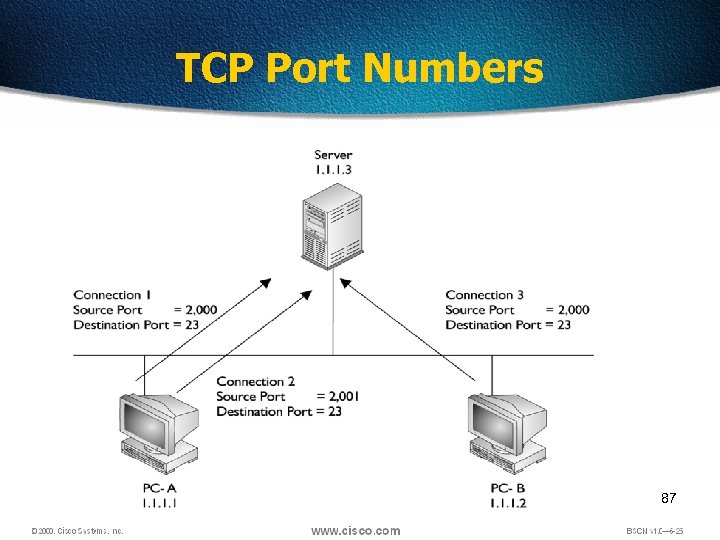 TCP Port Numbers 87
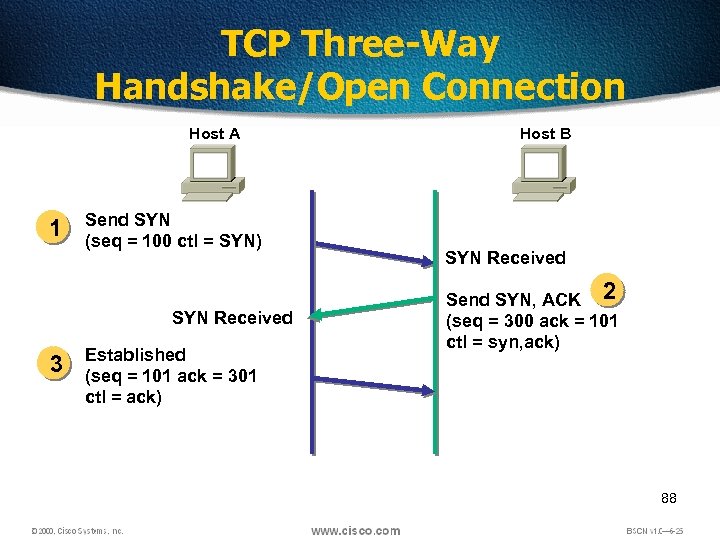 TCP Three-Way Handshake/Open Connection Host A 1 Send SYN (seq = 100 ctl = SYN) SYN Received 3 Established (seq = 101 ack = 301 ctl = ack) Host B SYN Received Send SYN, ACK 2 (seq = 300 ack = 101 ctl = syn, ack) 88
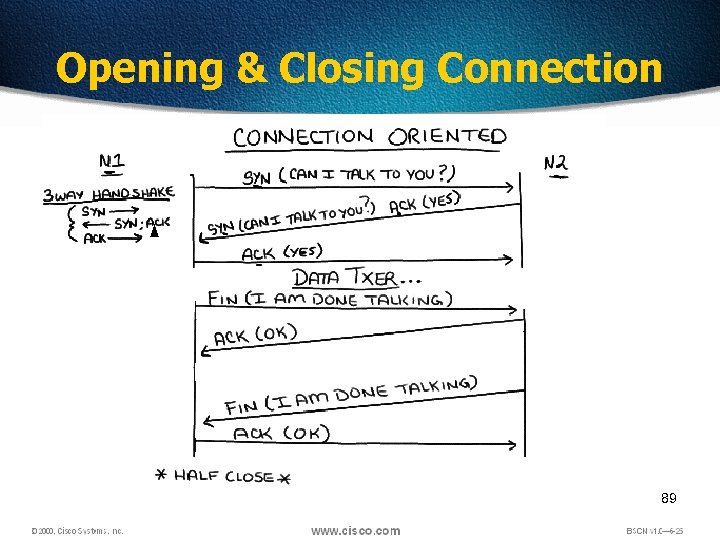 Opening & Closing Connection 89
 Windowing • Windowing in networking means the quantity of data segments which is measured in bytes that a machine can transmit/send on the network without receiving an acknowledgement 90
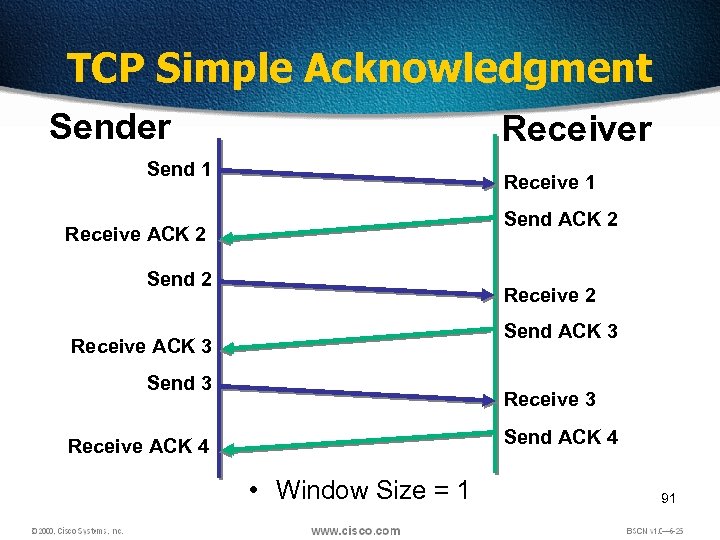 TCP Simple Acknowledgment Sender Receiver Send 1 Receive 1 Send ACK 2 Receive ACK 2 Send 2 Receive 2 Send ACK 3 Receive ACK 3 Send 3 Receive 3 Send ACK 4 Receive ACK 4 • Window Size = 1 91
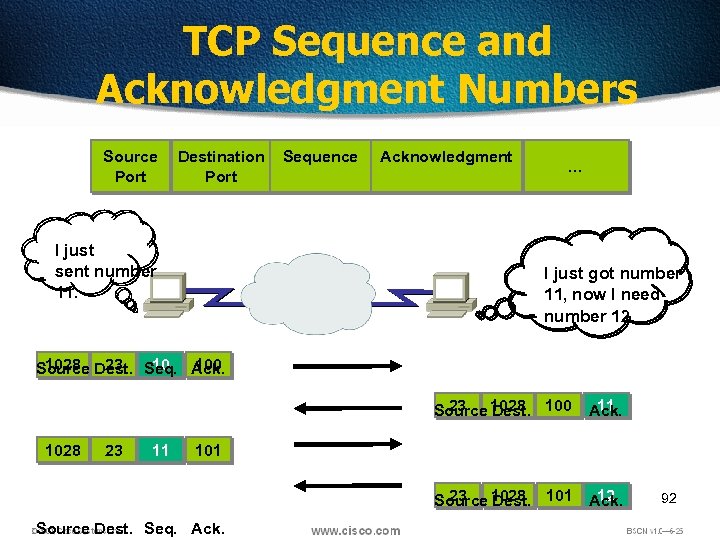 TCP Sequence and Acknowledgment Numbers Source Port Destination Port I just sent number 11. Sequence Acknowledgment … I just got number 11, now I need number 12. 1028 23 10 100 Source Dest. Seq. Ack. 23 11 Source 1028 Seq. Ack. Dest. 100 1028 23 11 101 23 12 Source 1028 Seq. Ack. Dest. 101 Source Dest. Seq. Ack. 92
 Windowing Ø There are two window sizes—one set to 1 and one set to 3. Ø When you’ve configured a window size of 1, the sending machine waits for an acknowledgment for each data segment it transmits before transmitting another Ø If you’ve configured a window size of 3, it’s allowed to transmit three data segments before an acknowledgment is received. 93
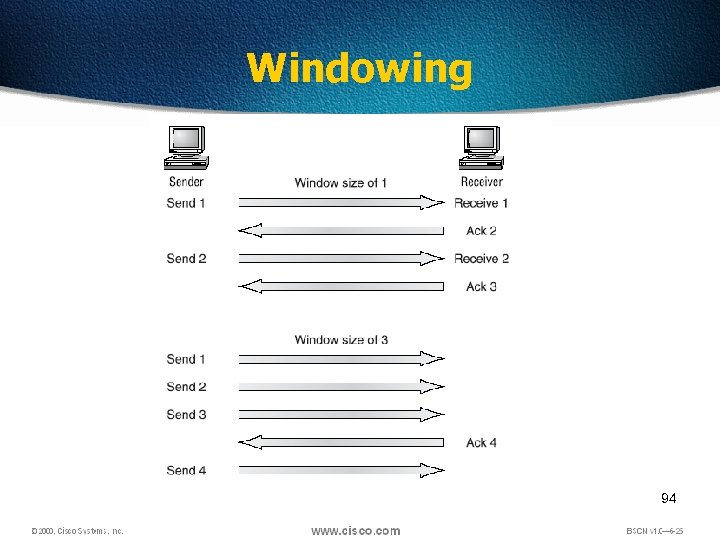 Windowing 94
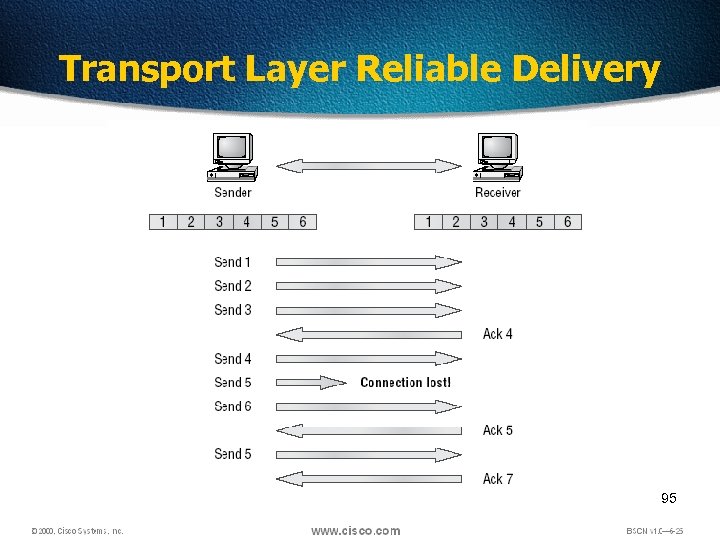 Transport Layer Reliable Delivery 95
 Flow Control q Another function of the transport layer is to provide optional flow control. q Flow control is used to ensure that networking devices don’t send too much information to the destination, overflowing its receiving buffer space, and causing it to drop the sent information q The purpose of flow control is to ensure the destination doesn't get overrun by too much information sent by the source 96
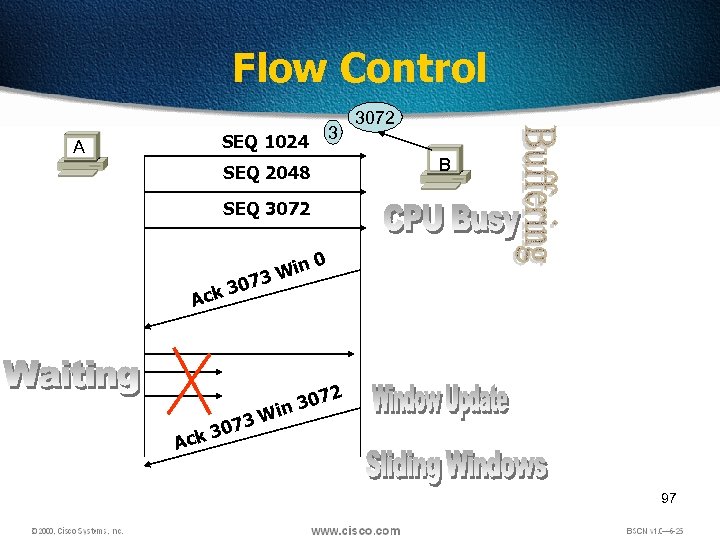 Flow Control 3 SEQ 1024 A 3072 B SEQ 2048 SEQ 3072 0 3 Ack in 3 W 7 3 307 k 0 2 307 in W Ac 97
 User Datagram Protocol (UDP) is the connectionless transport protocol in the TCP/IP protocol stack. UDP is a simple protocol that exchanges datagrams, without acknowledgments or guaranteed delivery. Error processing and retransmission must be handled by higher layer protocols. UDP is designed for applications that do not need to put sequences of segments together. The protocols that use UDP include: • TFTP (Trivial File Transfer Protocol) • SNMP (Simple Network Management Protocol) • DHCP (Dynamic Host Control Protocol) • DNS (Domain Name System) 98
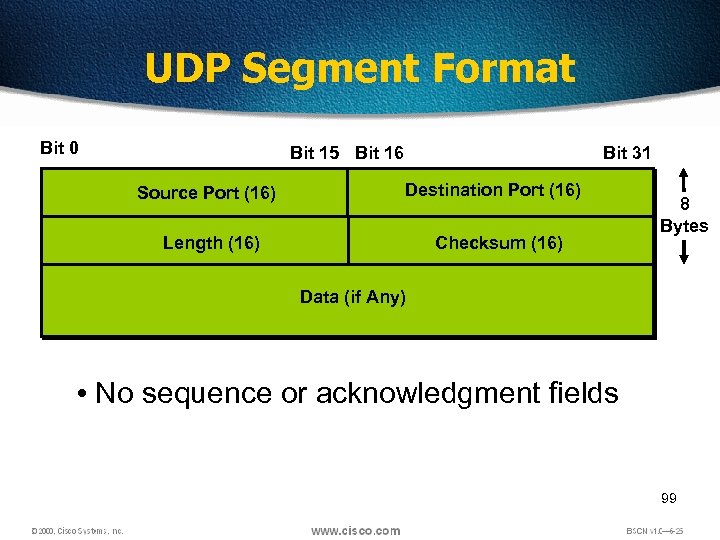 UDP Segment Format Bit 0 1 Bit 15 Bit 16 Source Port (16) Bit 31 Destination Port (16) Length (16) Checksum (16) 8 Bytes Data (if Any) • No sequence or acknowledgment fields 99
 TCP vs UDP 100
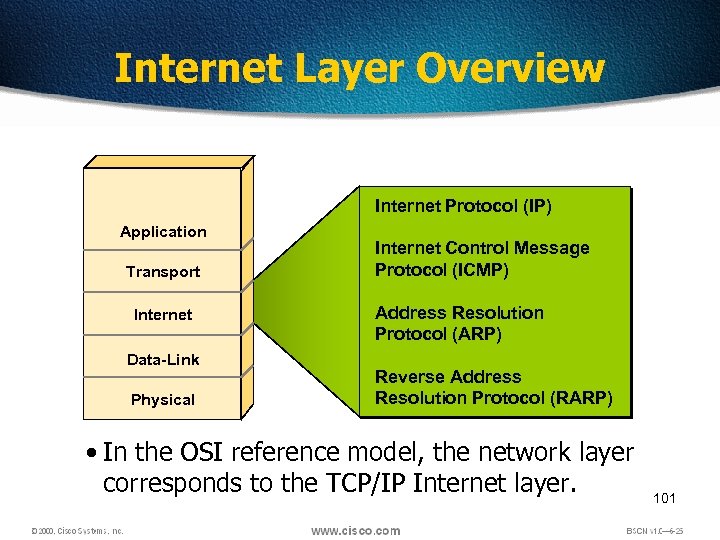 Internet Layer Overview Internet Protocol (IP) Application Transport Internet Data-Link Physical Internet Control Message Protocol (ICMP) Address Resolution Protocol (ARP) Reverse Address Resolution Protocol (RARP) • In the OSI reference model, the network layer corresponds to the TCP/IP Internet layer. 101
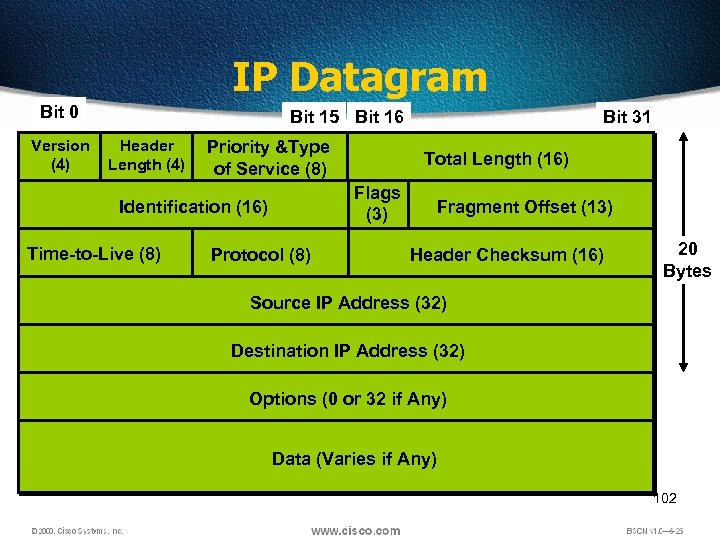 IP Datagram Bit 0 1 Version (4) Bit 15 Bit 16 Header Length (4) Priority &Type of Service (8) Time-to-Live (8) Total Length (16) Flags (3) Identification (16) Protocol (8) Bit 31 Fragment Offset (13) Header Checksum (16) 20 Bytes Source IP Address (32) Destination IP Address (32) Options (0 or 32 if Any) Data (Varies if Any) 102
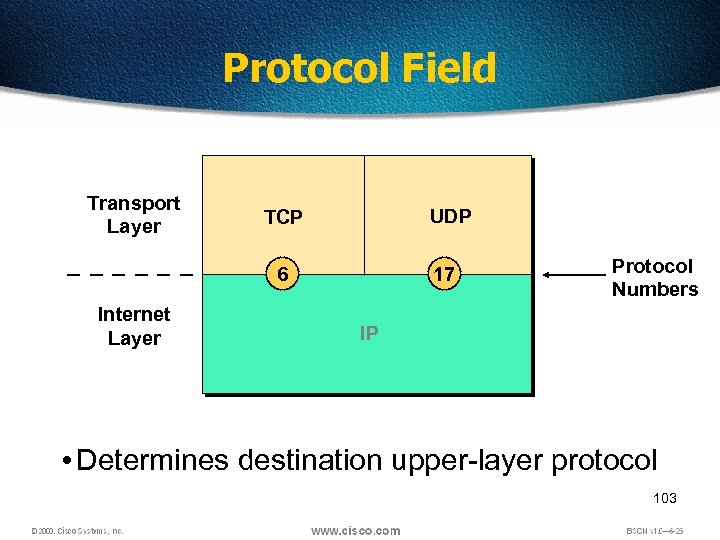 Protocol Field Transport Layer UDP TCP 6 Internet Layer 17 Protocol Numbers IP • Determines destination upper-layer protocol 103
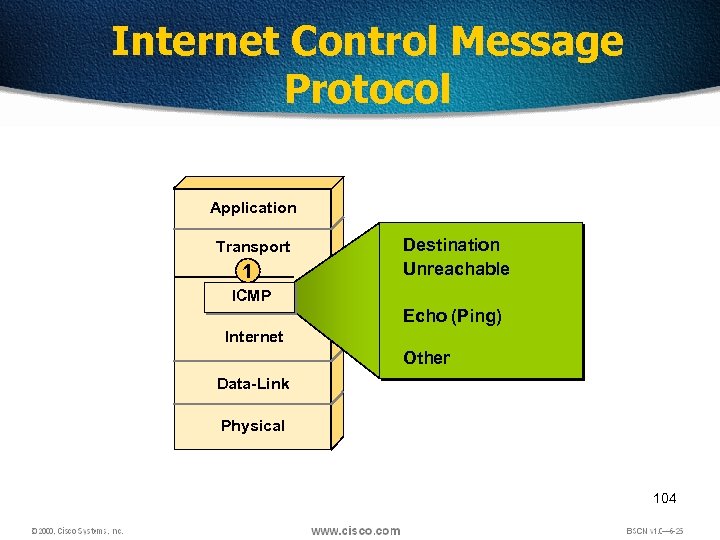 Internet Control Message Protocol Application Transport 1 Destination Unreachable ICMP Echo (Ping) Internet Other Data-Link Physical 104
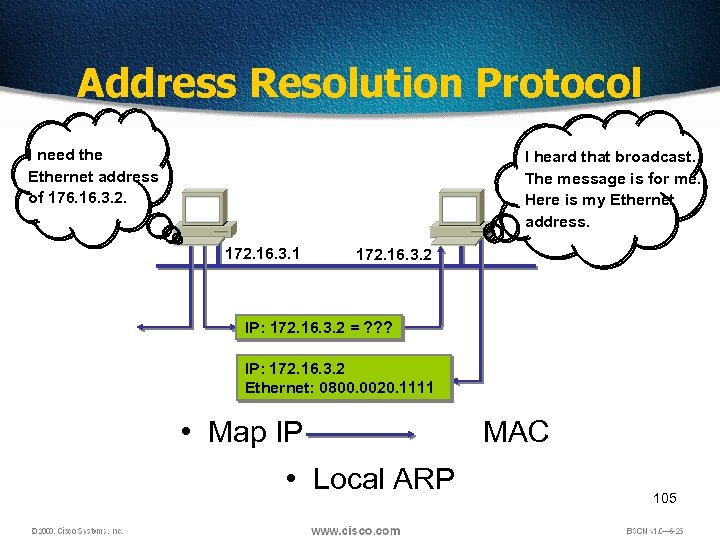 Address Resolution Protocol I need the Ethernet address of 176. 16. 3. 2. I heard that broadcast. The message is for me. Here is my Ethernet address. 172. 16. 3. 1 172. 16. 3. 2 IP: 172. 16. 3. 2 = ? ? ? IP: 172. 16. 3. 2 Ethernet: 0800. 0020. 1111 • Map IP MAC • Local ARP 105
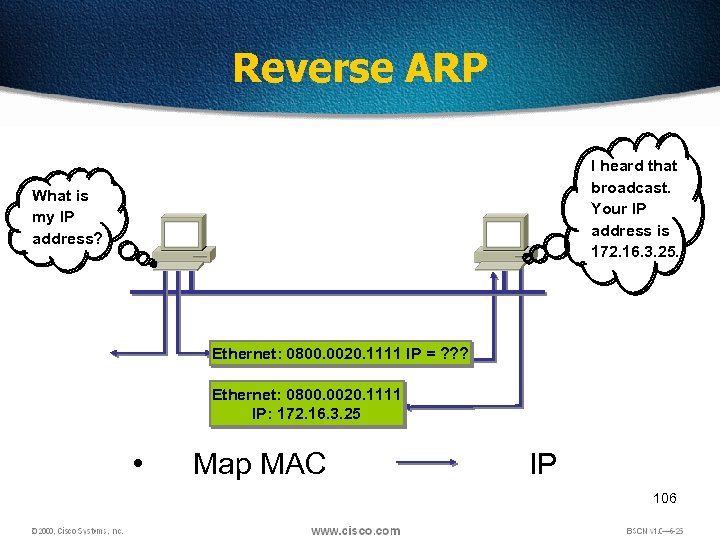 Reverse ARP I heard that broadcast. Your IP address is 172. 16. 3. 25. What is my IP address? Ethernet: 0800. 0020. 1111 IP = ? ? ? Ethernet: 0800. 0020. 1111 IP: 172. 16. 3. 25 • Map MAC IP 106
 107
107
 Origin of Ethernet q. Found by Xerox Palo Alto Research Center (PARC) in 1975 q. Original designed as a 2. 94 Mbps system to connect 100 computers on a 1 km cable q. Later, Xerox, Intel and DEC drew up a standard support 10 Mbps – Ethernet II q. Basis for the IEEE’s 802. 3 specification q. Most widely used LAN technology in the world 108
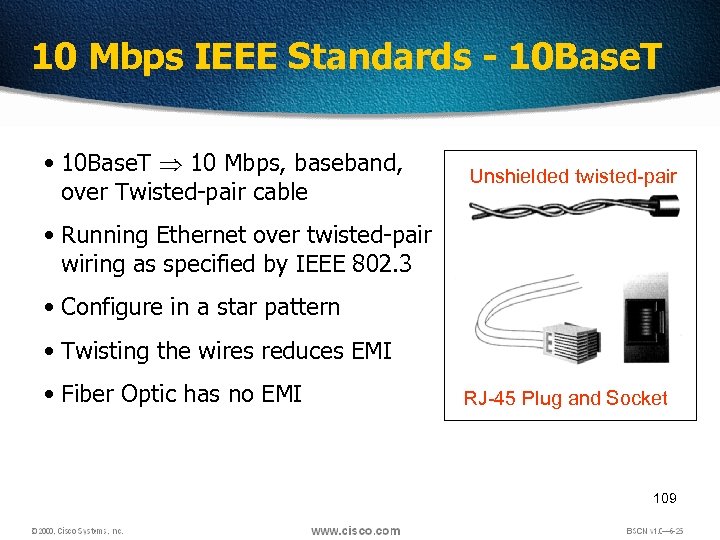 10 Mbps IEEE Standards - 10 Base. T • 10 Base. T 10 Mbps, baseband, over Twisted-pair cable Unshielded twisted-pair • Running Ethernet over twisted-pair wiring as specified by IEEE 802. 3 • Configure in a star pattern • Twisting the wires reduces EMI • Fiber Optic has no EMI RJ-45 Plug and Socket 109
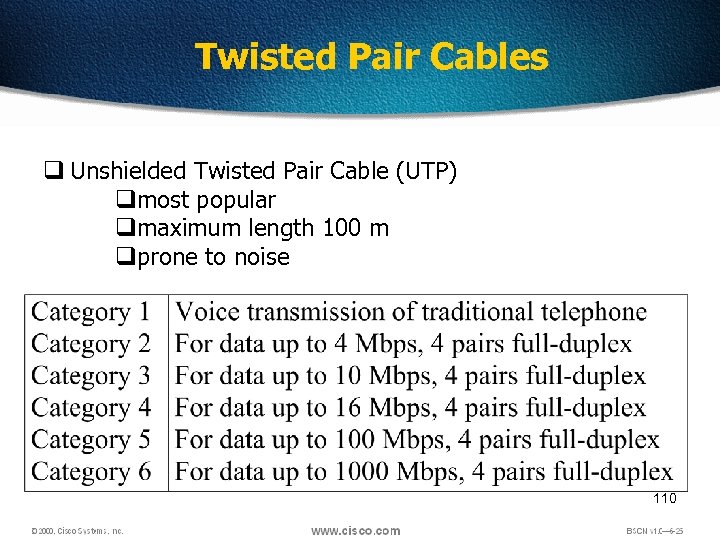 Twisted Pair Cables q Unshielded Twisted Pair Cable (UTP) qmost popular qmaximum length 100 m qprone to noise 110
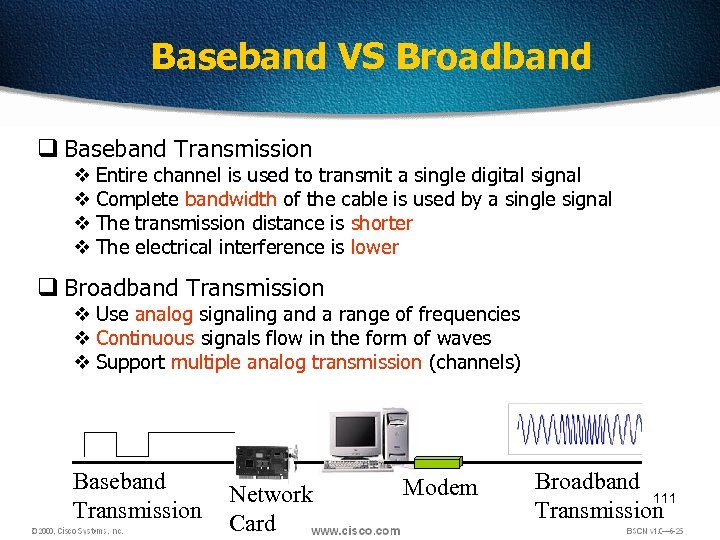 Baseband VS Broadband q Baseband Transmission v Entire channel is used to transmit a single digital signal v Complete bandwidth of the cable is used by a single signal v The transmission distance is shorter v The electrical interference is lower q Broadband Transmission v Use analog signaling and a range of frequencies v Continuous signals flow in the form of waves v Support multiple analog transmission (channels) Baseband Transmission Network Card Modem Broadband 111 Transmission
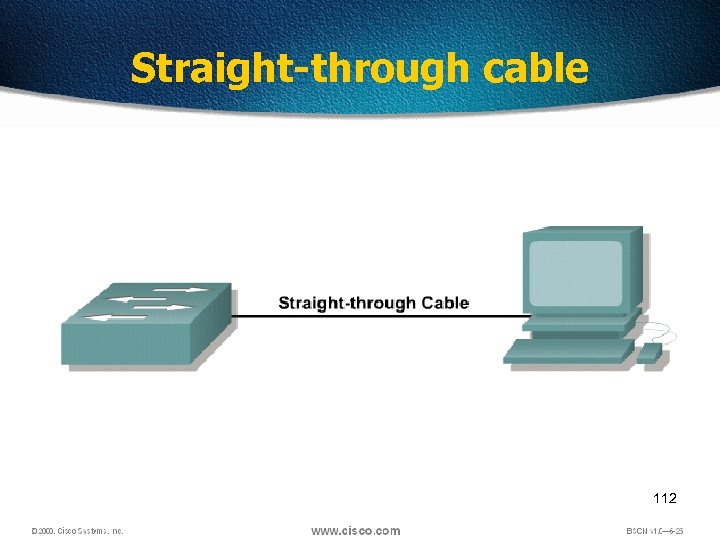 Straight-through cable 112
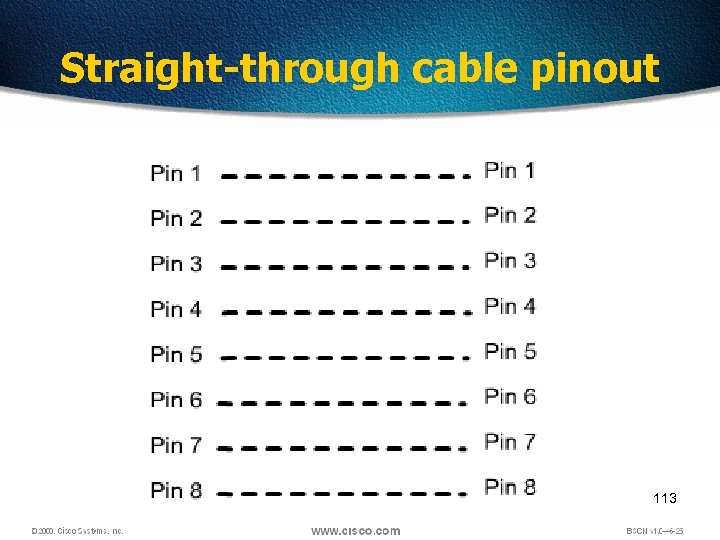 Straight-through cable pinout 113
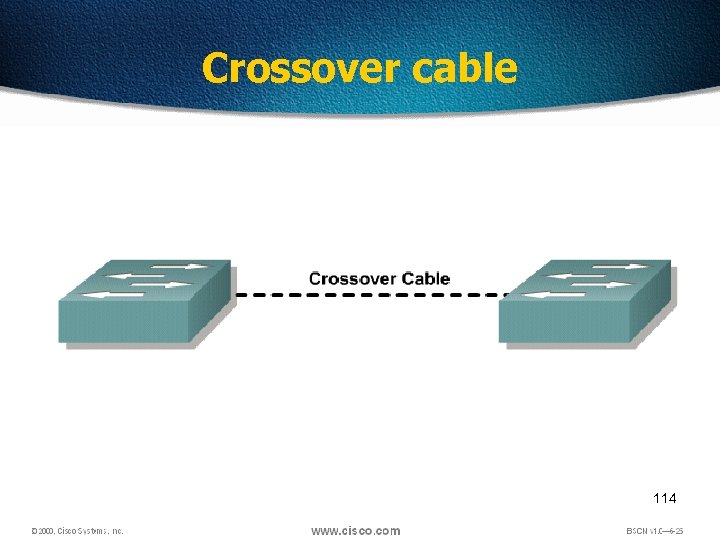 Crossover cable 114
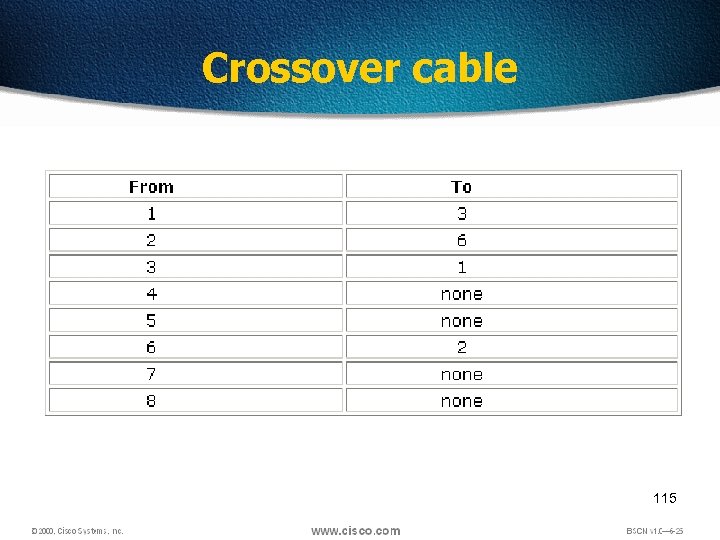 Crossover cable 115
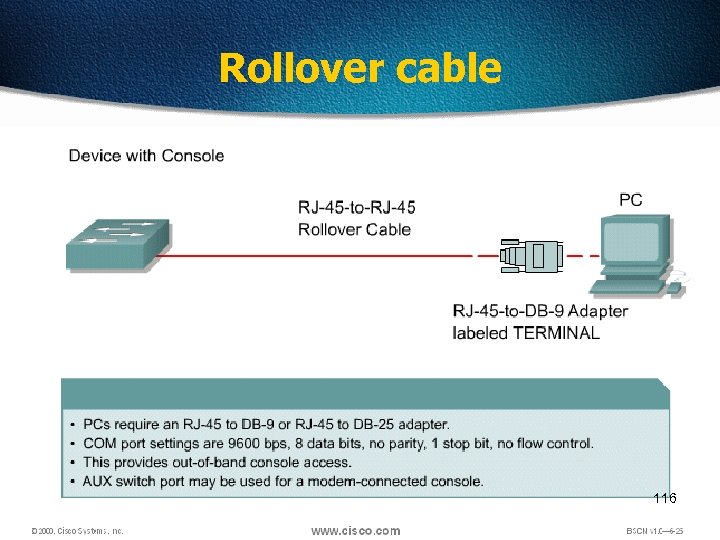 Rollover cable 116
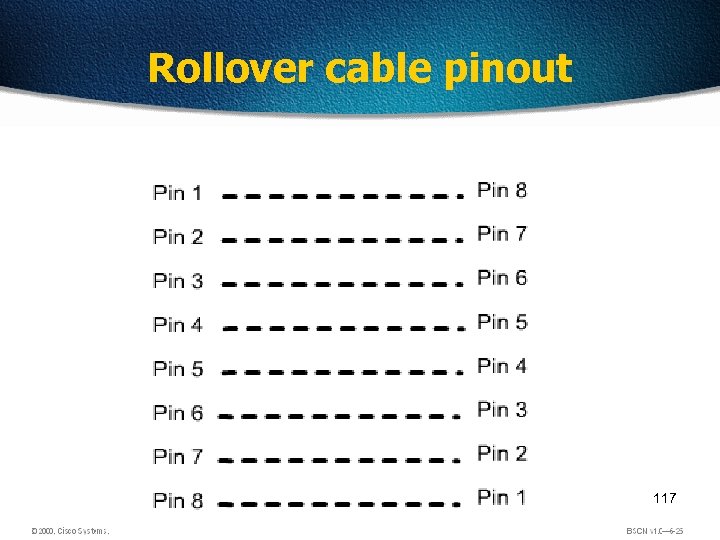 Rollover cable pinout 117
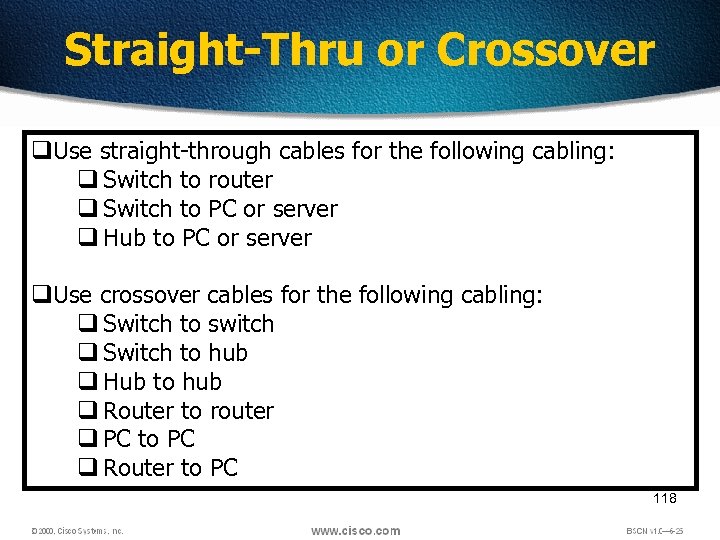 Straight-Thru or Crossover q. Use straight-through cables for the following cabling: q Switch to router q Switch to PC or server q Hub to PC or server q. Use crossover cables for the following cabling: q Switch to switch q Switch to hub q Hub to hub q Router to router q PC to PC q Router to PC 118
 119
119
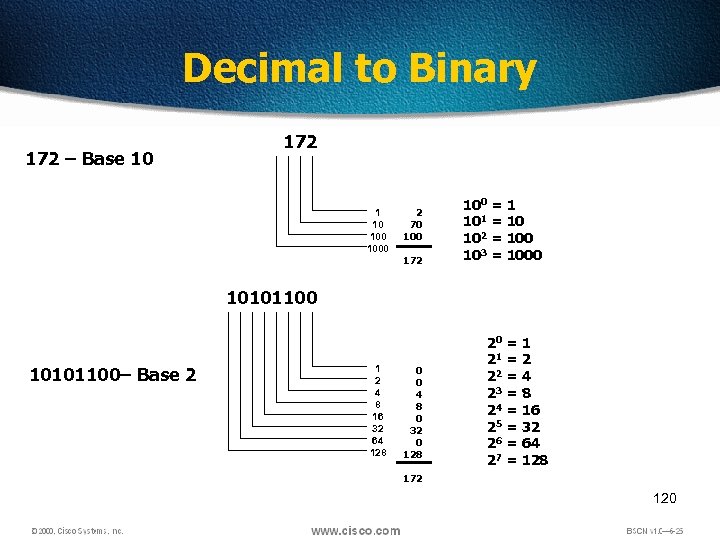 Decimal to Binary 172 – Base 10 172 1 10 1000 2 70 100 172 100 = 1 101 = 10 102 = 100 103 = 1000 10101100– Base 2 1 2 4 8 16 32 64 128 0 0 4 8 0 32 0 128 20 = 1 21 = 2 22 = 4 23 = 8 24 = 16 25 = 32 26 = 64 27 = 128 172 120
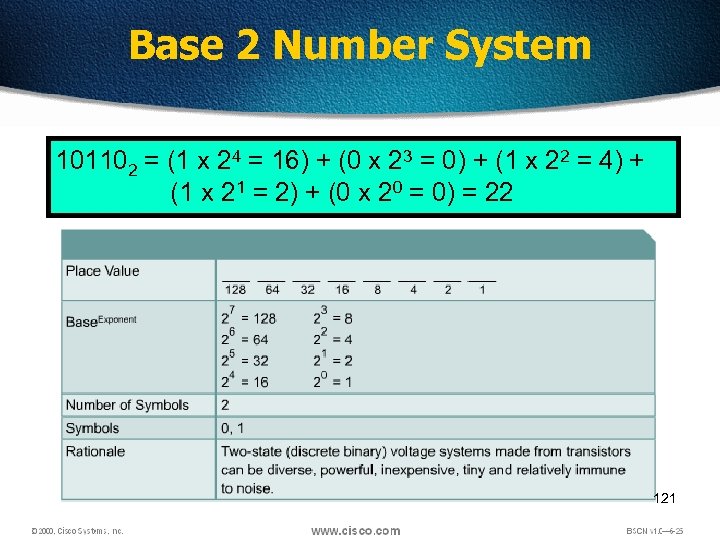 Base 2 Number System 101102 = (1 x 24 = 16) + (0 x 23 = 0) + (1 x 22 = 4) + (1 x 21 = 2) + (0 x 20 = 0) = 22 121
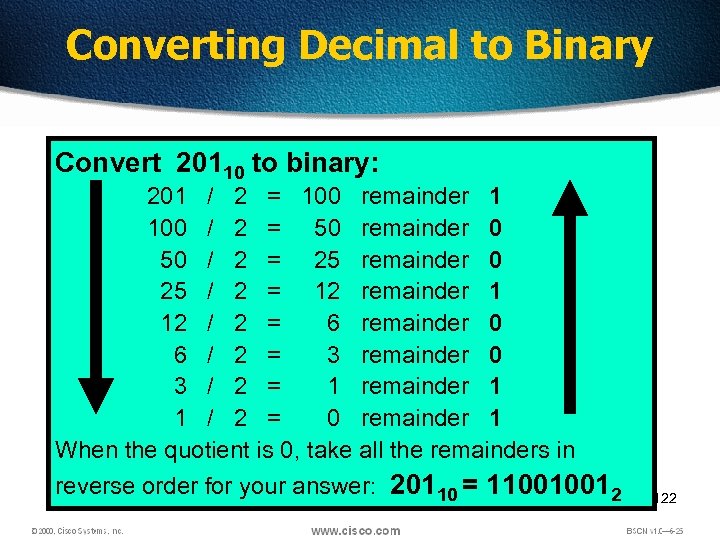 Converting Decimal to Binary Convert 20110 to binary: 201 / 2 = 100 remainder 1 100 / 2 = 50 remainder 0 50 / 2 = 25 remainder 0 25 / 2 = 12 remainder 1 12 / 2 = 6 remainder 0 6 / 2 = 3 remainder 0 3 / 2 = 1 remainder 1 1 / 2 = 0 remainder 1 When the quotient is 0, take all the remainders in reverse order for your answer: 20110 = 110010012 122
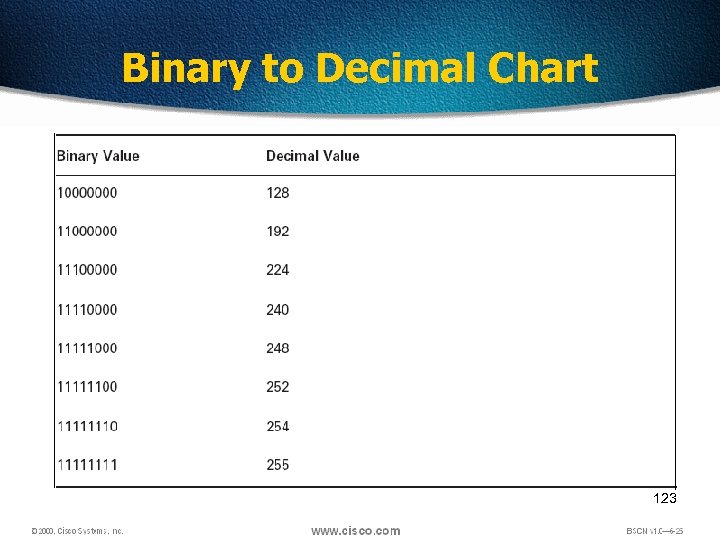 Binary to Decimal Chart 123
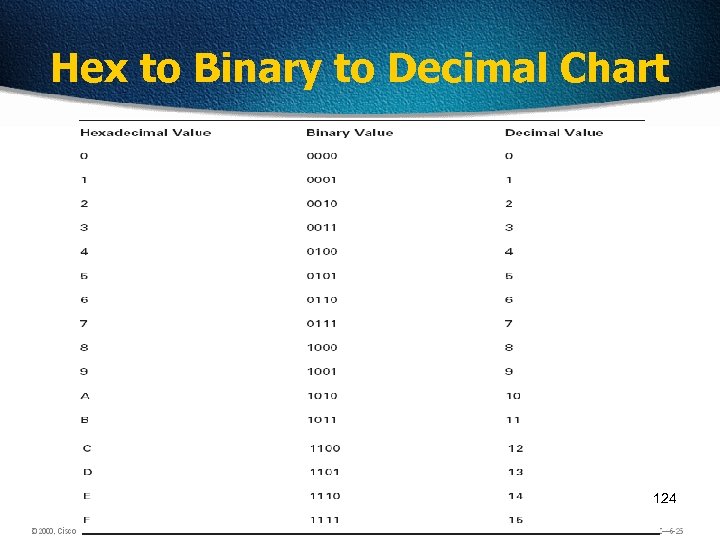 Hex to Binary to Decimal Chart 124
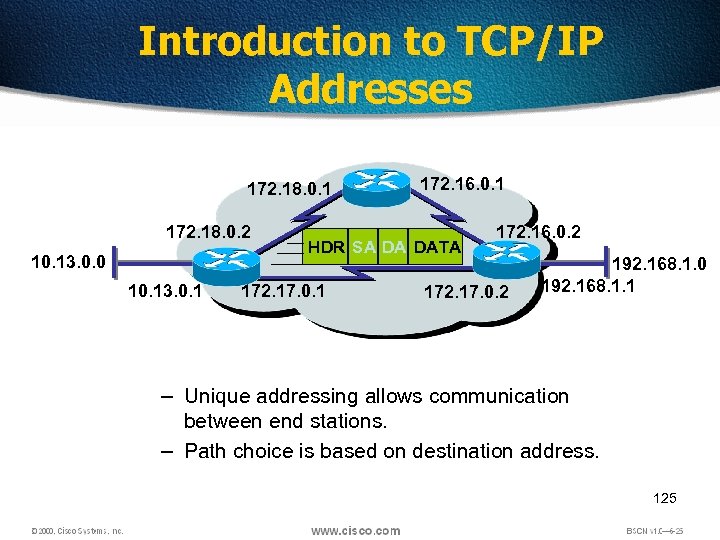 Introduction to TCP/IP Addresses 172. 18. 0. 1 172. 18. 0. 2 10. 13. 0. 0 10. 13. 0. 1 172. 16. 0. 1 HDR SA DA DATA 172. 17. 0. 1 172. 16. 0. 2 172. 17. 0. 2 192. 168. 1. 0 192. 168. 1. 1 – Unique addressing allows communication between end stations. – Path choice is based on destination address. • Location is represented by an address 125
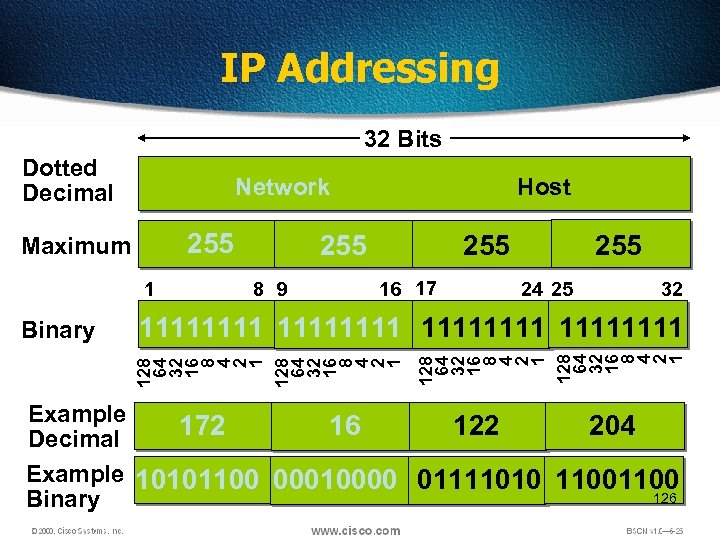 IP Addressing 32 Bits Dotted Decimal Network 255 Maximum 1 255 8 9 255 16 17 255 24 25 32 128 64 32 16 8 4 2 1 11111111 128 64 32 16 8 4 2 1 Binary Host Example 172 16 122 204 Decimal Example 10101100 00010000 01111010 1100 126 Binary
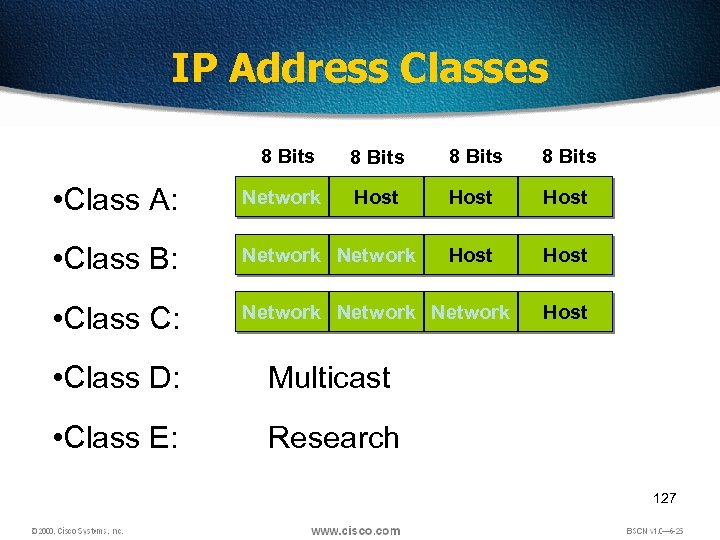 IP Address Classes 8 Bits Host Host • Class A: Network • Class B: Network • Class C: Network • Class D: Multicast • Class E: Host Research 127
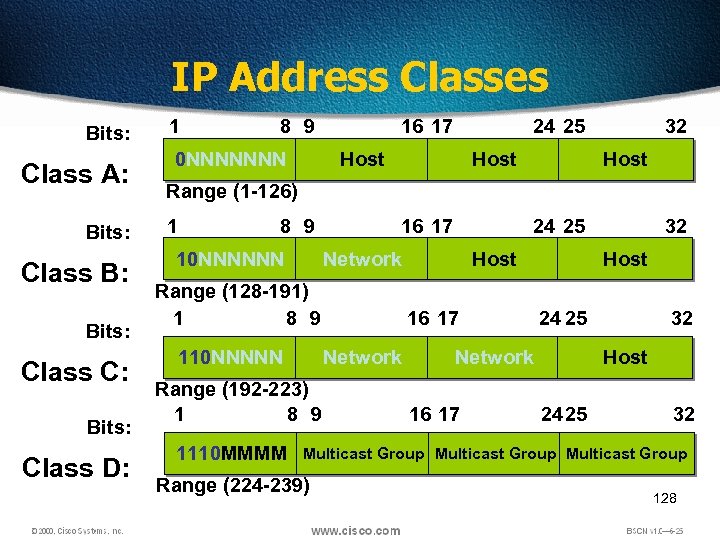 IP Address Classes Bits: Class A: Bits: Class B: Bits: Class C: Bits: Class D: 1 8 9 0 NNNNNNN 16 17 24 25 Host 32 Host Range (1 -126) 1 8 9 10 NNNNNN 16 17 Network Range (128 -191) 1 8 9 110 NNNNN Host 16 17 Network Range (192 -223) 1 8 9 1110 MMMM 24 25 Host 24 25 Network 16 17 32 32 Host 24 25 32 Multicast Group Range (224 -239) 128
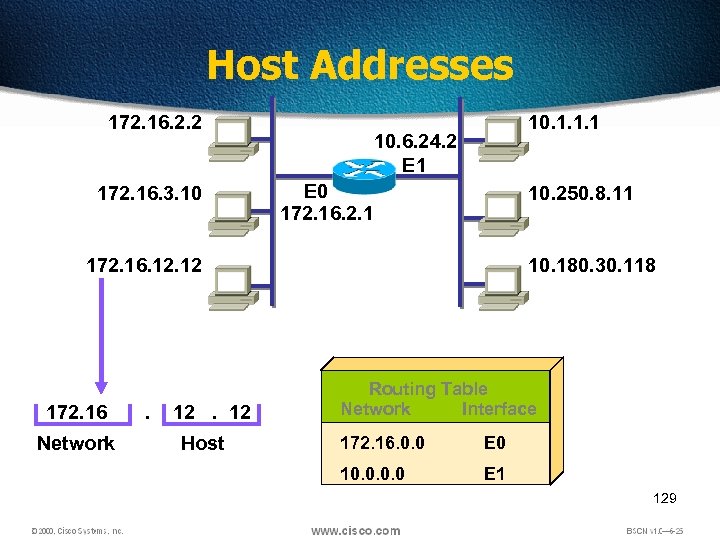 Host Addresses 172. 16. 2. 2 172. 16. 3. 10 10. 1. 1. 1 10. 6. 24. 2 E 1 E 0 172. 16. 2. 1 10. 250. 8. 11 172. 16. 12 172. 16 Network . 12. 12 Host 10. 180. 30. 118 Routing Table Network Interface 172. 16. 0. 0 E 0 10. 0 E 1 129
 Classless Inter-Domain Routing (CIDR) • Basically the method that ISPs (Internet Service Providers) use to allocate an amount of addresses to a company, a home • Ex : 192. 168. 10. 32/28 • The slash notation (/) means how many bits are turned on (1 s) 130
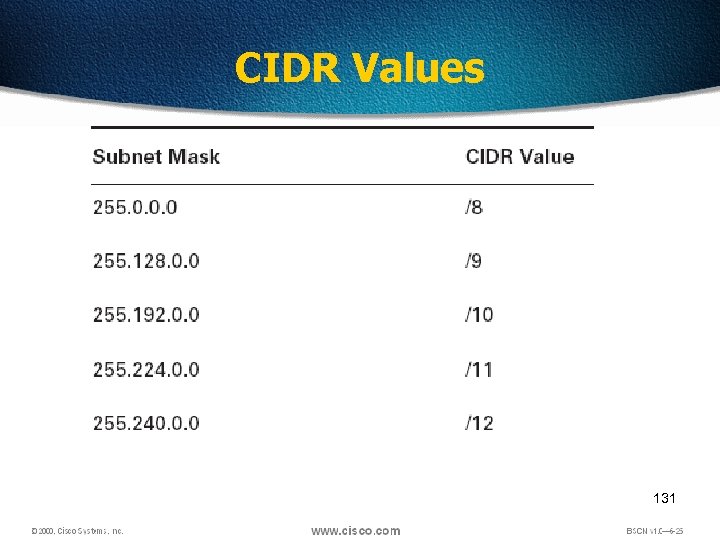 CIDR Values 131
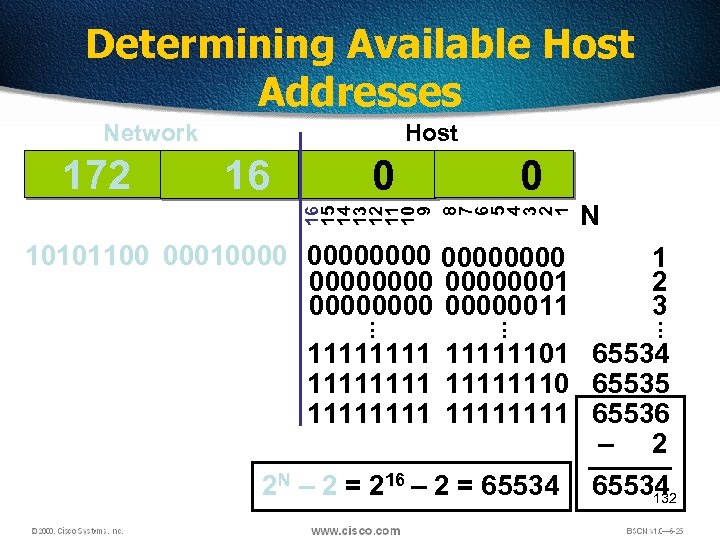 Determining Available Host Addresses 16 0 0 16 15 14 13 12 11 10 9 8 7 6 5 4 3 2 1 172 Host . . . 10101100 0001000000000001 00000011 N 1 2 3 . . . Network 11111101 65534 11111110 65535 11111111 65536 – 2 2 N – 2 = 216 – 2 = 65534 132
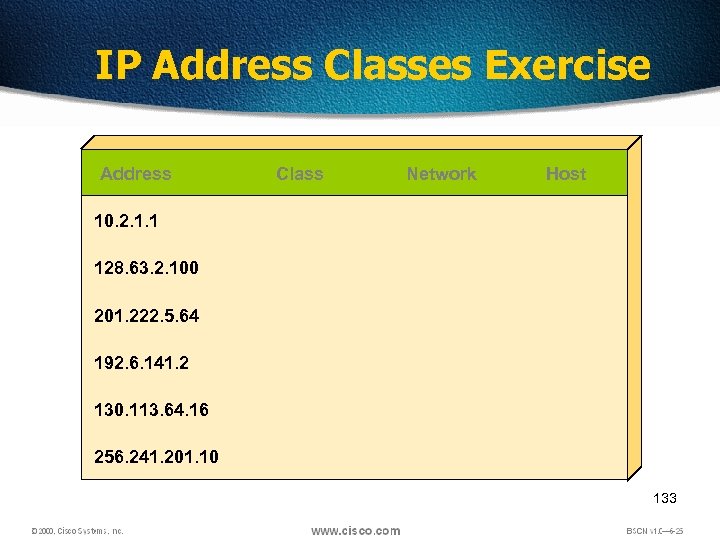 IP Address Classes Exercise Address Class Network Host 10. 2. 1. 1 128. 63. 2. 100 201. 222. 5. 64 192. 6. 141. 2 130. 113. 64. 16 256. 241. 201. 10 133
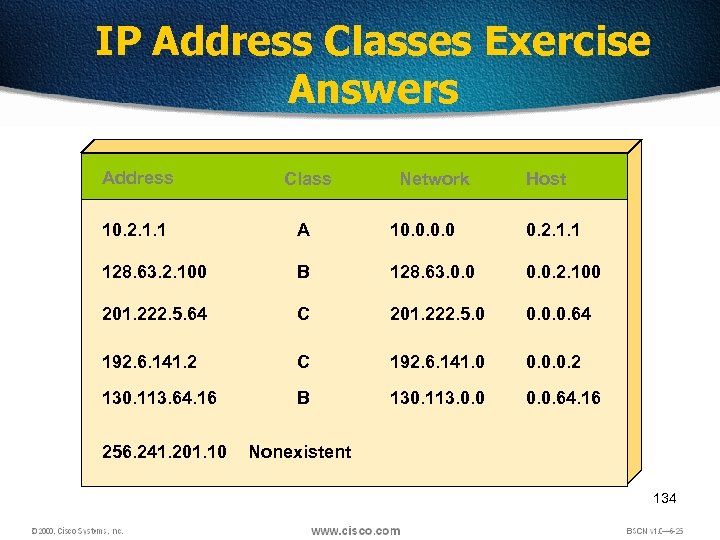 IP Address Classes Exercise Answers Address Class 10. 2. 1. 1 A 10. 0 0. 2. 1. 1 128. 63. 2. 100 B 128. 63. 0. 0. 2. 100 201. 222. 5. 64 C 201. 222. 5. 0 0. 0. 0. 64 192. 6. 141. 2 C 192. 6. 141. 0 0. 0. 0. 2 130. 113. 64. 16 B 130. 113. 0. 0. 64. 16 256. 241. 201. 10 Nonexistent Network Host 134
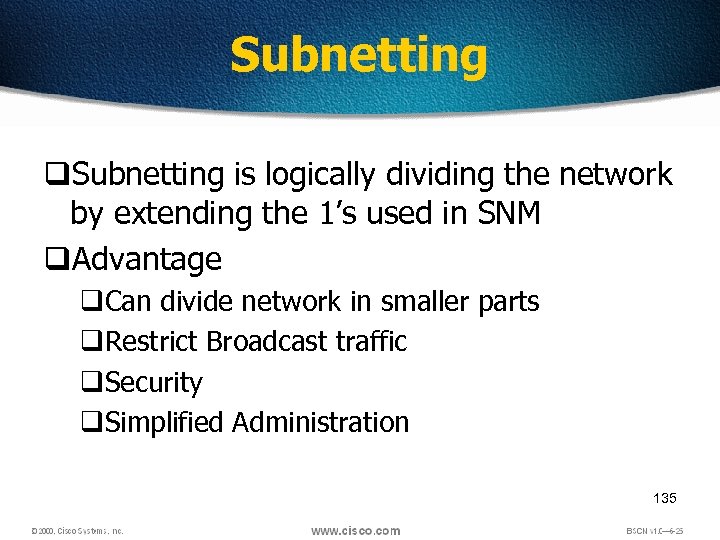 Subnetting q. Subnetting is logically dividing the network by extending the 1’s used in SNM q. Advantage q. Can divide network in smaller parts q. Restrict Broadcast traffic q. Security q. Simplified Administration 135
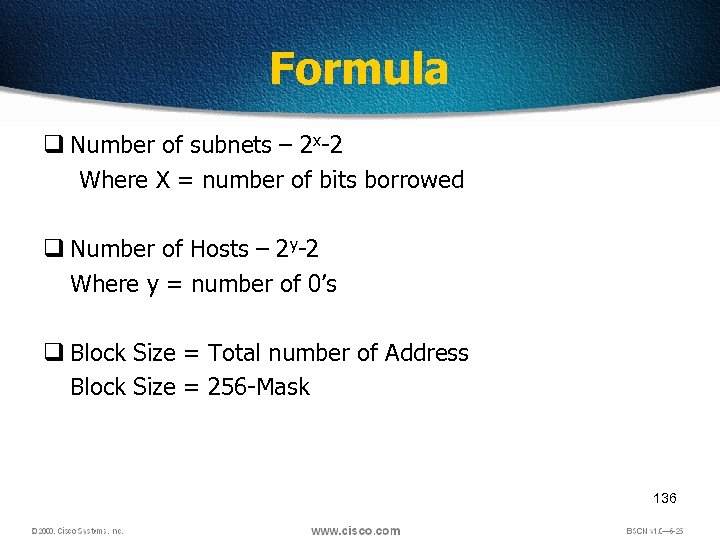 Formula q Number of subnets – 2 x-2 Where X = number of bits borrowed q Number of Hosts – 2 y-2 Where y = number of 0’s q Block Size = Total number of Address Block Size = 256 -Mask 136
 Subnetting q Classful IP Addressing SNM are a set of 255’s and 0’s. q In Binary it’s contiguous 1’s and 0’s. q SNM cannot be any value as it won’t follow the rule of contiguous 1’s and 0’s. q Possible subnet mask values – – – – – 0 128 192 224 240 248 252 254 255 137
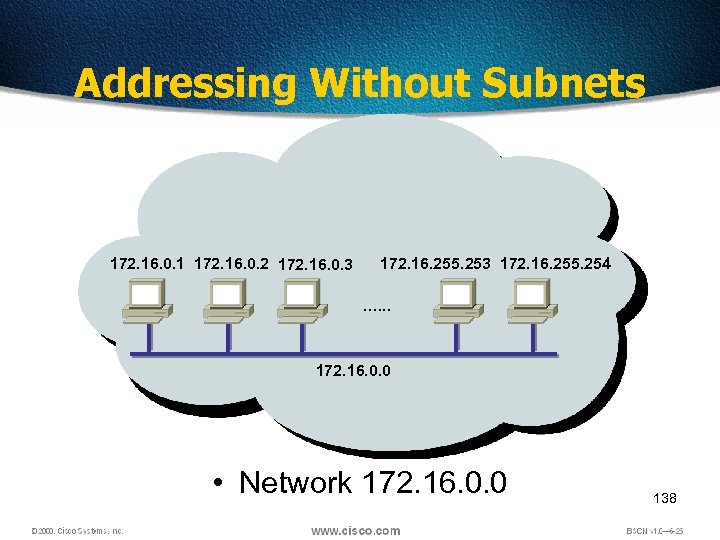 Addressing Without Subnets 172. 16. 0. 1 172. 16. 0. 2 172. 16. 0. 3 172. 16. 255. 254 …. . . 172. 16. 0. 0 • Network 172. 16. 0. 0 138
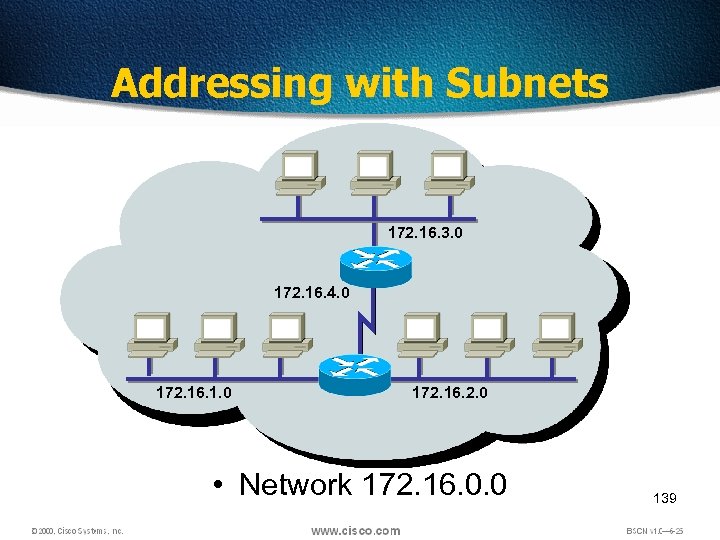 Addressing with Subnets 172. 16. 3. 0 172. 16. 4. 0 172. 16. 1. 0 172. 16. 2. 0 • Network 172. 16. 0. 0 139
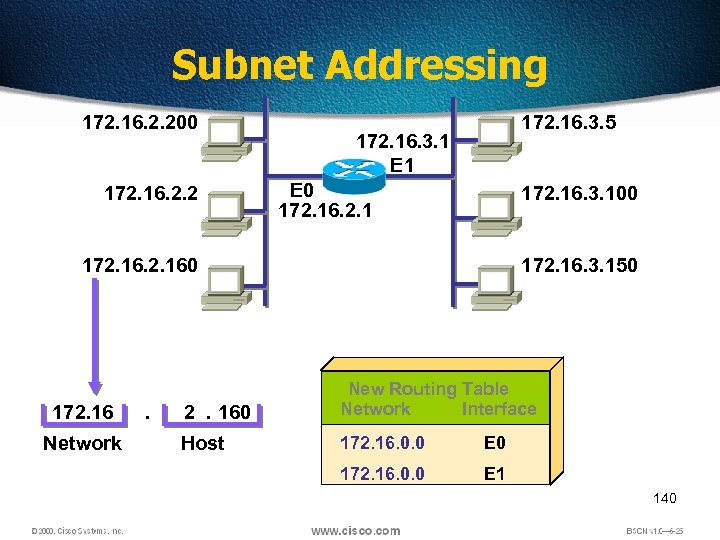 Subnet Addressing 172. 16. 2. 200 172. 16. 2. 2 172. 16. 3. 5 172. 16. 3. 1 E 0 172. 16. 2. 1 172. 16. 3. 100 172. 160 172. 16 Network . 172. 16. 3. 150 2. 160 New Routing Table Network Interface Host 172. 16. 0. 0 E 0 172. 16. 0. 0 E 1 140
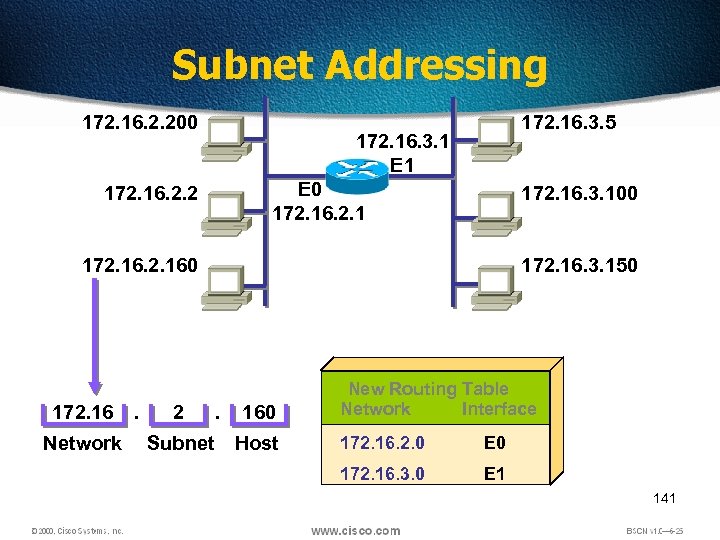 Subnet Addressing 172. 16. 2. 200 172. 16. 3. 5 172. 16. 3. 1 E 0 172. 16. 2. 1 172. 16. 2. 2 172. 16. 3. 100 172. 160 172. 16 Network . 2 Subnet 172. 16. 3. 150 . 160 Host New Routing Table Network Interface 172. 16. 2. 0 E 0 172. 16. 3. 0 E 1 141
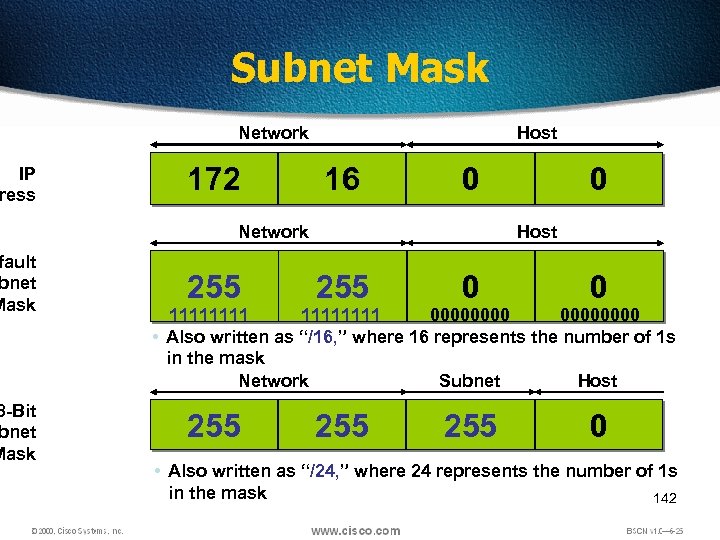 IP ress fault bnet Mask 8 -Bit bnet Mask Subnet Mask Network 172 Host 16 0 Network 0 Host 255 0 0 255 255 0 11111111 00000000 • Also written as “/16, ” where 16 represents the number of 1 s in the mask Network Subnet Host • Also written as “/24, ” where 24 represents the number of 1 s in the mask 142
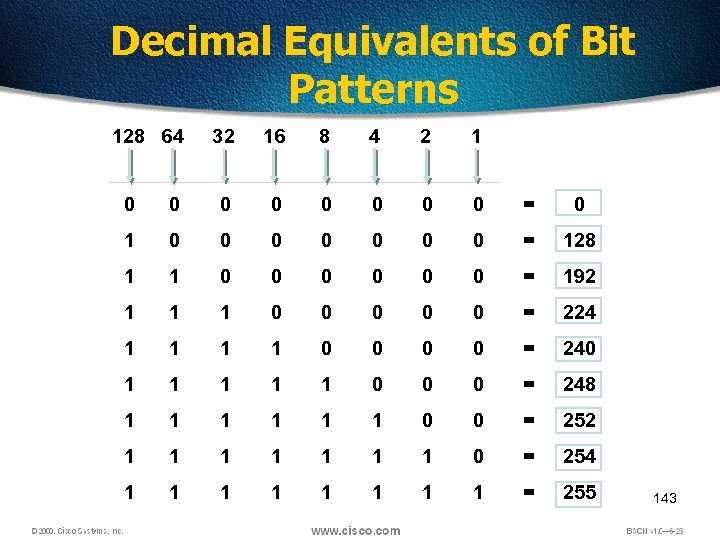 Decimal Equivalents of Bit Patterns 128 64 32 16 8 4 2 1 0 0 0 0 = 0 1 0 0 0 0 = 128 1 1 0 0 0 = 192 1 1 1 0 0 0 = 224 1 1 0 0 = 240 1 1 1 0 0 0 = 248 1 1 1 0 0 = 252 1 1 1 1 0 = 254 1 1 1 1 = 255 143
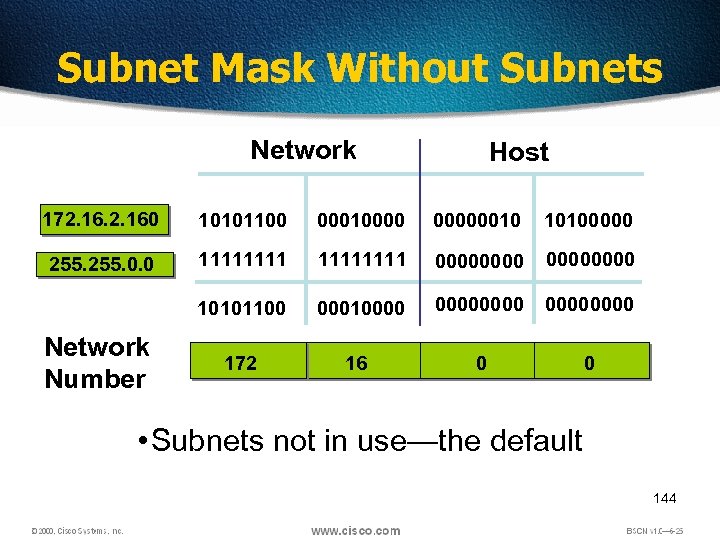 Subnet Mask Without Subnets Network Host 172. 160 10101100 000100000010 10100000 255. 0. 0 11111111 00000000 10101100 000100000000 172 16 0 0 Network Number • Subnets not in use—the default 144
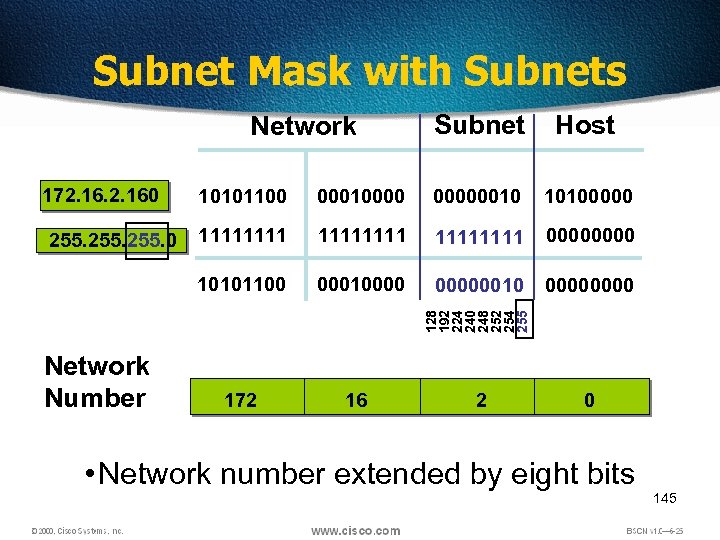 Subnet Mask with Subnets Network 172. 160 Subnet Host 00000010 10100000 11111111 0000 000100000010 0000 172 16 128 192 224 240 248 252 254 255 00010000 10101100 255. 0 10101100 Network Number 2 0 • Network number extended by eight bits 145
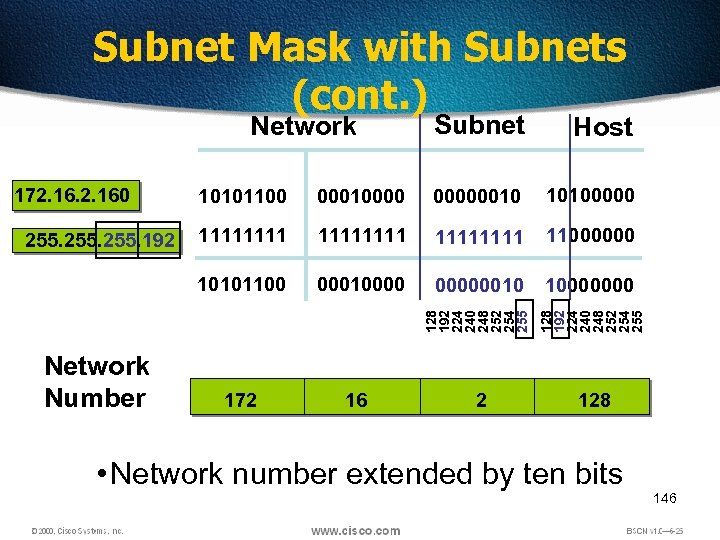 Subnet Mask with Subnets (cont. ) Host 255. 192 Network Number 10101100 000100000010 10100000 11111111 11000000 10101100 172. 160 000100000010 10000000 128 192 224 240 248 252 254 255 Subnet 128 192 224 240 248 252 254 255 Network 172 16 2 128 • Network number extended by ten bits 146
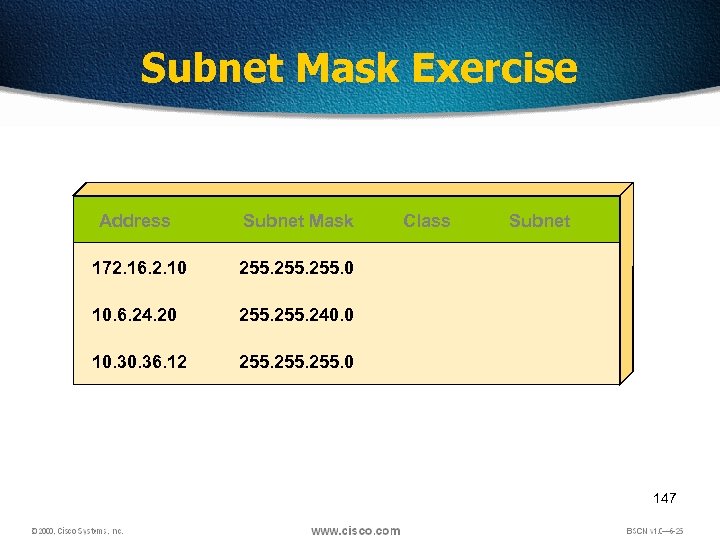 Subnet Mask Exercise Address Subnet Mask 172. 16. 2. 10 255. 0 10. 6. 24. 20 255. 240. 0 10. 36. 12 Class Subnet 255. 0 147
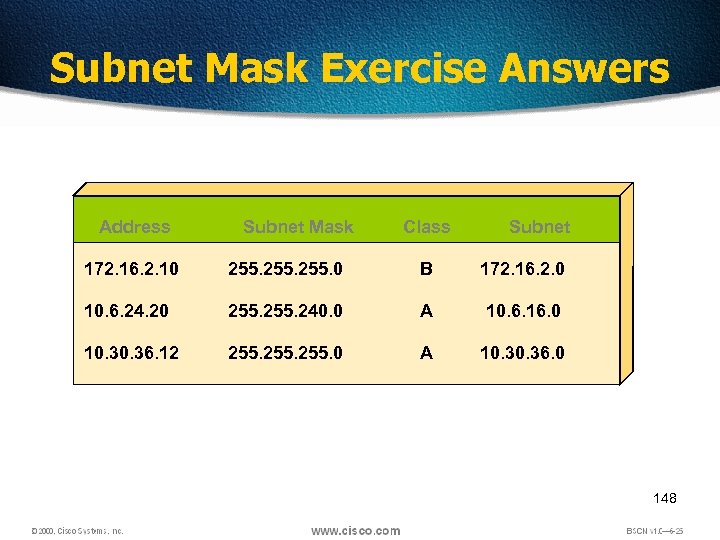 Subnet Mask Exercise Answers Address Subnet Mask Class Subnet 172. 16. 2. 10 255. 0 B 172. 16. 2. 0 10. 6. 24. 20 255. 240. 0 A 10. 6. 16. 0 10. 36. 12 255. 0 A 10. 36. 0 148
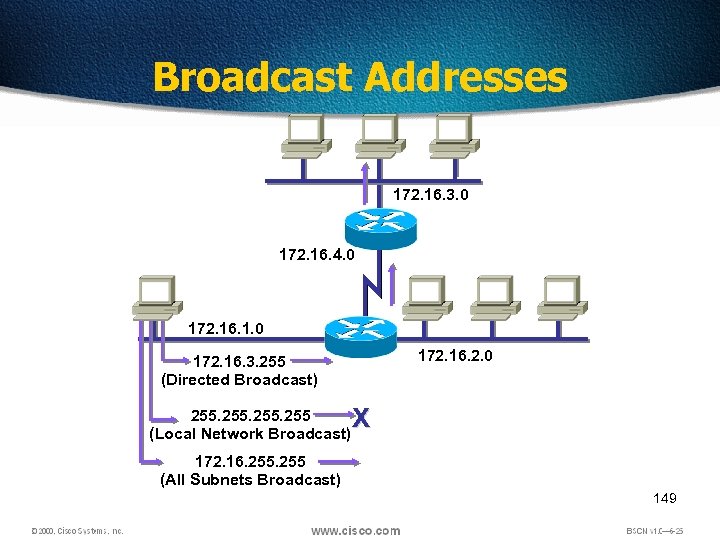 Broadcast Addresses 172. 16. 3. 0 172. 16. 4. 0 172. 16. 1. 0 172. 16. 2. 0 172. 16. 3. 255 (Directed Broadcast) 255 (Local Network Broadcast) X 172. 16. 255 (All Subnets Broadcast) 149
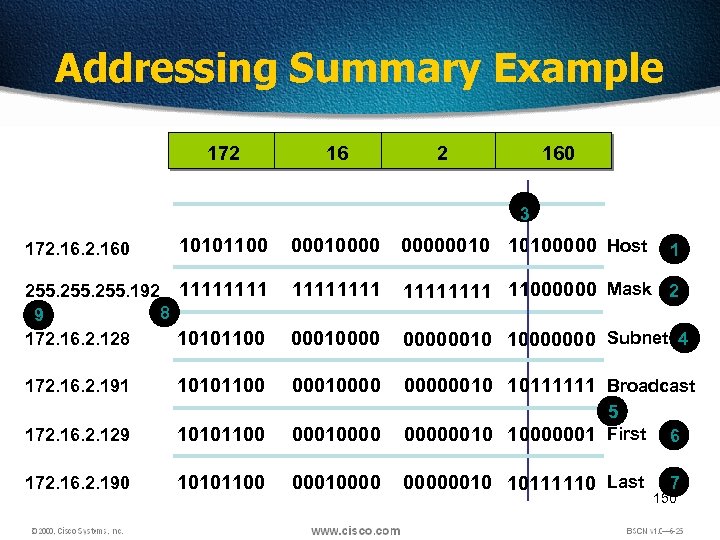 Addressing Summary Example 172 160 3 10101100 000100000010 10100000 Host 255. 192 1111 8 9 172. 16. 2. 128 10101100 11111111 11000000 Mask 2 000100000010 10000000 Subnet 4 10101100 000100000010 10111111 Broadcast 172. 160 172. 16. 2. 191 172. 16. 2. 129 10101100 00010000 5 00000010 10000001 First 172. 16. 2. 190 10101100 000100000010 10111110 Last 1 6 7 150
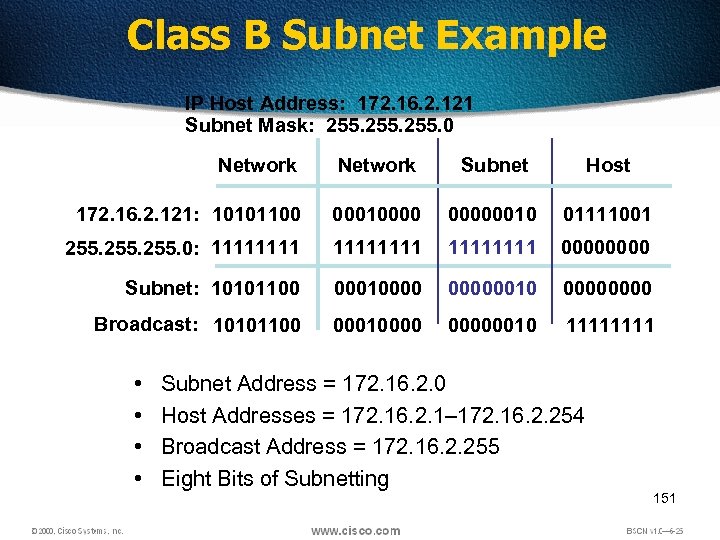 Class B Subnet Example IP Host Address: 172. 16. 2. 121 Subnet Mask: 255. 0 Network Subnet Host 172. 16. 2. 121: 10101100 000100000010 01111001 255. 0: 11111111 0000 Subnet: 10101100 000100000010 0000 Broadcast: 10101100 000100000010 1111 • • Subnet Address = 172. 16. 2. 0 Host Addresses = 172. 16. 2. 1– 172. 16. 2. 254 Broadcast Address = 172. 16. 2. 255 Eight Bits of Subnetting 151
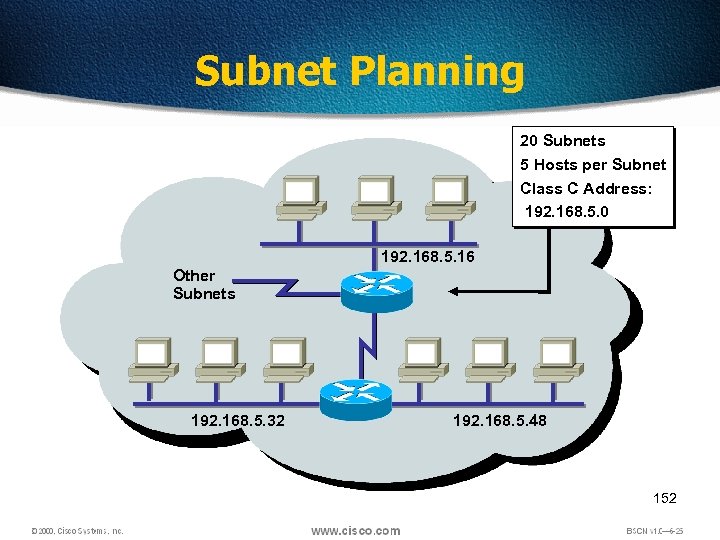 Subnet Planning 20 Subnets 5 Hosts per Subnet Class C Address: 192. 168. 5. 0 192. 168. 5. 16 Other Subnets 192. 168. 5. 32 192. 168. 5. 48 152
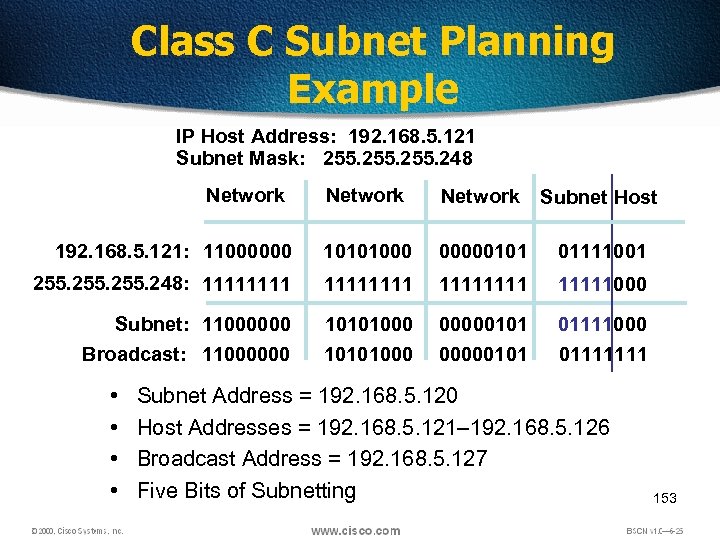 Class C Subnet Planning Example IP Host Address: 192. 168. 5. 121 Subnet Mask: 255. 248 Network Subnet Host 192. 168. 5. 121: 11000000 10101000 00000101 01111001 255. 248: 11111111 11111000 Subnet: 11000000 Broadcast: 11000000 10101000 00000101 01111111 • • Subnet Address = 192. 168. 5. 120 Host Addresses = 192. 168. 5. 121– 192. 168. 5. 126 Broadcast Address = 192. 168. 5. 127 Five Bits of Subnetting 153
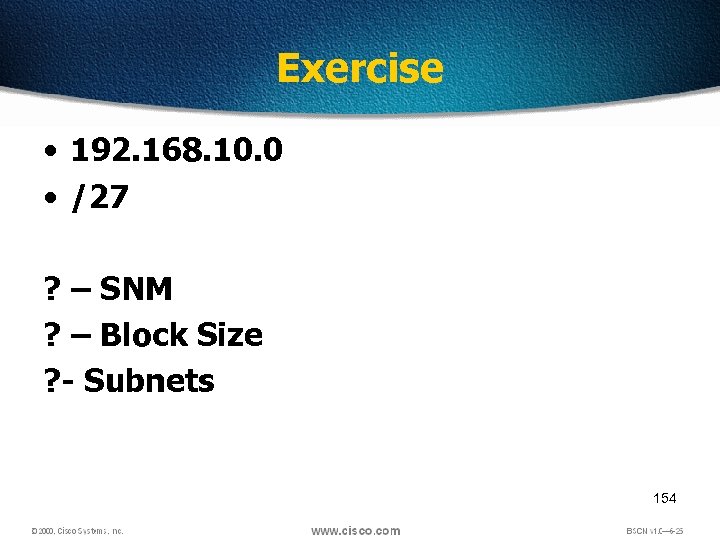 Exercise • 192. 168. 10. 0 • /27 ? – SNM ? – Block Size ? - Subnets 154
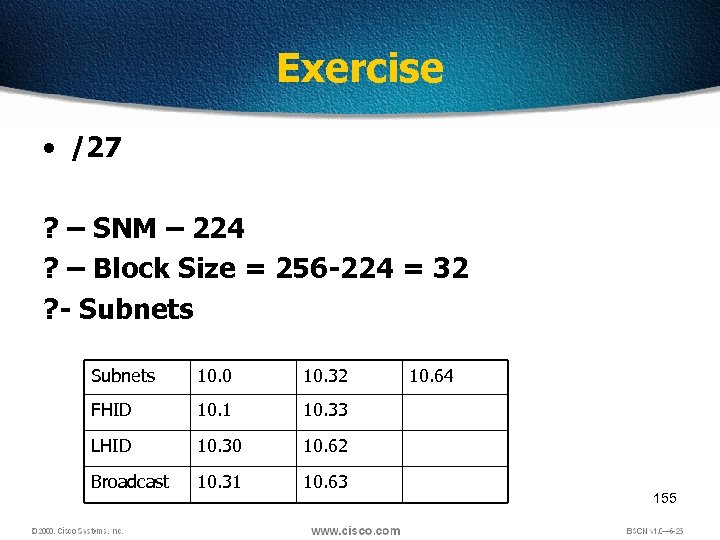 Exercise • /27 ? – SNM – 224 ? – Block Size = 256 -224 = 32 ? - Subnets 10. 0 10. 32 FHID 10. 1 10. 33 LHID 10. 30 10. 62 Broadcast 10. 31 10. 63 10. 64 155
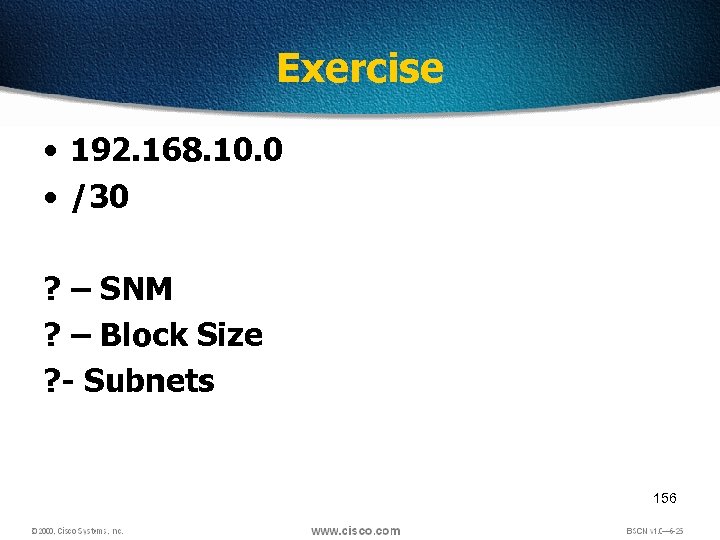 Exercise • 192. 168. 10. 0 • /30 ? – SNM ? – Block Size ? - Subnets 156
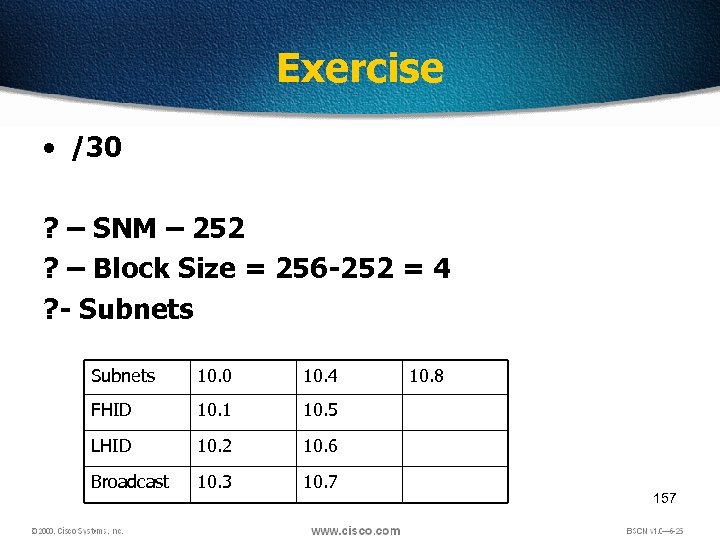 Exercise • /30 ? – SNM – 252 ? – Block Size = 256 -252 = 4 ? - Subnets 10. 0 10. 4 FHID 10. 1 10. 5 LHID 10. 2 10. 6 Broadcast 10. 3 10. 7 10. 8 157
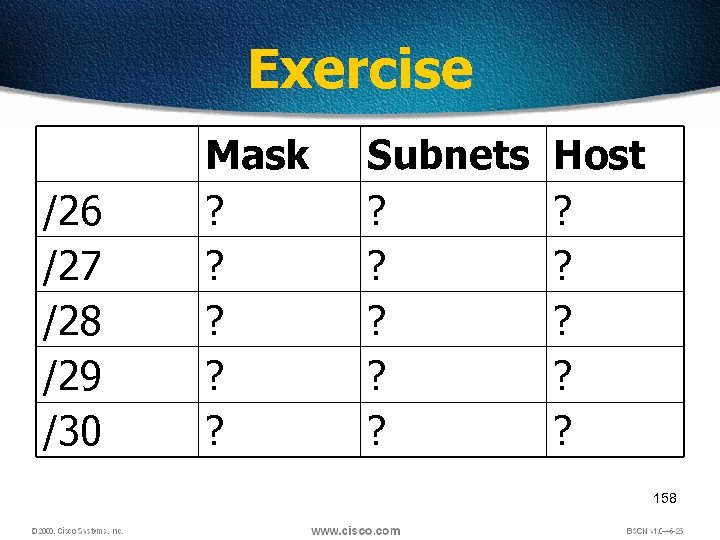 Exercise /26 /27 /28 /29 /30 Mask ? ? ? Subnets ? ? ? Host ? ? ? 158
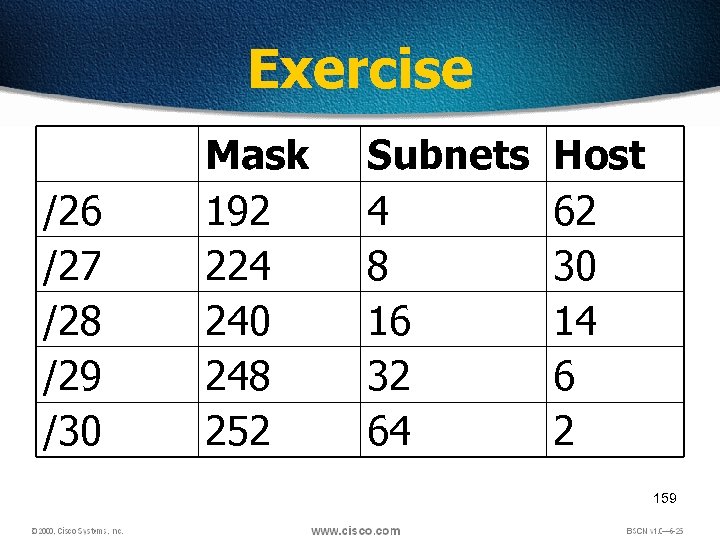 Exercise /26 /27 /28 /29 /30 Mask 192 224 240 248 252 Subnets 4 8 16 32 64 Host 62 30 14 6 2 159
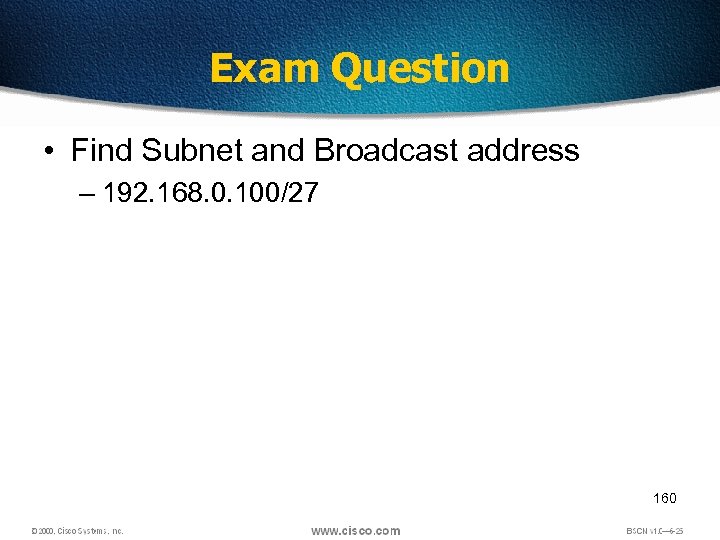 Exam Question • Find Subnet and Broadcast address – 192. 168. 0. 100/27 160
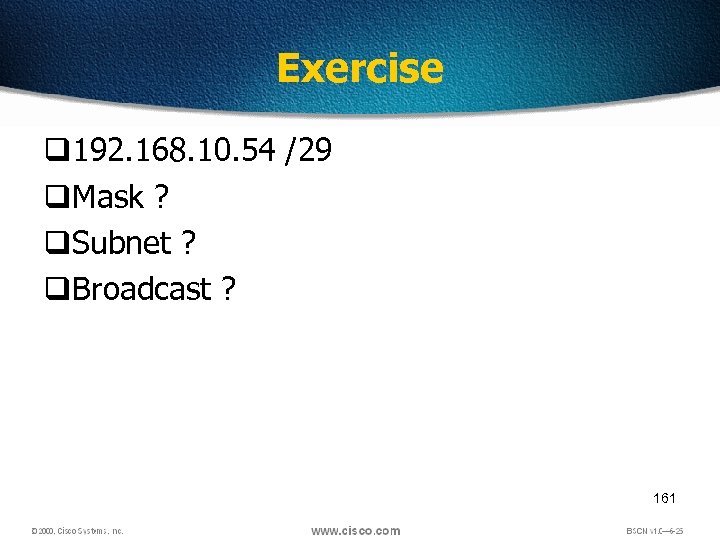 Exercise q 192. 168. 10. 54 /29 q. Mask ? q. Subnet ? q. Broadcast ? 161
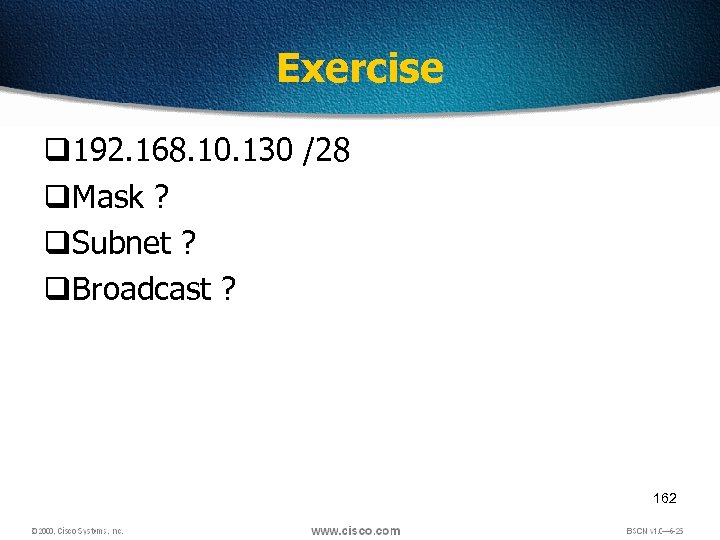 Exercise q 192. 168. 10. 130 /28 q. Mask ? q. Subnet ? q. Broadcast ? 162
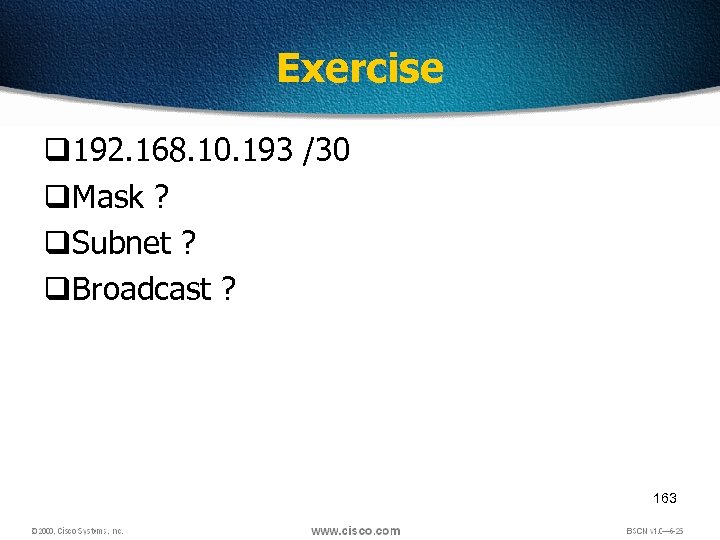 Exercise q 192. 168. 10. 193 /30 q. Mask ? q. Subnet ? q. Broadcast ? 163
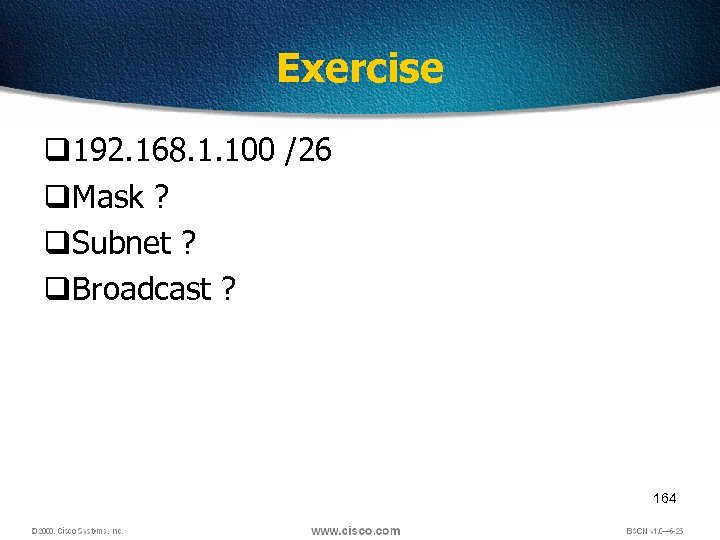 Exercise q 192. 168. 1. 100 /26 q. Mask ? q. Subnet ? q. Broadcast ? 164
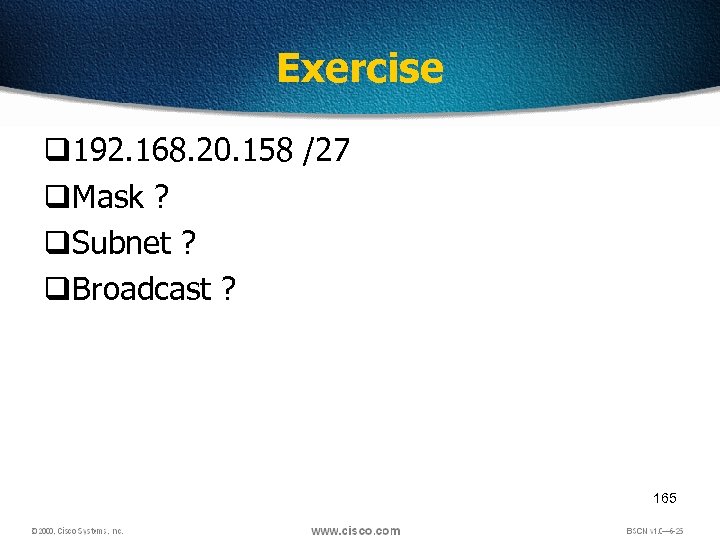 Exercise q 192. 168. 20. 158 /27 q. Mask ? q. Subnet ? q. Broadcast ? 165
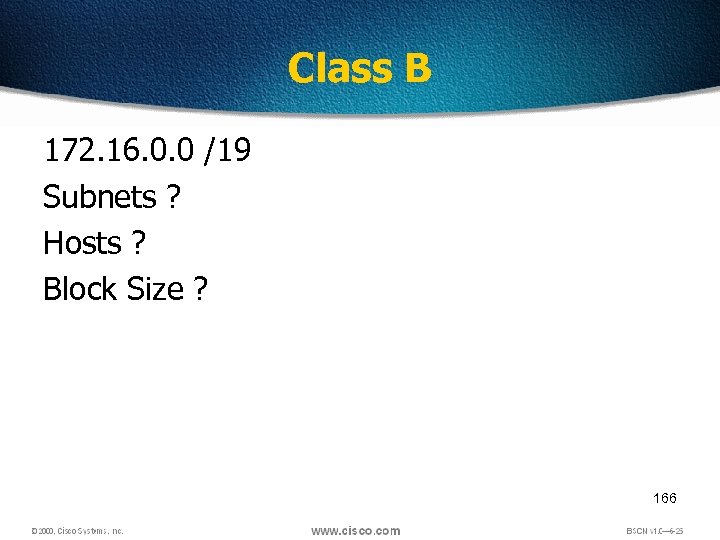 Class B 172. 16. 0. 0 /19 Subnets ? Hosts ? Block Size ? 166
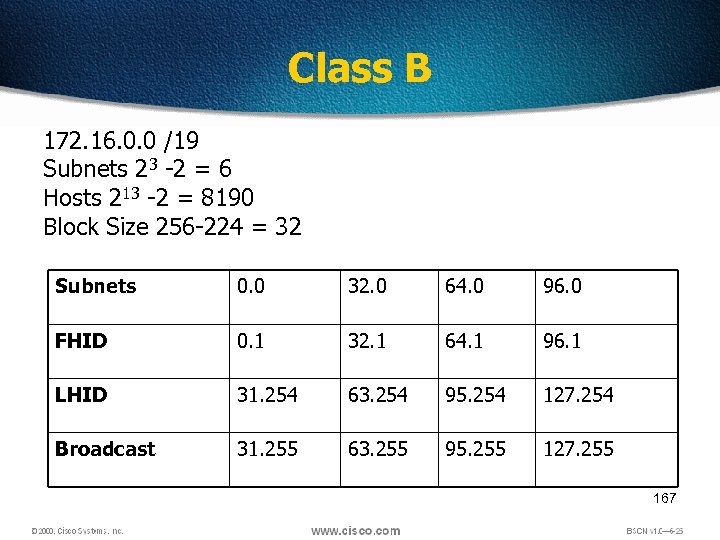 Class B 172. 16. 0. 0 /19 Subnets 23 -2 = 6 Hosts 213 -2 = 8190 Block Size 256 -224 = 32 Subnets 0. 0 32. 0 64. 0 96. 0 FHID 0. 1 32. 1 64. 1 96. 1 LHID 31. 254 63. 254 95. 254 127. 254 Broadcast 31. 255 63. 255 95. 255 127. 255 167
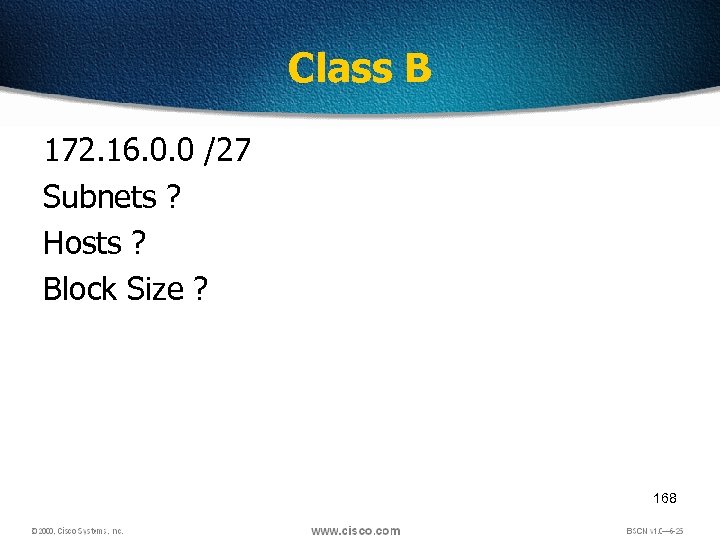 Class B 172. 16. 0. 0 /27 Subnets ? Hosts ? Block Size ? 168
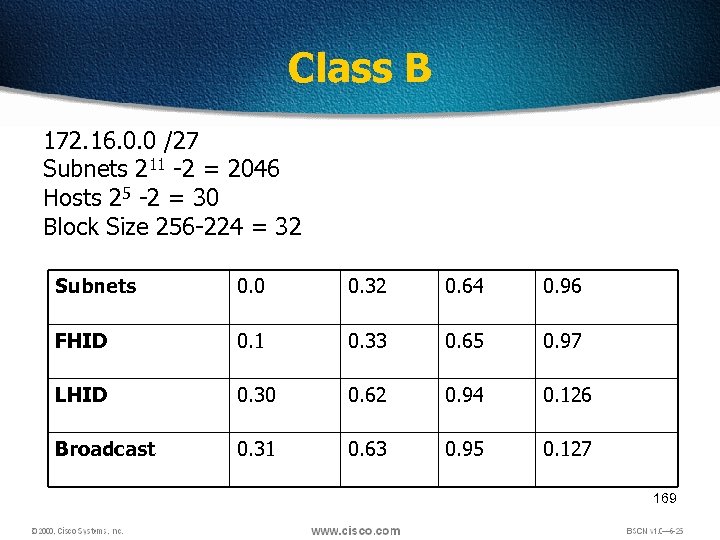 Class B 172. 16. 0. 0 /27 Subnets 211 -2 = 2046 Hosts 25 -2 = 30 Block Size 256 -224 = 32 Subnets 0. 0 0. 32 0. 64 0. 96 FHID 0. 1 0. 33 0. 65 0. 97 LHID 0. 30 0. 62 0. 94 0. 126 Broadcast 0. 31 0. 63 0. 95 0. 127 169
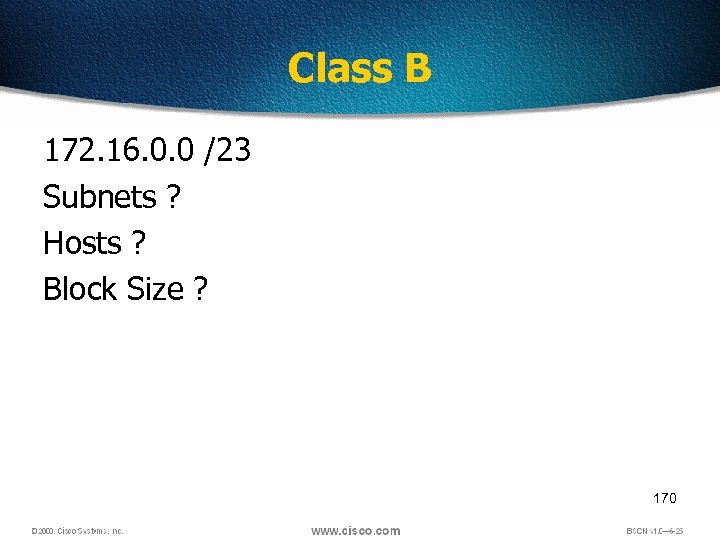 Class B 172. 16. 0. 0 /23 Subnets ? Hosts ? Block Size ? 170
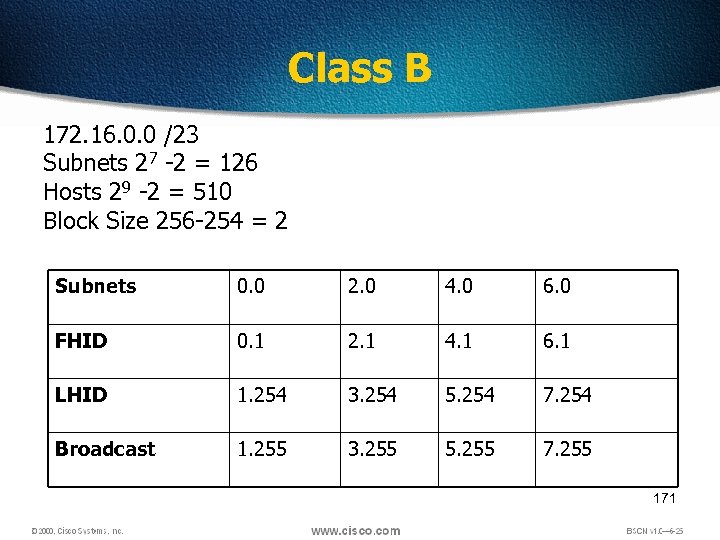 Class B 172. 16. 0. 0 /23 Subnets 27 -2 = 126 Hosts 29 -2 = 510 Block Size 256 -254 = 2 Subnets 0. 0 2. 0 4. 0 6. 0 FHID 0. 1 2. 1 4. 1 6. 1 LHID 1. 254 3. 254 5. 254 7. 254 Broadcast 1. 255 3. 255 5. 255 7. 255 171
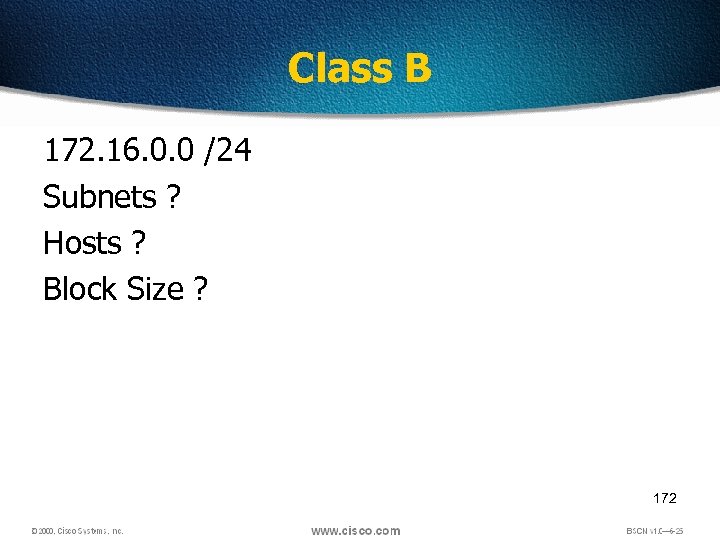 Class B 172. 16. 0. 0 /24 Subnets ? Hosts ? Block Size ? 172
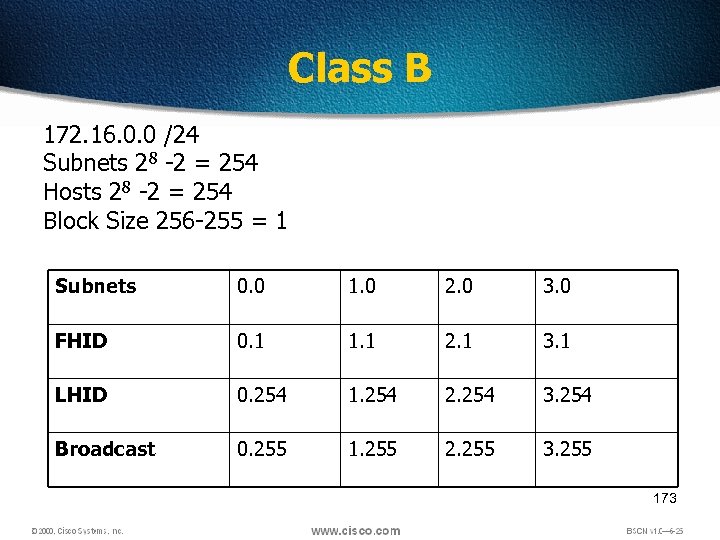 Class B 172. 16. 0. 0 /24 Subnets 28 -2 = 254 Hosts 28 -2 = 254 Block Size 256 -255 = 1 Subnets 0. 0 1. 0 2. 0 3. 0 FHID 0. 1 1. 1 2. 1 3. 1 LHID 0. 254 1. 254 2. 254 3. 254 Broadcast 0. 255 1. 255 2. 255 3. 255 173
 Class B 172. 16. 0. 0 /25 Subnets ? Hosts ? Block Size ? 174
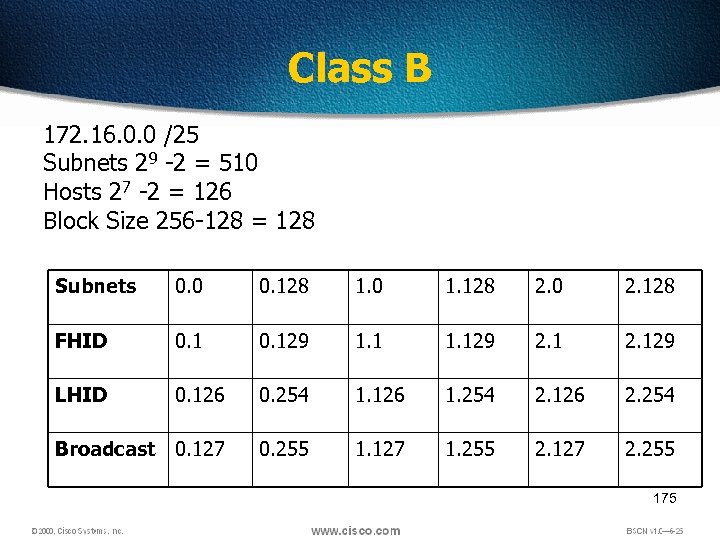 Class B 172. 16. 0. 0 /25 Subnets 29 -2 = 510 Hosts 27 -2 = 126 Block Size 256 -128 = 128 Subnets 0. 0 0. 128 1. 0 1. 128 2. 0 2. 128 FHID 0. 129 1. 129 2. 129 LHID 0. 126 0. 254 1. 126 1. 254 2. 126 2. 254 Broadcast 0. 127 0. 255 1. 127 1. 255 2. 127 2. 255 175
 Find out Subnet and Broadcast Address • 172. 16. 85. 30/29 177
 Find out Subnet and Broadcast Address • 172. 30. 101. 62/23 178
 Find out Subnet and Broadcast Address • 172. 20. 210. 80/24 179
 Exercise • Find out the mask which gives 100 subnets for class B 180
 Exercise • Find out the Mask which gives 100 hosts for Class B 181
 Class A 10. 0 /10 Subnets ? Hosts ? Block Size ? 182
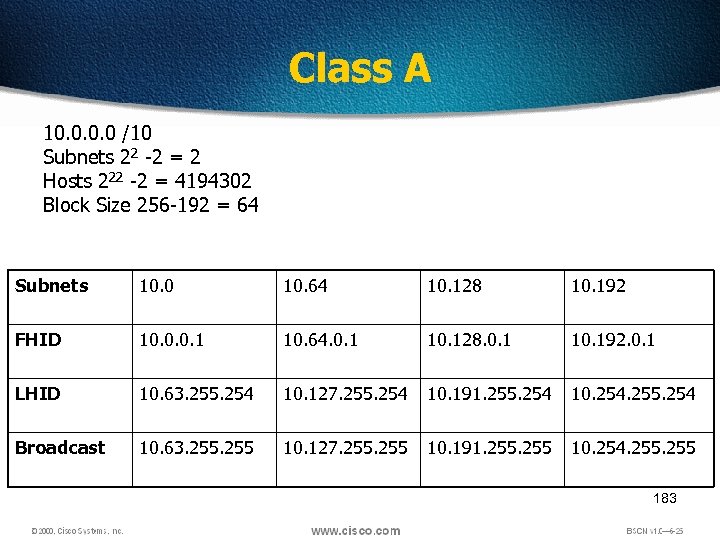 Class A 10. 0 /10 Subnets 22 -2 = 2 Hosts 222 -2 = 4194302 Block Size 256 -192 = 64 Subnets 10. 0 10. 64 10. 128 10. 192 FHID 10. 0. 0. 1 10. 64. 0. 1 10. 128. 0. 1 10. 192. 0. 1 LHID 10. 63. 255. 254 10. 127. 255. 254 10. 191. 255. 254 10. 254. 255. 254 Broadcast 10. 63. 255 10. 127. 255 10. 191. 255 10. 254. 255 183
 Class A 10. 0 /18 Subnets ? Hosts ? Block Size ? 184
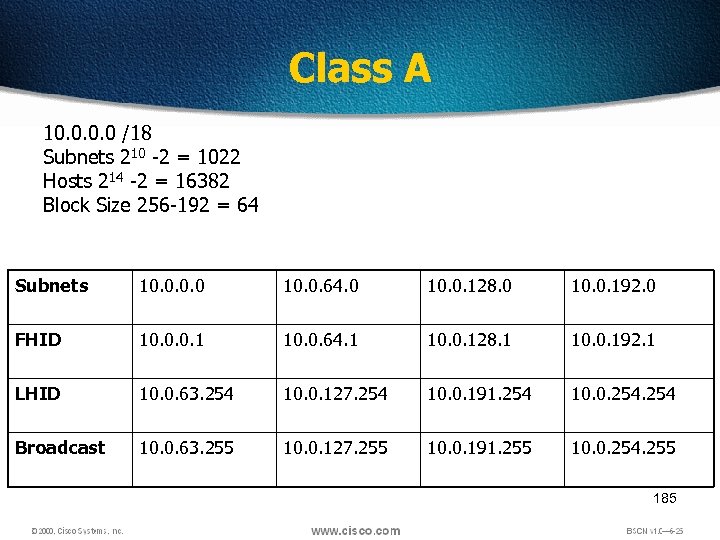 Class A 10. 0 /18 Subnets 210 -2 = 1022 Hosts 214 -2 = 16382 Block Size 256 -192 = 64 Subnets 10. 0. 64. 0 10. 0. 128. 0 10. 0. 192. 0 FHID 10. 0. 0. 1 10. 0. 64. 1 10. 0. 128. 1 10. 0. 192. 1 LHID 10. 0. 63. 254 10. 0. 127. 254 10. 0. 191. 254 10. 0. 254 Broadcast 10. 0. 63. 255 10. 0. 127. 255 10. 0. 191. 255 10. 0. 254. 255 185
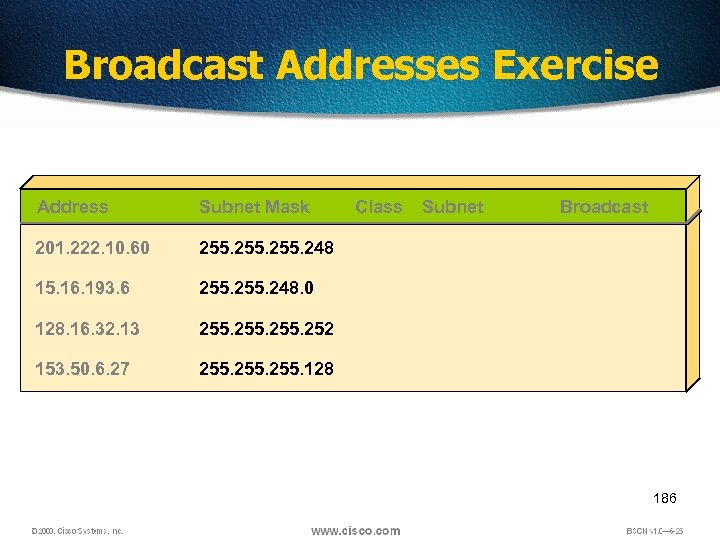 Broadcast Addresses Exercise Address Subnet Mask 201. 222. 10. 60 255. 248 15. 16. 193. 6 255. 248. 0 128. 16. 32. 13 255. 252 153. 50. 6. 27 Class Subnet Broadcast 255. 128 186
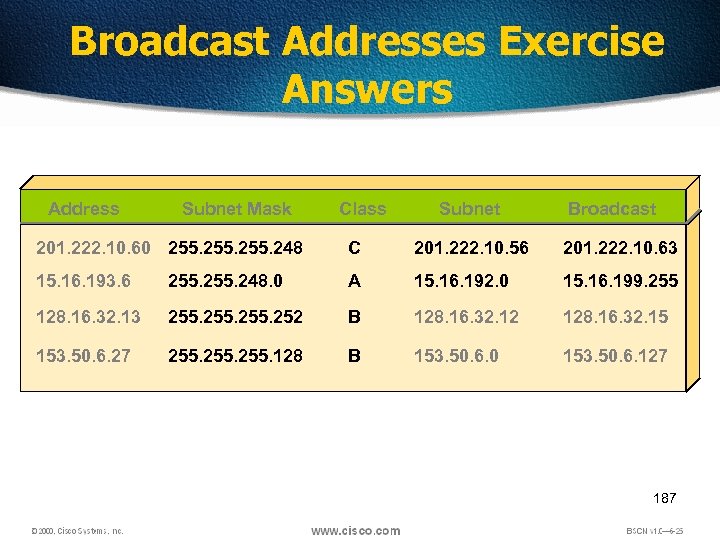 Broadcast Addresses Exercise Answers Address Subnet Mask Class Subnet Broadcast 201. 222. 10. 60 255. 248 C 201. 222. 10. 56 201. 222. 10. 63 15. 16. 193. 6 255. 248. 0 A 15. 16. 192. 0 15. 16. 199. 255 128. 16. 32. 13 255. 252 B 128. 16. 32. 12 128. 16. 32. 15 153. 50. 6. 27 255. 128 B 153. 50. 6. 0 153. 50. 6. 127 187
 VLSM • VLSM is a method of designating a different subnet mask for the same network number on different subnets • Can use a long mask on networks with few hosts and a shorter mask on subnets with many hosts • With VLSMs we can have different subnet masks for different subnets. 188
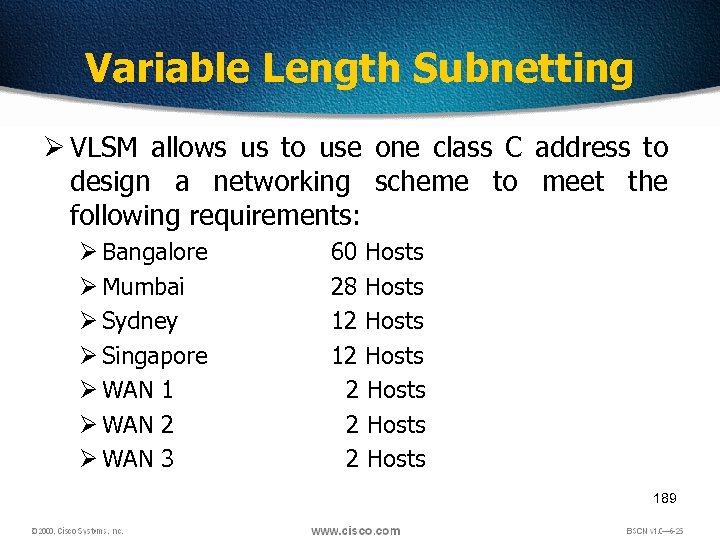 Variable Length Subnetting Ø VLSM allows us to use one class C address to design a networking scheme to meet the following requirements: Ø Bangalore Ø Mumbai Ø Sydney Ø Singapore Ø WAN 1 Ø WAN 2 Ø WAN 3 60 Hosts 28 Hosts 12 Hosts 2 Hosts 189
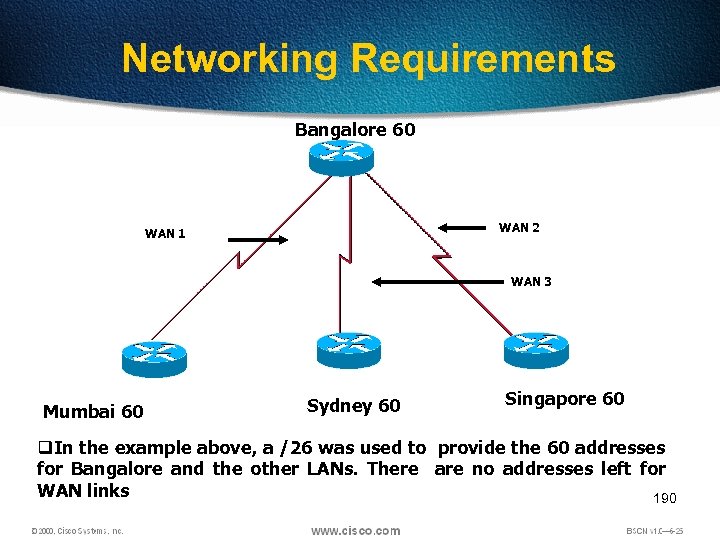 Networking Requirements Bangalore 60 WAN 2 WAN 1 WAN 3 Mumbai 60 Sydney 60 Singapore 60 q. In the example above, a /26 was used to provide the 60 addresses for Bangalore and the other LANs. There are no addresses left for WAN links 190
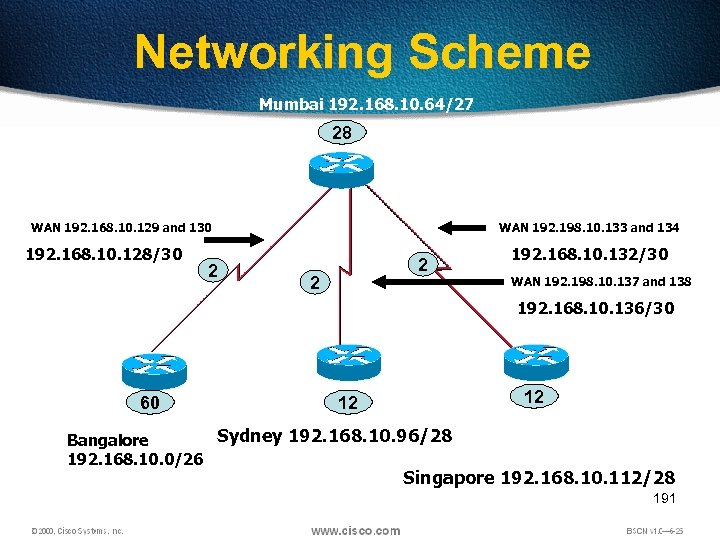 Networking Scheme Mumbai 192. 168. 10. 64/27 28 WAN 192. 168. 10. 129 and 130 192. 168. 10. 128/30 2 WAN 192. 198. 10. 133 and 134 2 2 192. 168. 10. 132/30 WAN 192. 198. 10. 137 and 138 192. 168. 10. 136/30 60 12 12 Sydney 192. 168. 10. 96/28 Bangalore 192. 168. 10. 0/26 Singapore 192. 168. 10. 112/28 191
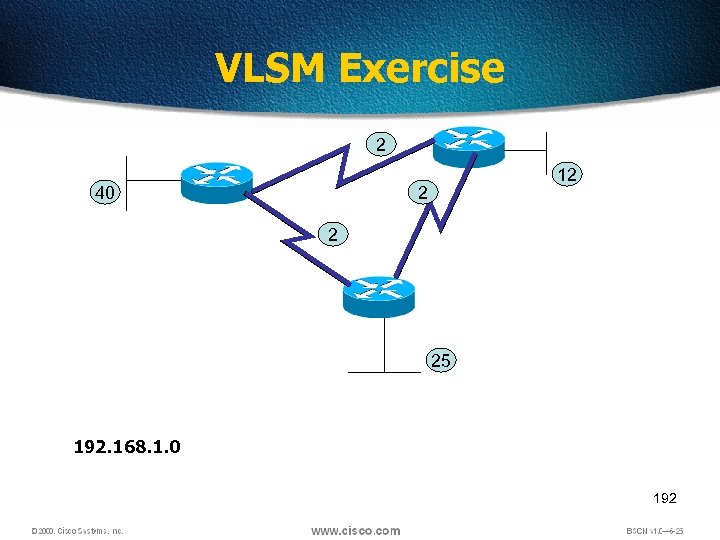 VLSM Exercise 2 40 12 2 2 25 192. 168. 1. 0 192
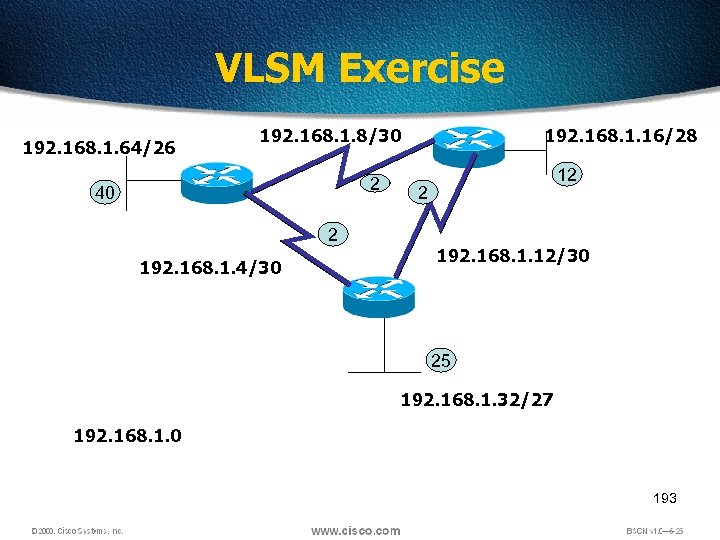 VLSM Exercise 192. 168. 1. 64/26 192. 168. 1. 8/30 2 40 2 192. 168. 1. 4/30 192. 168. 1. 16/28 12 2 192. 168. 1. 12/30 25 192. 168. 1. 32/27 192. 168. 1. 0 193
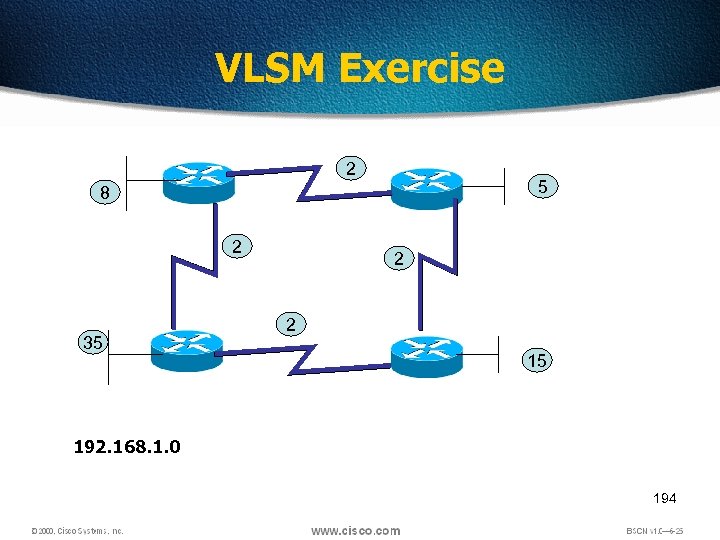 VLSM Exercise 2 5 8 2 35 2 2 15 192. 168. 1. 0 194
 Summarization • Summarization, also called route aggregation, allows routing protocols to advertise many networks as one address. • The purpose of this is to reduce the size of routing tables on routers to save memory • Route summarization (also called route aggregation or supernetting) can reduce the number of routes that a router must maintain • Route summarization is possible only when a proper addressing plan is in place • Route summarization is most effective within a subnetted environment when the network addresses are in contiguous blocks 195
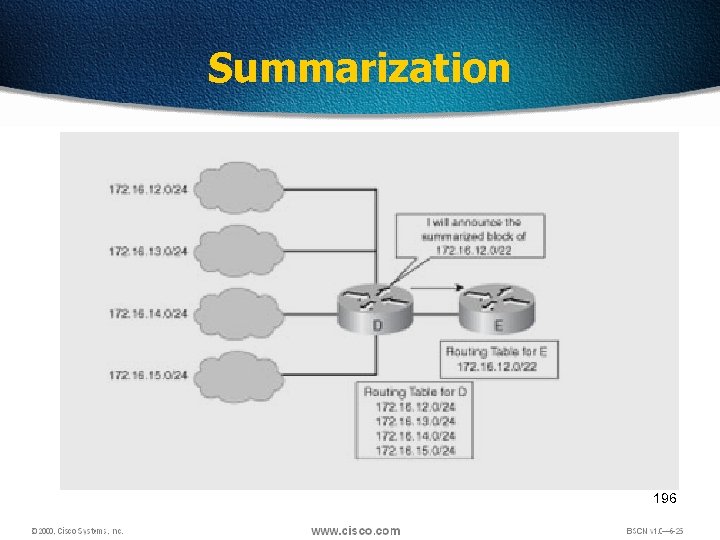 Summarization 196
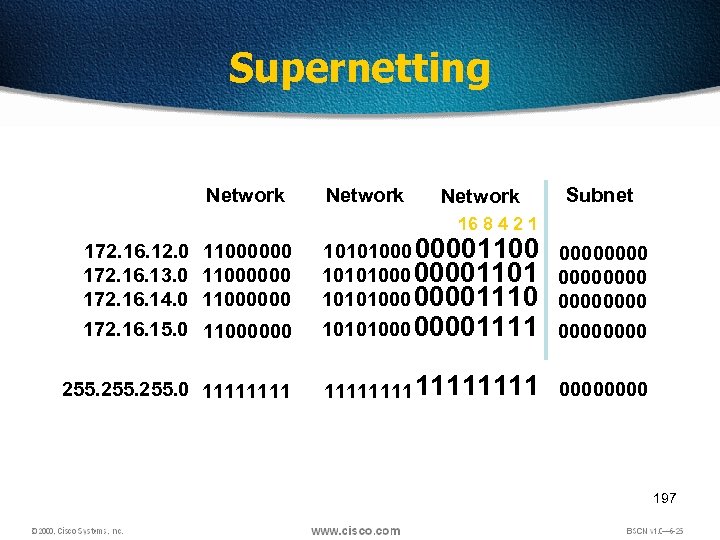 Supernetting Network Subnet 16 8 4 2 1 11000000 10101000 00001100 0000 10101000 00001101 0000 10101000 00001110 0000 10101000 00001111 0000 255. 0 11111111 0000 172. 16. 12. 0 172. 16. 13. 0 172. 16. 14. 0 172. 16. 15. 0 11000000 197
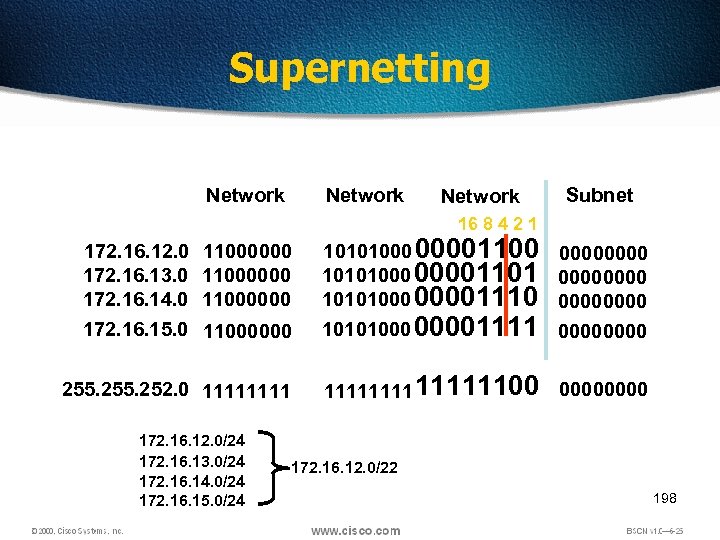 Supernetting Network Subnet 16 8 4 2 1 11000000 10101000 00001100 0000 10101000 00001101 0000 10101000 00001110 0000 10101000 00001111 0000 255. 252. 0 1111111100 0000 172. 16. 12. 0 172. 16. 13. 0 172. 16. 14. 0 172. 16. 15. 0 11000000 172. 16. 12. 0/24 172. 16. 13. 0/24 172. 16. 14. 0/24 172. 16. 15. 0/24 172. 16. 12. 0/22 198
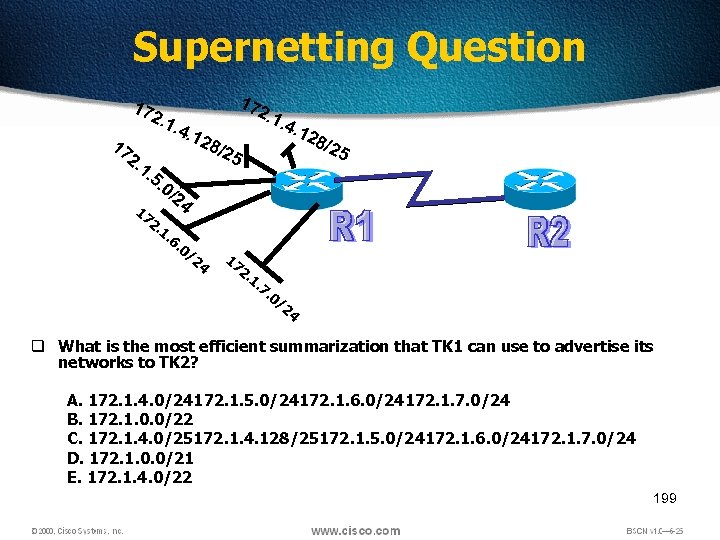 Supernetting Question 17 17 2. 1 1. . 4. 5. 17 17 2. 12 2. 1 8/2 . 4. 1 28 /25 5 0/ 1. 24 6. 0/ 24 17 2. 1. 7. 0/ 24 q What is the most efficient summarization that TK 1 can use to advertise its networks to TK 2? A. 172. 1. 4. 0/24172. 1. 5. 0/24172. 1. 6. 0/24172. 1. 7. 0/24 B. 172. 1. 0. 0/22 C. 172. 1. 4. 0/25172. 1. 4. 128/25172. 1. 5. 0/24172. 1. 6. 0/24172. 1. 7. 0/24 D. 172. 1. 0. 0/21 E. 172. 1. 4. 0/22 199