


 Скачать презентацию 1 Cluster Resources Training Cluster Resources Inc
c8fc53a80907f6569979e02f18cd2bc9.ppt
- Количество слайдов: 181
 1 Cluster Resources Training © Cluster Resources, Inc. 1
 1 Outline 1. Moab Overview 2. Deployment 3. Diagnostics and Troubleshooting 4. Integration 5. Scheduling Behaviour 6. Resource Access 7. Grid Computing 8. Accounting 9. Transitioning from LCRM 10. End Users © Cluster Resources, Inc. 2
 1 1. Moab Introduction • • • Overview of the Modern Cluster Evolution Cluster Productivity Losses Moab Workload Manager Architecture What Moab Does Not Do © Cluster Resources, Inc. 3
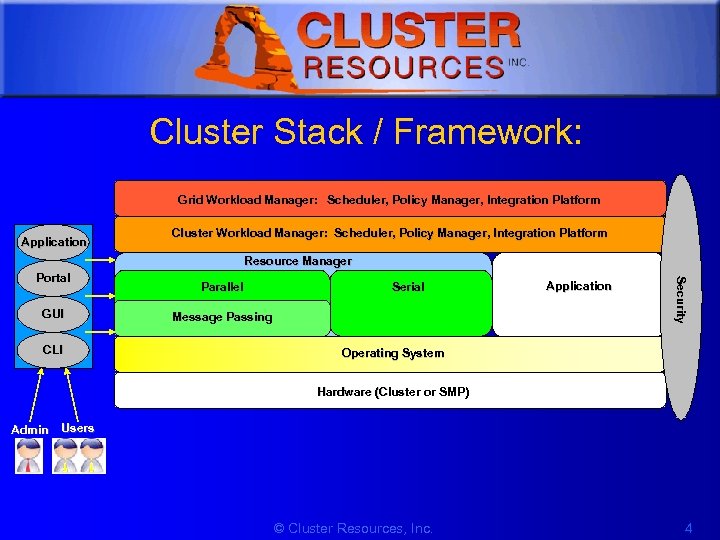 1 Cluster Stack / Framework: Grid Workload Manager: Scheduler, Policy Manager, Integration Platform Application Cluster Workload Manager: Scheduler, Policy Manager, Integration Platform Resource Manager GUI CLI Parallel Serial Message Passing Application Security Portal Operating System Hardware (Cluster or SMP) Admin Users © Cluster Resources, Inc. 4
 1 Resource Manager (RM) • While other systems may have more strict interpretations of a resource manager and its responsibilities, Moab's multi-resource manager support allows a much more liberal interpretation. – In essence, any object which can provide environmental information and environmental control can be utilized as a resource manager. • Moab is able to aggregate information from multiple unrelated sources into a larger more complete world view of the cluster which includes all the information and control found within a standard resource manager such as TORQUE including: – Node – Job – Queue management services. © Cluster Resources, Inc. 5
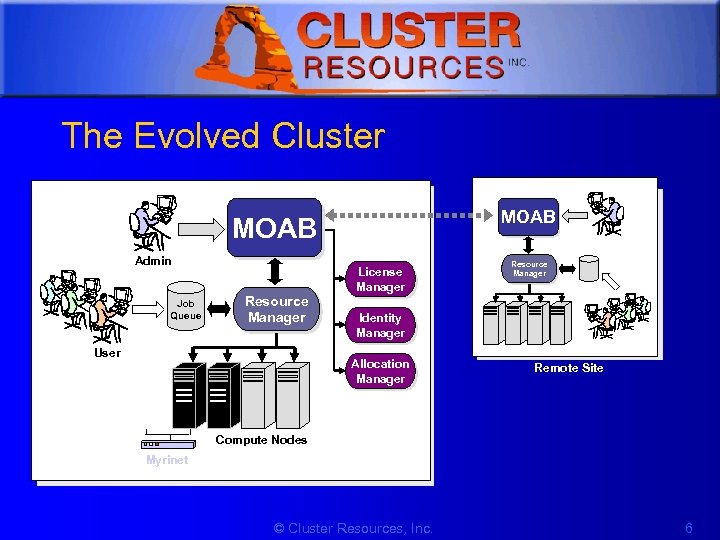 1 The Evolved Cluster MOAB Admin Job Queue Resource Manager User License Manager Resource Manager Identity Manager Allocation Manager Remote Site Compute Nodes Myrinet © Cluster Resources, Inc. 6
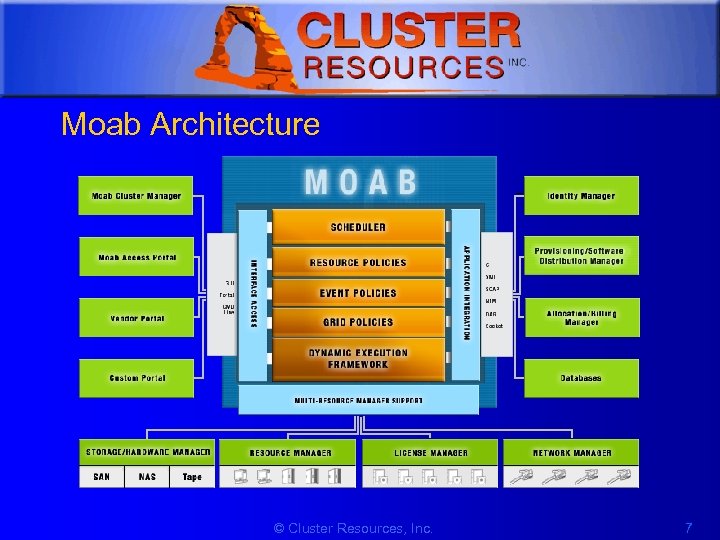 1 Moab Architecture © Cluster Resources, Inc. 7
 1 What Moab Does • Optimizes Resource Utilization with Intelligent Scheduling and Advanced Reservations • Unifies Cluster Management across Varied Resources and Services • Dynamically Adjusts Workload to Enforce Policies and Service Level Agreements • Automates Diagnosis and Failure Response © Cluster Resources, Inc. 8
 1 What Moab Does Not Do • Does not does do resource management (usually) • Does not install the system (usually) • Not a storage manager • Not a license manager • Does not do message passing © Cluster Resources, Inc. 9
 1 2. Deployment • • • Installation Configuration Testing © Cluster Resources, Inc. 10
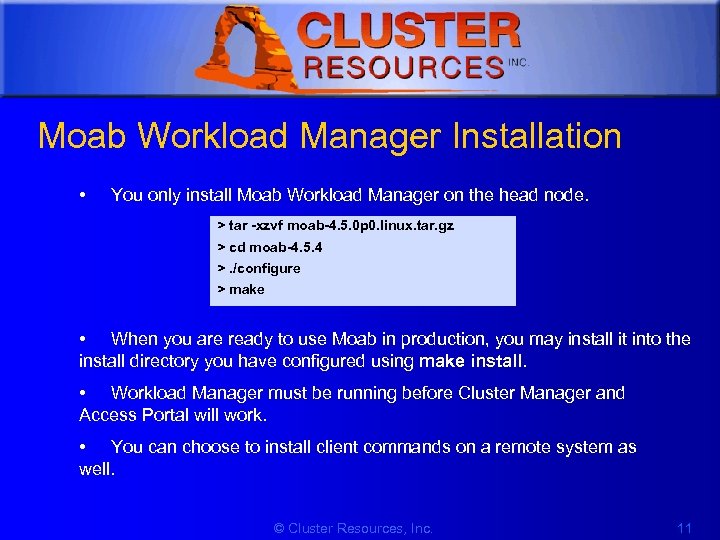 1 Moab Workload Manager Installation • You only install Moab Workload Manager on the head node. > tar -xzvf moab-4. 5. 0 p 0. linux. tar. gz > cd moab-4. 5. 4 >. /configure > make • When you are ready to use Moab in production, you may install it into the install directory you have configured using make install. • Workload Manager must be running before Cluster Manager and Access Portal will work. • You can choose to install client commands on a remote system as well. © Cluster Resources, Inc. 11
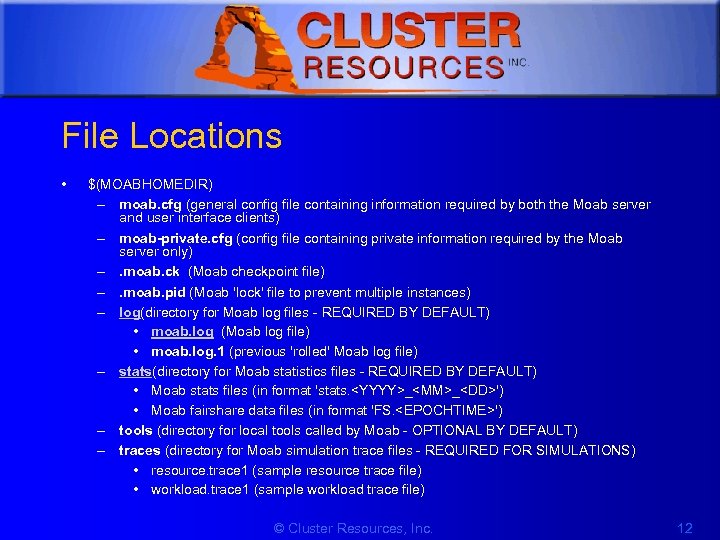 1 File Locations • $(MOABHOMEDIR) – moab. cfg (general config file containing information required by both the Moab server and user interface clients) – moab-private. cfg (config file containing private information required by the Moab server only) –. moab. ck (Moab checkpoint file) –. moab. pid (Moab 'lock' file to prevent multiple instances) – log(directory for Moab log files - REQUIRED BY DEFAULT) • moab. log (Moab log file) • moab. log. 1 (previous 'rolled' Moab log file) – stats(directory for Moab statistics files - REQUIRED BY DEFAULT) • Moab stats files (in format 'stats.
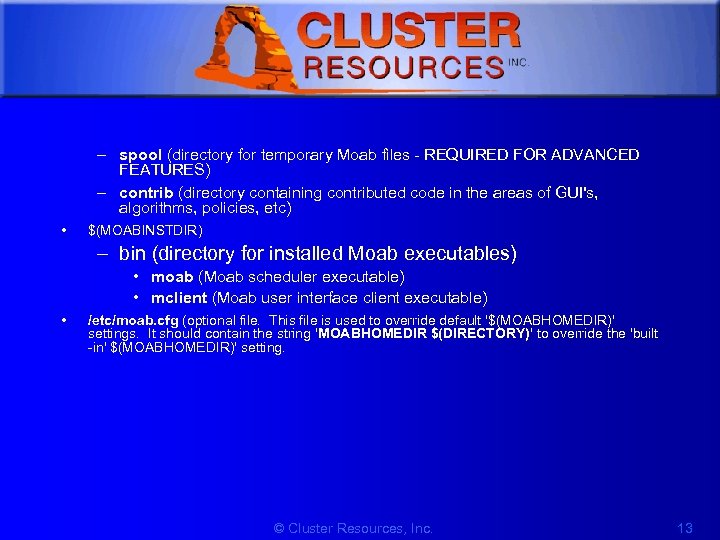 1 – spool (directory for temporary Moab files - REQUIRED FOR ADVANCED FEATURES) – contrib (directory containing contributed code in the areas of GUI's, algorithms, policies, etc) • $(MOABINSTDIR) – bin (directory for installed Moab executables) • moab (Moab scheduler executable) • mclient (Moab user interface client executable) • /etc/moab. cfg (optional file. This file is used to override default '$(MOABHOMEDIR)' settings. It should contain the string 'MOABHOMEDIR $(DIRECTORY)' to override the 'built -in' $(MOABHOMEDIR)' setting. © Cluster Resources, Inc. 13
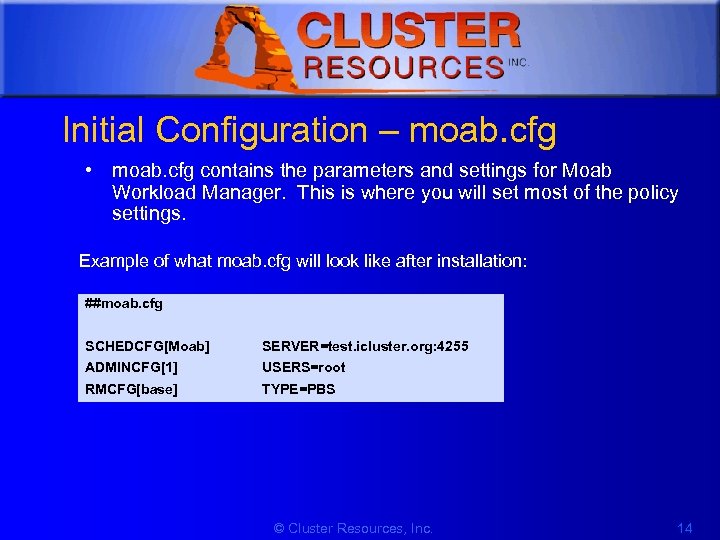 1 Initial Configuration – moab. cfg • moab. cfg contains the parameters and settings for Moab Workload Manager. This is where you will set most of the policy settings. Example of what moab. cfg will look like after installation: ##moab. cfg SCHEDCFG[Moab] SERVER=test. icluster. org: 4255 ADMINCFG[1] USERS=root RMCFG[base] TYPE=PBS © Cluster Resources, Inc. 14
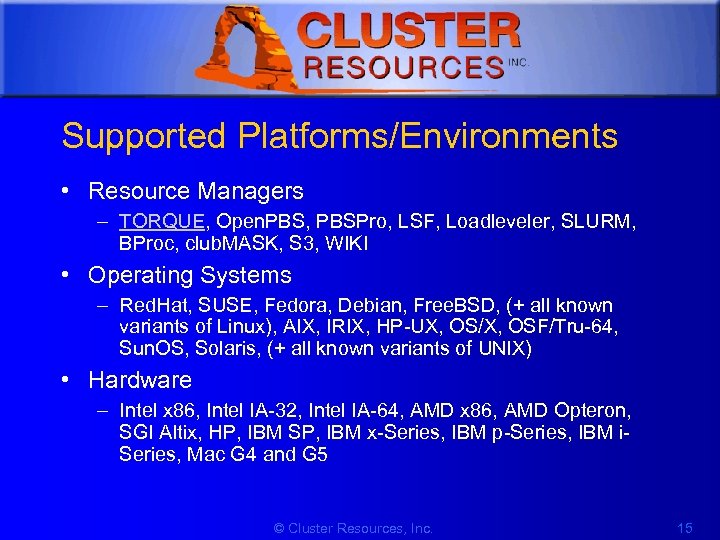 1 Supported Platforms/Environments • Resource Managers – TORQUE, Open. PBS, PBSPro, LSF, Loadleveler, SLURM, BProc, club. MASK, S 3, WIKI • Operating Systems – Red. Hat, SUSE, Fedora, Debian, Free. BSD, (+ all known variants of Linux), AIX, IRIX, HP-UX, OS/X, OSF/Tru-64, Sun. OS, Solaris, (+ all known variants of UNIX) • Hardware – Intel x 86, Intel IA-32, Intel IA-64, AMD x 86, AMD Opteron, SGI Altix, HP, IBM SP, IBM x-Series, IBM p-Series, IBM i. Series, Mac G 4 and G 5 © Cluster Resources, Inc. 15
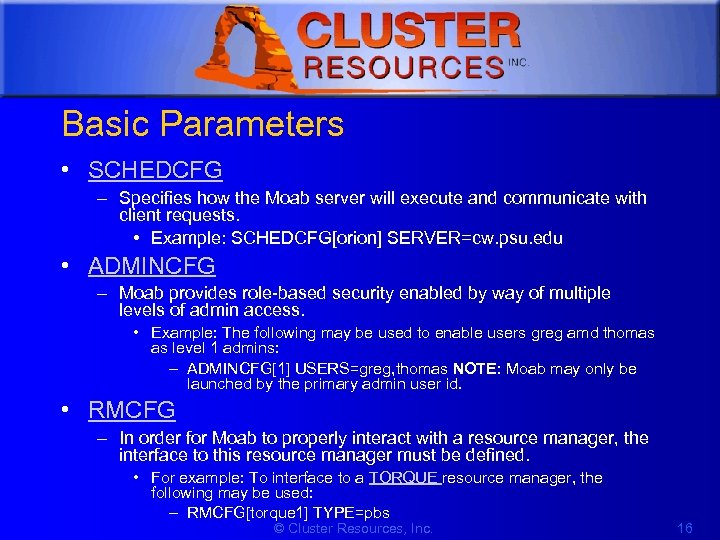 1 Basic Parameters • SCHEDCFG – Specifies how the Moab server will execute and communicate with client requests. • Example: SCHEDCFG[orion] SERVER=cw. psu. edu • ADMINCFG – Moab provides role-based security enabled by way of multiple levels of admin access. • Example: The following may be used to enable users greg amd thomas as level 1 admins: – ADMINCFG[1] USERS=greg, thomas NOTE: Moab may only be launched by the primary admin user id. • RMCFG – In order for Moab to properly interact with a resource manager, the interface to this resource manager must be defined. • For example: To interface to a TORQUE resource manager, the following may be used: – RMCFG[torque 1] TYPE=pbs © Cluster Resources, Inc. 16
 1 Scheduling Modes - Configure modes in moab. cfg • Simulation Mode – Allows a test drive of the scheduler. You can evaluate how various policies can improve the current performance on a stable production system. • Test Mode – Test mode allows evaluation of new Moab releases, configurations, and policies in a risk-free manner. the test-mode Moab behaves identical to a live or normal mode except the ability to start, cancel, or modify jobs. • Normal Mode – Live (after installation, automatically set this way) • Interactive Mode – Like test mode but instead of disabling all resource and job control functions, Moab sends the desired change request to the screen and asks for permission to complete it. © Cluster Resources, Inc. 17
 1 Testing New Policies • Verifying Correct Specification of New Policies – If manually editing the moab. cfg file, use the mdiag –C command – Moab Cluster Manager automatically verifies proper policy specification • Verifying Correct Behavior of New Policies – Put in INTERACTIVE Mode to ensure you want to make each change • Determining Long Term Impact of New Policies – Put in SIMULATION Mode © Cluster Resources, Inc. 18
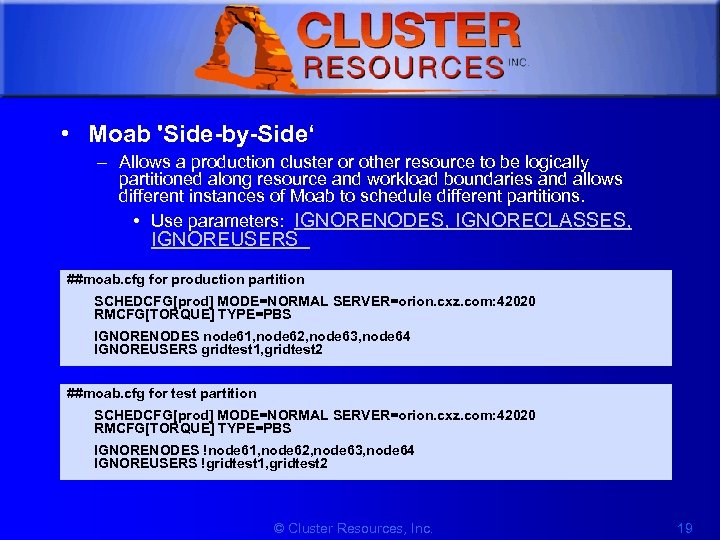 1 • Moab 'Side-by-Side‘ – Allows a production cluster or other resource to be logically partitioned along resource and workload boundaries and allows different instances of Moab to schedule different partitions. • Use parameters: IGNORENODES, IGNORECLASSES, IGNOREUSERS ##moab. cfg for production partition SCHEDCFG[prod] MODE=NORMAL SERVER=orion. cxz. com: 42020 RMCFG[TORQUE] TYPE=PBS IGNORENODES node 61, node 62, node 63, node 64 IGNOREUSERS gridtest 1, gridtest 2 ##moab. cfg for test partition SCHEDCFG[prod] MODE=NORMAL SERVER=orion. cxz. com: 42020 RMCFG[TORQUE] TYPE=PBS IGNORENODES !node 61, node 62, node 63, node 64 IGNOREUSERS !gridtest 1, gridtest 2 © Cluster Resources, Inc. 19
 1 Simulation • What is the impact of additional hardware on cluster utilization? • What delays to key projects can be expected with the addition of new users? • How will new prioritization weights alter cycle distribution among existing workload? • What total loss of compute resources will result from introducing a maintenance downtime? • Are the benefits of cycle stealing from non-dedicated desktop systems worth the effort? • How much will anticipated grid workload delay the average wait time of local jobs? © Cluster Resources, Inc. 20
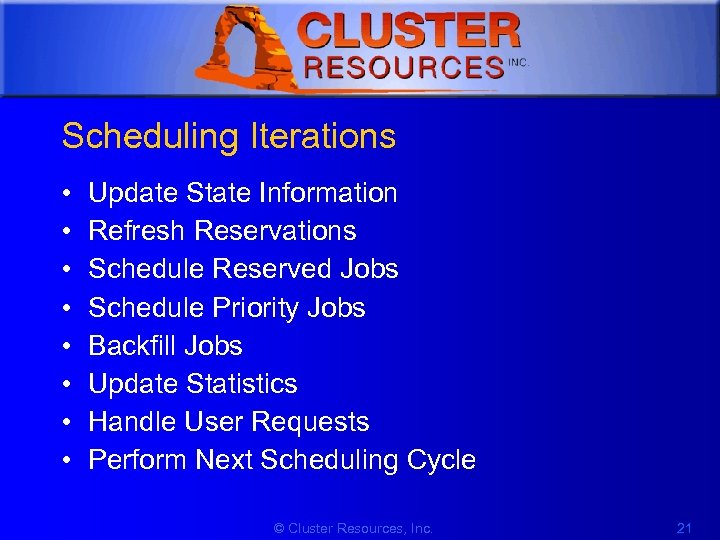 1 Scheduling Iterations • • Update State Information Refresh Reservations Schedule Reserved Jobs Schedule Priority Jobs Backfill Jobs Update Statistics Handle User Requests Perform Next Scheduling Cycle © Cluster Resources, Inc. 21
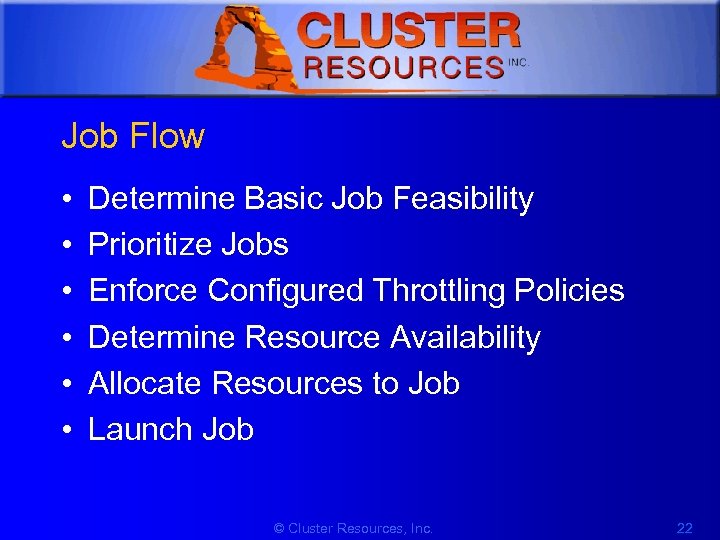 1 Job Flow • • • Determine Basic Job Feasibility Prioritize Jobs Enforce Configured Throttling Policies Determine Resource Availability Allocate Resources to Job Launch Job © Cluster Resources, Inc. 22
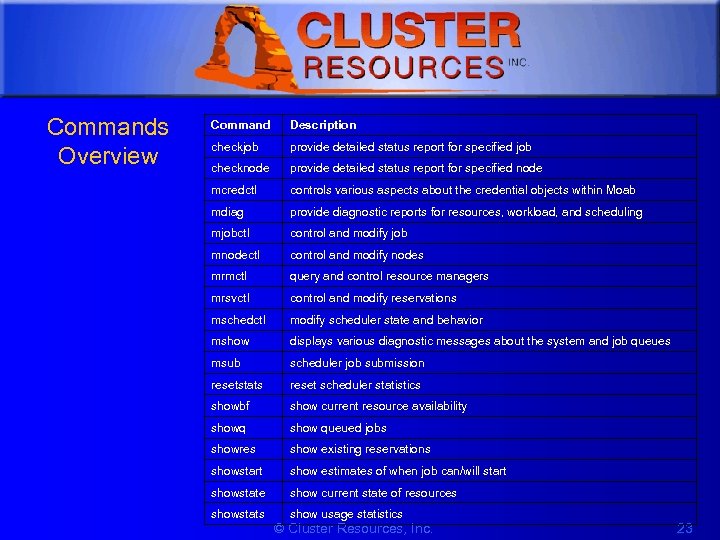 1 Commands Overview Command Description checkjob provide detailed status report for specified job checknode provide detailed status report for specified node mcredctl controls various aspects about the credential objects within Moab mdiag provide diagnostic reports for resources, workload, and scheduling mjobctl control and modify job mnodectl control and modify nodes mrmctl query and control resource managers mrsvctl control and modify reservations mschedctl modify scheduler state and behavior mshow displays various diagnostic messages about the system and job queues msub scheduler job submission resetstats reset scheduler statistics showbf show current resource availability showq show queued jobs showres show existing reservations showstart show estimates of when job can/will start showstate show current state of resources showstats show usage statistics © Cluster Resources, Inc. 23
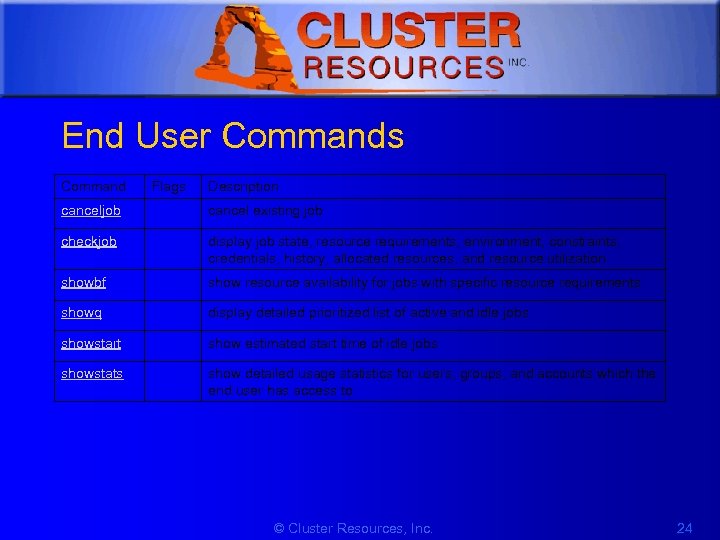 1 End User Commands Command Flags Description canceljob cancel existing job checkjob display job state, resource requirements, environment, constraints, credentials, history, allocated resources, and resource utilization showbf show resource availability for jobs with specific resource requirements showq display detailed prioritized list of active and idle jobs showstart show estimated start time of idle jobs showstats show detailed usage statistics for users, groups, and accounts which the end user has access to © Cluster Resources, Inc. 24
 1 Scheduling Objects • Moab functions by manipulating five primary, elementary objects: – Jobs – Nodes – Reservations – Policies © Cluster Resources, Inc. 25
 1 Jobs • Job information is provided to the Moab scheduler from a resource manager – (Such as Loadleveler, PBS, Wiki, or LSF) • Job attributes include ownership of the: – – – Job state Amount Type of resources required by the job Wallclock limit • A job consists of one or more requirements each of which requests a number of resources of a given type. © Cluster Resources, Inc. 26
 1 Nodes • Within Moab, a node is a collection of resources with a particular set of associated attributes. • A node is defined as one or more CPU's, together with associated memory, and possibly other compute resources such as local disk, swap, network adapters, software licenses, etc. © Cluster Resources, Inc. 27
 1 Advance Reservations • An object which dedicates a block of specific resources for a particular use. • Each reservation consists of a list of resources, an access control list, and a time range for which this access control list will be enforced. • The reservation prevents the listed resources from being used in a way not described by the access control list during the time range specified. © Cluster Resources, Inc. 28
 1 Resource Managers • Moab can be configured to manage more than one resource manager simultaneously, even resource managers of different types. • Moab aggregates information from the RMs to fully manage workload, resources, and cluster policies © Cluster Resources, Inc. 29
 1 3 Troubleshooting and Diagnostics • • Object Messages Diagnostic Commands Admin Notification Logging Tracking System Failures Checkpointing Debuggers http: //www. clusterresources. com/products/mwm/moabdocs/14. 0 troubleshootingandsysmaintenance. shtml © Cluster Resources, Inc. 30
 1 Object Messages • Messages can hold information regarding failures and key events • Messages possess event time, owner, expiration time, and event count information • Resource managers and peer services can attach messages to objects • Admins can attach messages • Multiple messages per object are supported • Messages are persistent http: //www. clusterresources. com/products/mwm/moabdocs/commands/mschedctl. shtml http: //www. clusterresources. com/products/mwm/moabdocs/14. 3 messagebuffer. shtml © Cluster Resources, Inc. 31
 1 Diagnostics • Moab’s diagnostic commands present detailed state information – Scheduling problems – Summarize performance – Evaluate current operation reporting on any unexpected or potentially erroneous conditions – Where possible correct detected problems if desired © Cluster Resources, Inc. 32
 1 mdiag • Displays object state/health • Displays object configuration – Attributes, resources, policies • Displays object history and performance • Displays object failures and messages http: //www. clusterresources. com/products/mwm/moabdocs/commands/mdiag. shtml © Cluster Resources, Inc. 33
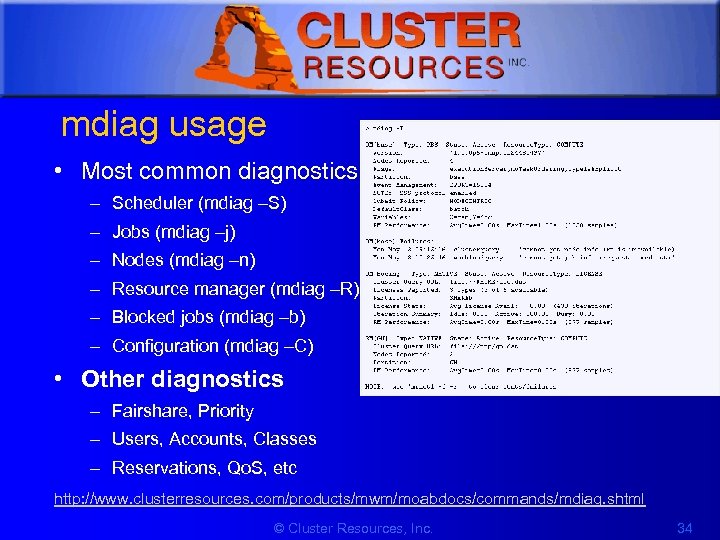 1 mdiag usage • Most common diagnostics – Scheduler (mdiag –S) – Jobs (mdiag –j) – Nodes (mdiag –n) – Resource manager (mdiag –R) – Blocked jobs (mdiag –b) – Configuration (mdiag –C) • Other diagnostics – Fairshare, Priority – Users, Accounts, Classes – Reservations, Qo. S, etc http: //www. clusterresources. com/products/mwm/moabdocs/commands/mdiag. shtml © Cluster Resources, Inc. 34
 1 mdiag details • Performs numerous internal health and consistency checks – Race conditions, object configuration inconsistencies, possible external failures • Not just for failures • Provides status, config, and current performance • Enables moab as an information service --flags=xml © Cluster Resources, Inc. 35
 1 Job Troubleshooting To determine why a particular job will not start, there are several commands which can be helpful: • checkjob -v – Checkjob will evaluate the ability of a job to start immediately. Tests include resource access, node state, job constraints (ie, startdate, taskspernode, QOS, etc). Additionally, command line flags may be specified to provide further information. • • -l
 1 Other Diagnostics • checkjob and checknode commands – Why a job cannot start – Which nodes can be available information regarding the recent events impacting current job – Nodes state © Cluster Resources, Inc. 37
 1 Issues with Client Commands • Utilize built in moab logging – showq --loglevel=9 Or • Check the moab log files © Cluster Resources, Inc. 38
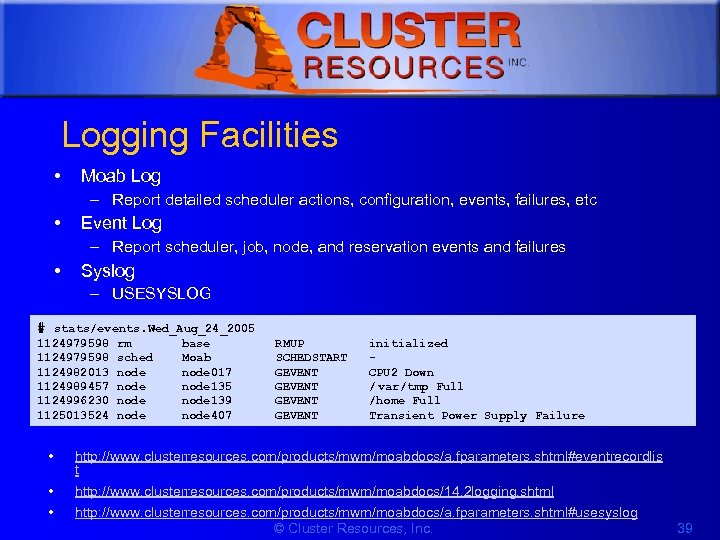 1 Logging Facilities • Moab Log – Report detailed scheduler actions, configuration, events, failures, etc • Event Log – Report scheduler, job, node, and reservation events and failures • Syslog – USESYSLOG # stats/events. Wed_Aug_24_2005 1124979598 1124982013 1124989457 1124996230 1125013524 rm base RMUP initialized sched Moab SCHEDSTART node 017 GEVENT CPU 2 Down node 135 GEVENT / var/tmp Full node 139 GEVENT /home Full node 407 GEVENT Transient Power Supply Failure • http: //www. clusterresources. com/products/mwm/moabdocs/a. fparameters. shtml#eventrecordlis t • • http: //www. clusterresources. com/products/mwm/moabdocs/14. 2 logging. shtml http: //www. clusterresources. com/products/mwm/moabdocs/a. fparameters. shtml#usesyslog © Cluster Resources, Inc. 39
 1 Logging Basics • LOGDIR - Indicates directory for log files • LOGFILE - Indicates path name of log file • LOGFILEMAXSIZE - Indicates maximum size of log file before rolling • LOGFILEROLLDEPTH - Indicates maximum number of log files to maintain • LOGLEVEL - Indicates verbosity of logging © Cluster Resources, Inc. 40
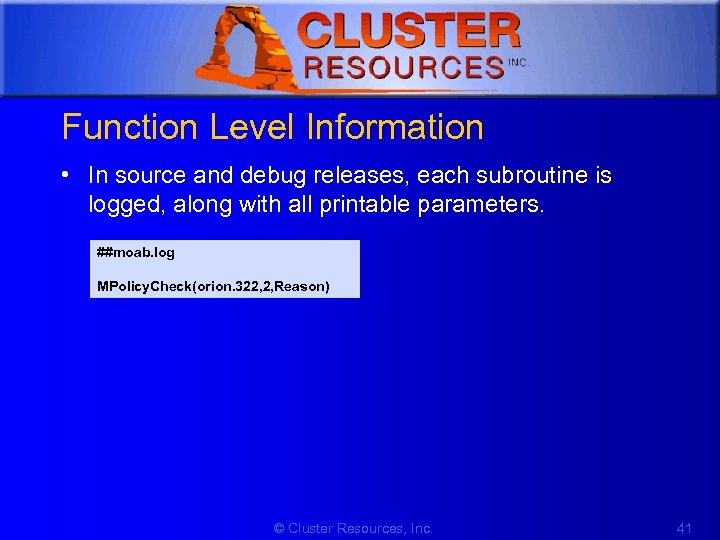 1 Function Level Information • In source and debug releases, each subroutine is logged, along with all printable parameters. ##moab. log MPolicy. Check(orion. 322, 2, Reason) © Cluster Resources, Inc. 41
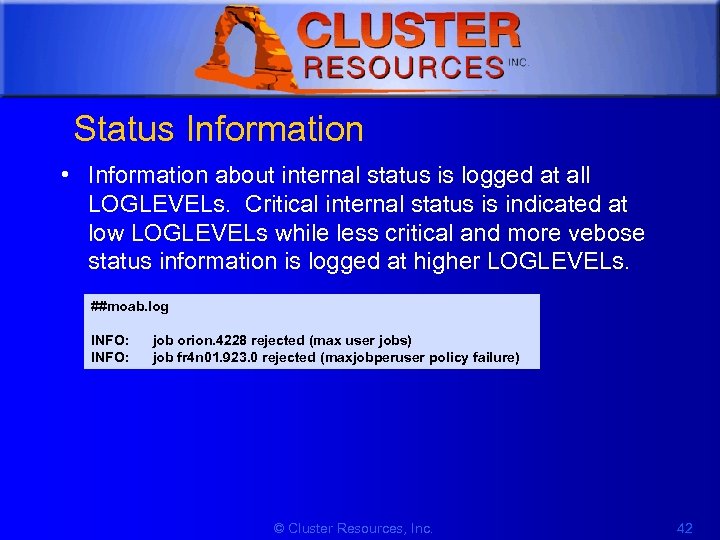 1 Status Information • Information about internal status is logged at all LOGLEVELs. Critical internal status is indicated at low LOGLEVELs while less critical and more vebose status information is logged at higher LOGLEVELs. ##moab. log INFO: job orion. 4228 rejected (max user jobs) INFO: job fr 4 n 01. 923. 0 rejected (maxjobperuser policy failure) © Cluster Resources, Inc. 42
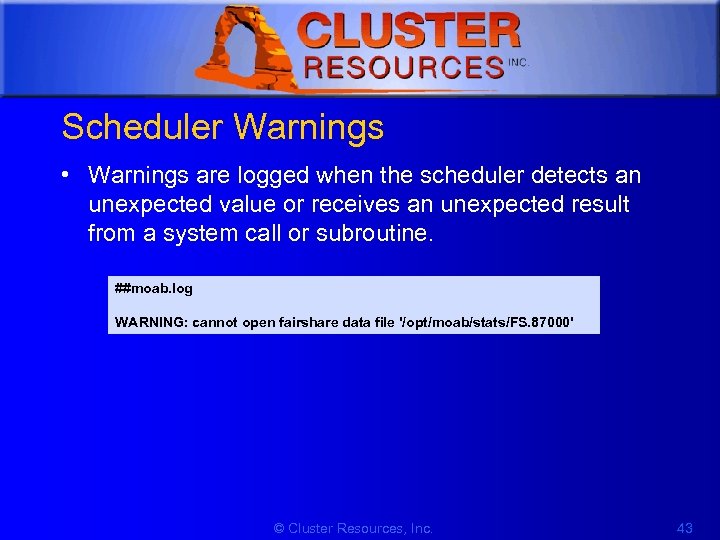 1 Scheduler Warnings • Warnings are logged when the scheduler detects an unexpected value or receives an unexpected result from a system call or subroutine. ##moab. log WARNING: cannot open fairshare data file '/opt/moab/stats/FS. 87000' © Cluster Resources, Inc. 43
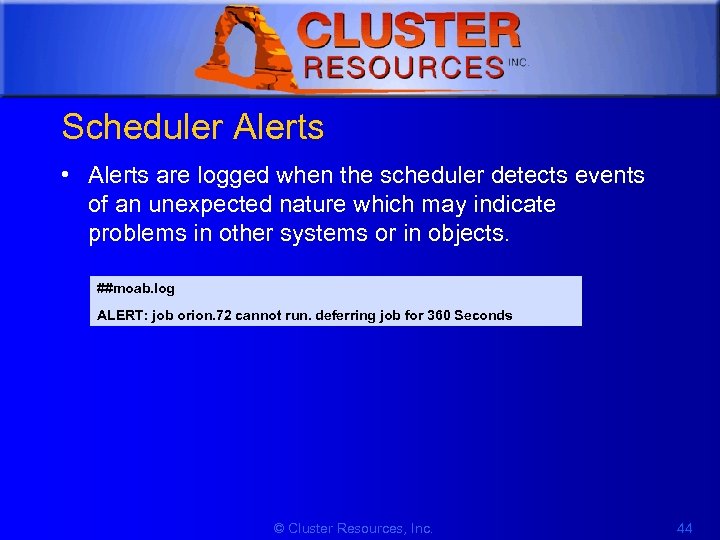 1 Scheduler Alerts • Alerts are logged when the scheduler detects events of an unexpected nature which may indicate problems in other systems or in objects. ##moab. log ALERT: job orion. 72 cannot run. deferring job for 360 Seconds © Cluster Resources, Inc. 44
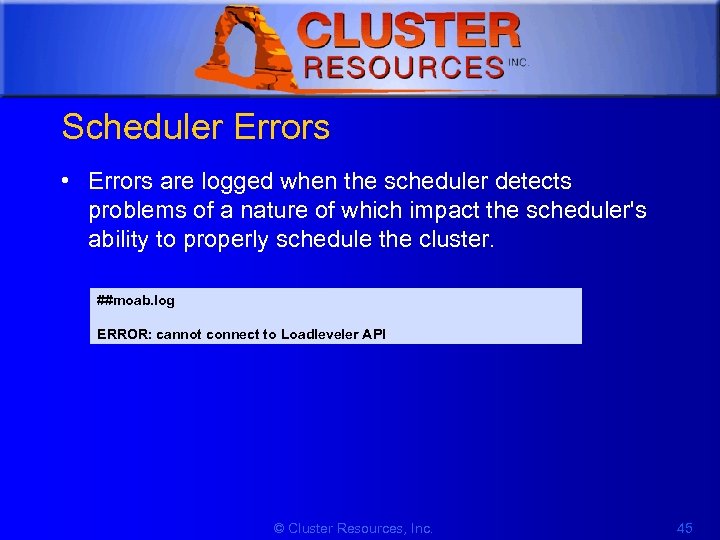 1 Scheduler Errors • Errors are logged when the scheduler detects problems of a nature of which impact the scheduler's ability to properly schedule the cluster. ##moab. log ERROR: cannot connect to Loadleveler API © Cluster Resources, Inc. 45
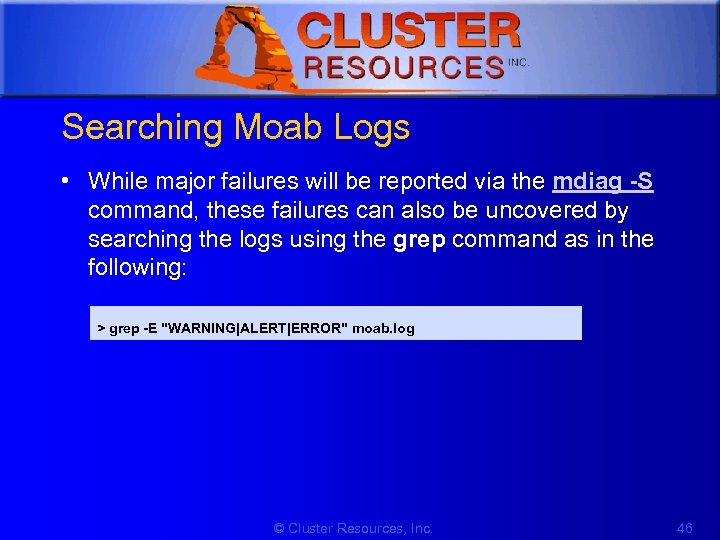 1 Searching Moab Logs • While major failures will be reported via the mdiag -S command, these failures can also be uncovered by searching the logs using the grep command as in the following: > grep -E "WARNING|ALERT|ERROR" moab. log © Cluster Resources, Inc. 46
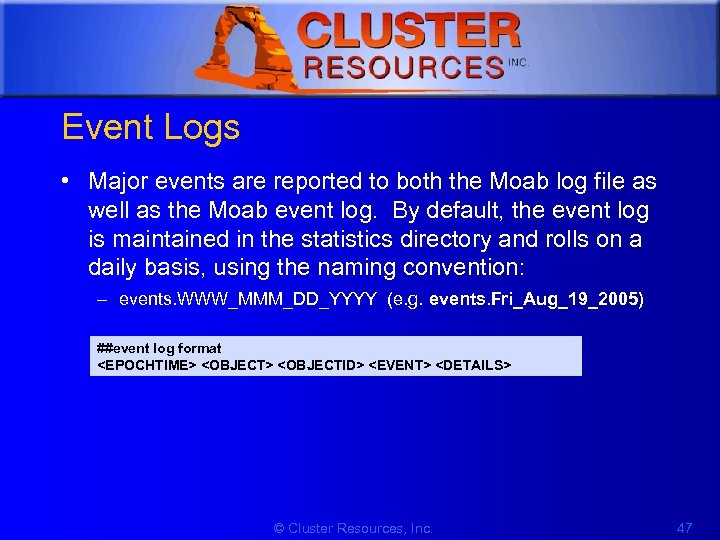 1 Event Logs • Major events are reported to both the Moab log file as well as the Moab event log. By default, the event log is maintained in the statistics directory and rolls on a daily basis, using the naming convention: – events. WWW_MMM_DD_YYYY (e. g. events. Fri_Aug_19_2005) ##event log format
 1 Enabling Syslog • In addition to the log file, the Moab Scheduler can report events it determines to be critical to the UNIX syslog facility via the daemon facility using priorities ranging from INFO to ERROR. • The verbosity of this logging is not affected by the LOGLEVEL parameter. In addition to errors and critical events, user commands that affect the state of the jobs, nodes, or the scheduler may also be logged to syslog. • Moab syslog messages are reported using the INFO, NOTICE, and ERR syslog priorities. © Cluster Resources, Inc. 48
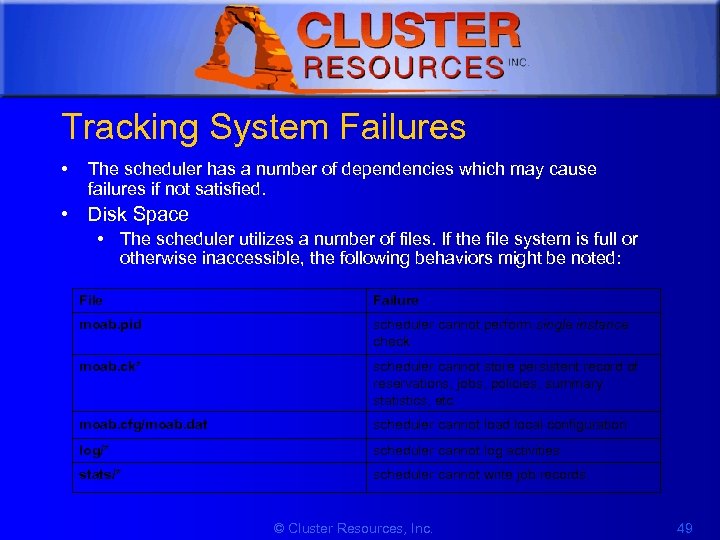 1 Tracking System Failures • The scheduler has a number of dependencies which may cause failures if not satisfied. • Disk Space • The scheduler utilizes a number of files. If the file system is full or otherwise inaccessible, the following behaviors might be noted: File Failure moab. pid scheduler cannot perform single instance check moab. ck* scheduler cannot store persistent record of reservations, jobs, policies, summary statistics, etc. moab. cfg/moab. dat scheduler cannot load local configuration log/* scheduler cannot log activities stats/* scheduler cannot write job records © Cluster Resources, Inc. 49
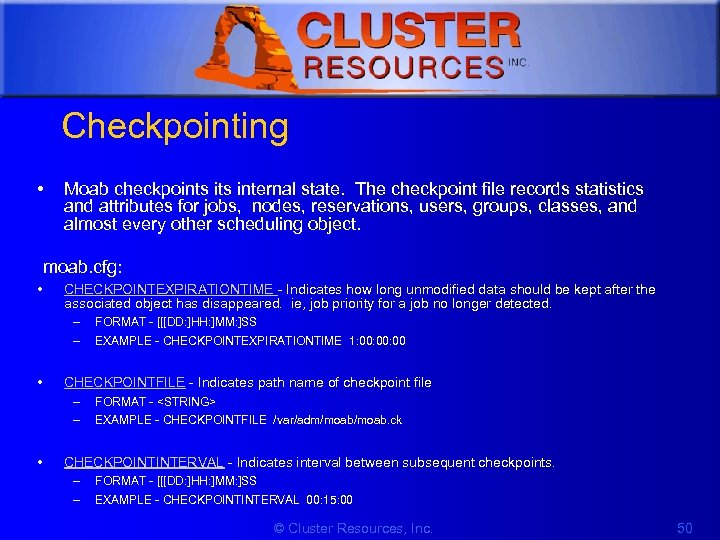 1 Checkpointing • Moab checkpoints internal state. The checkpoint file records statistics and attributes for jobs, nodes, reservations, users, groups, classes, and almost every other scheduling object. moab. cfg: • CHECKPOINTEXPIRATIONTIME - Indicates how long unmodified data should be kept after the associated object has disappeared. ie, job priority for a job no longer detected. – – • EXAMPLE - CHECKPOINTEXPIRATIONTIME 1: 00: 00 CHECKPOINTFILE - Indicates path name of checkpoint file – – • FORMAT - [[[DD: ]HH: ]MM: ]SS FORMAT -
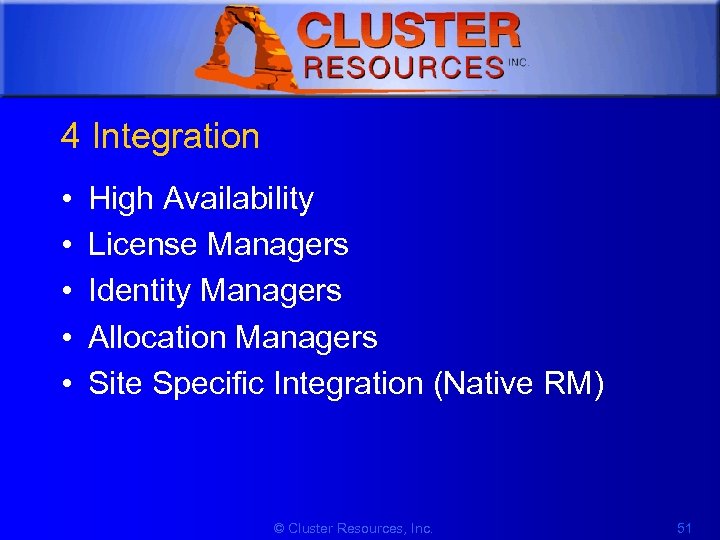 1 4 Integration • • • High Availability License Managers Identity Managers Allocation Managers Site Specific Integration (Native RM) © Cluster Resources, Inc. 51
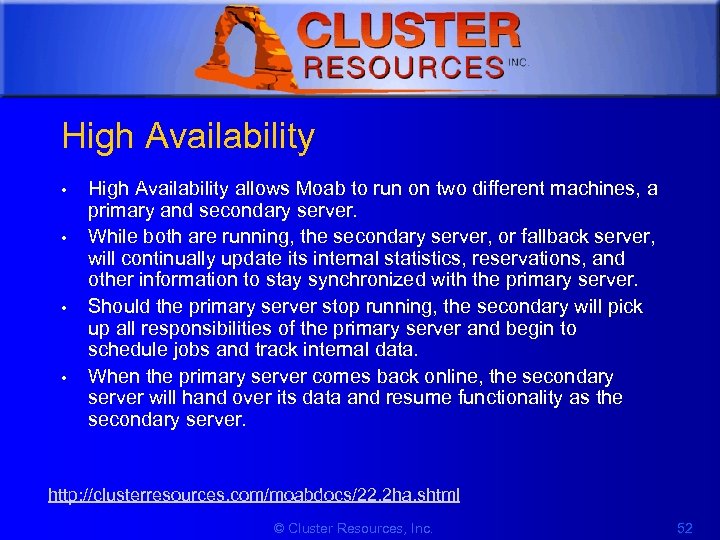 1 High Availability • • High Availability allows Moab to run on two different machines, a primary and secondary server. While both are running, the secondary server, or fallback server, will continually update its internal statistics, reservations, and other information to stay synchronized with the primary server. Should the primary server stop running, the secondary will pick up all responsibilities of the primary server and begin to schedule jobs and track internal data. When the primary server comes back online, the secondary server will hand over its data and resume functionality as the secondary server. http: //clusterresources. com/moabdocs/22. 2 ha. shtml © Cluster Resources, Inc. 52
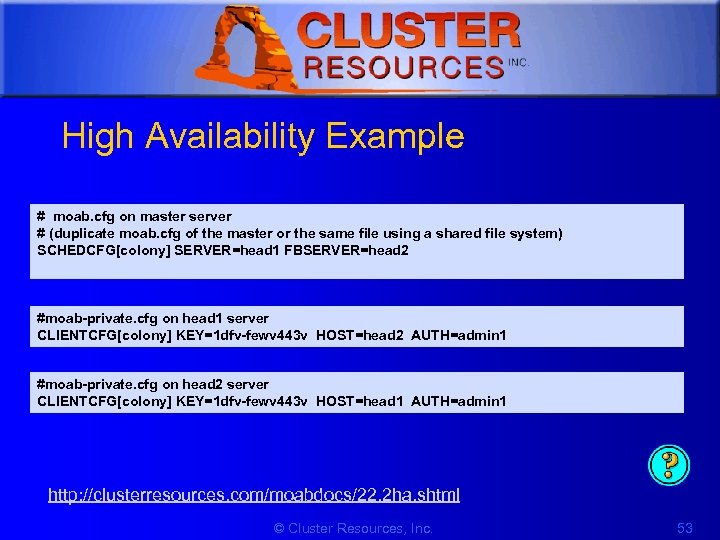 1 High Availability Example # moab. cfg on master server # (duplicate moab. cfg of the master or the same file using a shared file system) SCHEDCFG[colony] SERVER=head 1 FBSERVER=head 2 #moab-private. cfg on head 1 server CLIENTCFG[colony] KEY=1 dfv-fewv 443 v HOST=head 2 AUTH=admin 1 #moab-private. cfg on head 2 server CLIENTCFG[colony] KEY=1 dfv-fewv 443 v HOST=head 1 AUTH=admin 1 http: //clusterresources. com/moabdocs/22. 2 ha. shtml © Cluster Resources, Inc. 53
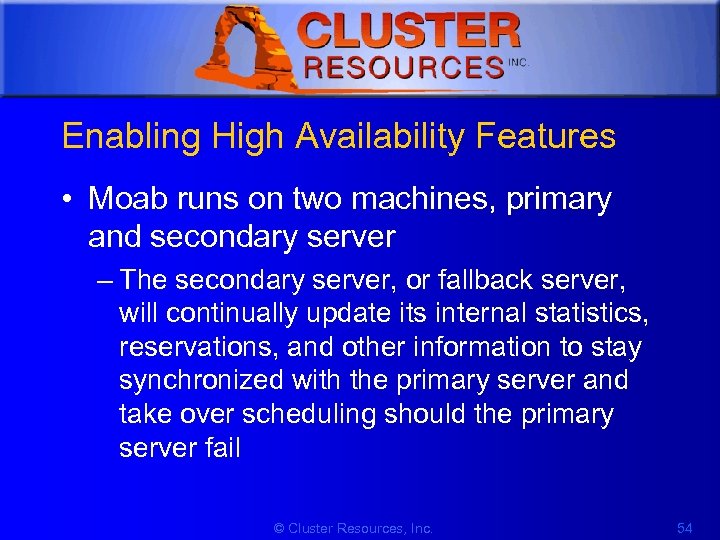 1 Enabling High Availability Features • Moab runs on two machines, primary and secondary server – The secondary server, or fallback server, will continually update its internal statistics, reservations, and other information to stay synchronized with the primary server and take over scheduling should the primary server fail © Cluster Resources, Inc. 54
![1 Configuring High Availability moab. cfg SCHEDCFG[mycluster] SERVER=primaryhostname: 3000 SCHEDCFG[mycluster] FBSERVER=secondaryhostname • Both the](https://present5.com/presentation/c8fc53a80907f6569979e02f18cd2bc9/image-55.jpg "1 Configuring High Availability moab. cfg SCHEDCFG[mycluster] SERVER=primaryhostname: 3000 SCHEDCFG[mycluster] FBSERVER=secondaryhostname • Both the") 1 Configuring High Availability moab. cfg SCHEDCFG[mycluster] SERVER=primaryhostname: 3000 SCHEDCFG[mycluster] FBSERVER=secondaryhostname • Both the SERVER and FBSERVER are of the format:
1 Configuring High Availability moab. cfg SCHEDCFG[mycluster] SERVER=primaryhostname: 3000 SCHEDCFG[mycluster] FBSERVER=secondaryhostname • Both the SERVER and FBSERVER are of the format:
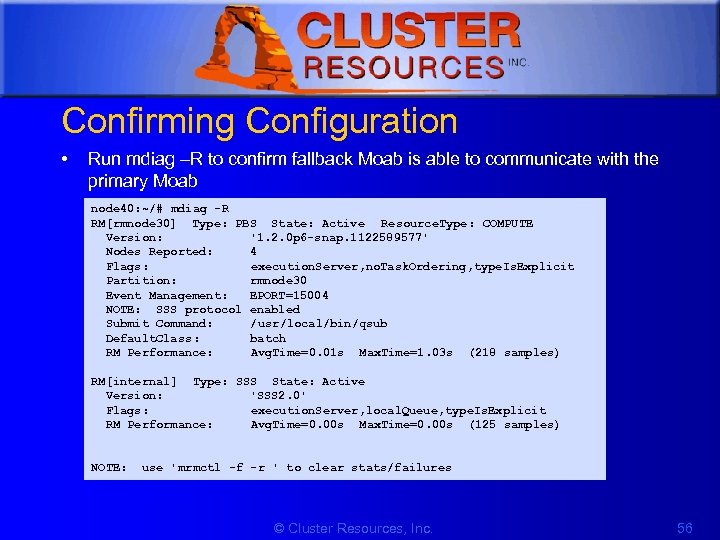 1 Confirming Configuration • Run mdiag –R to confirm fallback Moab is able to communicate with the primary Moab node 40: ~/# mdiag -R RM[rmnode 30] Type: PBS State: Active Resource. Type: COMPUTE Version: '1. 2. 0 p 6 -snap. 1122589577' Nodes Reported: 4 Flags: execution. Server, no. Task. Ordering, type. Is. Explicit Partition: rmnode 30 Event Management: EPORT=15004 NOTE: SSS protocol enabled Submit Command: /usr/local/bin/qsub Default. Class: batch RM Performance: Avg. Time=0. 01 s Max. Time=1. 03 s (218 samples) RM[internal] Type: SSS State: Active Version: 'SSS 2. 0' Flags: execution. Server, local. Queue, type. Is. Explicit RM Performance: Avg. Time=0. 00 s Max. Time=0. 00 s (125 samples) NOTE: use 'mrmctl -f -r ' to clear stats/failures © Cluster Resources, Inc. 56
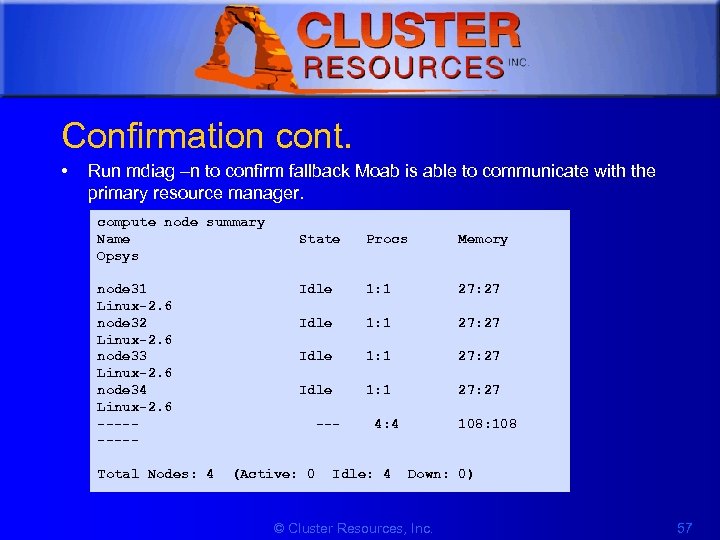 1 Confirmation cont. • Run mdiag –n to confirm fallback Moab is able to communicate with the primary resource manager. compute node summary Name State Procs Memory Opsys node 31 Idle 1: 1 27: 27 Linux-2. 6 node 32 Idle 1: 1 27: 27 Linux-2. 6 node 33 Idle 1: 1 27: 27 Linux-2. 6 node 34 Idle 1: 1 27: 27 Linux-2. 6 ----- --- 4: 4 108: 108 ----Total Nodes: 4 (Active: 0 Idle: 4 Down: 0) © Cluster Resources, Inc. 57
 1 License Management • Moab supports both node-locked and floating license models and even allows mixing the two models simultaneously • Methods for determining license availability – Local Consumable Resources – Resource Manager Based Consumable Resources – Interfacing to an External License Manager • Requesting Licenses within Jobs #qsub > qsub -l nodes=2, software=blast cmdscript. txt © Cluster Resources, Inc. 58
 1 Identity Managers An identity manager is configured with the IDCFG parameter and allows Moab to exchange information with an external identity management service. As with Moab's resource manager interfaces, this service can be a full commercial package designed for this purpose, or something far simpler by which Moab obtains the needed information for a web service, text file, or database. # moab. cfg IDCFG[alloc] SERVER=exec: //$TOOLSDIR/idquery. pl # idquery. pl output group: financial fstarget=16. 3 alist=project 2 group: marketing fstarget=2. 5 group: engineering fstarget=36. 7 group: dm fstarget=42. 5 © Cluster Resources, Inc. 59
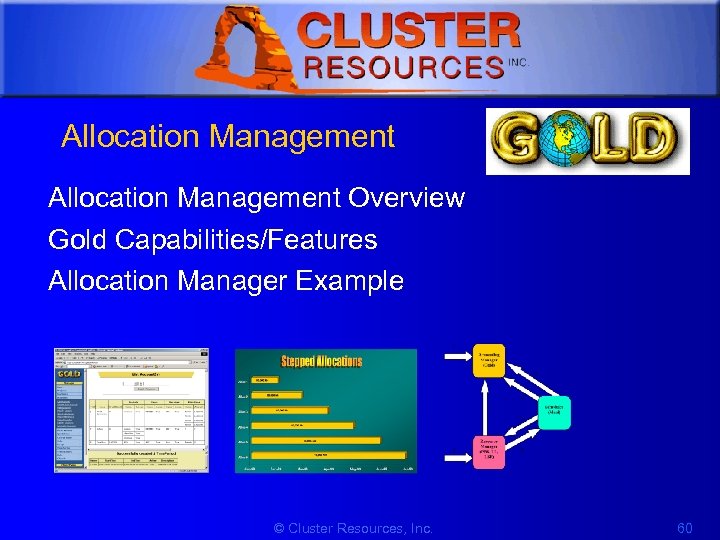 1 Allocation Management Overview Gold Capabilities/Features Allocation Manager Example © Cluster Resources, Inc. 60
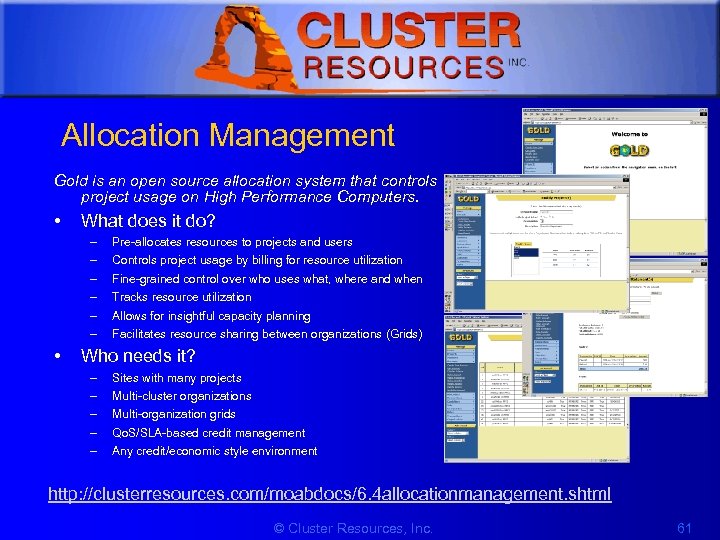 1 Allocation Management Gold is an open source allocation system that controls project usage on High Performance Computers. • What does it do? – – – • Pre-allocates resources to projects and users Controls project usage by billing for resource utilization Fine-grained control over who uses what, where and when Tracks resource utilization Allows for insightful capacity planning Facilitates resource sharing between organizations (Grids) Who needs it? – – – Sites with many projects Multi-cluster organizations Multi-organization grids Qo. S/SLA-based credit management Any credit/economic style environment http: //clusterresources. com/moabdocs/6. 4 allocationmanagement. shtml © Cluster Resources, Inc. 61
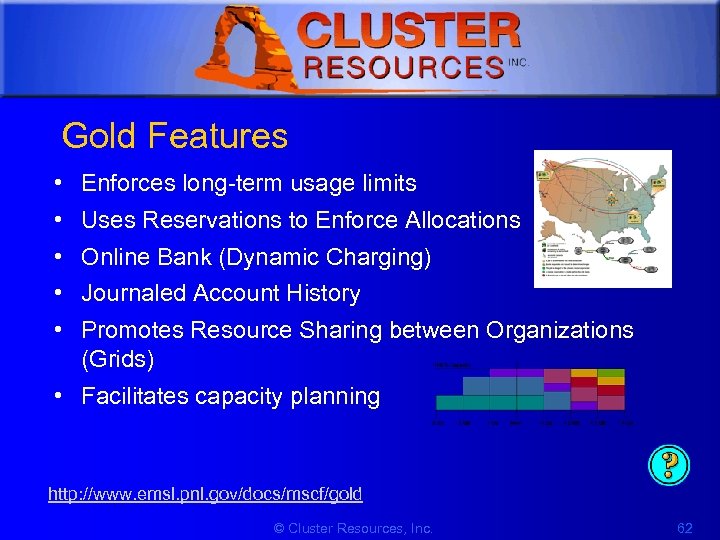 1 Gold Features • • • Enforces long-term usage limits Uses Reservations to Enforce Allocations Online Bank (Dynamic Charging) Journaled Account History Promotes Resource Sharing between Organizations (Grids) • Facilitates capacity planning http: //www. emsl. pnl. gov/docs/mscf/gold © Cluster Resources, Inc. 62
 1 Allocation Manager Example • Tightly integrated with Moab • Can run in monitor mode only or can enforce allocations # moab. cfg AMCFG[bank] SERVER=gold: //gold-server. some. org JOBFAILUREACTION=HOLD AMCFG[bank] TIMEOUT=15 # moab-private. cfg CLIENTCFG[AM: bank] KEY=mysecr 3 t AUTHTYPE=HMAC http: //clusterresources. com/moabdocs/6. 4 allocationmanagement. shtml © Cluster Resources, Inc. 63
 1 Other Allocation Management Options • Qbank • Moab’s native interface © Cluster Resources, Inc. 64
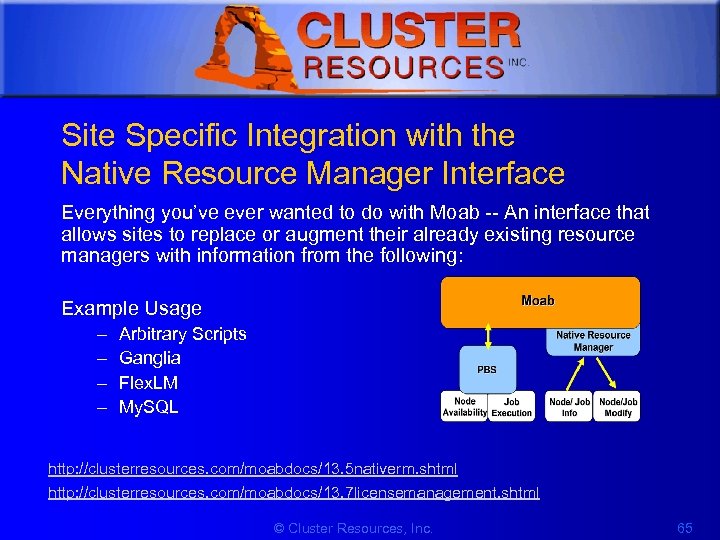 1 Site Specific Integration with the Native Resource Manager Interface Everything you’ve ever wanted to do with Moab -- An interface that allows sites to replace or augment their already existing resource managers with information from the following: Example Usage – – Arbitrary Scripts Ganglia Flex. LM My. SQL http: //clusterresources. com/moabdocs/13. 5 nativerm. shtml http: //clusterresources. com/moabdocs/13. 7 licensemanagement. shtml © Cluster Resources, Inc. 65
![1 Native Resource Manager Example # moab. cfg # interface w/TORQUE RMCFG[torque] TYPE=PBS #](https://present5.com/presentation/c8fc53a80907f6569979e02f18cd2bc9/image-66.jpg "1 Native Resource Manager Example # moab. cfg # interface w/TORQUE RMCFG[torque] TYPE=PBS #") 1 Native Resource Manager Example # moab. cfg # interface w/TORQUE RMCFG[torque] TYPE=PBS # interface w/flex. LM RMCFG[flex. LM] TYPE=NATIVE RTYPE=license RMCFG[flex. LM] CLUSTERQUERYURL=exec: ///$HOME/tools/license. mon. flexlm. pl # integrate local node health check script data RMCFG[local] TYPE=NATIVE RMCFG[local] CLUSTERQUERYURL=file: ///opt/moab/localtools/healthcheck. dat © Cluster Resources, Inc. 66
1 Native Resource Manager Example # moab. cfg # interface w/TORQUE RMCFG[torque] TYPE=PBS # interface w/flex. LM RMCFG[flex. LM] TYPE=NATIVE RTYPE=license RMCFG[flex. LM] CLUSTERQUERYURL=exec: ///$HOME/tools/license. mon. flexlm. pl # integrate local node health check script data RMCFG[local] TYPE=NATIVE RMCFG[local] CLUSTERQUERYURL=file: ///opt/moab/localtools/healthcheck. dat © Cluster Resources, Inc. 66
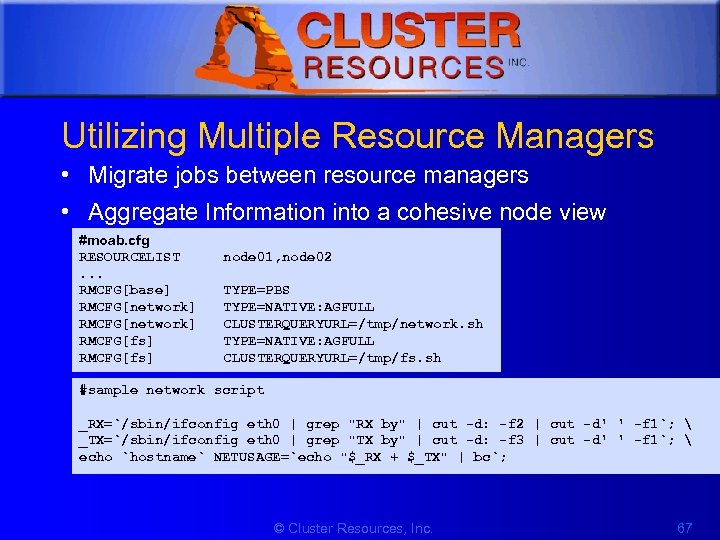 1 Utilizing Multiple Resource Managers • Migrate jobs between resource managers • Aggregate Information into a cohesive node view #moab. cfg RESOURCELIST. . . RMCFG[base] RMCFG[network] RMCFG[fs] node 01, node 02 TYPE=PBS TYPE=NATIVE: AGFULL CLUSTERQUERYURL=/tmp/network. sh TYPE=NATIVE: AGFULL CLUSTERQUERYURL=/tmp/fs. sh #sample network script _RX=`/sbin/ifconfig eth 0 | grep "RX by" | cut -d: -f 2 | cut -d' ' -f 1`; _TX=`/sbin/ifconfig eth 0 | grep "TX by" | cut -d: -f 3 | cut -d' ' -f 1`; echo `hostname` NETUSAGE=`echo "$_RX + $_TX" | bc`; © Cluster Resources, Inc. 67
 1 5. Scheduling Behaviour • • Job Priority Fairshare Usage Limits Optimizing the Scheduler © Cluster Resources, Inc. 68
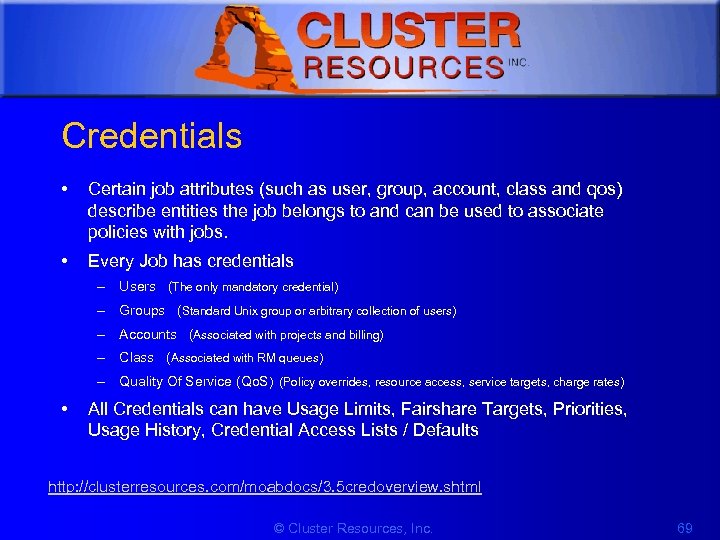 1 Credentials • Certain job attributes (such as user, group, account, class and qos) describe entities the job belongs to and can be used to associate policies with jobs. • Every Job has credentials – Users (The only mandatory credential) – Groups (Standard Unix group or arbitrary collection of users) – Accounts (Associated with projects and billing) – Class (Associated with RM queues) – Quality Of Service (Qo. S) (Policy overrides, resource access, service targets, charge rates) • All Credentials can have Usage Limits, Fairshare Targets, Priorities, Usage History, Credential Access Lists / Defaults http: //clusterresources. com/moabdocs/3. 5 credoverview. shtml © Cluster Resources, Inc. 69
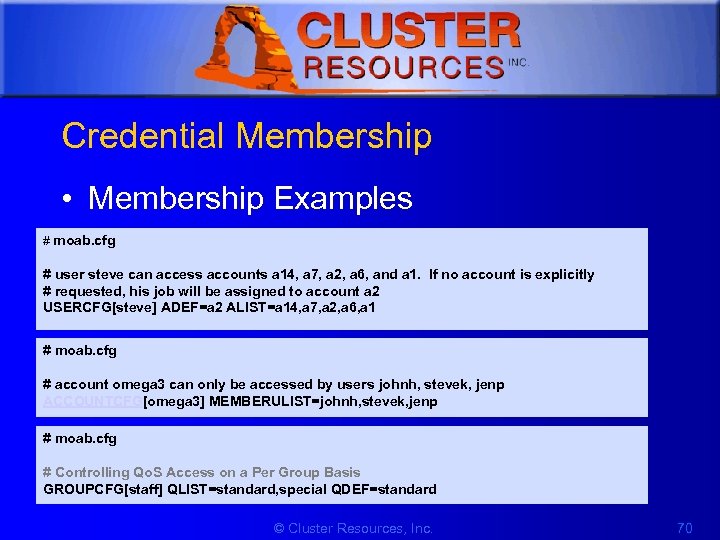 1 Credential Membership • Membership Examples # moab. cfg # user steve can access accounts a 14, a 7, a 2, a 6, and a 1. If no account is explicitly # requested, his job will be assigned to account a 2 USERCFG[steve] ADEF=a 2 ALIST=a 14, a 7, a 2, a 6, a 1 # moab. cfg # account omega 3 can only be accessed by users johnh, stevek, jenp ACCOUNTCFG[omega 3] MEMBERULIST=johnh, stevek, jenp # moab. cfg # Controlling Qo. S Access on a Per Group Basis GROUPCFG[staff] QLIST=standard, special QDEF=standard © Cluster Resources, Inc. 70
 1 Fairness • Definition: – giving all users equal access to compute resources – incorporating historical resource usage, political issues, and job value • Moab provides a comprehensive and flexible set of tools allowing the ability to address the many and varied fairness management needs. http: //clusterresources. com/moabdocs/6. 0 managingfairness. shtml © Cluster Resources, Inc. 71
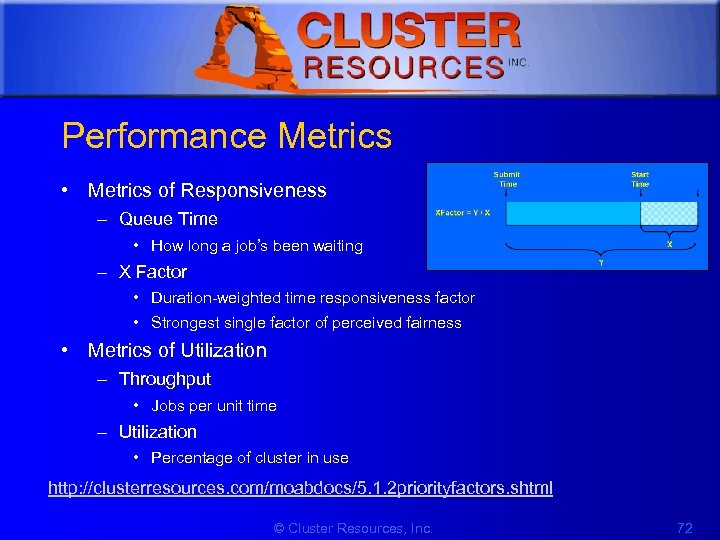 1 Performance Metrics • Metrics of Responsiveness – Queue Time • How long a job’s been waiting – X Factor • Duration-weighted time responsiveness factor • Strongest single factor of perceived fairness • Metrics of Utilization – Throughput • Jobs per unit time – Utilization • Percentage of cluster in use http: //clusterresources. com/moabdocs/5. 1. 2 priorityfactors. shtml © Cluster Resources, Inc. 72
 1 General Fairness Strategies • Maximize Scheduler Options -- Do Not Overspecify • Keep It Simple – Do Not Address Hypothetical Issues • Seek To Adjust User Behaviour, Not Limit User Options • Allow Users to Specify Required Service Level • Monitor Cluster Performance Regularly • Tune Policies As Needed © Cluster Resources, Inc. 73
 1 Priority • • • 2 -tier prioritization structure Independent component and subcomponent weights/caps Components include service, target, fairshare, resource, usage, job attribute, and credential Negative priority jobs may be blocked Tuning facility available with mdiag -p http: //clusterresources. com/moabdocs/5. 1 jobprioritization. shtml © Cluster Resources, Inc. 74
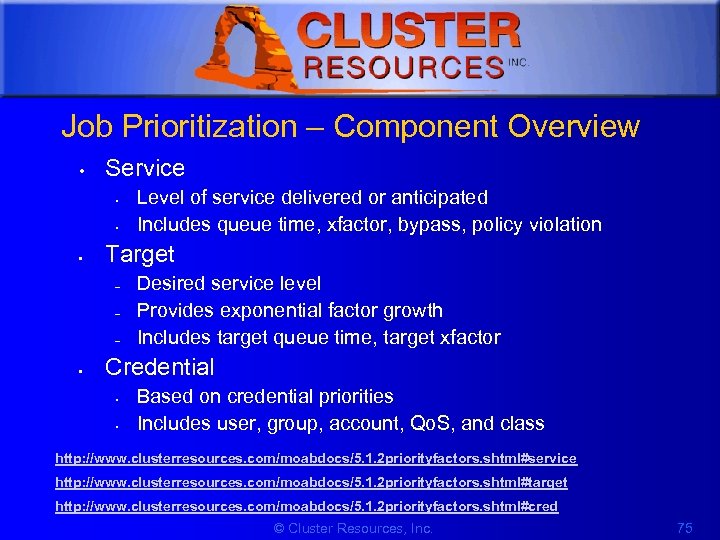 1 Job Prioritization – Component Overview • Service • • • Target – – – • Level of service delivered or anticipated Includes queue time, xfactor, bypass, policy violation Desired service level Provides exponential factor growth Includes target queue time, target xfactor Credential • • Based on credential priorities Includes user, group, account, Qo. S, and class http: //www. clusterresources. com/moabdocs/5. 1. 2 priorityfactors. shtml#service http: //www. clusterresources. com/moabdocs/5. 1. 2 priorityfactors. shtml#target http: //www. clusterresources. com/moabdocs/5. 1. 2 priorityfactors. shtml#cred © Cluster Resources, Inc. 75
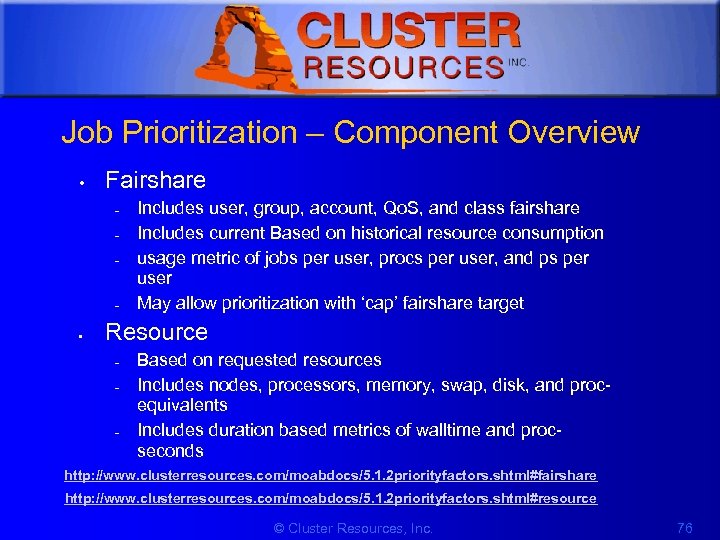 1 Job Prioritization – Component Overview • Fairshare – – • Includes user, group, account, Qo. S, and class fairshare Includes current Based on historical resource consumption usage metric of jobs per user, procs per user, and ps per user May allow prioritization with ‘cap’ fairshare target Resource – – – Based on requested resources Includes nodes, processors, memory, swap, disk, and procequivalents Includes duration based metrics of walltime and procseconds http: //www. clusterresources. com/moabdocs/5. 1. 2 priorityfactors. shtml#fairshare http: //www. clusterresources. com/moabdocs/5. 1. 2 priorityfactors. shtml#resource © Cluster Resources, Inc. 76
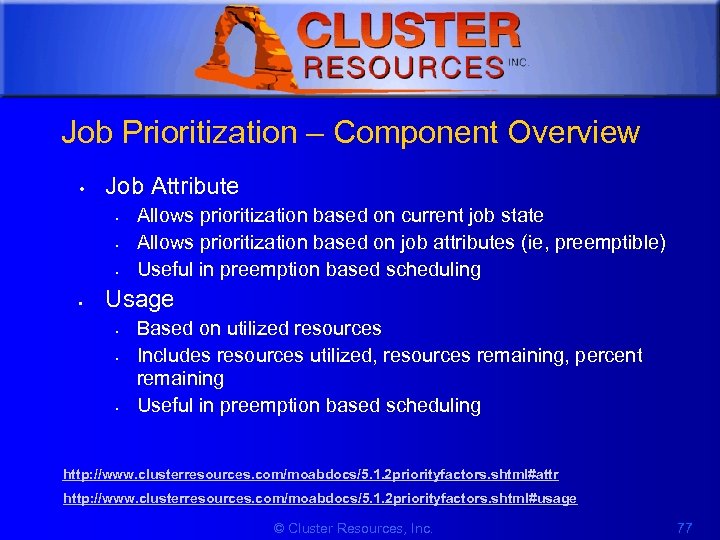 1 Job Prioritization – Component Overview • Job Attribute • • Allows prioritization based on current job state Allows prioritization based on job attributes (ie, preemptible) Useful in preemption based scheduling Usage • • • Based on utilized resources Includes resources utilized, resources remaining, percent remaining Useful in preemption based scheduling http: //www. clusterresources. com/moabdocs/5. 1. 2 priorityfactors. shtml#attr http: //www. clusterresources. com/moabdocs/5. 1. 2 priorityfactors. shtml#usage © Cluster Resources, Inc. 77
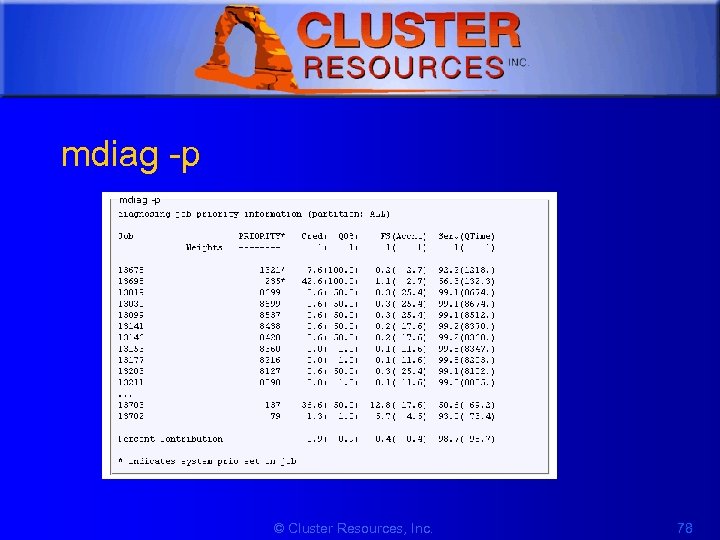 1 mdiag -p © Cluster Resources, Inc. 78
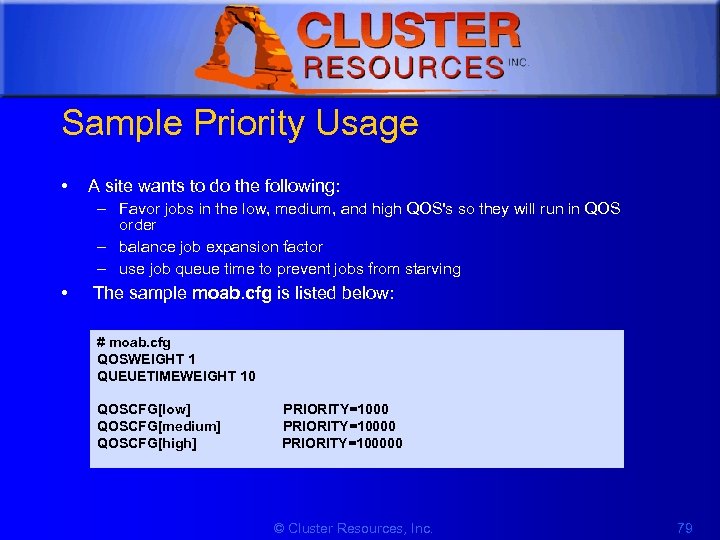 1 Sample Priority Usage • A site wants to do the following: – Favor jobs in the low, medium, and high QOS's so they will run in QOS order – balance job expansion factor – use job queue time to prevent jobs from starving • The sample moab. cfg is listed below: # moab. cfg QOSWEIGHT 1 QUEUETIMEWEIGHT 10 QOSCFG[low] PRIORITY=1000 QOSCFG[medium] PRIORITY=10000 QOSCFG[high] PRIORITY=100000 © Cluster Resources, Inc. 79
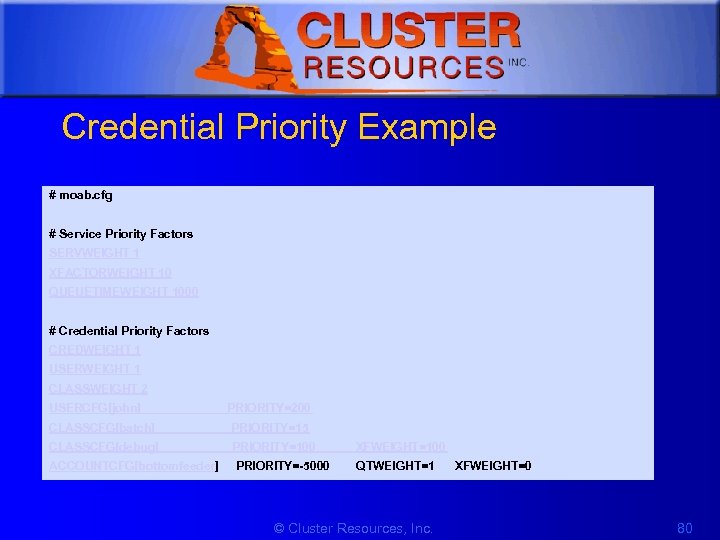 1 Credential Priority Example # moab. cfg # Service Priority Factors SERVWEIGHT 1 XFACTORWEIGHT 10 QUEUETIMEWEIGHT 1000 # Credential Priority Factors CREDWEIGHT 1 USERWEIGHT 1 CLASSWEIGHT 2 USERCFG[john] PRIORITY=200 CLASSCFG[batch] PRIORITY=15 CLASSCFG[debug] PRIORITY=100 XFWEIGHT=100 ACCOUNTCFG[bottomfeeder] PRIORITY=-5000 QTWEIGHT=1 XFWEIGHT=0 © Cluster Resources, Inc. 80
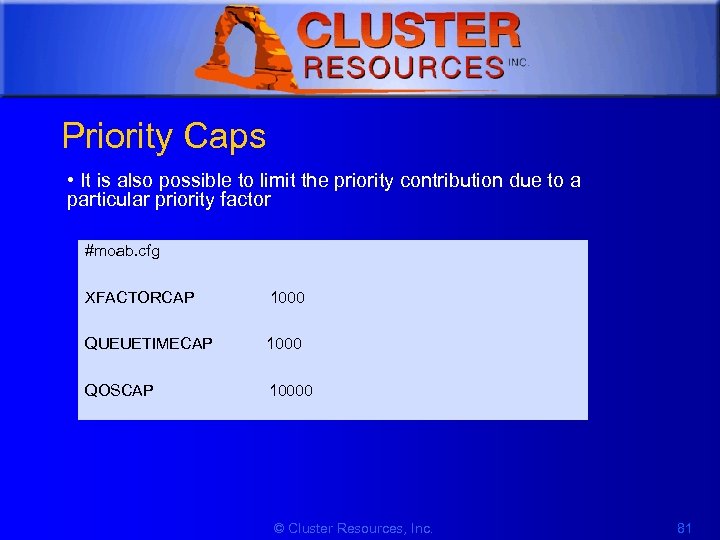 1 Priority Caps • It is also possible to limit the priority contribution due to a particular priority factor #moab. cfg XFACTORCAP 1000 QUEUETIMECAP 1000 QOSCAP 10000 © Cluster Resources, Inc. 81
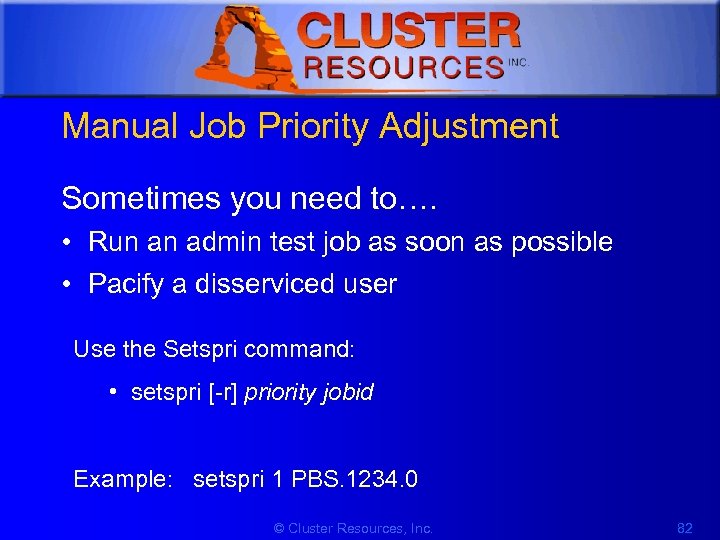 1 Manual Job Priority Adjustment Sometimes you need to…. • Run an admin test job as soon as possible • Pacify a disserviced user Use the Setspri command: • setspri [-r] priority jobid Example: setspri 1 PBS. 1234. 0 © Cluster Resources, Inc. 82
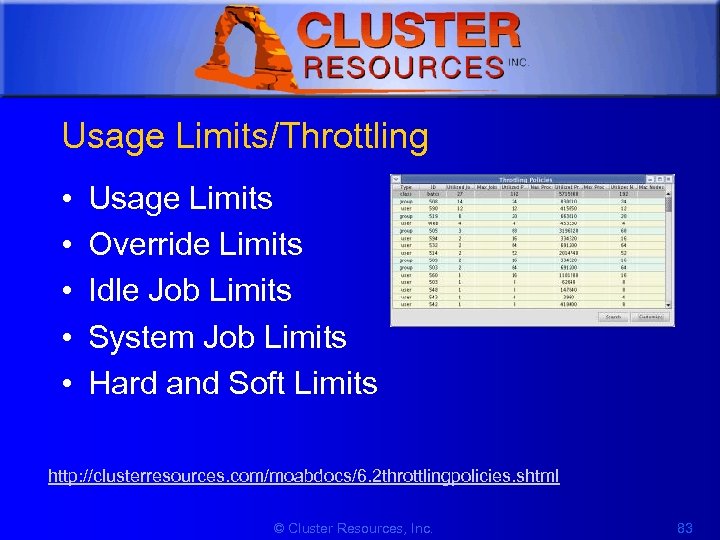 1 Usage Limits/Throttling • • • Usage Limits Override Limits Idle Job Limits System Job Limits Hard and Soft Limits http: //clusterresources. com/moabdocs/6. 2 throttlingpolicies. shtml © Cluster Resources, Inc. 83
![1 Usage Limit Example # moab. cfg USERCFG[steve] GROUPCFG[staff] CLASSCFG[DEFAULT] CLASSCFG[batch] MAXJOB=2 MAXNODE=30 MAXJOB=5](https://present5.com/presentation/c8fc53a80907f6569979e02f18cd2bc9/image-84.jpg "1 Usage Limit Example # moab. cfg USERCFG[steve] GROUPCFG[staff] CLASSCFG[DEFAULT] CLASSCFG[batch] MAXJOB=2 MAXNODE=30 MAXJOB=5") 1 Usage Limit Example # moab. cfg USERCFG[steve] GROUPCFG[staff] CLASSCFG[DEFAULT] CLASSCFG[batch] MAXJOB=2 MAXNODE=30 MAXJOB=5 MAXNODE=16 MAXNODE=32 # moab. cfg # allow class batch to run up the 3 simultaneous jobs and # allow any user to use up to 8 total nodes within class batch CLASSCFG[batch] MAXJOB=3 MAXNODE[USER]=8 # allow users steve and bob to use up to 3 and 4 total processors respectively within class CLASSCFG[fast] MAXPROC[USER: steve]=3 MAXPROC[USER: bob]=4 © Cluster Resources, Inc. 84
1 Usage Limit Example # moab. cfg USERCFG[steve] GROUPCFG[staff] CLASSCFG[DEFAULT] CLASSCFG[batch] MAXJOB=2 MAXNODE=30 MAXJOB=5 MAXNODE=16 MAXNODE=32 # moab. cfg # allow class batch to run up the 3 simultaneous jobs and # allow any user to use up to 8 total nodes within class batch CLASSCFG[batch] MAXJOB=3 MAXNODE[USER]=8 # allow users steve and bob to use up to 3 and 4 total processors respectively within class CLASSCFG[fast] MAXPROC[USER: steve]=3 MAXPROC[USER: bob]=4 © Cluster Resources, Inc. 84
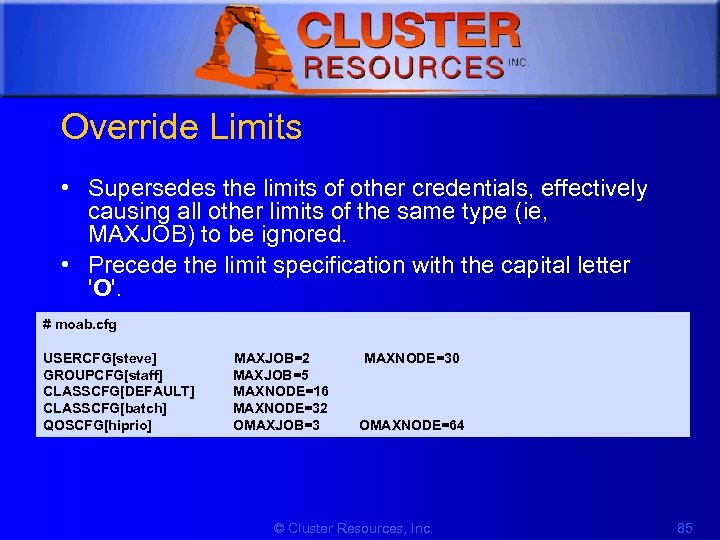 1 Override Limits • Supersedes the limits of other credentials, effectively causing all other limits of the same type (ie, MAXJOB) to be ignored. • Precede the limit specification with the capital letter 'O'. # moab. cfg USERCFG[steve] MAXJOB=2 MAXNODE=30 GROUPCFG[staff] MAXJOB=5 CLASSCFG[DEFAULT] MAXNODE=16 CLASSCFG[batch] MAXNODE=32 QOSCFG[hiprio] OMAXJOB=3 OMAXNODE=64 © Cluster Resources, Inc. 85
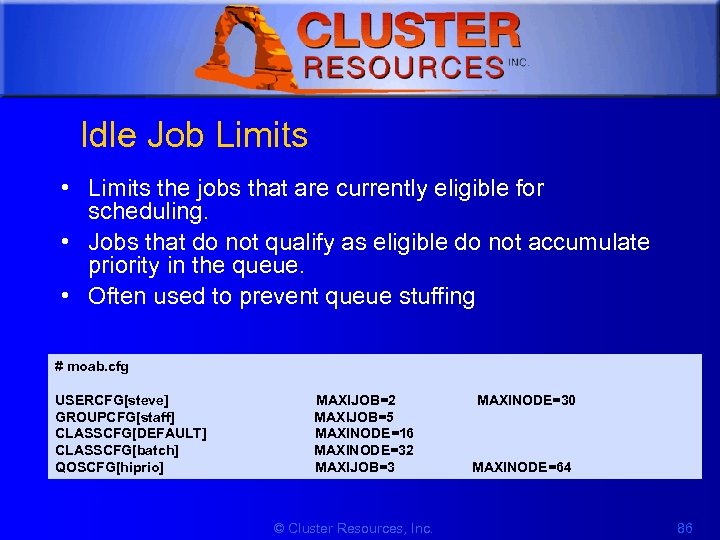 1 Idle Job Limits • Limits the jobs that are currently eligible for scheduling. • Jobs that do not qualify as eligible do not accumulate priority in the queue. • Often used to prevent queue stuffing # moab. cfg USERCFG[steve] MAXIJOB=2 MAXINODE=30 GROUPCFG[staff] MAXIJOB=5 CLASSCFG[DEFAULT] MAXINODE=16 CLASSCFG[batch] MAXINODE=32 QOSCFG[hiprio] MAXIJOB=3 MAXINODE=64 © Cluster Resources, Inc. 86
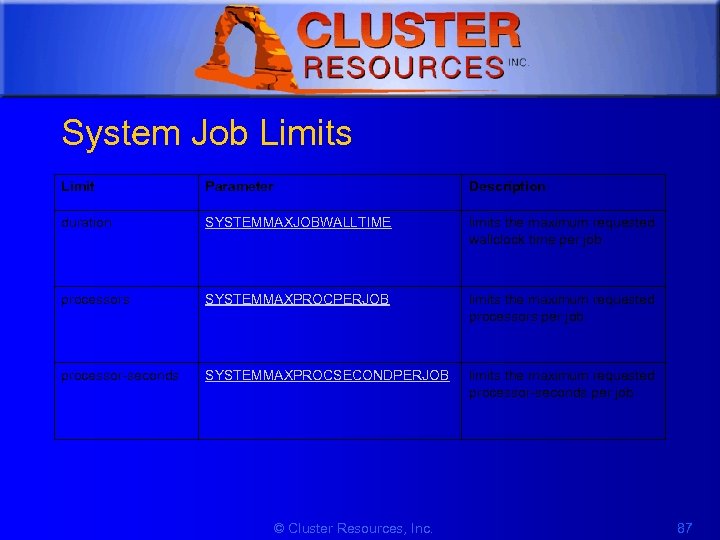 1 System Job Limits Limit Parameter Description duration SYSTEMMAXJOBWALLTIME limits the maximum requested wallclock time per job processors SYSTEMMAXPROCPERJOB limits the maximum requested processors per job processor-seconds SYSTEMMAXPROCSECONDPERJOB limits the maximum requested processor-seconds per job © Cluster Resources, Inc. 87
![1 Hard and Soft Limits • Balance both fairness and utilization #moab. cfg USERCFG[steve]](https://present5.com/presentation/c8fc53a80907f6569979e02f18cd2bc9/image-88.jpg "1 Hard and Soft Limits • Balance both fairness and utilization #moab. cfg USERCFG[steve]") 1 Hard and Soft Limits • Balance both fairness and utilization #moab. cfg USERCFG[steve] MAXJOB=2, 4 MAXNODE=15, 30 GROUPCFG[staff] MAXJOB=2, 5 CLASSCFG[DEFAULT] MAXNODE=16, 32 CLASSCFG[batch] MAXNODE=12, 32 QOSCFG[hiprio] MAXJOB=3, 5 MAXNODE=32, 64 © Cluster Resources, Inc. 88
1 Hard and Soft Limits • Balance both fairness and utilization #moab. cfg USERCFG[steve] MAXJOB=2, 4 MAXNODE=15, 30 GROUPCFG[staff] MAXJOB=2, 5 CLASSCFG[DEFAULT] MAXNODE=16, 32 CLASSCFG[batch] MAXNODE=12, 32 QOSCFG[hiprio] MAXJOB=3, 5 MAXNODE=32, 64 © Cluster Resources, Inc. 88
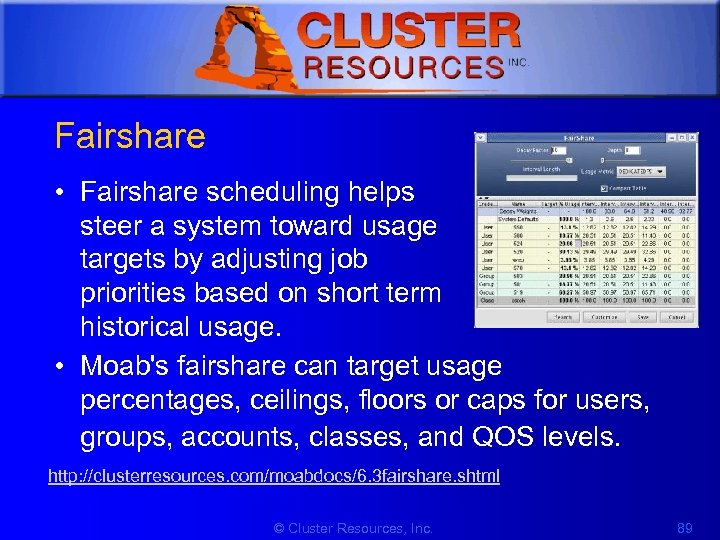 1 Fairshare • Fairshare scheduling helps steer a system toward usage targets by adjusting job priorities based on short term historical usage. • Moab's fairshare can target usage percentages, ceilings, floors or caps for users, groups, accounts, classes, and QOS levels. http: //clusterresources. com/moabdocs/6. 3 fairshare. shtml © Cluster Resources, Inc. 89
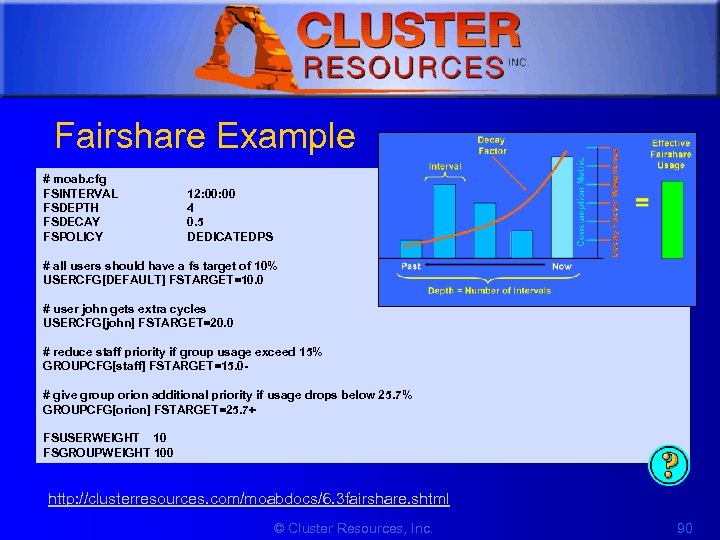 1 Fairshare Example # moab. cfg FSINTERVAL FSDEPTH FSDECAY FSPOLICY 12: 00 4 0. 5 DEDICATEDPS # all users should have a fs target of 10% USERCFG[DEFAULT] FSTARGET=10. 0 # user john gets extra cycles USERCFG[john] FSTARGET=20. 0 # reduce staff priority if group usage exceed 15% GROUPCFG[staff] FSTARGET=15. 0# give group orion additional priority if usage drops below 25. 7% GROUPCFG[orion] FSTARGET=25. 7+ FSUSERWEIGHT 10 FSGROUPWEIGHT 100 http: //clusterresources. com/moabdocs/6. 3 fairshare. shtml © Cluster Resources, Inc. 90
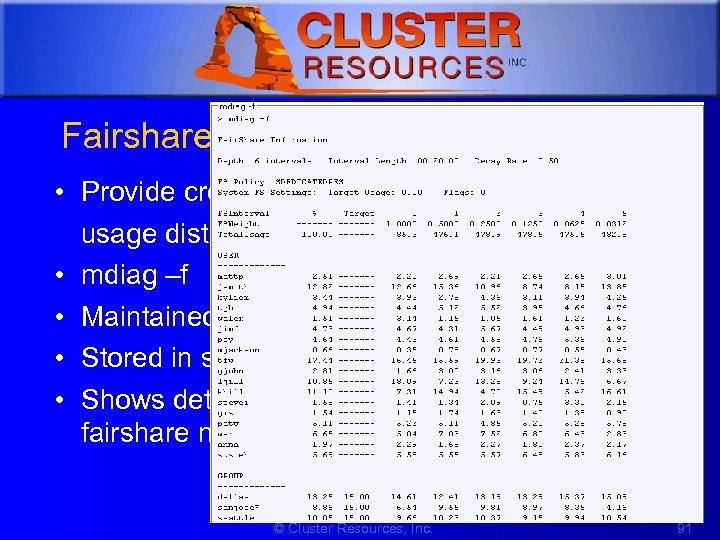 1 Fairshare stats • Provide credential-based usage distributions over time • mdiag –f • Maintained for all credentials • Stored in stats/FS. ${epochtime} • Shows detailed time-distribution usage by fairshare metric © Cluster Resources, Inc. 91
 1 Optimization is maximizing performance while fully addressing all mission objectives. True optimization includes aspects of policy selection, increased availability, user training, and other factors. • • • Identifying Policy Bottlenecks Identifying Resource Fragmentation Preemption Malleable/Dynamic Jobs Backfill © Cluster Resources, Inc. 92
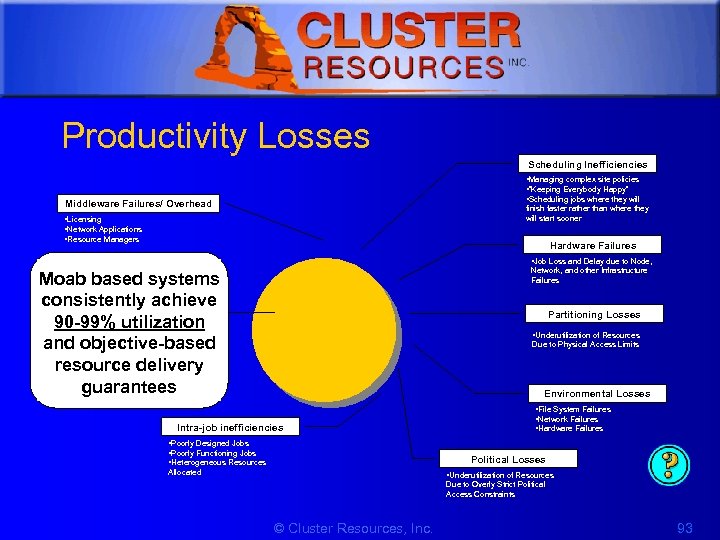 1 Productivity Losses Scheduling Inefficiencies • Managing complex site policies • “Keeping Everybody Happy” • Scheduling jobs where they will Middleware Failures/ Overhead finish faster rather than where they will start sooner • Licensing • Network Applications • Resource Managers Hardware Failures • Job Loss and Delay due to Node, Network, and other Infrastructure Failures Moab based systems consistently achieve Remaining Productivity 90 -99% utilization and objective-based resource delivery guarantees Partitioning Losses • Underutilization of Resources Due to Physical Access Limits Environmental Losses • File System Failures • Network Failures • Hardware Failures Intra-job inefficiencies • Poorly Designed Jobs • Poorly Functioning Jobs • Heterogeneous Resources Political Losses Allocated • Underutilization of Resources Due to Overly Strict Political Access Constraints © Cluster Resources, Inc. 93
 1 Identifying Policy Bottlenecks • Most Optimization is Enable by Default • Sources of Bottlenecks – Usage Limits, Fairshare Caps – Eval Steps • Verify priority (are most important jobs getting access to resources first? ) http: //clusterresources. com/moabdocs/commands/mdiag-priority. shtml © Cluster Resources, Inc. 94
 1 Identifying Policy Bottlenecks (contd) • Sources of Bottlenecks (contd) – Eval Steps (contd) • Check job blockage • Adjust Limits, Caps, Priority as needed • If needed, use simulation to determine performance impact of changes http: //clusterresources. com/moabdocs/commands/mdiagqueues. shtml © Cluster Resources, Inc. 95
 1 Identifying Resource Fragmentation • Fragmentation based on queues, reservations, partitions, os's, architectures, etc. • Recommend changes, use node sets, soften reservations, time-based reservations, etc. • User training to eliminate user specified fragmentation © Cluster Resources, Inc. 96
 1 Preemption • Conflict between high utilization for cluster and guarantees for important jobs • Preemption allows scheduler to 'retract' some scheduling decisions to address newly submitted workload • Qo. S-based preemption allows scheduler to enable preemption only if targets cannot be satisfied in other ways http: //www. clusterresources. com/products/mwm/docs/8. 4 preemption. shtml © Cluster Resources, Inc. 97
 1 Malleable/Dynamic Jobs • Moab adjusts jobs to utilize available resource and fill holes • Moab adjusts both job size and job duration • Only supported with resource managers which support dynamic job modification (i. e. TORQUE) or with msub http: //www. clusterresources. com/products/mwm/docs/22. 4 dynamicjobs. shtm l © Cluster Resources, Inc. 98
 1 Backfill • Allows a scheduler to make better use of available resources by running jobs out of order • Prioritizes the jobs in the queue according to a number of factors and then orders the jobs into a highest priority first (or priority FIFO) sorted list © Cluster Resources, Inc. 99
 1 6. Resource Access • • • Admin Reservations Standing Reservations Nodesets Node Access Policies Partitions © Cluster Resources, Inc. 100
 1 Advance Reservations An advance reservation is the mechanism by which Moab guarantees the availability of a set of resources at a particular time. All reservations require three items: • Resources – Under Moab, the resources specified for a reservation are specified by way of a task description. – Task- an atomic, or indivisible, collection of resources (processors, memory, swap, local disk, etc. ) • Timeframe – start time and an end time. • Access control list – which jobs can use a reservation (users, groups, accounts, classes, QOS, and job duration) © Cluster Resources, Inc. 101
 1 Reservation Management Commands Flags Description mdiag -r display summarized reservation information and any unexpected state mrsvctl reservation control mrsvctl -r remove reservations mrsvctl -c create an administrative reservation showres display information regarding location and state of reservations © Cluster Resources, Inc. 102
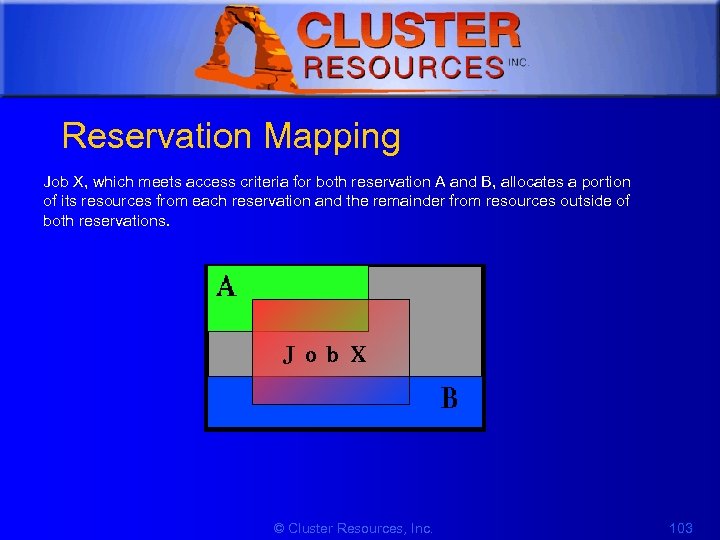 1 Reservation Mapping Job X, which meets access criteria for both reservation A and B, allocates a portion of its resources from each reservation and the remainder from resources outside of both reservations. © Cluster Resources, Inc. 103
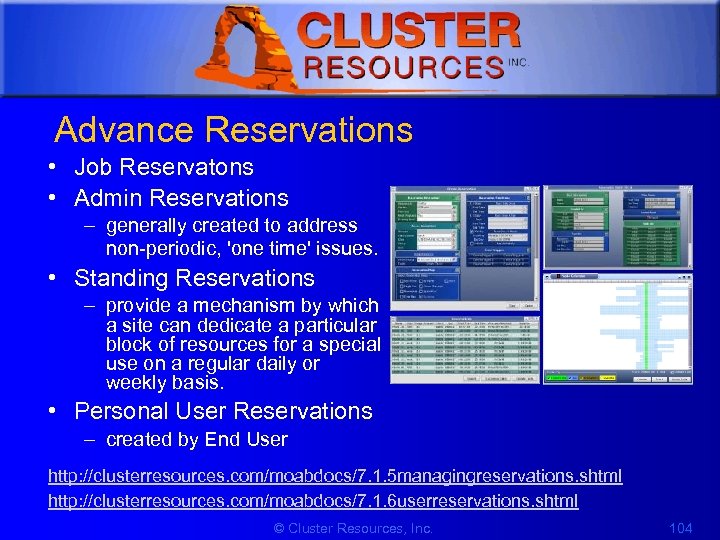 1 Advance Reservations • Job Reservatons • Admin Reservations – generally created to address non-periodic, 'one time' issues. • Standing Reservations – provide a mechanism by which a site can dedicate a particular block of resources for a special use on a regular daily or weekly basis. • Personal User Reservations – created by End User http: //clusterresources. com/moabdocs/7. 1. 5 managingreservations. shtml http: //clusterresources. com/moabdocs/7. 1. 6 userreservations. shtml © Cluster Resources, Inc. 104
 1 Job Reservation Policies • Reasons to Increase RESERVATIONDEPTH – the estimated job starttime information provided by the showstart command is heavily used and the accuracy needs to be increased – priority dilution is preventing certain key mission objectives from being fulfilled – users are more interested in knowing when their job will run than in having it run sooner • Reasons to Decrease RESERVATIONDEPTH – scheduling efficiency and job throughput need to be increased ##moab. cfg RESERVATIONDEPTH[bigmem] 4 RESERVATIONQOSLIST[bigmem] special, fast, joshua © Cluster Resources, Inc. 105
 1 Administrative Reservations • Created using: – mrsvctl -c (or setres) command • Persistent until they expire or are removed using: – mrsvctl -r (or releaseres) command. © Cluster Resources, Inc. 106
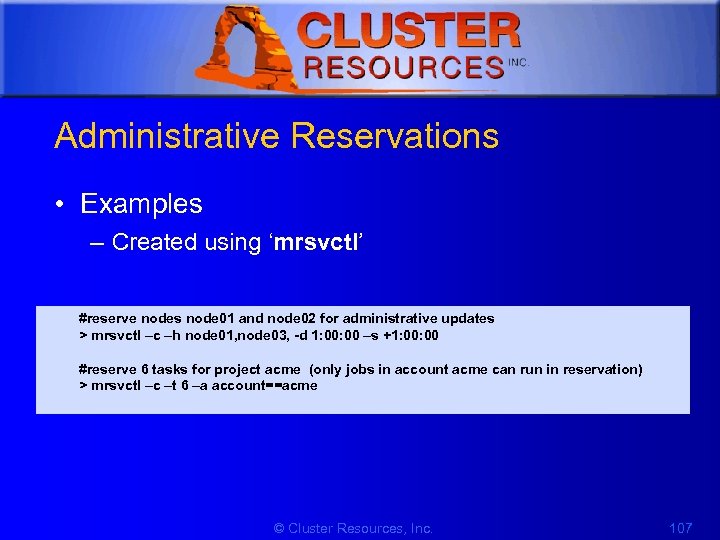 1 Administrative Reservations • Examples – Created using ‘mrsvctl’ #reserve nodes node 01 and node 02 for administrative updates > mrsvctl –c –h node 01, node 03, -d 1: 00 –s +1: 00 #reserve 6 tasks for project acme (only jobs in account acme can run in reservation) > mrsvctl –c –t 6 –a account==acme © Cluster Resources, Inc. 107
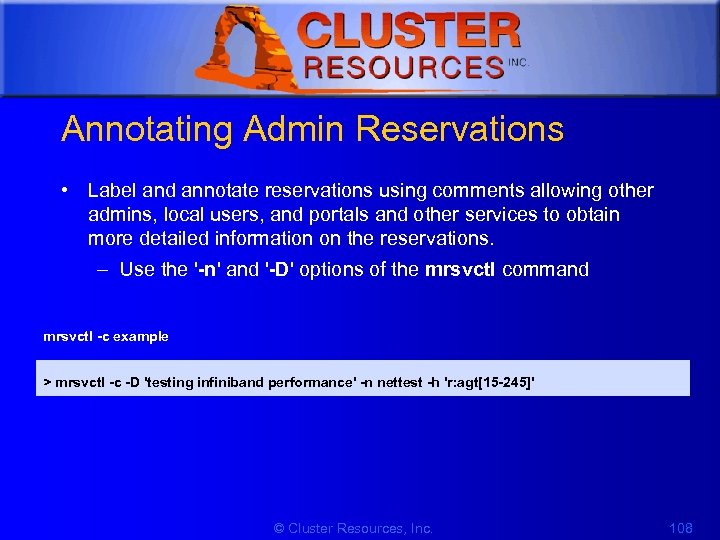 1 Annotating Admin Reservations • Label and annotate reservations using comments allowing other admins, local users, and portals and other services to obtain more detailed information on the reservations. – Use the '-n' and '-D' options of the mrsvctl command mrsvctl -c example > mrsvctl -c -D 'testing infiniband performance' -n nettest -h 'r: agt[15 -245]' © Cluster Resources, Inc. 108
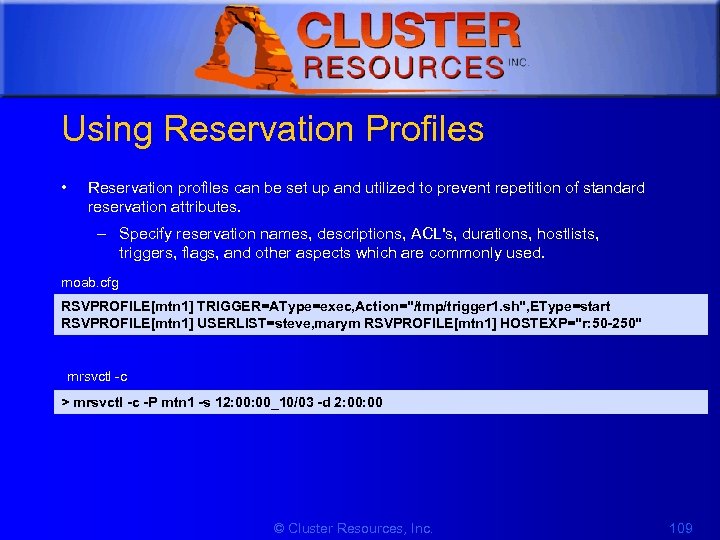 1 Using Reservation Profiles • Reservation profiles can be set up and utilized to prevent repetition of standard reservation attributes. – Specify reservation names, descriptions, ACL's, durations, hostlists, triggers, flags, and other aspects which are commonly used. moab. cfg RSVPROFILE[mtn 1] TRIGGER=AType=exec, Action="/tmp/trigger 1. sh", EType=start RSVPROFILE[mtn 1] USERLIST=steve, marym RSVPROFILE[mtn 1] HOSTEXP="r: 50 -250" mrsvctl -c > mrsvctl -c -P mtn 1 -s 12: 00_10/03 -d 2: 00 © Cluster Resources, Inc. 109
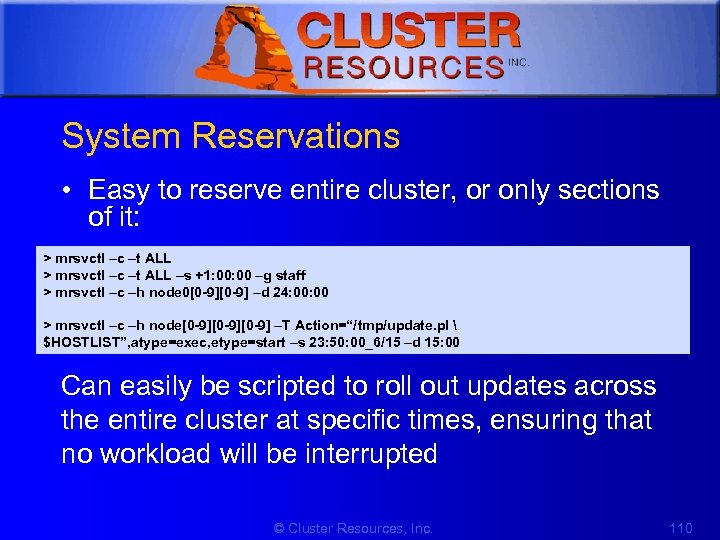 1 System Reservations • Easy to reserve entire cluster, or only sections of it: > mrsvctl –c –t ALL –s +1: 00 –g staff > mrsvctl –c –h node 0[0 -9] –d 24: 00 > mrsvctl –c –h node[0 -9][0 -9] –T Action=“/tmp/update. pl $HOSTLIST”, atype=exec, etype=start –s 23: 50: 00_6/15 –d 15: 00 Can easily be scripted to roll out updates across the entire cluster at specific times, ensuring that no workload will be interrupted © Cluster Resources, Inc. 110
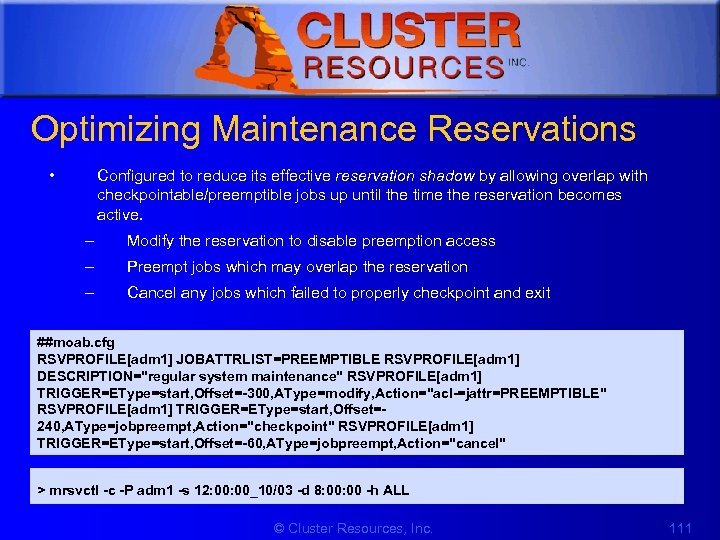 1 Optimizing Maintenance Reservations • Configured to reduce its effective reservation shadow by allowing overlap with checkpointable/preemptible jobs up until the time the reservation becomes active. – Modify the reservation to disable preemption access – Preempt jobs which may overlap the reservation – Cancel any jobs which failed to properly checkpoint and exit ##moab. cfg RSVPROFILE[adm 1] JOBATTRLIST=PREEMPTIBLE RSVPROFILE[adm 1] DESCRIPTION="regular system maintenance" RSVPROFILE[adm 1] TRIGGER=EType=start, Offset=-300, AType=modify, Action="acl-=jattr=PREEMPTIBLE" RSVPROFILE[adm 1] TRIGGER=EType=start, Offset=240, AType=jobpreempt, Action="checkpoint" RSVPROFILE[adm 1] TRIGGER=EType=start, Offset=-60, AType=jobpreempt, Action="cancel" > mrsvctl -c -P adm 1 -s 12: 00_10/03 -d 8: 00 -h ALL © Cluster Resources, Inc. 111
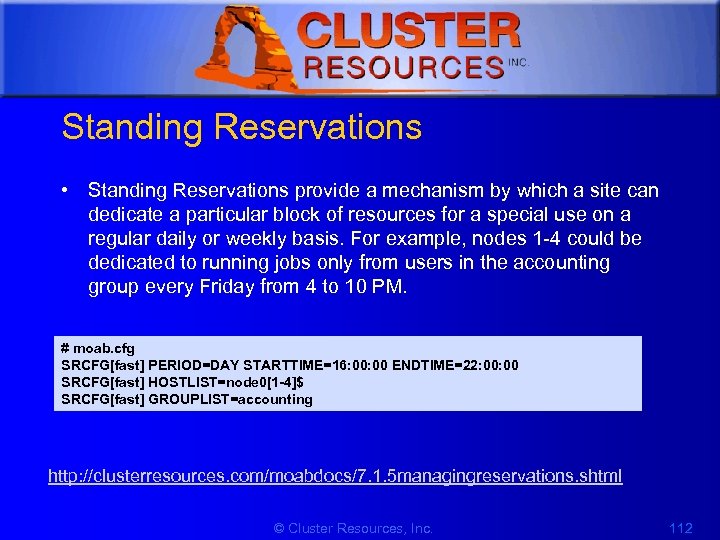 1 Standing Reservations • Standing Reservations provide a mechanism by which a site can dedicate a particular block of resources for a special use on a regular daily or weekly basis. For example, nodes 1 -4 could be dedicated to running jobs only from users in the accounting group every Friday from 4 to 10 PM. # moab. cfg SRCFG[fast] PERIOD=DAY STARTTIME=16: 00 ENDTIME=22: 00 SRCFG[fast] HOSTLIST=node 0[1 -4]$ SRCFG[fast] GROUPLIST=accounting http: //clusterresources. com/moabdocs/7. 1. 5 managingreservations. shtml © Cluster Resources, Inc. 112
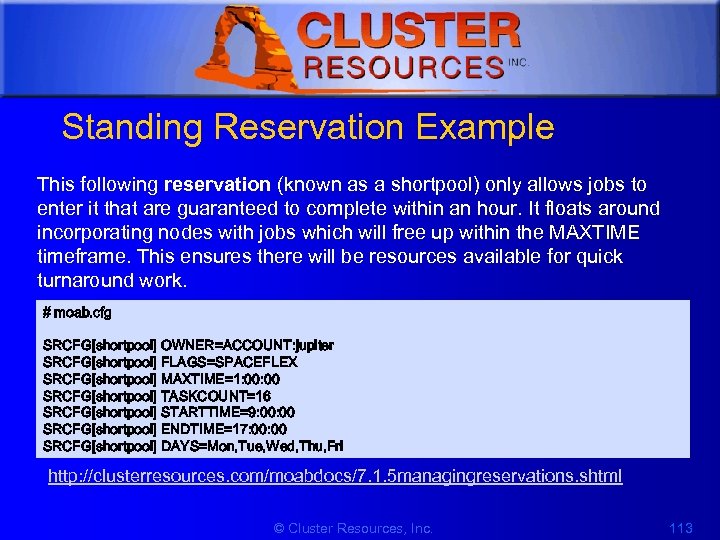 1 Standing Reservation Example This following reservation (known as a shortpool) only allows jobs to enter it that are guaranteed to complete within an hour. It floats around incorporating nodes with jobs which will free up within the MAXTIME timeframe. This ensures there will be resources available for quick turnaround work. # moab. cfg SRCFG[shortpool] OWNER=ACCOUNT: jupiter SRCFG[shortpool] FLAGS=SPACEFLEX SRCFG[shortpool] MAXTIME=1: 00 SRCFG[shortpool] TASKCOUNT=16 SRCFG[shortpool] STARTTIME=9: 00 SRCFG[shortpool] ENDTIME=17: 00 SRCFG[shortpool] DAYS=Mon, Tue, Wed, Thu, Fri http: //clusterresources. com/moabdocs/7. 1. 5 managingreservations. shtml © Cluster Resources, Inc. 113
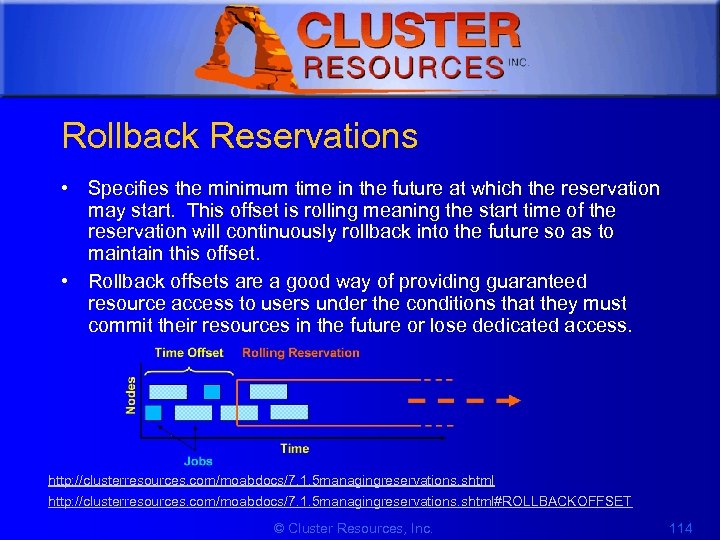 1 Rollback Reservations • Specifies the minimum time in the future at which the reservation may start. This offset is rolling meaning the start time of the reservation will continuously rollback into the future so as to maintain this offset. • Rollback offsets are a good way of providing guaranteed resource access to users under the conditions that they must commit their resources in the future or lose dedicated access. http: //clusterresources. com/moabdocs/7. 1. 5 managingreservations. shtml#ROLLBACKOFFSET © Cluster Resources, Inc. 114
![1 Rollback Reservations Example # moab. cfg SRCFG[ajax_rsv] ROLLBACKOFFSET=24: 00 TASKCOUNT=32 SRCFG[ajax_rsv] PERIOD=INFINITY ACCOUNTLIST=ajax](https://present5.com/presentation/c8fc53a80907f6569979e02f18cd2bc9/image-115.jpg "1 Rollback Reservations Example # moab. cfg SRCFG[ajax_rsv] ROLLBACKOFFSET=24: 00 TASKCOUNT=32 SRCFG[ajax_rsv] PERIOD=INFINITY ACCOUNTLIST=ajax") 1 Rollback Reservations Example # moab. cfg SRCFG[ajax_rsv] ROLLBACKOFFSET=24: 00 TASKCOUNT=32 SRCFG[ajax_rsv] PERIOD=INFINITY ACCOUNTLIST=ajax • The standing reservation will guarantee access to up to 32 processors within 24 hours to jobs from the ajax account © Cluster Resources, Inc. 115
1 Rollback Reservations Example # moab. cfg SRCFG[ajax_rsv] ROLLBACKOFFSET=24: 00 TASKCOUNT=32 SRCFG[ajax_rsv] PERIOD=INFINITY ACCOUNTLIST=ajax • The standing reservation will guarantee access to up to 32 processors within 24 hours to jobs from the ajax account © Cluster Resources, Inc. 115
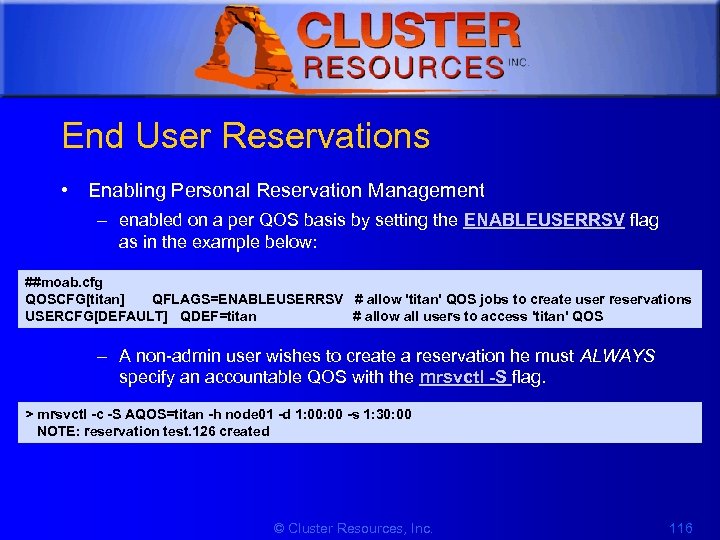 1 End User Reservations • Enabling Personal Reservation Management – enabled on a per QOS basis by setting the ENABLEUSERRSV flag as in the example below: ##moab. cfg QOSCFG[titan] QFLAGS=ENABLEUSERRSV # allow 'titan' QOS jobs to create user reservations USERCFG[DEFAULT] QDEF=titan # allow all users to access 'titan' QOS – A non-admin user wishes to create a reservation he must ALWAYS specify an accountable QOS with the mrsvctl -S flag. > mrsvctl -c -S AQOS=titan -h node 01 -d 1: 00 -s 1: 30: 00 NOTE: reservation test. 126 created © Cluster Resources, Inc. 116
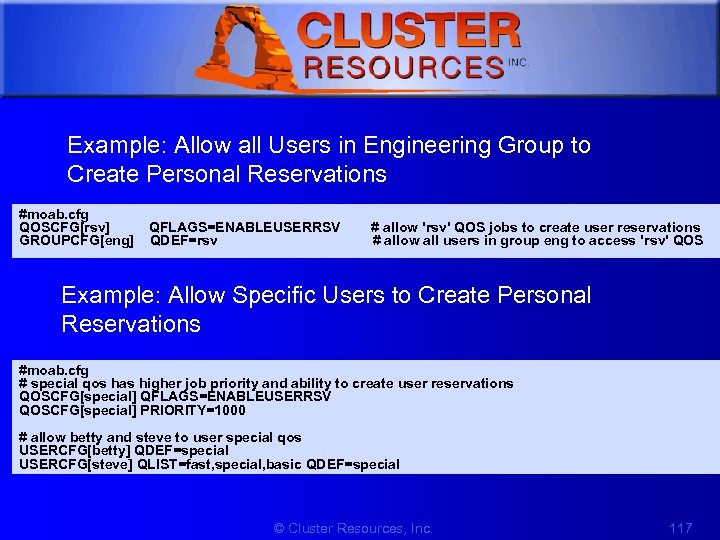 1 Example: Allow all Users in Engineering Group to Create Personal Reservations #moab. cfg QOSCFG[rsv] QFLAGS=ENABLEUSERRSV # allow 'rsv' QOS jobs to create user reservations GROUPCFG[eng] QDEF=rsv # allow all users in group eng to access 'rsv' QOS Example: Allow Specific Users to Create Personal Reservations #moab. cfg # special qos has higher job priority and ability to create user reservations QOSCFG[special] QFLAGS=ENABLEUSERRSV QOSCFG[special] PRIORITY=1000 # allow betty and steve to user special qos USERCFG[betty] QDEF=special USERCFG[steve] QLIST=fast, special, basic QDEF=special © Cluster Resources, Inc. 117
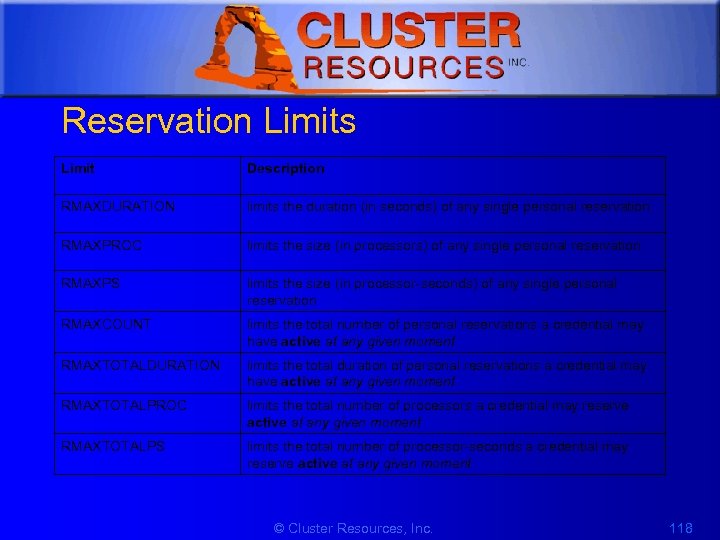 1 Reservation Limits Limit Description RMAXDURATION limits the duration (in seconds) of any single personal reservation RMAXPROC limits the size (in processors) of any single personal reservation RMAXPS limits the size (in processor-seconds) of any single personal reservation RMAXCOUNT limits the total number of personal reservations a credential may have active at any given moment RMAXTOTALDURATION limits the total duration of personal reservations a credential may have active at any given moment RMAXTOTALPROC limits the total number of processors a credential may reserve active at any given moment RMAXTOTALPS limits the total number of processor-seconds a credential may reserve active at any given moment © Cluster Resources, Inc. 118
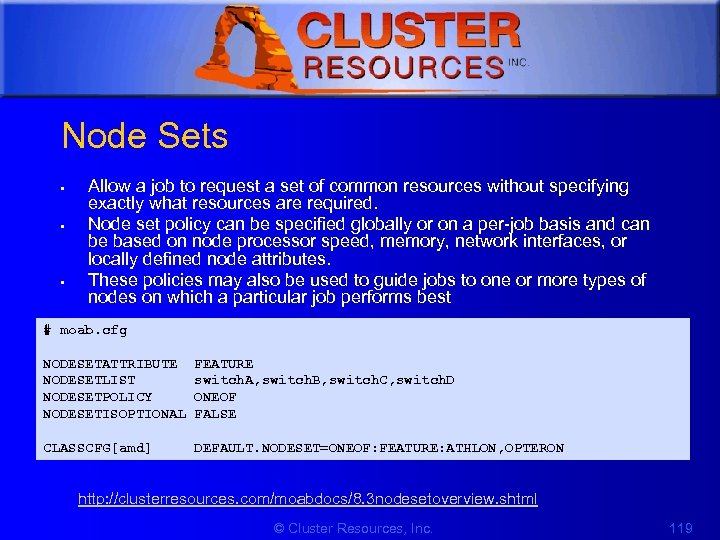 1 Node Sets • • • Allow a job to request a set of common resources without specifying exactly what resources are required. Node set policy can be specified globally or on a per-job basis and can be based on node processor speed, memory, network interfaces, or locally defined node attributes. These policies may also be used to guide jobs to one or more types of nodes on which a particular job performs best # moab. cfg NODESETATTRIBUTE FEATURE NODESETLIST switch. A, switch. B, switch. C, switch. D NODESETPOLICY ONEOF NODESETISOPTIONAL FALSE CLASSCFG[amd] DEFAULT. NODESET=ONEOF: FEATURE: ATHLON, OPTERON http: //clusterresources. com/moabdocs/8. 3 nodesetoverview. shtml © Cluster Resources, Inc. 119
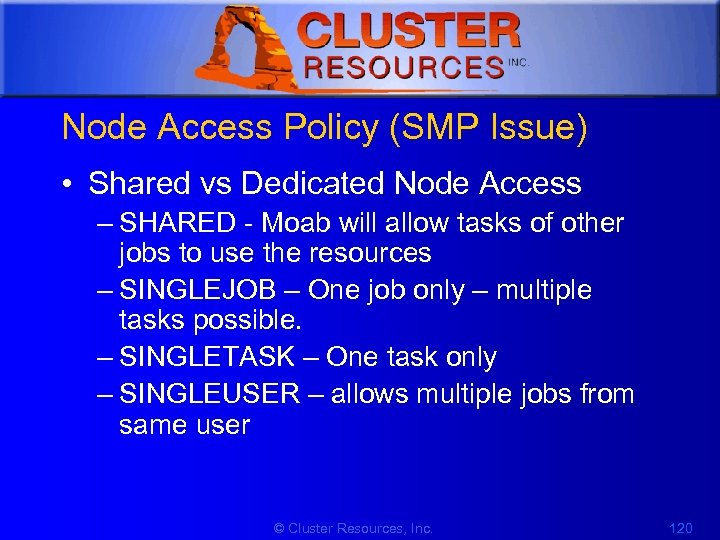 1 Node Access Policy (SMP Issue) • Shared vs Dedicated Node Access – SHARED - Moab will allow tasks of other jobs to use the resources – SINGLEJOB – One job only – multiple tasks possible. – SINGLETASK – One task only – SINGLEUSER – allows multiple jobs from same user © Cluster Resources, Inc. 120
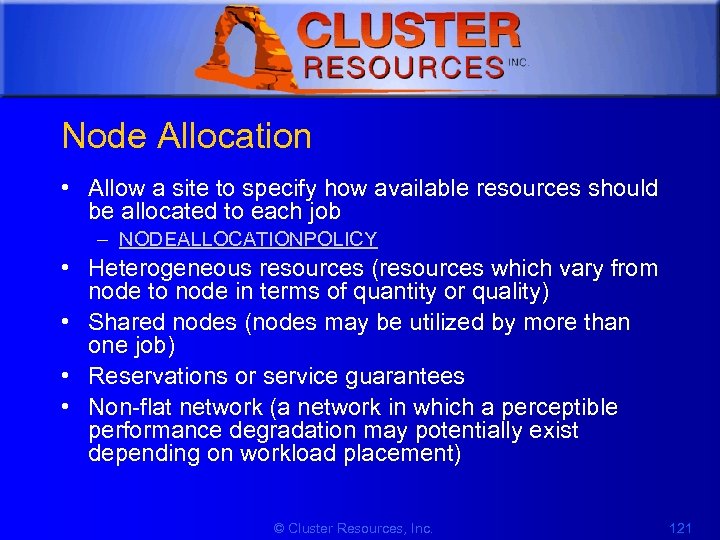 1 Node Allocation • Allow a site to specify how available resources should be allocated to each job – NODEALLOCATIONPOLICY • Heterogeneous resources (resources which vary from node to node in terms of quantity or quality) • Shared nodes (nodes may be utilized by more than one job) • Reservations or service guarantees • Non-flat network (a network in which a perceptible performance degradation may potentially exist depending on workload placement) © Cluster Resources, Inc. 121
 1 Resource Based Algorithms • • • CPULOAD FIRSTAVAILABLE LASTAVAILABLE PRIORITY MINRESOURCE CONTIGUOUS MAXBALANCE FASTEST LOCAL © Cluster Resources, Inc. 122
 1 Other Algorithms • Time Based Algorithms – Large backlog – Large number of system or standing reservations – Heavy use of backfill • Locally Defined Algorithms • Specifying Per Job Resource Preferences © Cluster Resources, Inc. 123
 1 Resource Provisioning • Selects a resource to modify if resources are not available to meet the needs of the current requests • Configure an interface to a provisioning manager – System. Imager – Xen © Cluster Resources, Inc. 124
 1 Partitions • Divide Resources along Resource and Political Boundaries • Avoid Partitions when possible (Use Node. Sets, or Reservations) • Cannot Span Resource Managers • Jobs can Span with COALLOC Flag • Partition Access can be Managed on a Credential Basis http: //clusterresources. com/moabdocs/7. 2 partitions. shtml © Cluster Resources, Inc. 125
![1 Defining Partitions • NODECFG # moab. cfg NODECFG[node 001] NODECFG[node 002] . .](https://present5.com/presentation/c8fc53a80907f6569979e02f18cd2bc9/image-126.jpg "1 Defining Partitions • NODECFG # moab. cfg NODECFG[node 001] NODECFG[node 002] . .") 1 Defining Partitions • NODECFG # moab. cfg NODECFG[node 001] NODECFG[node 002] . . . NODECFG[node 049] RMCFG[base] PARTITION=astronomy PARTITION=math TYPE=PBS © Cluster Resources, Inc. 126
1 Defining Partitions • NODECFG # moab. cfg NODECFG[node 001] NODECFG[node 002] . . . NODECFG[node 049] RMCFG[base] PARTITION=astronomy PARTITION=math TYPE=PBS © Cluster Resources, Inc. 126
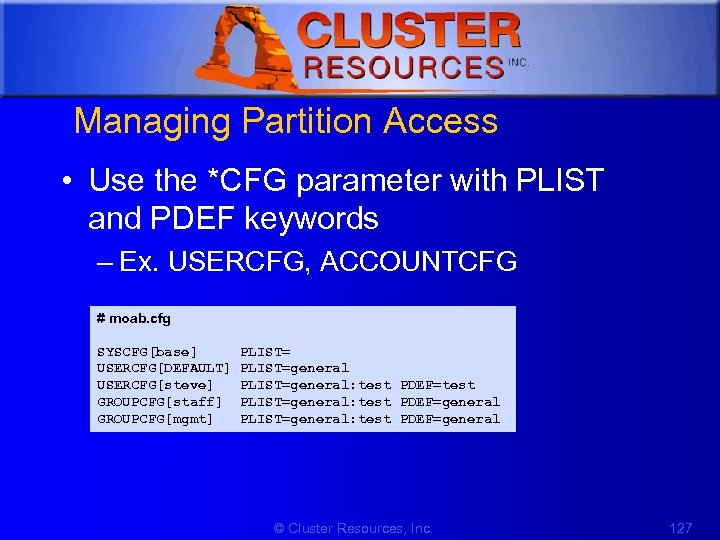 1 Managing Partition Access • Use the *CFG parameter with PLIST and PDEF keywords – Ex. USERCFG, ACCOUNTCFG # moab. cfg SYSCFG[base] PLIST= USERCFG[DEFAULT] PLIST=general USERCFG[steve] PLIST=general: test PDEF=test GROUPCFG[staff] PLIST=general: test PDEF=general GROUPCFG[mgmt] PLIST=general: test PDEF=general © Cluster Resources, Inc. 127
 1 Partitions cont. • Requesting Partitions – Add -l partition=test to qsub command line (For Torque) – Select partition in Moab Cluster Manager or Moab Access Portal • Special jobs may be allowed to span the resources of multiple partitions if desired by associating the job with a QOS which has the flag 'COALLOC' set. © Cluster Resources, Inc. 128
 1 7. Peer to Peer (Grids) • • • Cluster Stack / Framework Moab P 2 P Grid Peer Configuration Resource Control Overview Data Management Security http: //clusterresources. com/moabdocs/17. 0 peertopeer. shtml © Cluster Resources, Inc. 129
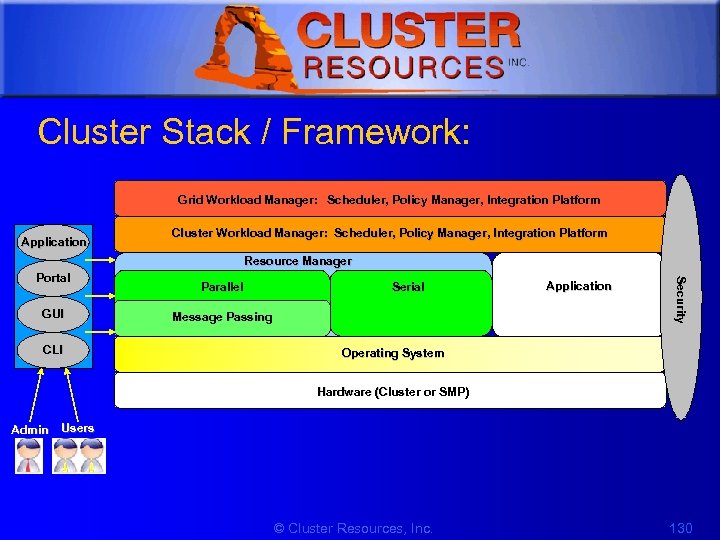 1 Cluster Stack / Framework: Grid Workload Manager: Scheduler, Policy Manager, Integration Platform Application Cluster Workload Manager: Scheduler, Policy Manager, Integration Platform Resource Manager GUI CLI Parallel Serial Message Passing Application Security Portal Operating System Hardware (Cluster or SMP) Admin Users © Cluster Resources, Inc. 130
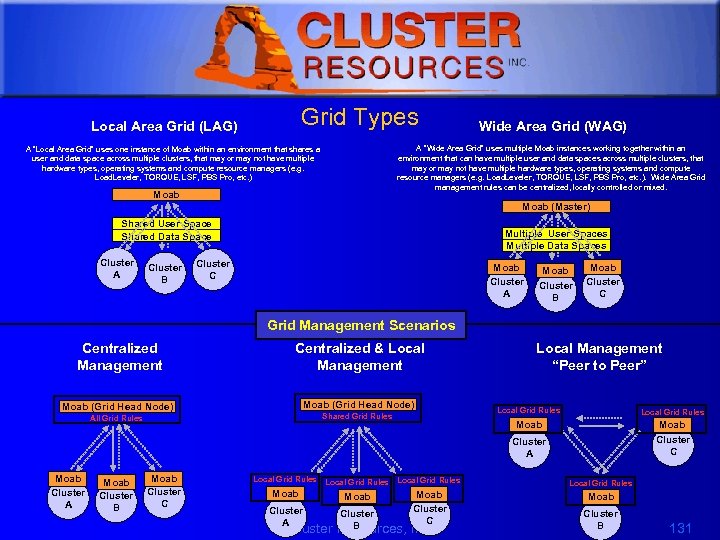 1 Grid Types Local Area Grid (LAG) Wide Area Grid (WAG) A “Wide Area Grid” uses multiple Moab instances working together within an environment that can have multiple user and data spaces across multiple clusters, that may or may not have multiple hardware types, operating systems and compute resource managers (e. g. Load. Leveler, TORQUE, LSF, PBS Pro, etc. ). Wide Area Grid management rules can be centralized, locally controlled or mixed. A “Local Area Grid” uses one instance of Moab within an environment that shares a user and data space across multiple clusters, that may or may not have multiple hardware types, operating systems and compute resource managers (e. g. Load. Leveler, TORQUE, LSF, PBS Pro, etc. ) Moab (Master) Shared User Space Shared Data Space Cluster A Cluster B Multiple User Spaces Multiple Data Spaces Cluster C Moab Cluster A Moab Cluster B Moab Cluster C Grid Management Scenarios Centralized Management Centralized & Local Management Moab (Grid Head Node) Local Grid Rules Moab Shared Grid Rules All Grid Rules Local Management “Peer to Peer” Moab Cluster C Cluster A Moab Cluster B Moab Cluster C Local Grid Rules Moab Cluster A Local Grid Rules Moab Cluster C Moab Cluster B © Cluster Resources, Inc. Cluster B 131
 1 Grid Benefits • • • Scalability Resource Access Load-Balancing Single System Image (SSI) High Availability © Cluster Resources, Inc. 132
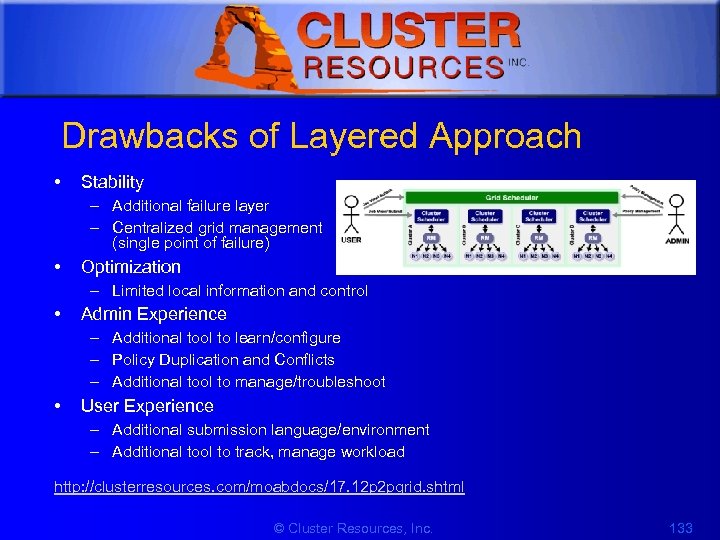 1 Drawbacks of Layered Approach • Stability – Additional failure layer – Centralized grid management (single point of failure) • Optimization – Limited local information and control • Admin Experience – Additional tool to learn/configure – Policy Duplication and Conflicts – Additional tool to manage/troubleshoot • User Experience – Additional submission language/environment – Additional tool to track, manage workload http: //clusterresources. com/moabdocs/17. 12 p 2 pgrid. shtml © Cluster Resources, Inc. 133
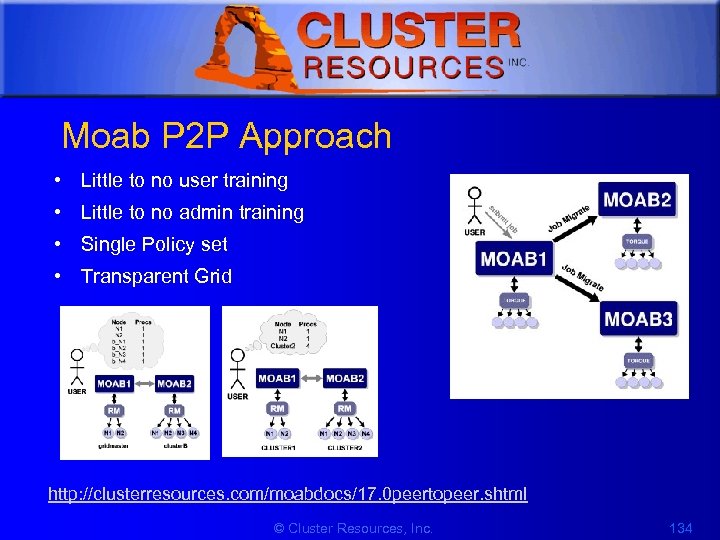 1 Moab P 2 P Approach • Little to no user training • Little to no admin training • Single Policy set • Transparent Grid http: //clusterresources. com/moabdocs/17. 0 peertopeer. shtml © Cluster Resources, Inc. 134
 1 Integrated Moab P 2 P/Grid Capabilities • Distributed Resource Management • Distributed Job Management • Grid Information Management – Resource and Job Views • Credential Management and Mapping • Distributed Accounting • Data Management © Cluster Resources, Inc. 135
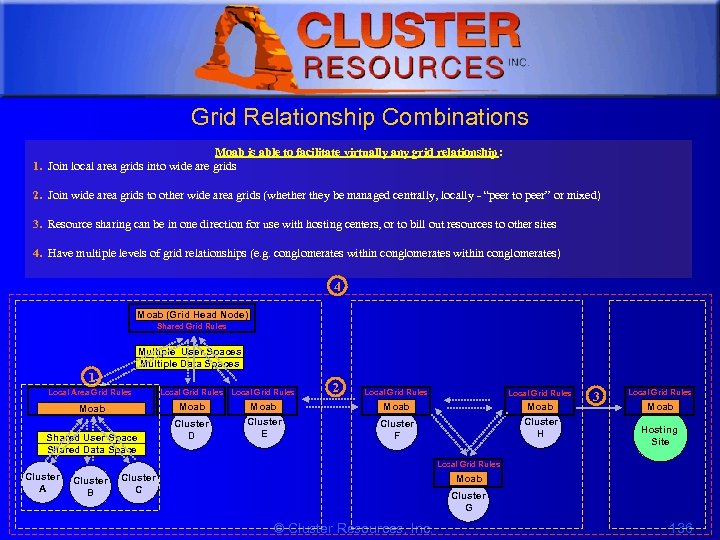 1 Grid Relationship Combinations Moab is able to facilitate virtually any grid relationship: 1. Join local area grids into wide are grids 2. Join wide area grids to other wide area grids (whether they be managed centrally, locally - “peer to peer” or mixed) 3. Resource sharing can be in one direction for use with hosting centers, or to bill out resources to other sites 4. Have multiple levels of grid relationships (e. g. conglomerates within conglomerates) 4 Moab (Grid Head Node) Shared Grid Rules Multiple User Spaces Multiple Data Spaces 1 Local Area Grid Rules Local Grid Rules Moab Cluster E Shared User Space Shared Data Space Cluster D 2 Local Grid Rules Moab Cluster H Cluster F 3 Local Grid Rules Moab Hosting Site Local Grid Rules Cluster A Cluster B Cluster C Moab Cluster G © Cluster Resources, Inc. 136
![1 Basic P 2 P Example # moab. cfg for Cluster A SCHEDCFG[Cluster. A]](https://present5.com/presentation/c8fc53a80907f6569979e02f18cd2bc9/image-137.jpg "1 Basic P 2 P Example # moab. cfg for Cluster A SCHEDCFG[Cluster. A]") 1 Basic P 2 P Example # moab. cfg for Cluster A SCHEDCFG[Cluster. A] RMCFG[Cluster. B] TYPE=MOAB SERVER=node 03: 41000 RMCFG[Cluster. B. INBOUND] FLAGS=CLIENT=Cluster. B # moab-private. cfg for Cluster A CLIENTCFG[RM: Cluster. B] KEY=fet$wl 02 AUTH=admin 1 # moab. cfg for Cluster B SCHEDCFG[Cluster. B] RMCFG[Cluster. A] TYPE=MOAB SERVER=node 01: 41000 RMCFG[Cluster. A. INBOUND] FLAGS=CLIENT=Cluster. A # moab-private. cfg for Cluster B CLIENTCFG[RM: Cluster. A] KEY=fet$wl 02 AUTH=admin 1 © Cluster Resources, Inc. 137
1 Basic P 2 P Example # moab. cfg for Cluster A SCHEDCFG[Cluster. A] RMCFG[Cluster. B] TYPE=MOAB SERVER=node 03: 41000 RMCFG[Cluster. B. INBOUND] FLAGS=CLIENT=Cluster. B # moab-private. cfg for Cluster A CLIENTCFG[RM: Cluster. B] KEY=fet$wl 02 AUTH=admin 1 # moab. cfg for Cluster B SCHEDCFG[Cluster. B] RMCFG[Cluster. A] TYPE=MOAB SERVER=node 01: 41000 RMCFG[Cluster. A. INBOUND] FLAGS=CLIENT=Cluster. A # moab-private. cfg for Cluster B CLIENTCFG[RM: Cluster. A] KEY=fet$wl 02 AUTH=admin 1 © Cluster Resources, Inc. 137
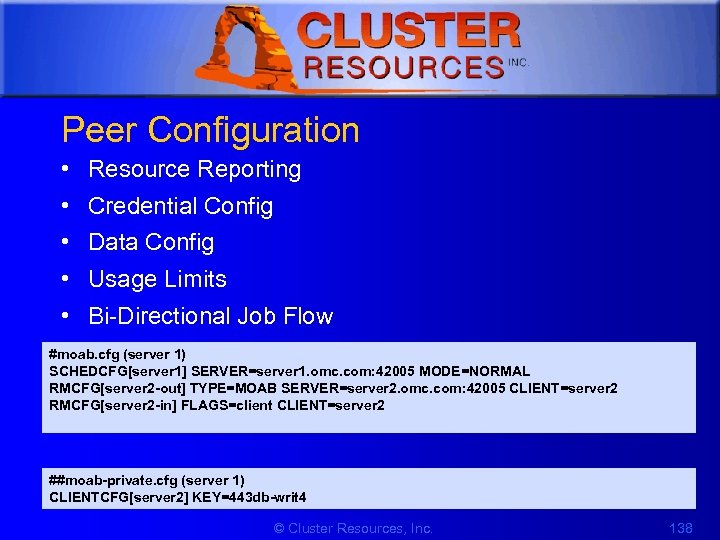 1 Peer Configuration • • • Resource Reporting Credential Config Data Config Usage Limits Bi-Directional Job Flow #moab. cfg (server 1) SCHEDCFG[server 1] SERVER=server 1. omc. com: 42005 MODE=NORMAL RMCFG[server 2 -out] TYPE=MOAB SERVER=server 2. omc. com: 42005 CLIENT=server 2 RMCFG[server 2 -in] FLAGS=client CLIENT=server 2 ##moab-private. cfg (server 1) CLIENTCFG[server 2] KEY=443 db-writ 4 © Cluster Resources, Inc. 138
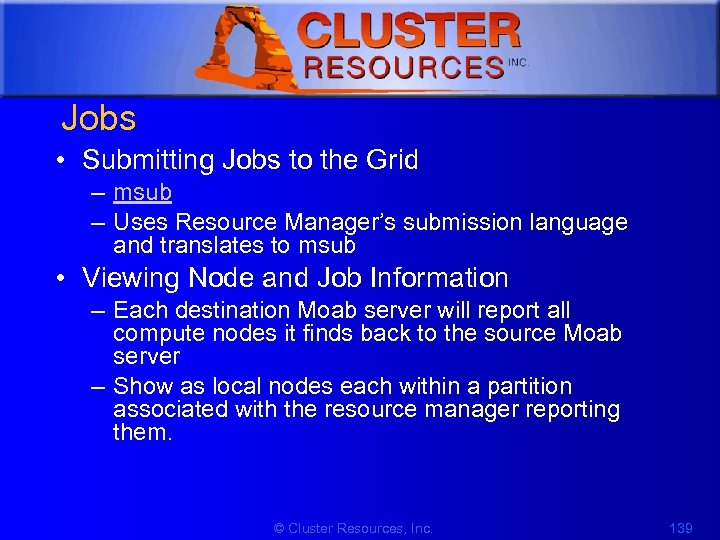 1 Jobs • Submitting Jobs to the Grid – msub – Uses Resource Manager’s submission language and translates to msub • Viewing Node and Job Information – Each destination Moab server will report all compute nodes it finds back to the source Moab server – Show as local nodes each within a partition associated with the resource manager reporting them. © Cluster Resources, Inc. 139
 1 Resource Control Overview • Full resource information – nodes appear with complete remote hostnames and full attribute information • Remapped resource information – nodes appear with remapped local hostnames and full attribute information • Grid mode – information regarding nodes reported from a remote peer is aggregated and transformed into one or more SMP-like large pseudo nodes © Cluster Resources, Inc. 140
 1 Controlling Resource Information • Direct – nodes are reported to remote clusters exactly as they appear in the local cluster • Mapped – nodes are reported as individual nodes, but node names are mapped to a unique name when imported into the remote cluster • Grid – node information is aggregated into a single large SMP-like pseudo-node before it is reported to the remote cluster © Cluster Resources, Inc. 141
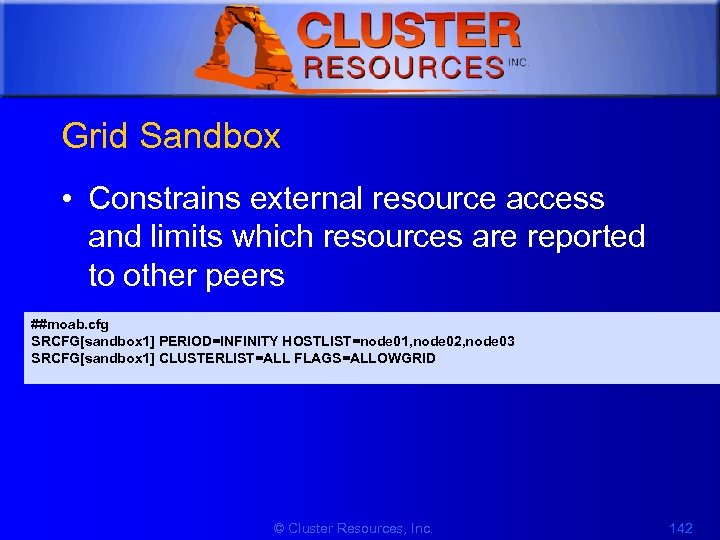 1 Grid Sandbox • Constrains external resource access and limits which resources are reported to other peers ##moab. cfg SRCFG[sandbox 1] PERIOD=INFINITY HOSTLIST=node 01, node 02, node 03 SRCFG[sandbox 1] CLUSTERLIST=ALL FLAGS=ALLOWGRID © Cluster Resources, Inc. 142
![1 Access Controls • Granting Access to Local Jobs ##moab. cfg SRCFG[sandbox 2] PERIOD=INFINITY](https://present5.com/presentation/c8fc53a80907f6569979e02f18cd2bc9/image-143.jpg "1 Access Controls • Granting Access to Local Jobs ##moab. cfg SRCFG[sandbox 2] PERIOD=INFINITY") 1 Access Controls • Granting Access to Local Jobs ##moab. cfg SRCFG[sandbox 2] PERIOD=INFINITY HOSTLIST=node 04, node 05, node 06 SRCFG[sandbox 2] FLAGS=ALLOWGRID QOSLIST=high GROUPLIST=engineer • Peer Access Control ##moab. cfg (Cluster 1) SRCFG[sandbox 1] PERIOD=INFINITY HOSTLIST=node 01, node 02, node 03, node 04, node 05 SRCFG[sandbox 1] FLAGS=ALLOWGRID CLUSTERLIST=Cluster. B SRCFG[sandbox 2] PERIOD=INFINITY HOSTLIST=node 6 FLAGS=ALLOWGRID SRCFG[sandbox 2] CLUSTERLIST=Cluster. B, Cluster. C, Cluster. D USERLIST=ALL © Cluster Resources, Inc. 143
1 Access Controls • Granting Access to Local Jobs ##moab. cfg SRCFG[sandbox 2] PERIOD=INFINITY HOSTLIST=node 04, node 05, node 06 SRCFG[sandbox 2] FLAGS=ALLOWGRID QOSLIST=high GROUPLIST=engineer • Peer Access Control ##moab. cfg (Cluster 1) SRCFG[sandbox 1] PERIOD=INFINITY HOSTLIST=node 01, node 02, node 03, node 04, node 05 SRCFG[sandbox 1] FLAGS=ALLOWGRID CLUSTERLIST=Cluster. B SRCFG[sandbox 2] PERIOD=INFINITY HOSTLIST=node 6 FLAGS=ALLOWGRID SRCFG[sandbox 2] CLUSTERLIST=Cluster. B, Cluster. C, Cluster. D USERLIST=ALL © Cluster Resources, Inc. 143
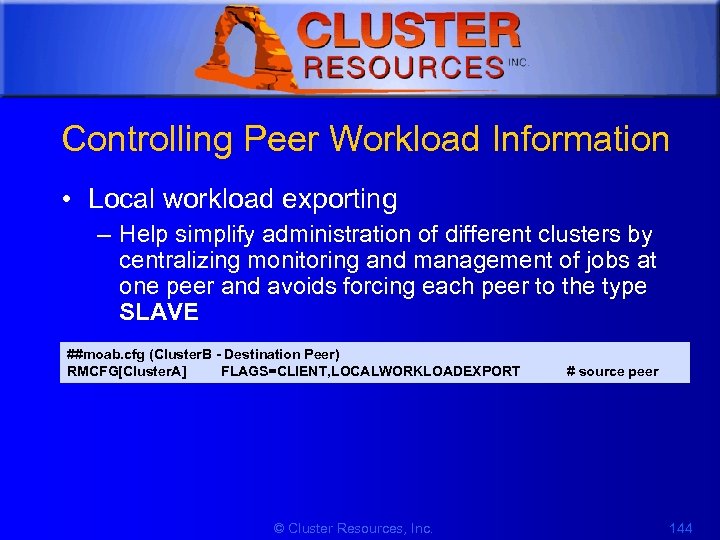 1 Controlling Peer Workload Information • Local workload exporting – Help simplify administration of different clusters by centralizing monitoring and management of jobs at one peer and avoids forcing each peer to the type SLAVE ##moab. cfg (Cluster. B - Destination Peer) RMCFG[Cluster. A] FLAGS=CLIENT, LOCALWORKLOADEXPORT # source peer © Cluster Resources, Inc. 144
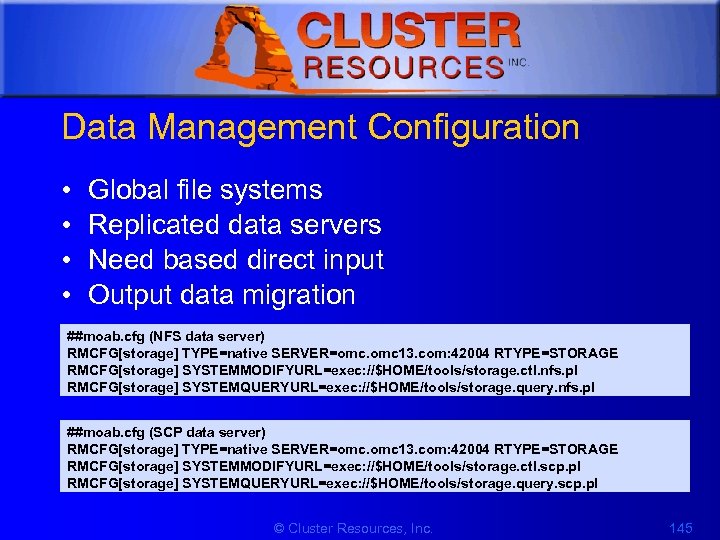 1 Data Management Configuration • • Global file systems Replicated data servers Need based direct input Output data migration ##moab. cfg (NFS data server) RMCFG[storage] TYPE=native SERVER=omc. omc 13. com: 42004 RTYPE=STORAGE RMCFG[storage] SYSTEMMODIFYURL=exec: //$HOME/tools/storage. ctl. nfs. pl RMCFG[storage] SYSTEMQUERYURL=exec: //$HOME/tools/storage. query. nfs. pl ##moab. cfg (SCP data server) RMCFG[storage] TYPE=native SERVER=omc. omc 13. com: 42004 RTYPE=STORAGE RMCFG[storage] SYSTEMMODIFYURL=exec: //$HOME/tools/storage. ctl. scp. pl RMCFG[storage] SYSTEMQUERYURL=exec: //$HOME/tools/storage. query. scp. pl © Cluster Resources, Inc. 145
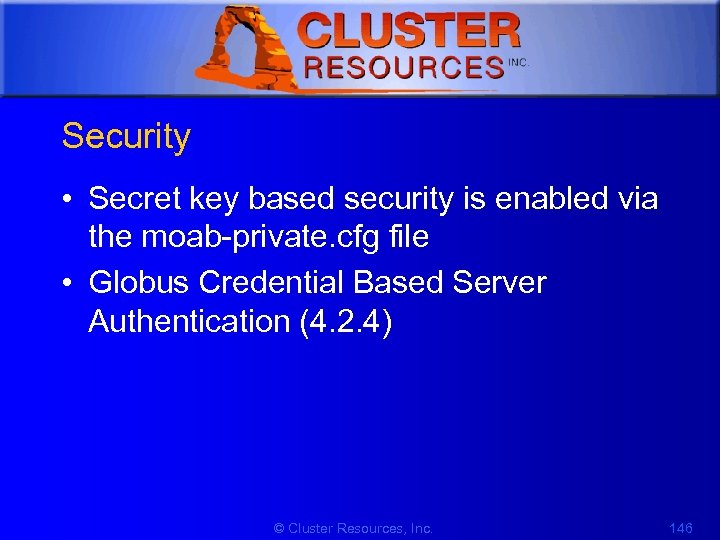 1 Security • Secret key based security is enabled via the moab-private. cfg file • Globus Credential Based Server Authentication (4. 2. 4) © Cluster Resources, Inc. 146
![1 Credential Management • Peer Credential Mapping ##moab. cfg SCHEDCFG[master 1] MODE=normal RMCFG[slave 1]](https://present5.com/presentation/c8fc53a80907f6569979e02f18cd2bc9/image-147.jpg "1 Credential Management • Peer Credential Mapping ##moab. cfg SCHEDCFG[master 1] MODE=normal RMCFG[slave 1]") 1 Credential Management • Peer Credential Mapping ##moab. cfg SCHEDCFG[master 1] MODE=normal RMCFG[slave 1] OMAP=file: ///opt/moab/omap. dat ##/opt/moab/omap. dat (source object map file) user: joe, jsmith user: steve, sjohnson group: test, staff class: batch, serial user: *, grid • Source and Destination Side Credential Mapping © Cluster Resources, Inc. 147
1 Credential Management • Peer Credential Mapping ##moab. cfg SCHEDCFG[master 1] MODE=normal RMCFG[slave 1] OMAP=file: ///opt/moab/omap. dat ##/opt/moab/omap. dat (source object map file) user: joe, jsmith user: steve, sjohnson group: test, staff class: batch, serial user: *, grid • Source and Destination Side Credential Mapping © Cluster Resources, Inc. 147
![1 • Preventing User Space Collisions ##moab. cfg SCHEDCFG[master 1] MODE=normal RMCFG[slave 1] OMAP=file:](https://present5.com/presentation/c8fc53a80907f6569979e02f18cd2bc9/image-148.jpg "1 • Preventing User Space Collisions ##moab. cfg SCHEDCFG[master 1] MODE=normal RMCFG[slave 1] OMAP=file:") 1 • Preventing User Space Collisions ##moab. cfg SCHEDCFG[master 1] MODE=normal RMCFG[slave 1] OMAP=file: ///opt/moab/omap. dat FLAGS=client ##/opt/moab/omap. dat (source object map file) user: *, c 1_* group: *, *_ grid account: *, temp_* • Interfacing with Globus GRAM ##moab. cfg SCHEDCFG[c 1] SERVER=head. c 1. hpc. org RMCFG[c 2] SERVER=head. c 2. hpc. org TYPE=moab JOBSTAGEMETHOD=globus © Cluster Resources, Inc. 148
1 • Preventing User Space Collisions ##moab. cfg SCHEDCFG[master 1] MODE=normal RMCFG[slave 1] OMAP=file: ///opt/moab/omap. dat FLAGS=client ##/opt/moab/omap. dat (source object map file) user: *, c 1_* group: *, *_ grid account: *, temp_* • Interfacing with Globus GRAM ##moab. cfg SCHEDCFG[c 1] SERVER=head. c 1. hpc. org RMCFG[c 2] SERVER=head. c 2. hpc. org TYPE=moab JOBSTAGEMETHOD=globus © Cluster Resources, Inc. 148
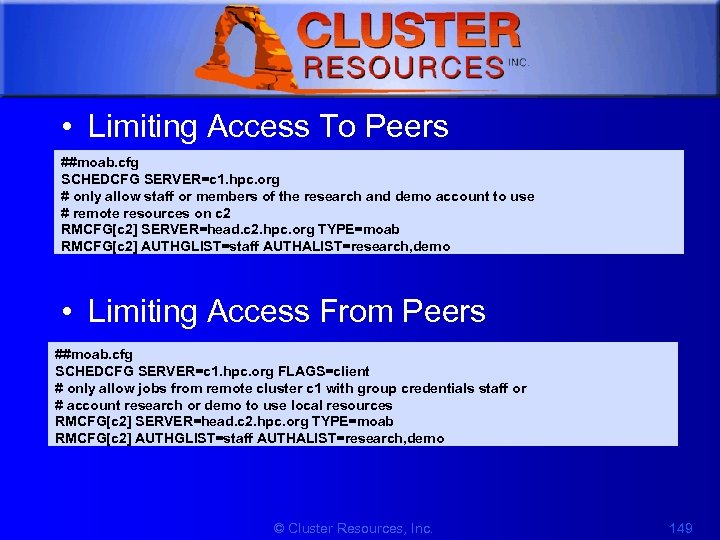 1 • Limiting Access To Peers ##moab. cfg SCHEDCFG SERVER=c 1. hpc. org # only allow staff or members of the research and demo account to use # remote resources on c 2 RMCFG[c 2] SERVER=head. c 2. hpc. org TYPE=moab RMCFG[c 2] AUTHGLIST=staff AUTHALIST=research, demo • Limiting Access From Peers ##moab. cfg SCHEDCFG SERVER=c 1. hpc. org FLAGS=client # only allow jobs from remote cluster c 1 with group credentials staff or # account research or demo to use local resources RMCFG[c 2] SERVER=head. c 2. hpc. org TYPE=moab RMCFG[c 2] AUTHGLIST=staff AUTHALIST=research, demo © Cluster Resources, Inc. 149
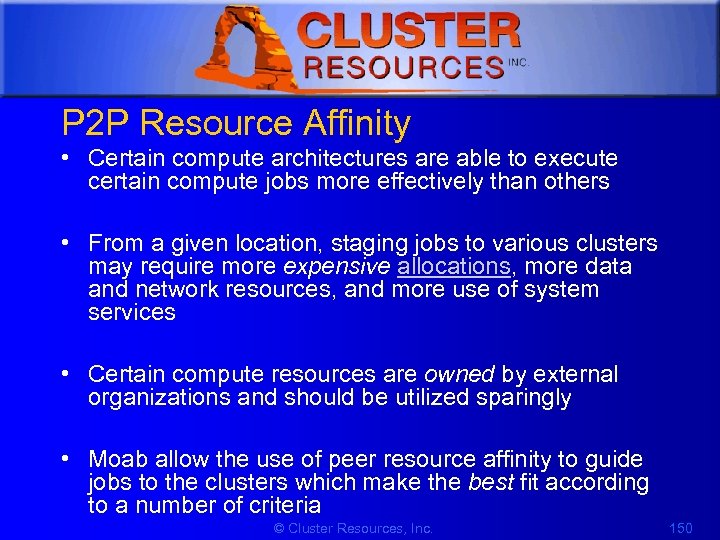 1 P 2 P Resource Affinity • Certain compute architectures are able to execute certain compute jobs more effectively than others • From a given location, staging jobs to various clusters may require more expensive allocations, more data and network resources, and more use of system services • Certain compute resources are owned by external organizations and should be utilized sparingly • Moab allow the use of peer resource affinity to guide jobs to the clusters which make the best fit according to a number of criteria © Cluster Resources, Inc. 150
 1 Management and Troubleshooting • Peer Management Overview – Use 'mdiag -R' to view interface health and performance/usage statistics – Use 'mrmctl' to enable/disable peer interfaces – Use 'mrmctl -m' to dynamically modify/configure peer interfaces • Peer Management Overview – Use 'mdiag -R' to diagnose general RM interfaces – Use 'mdiag -S' to diagnose general scheduler health – Use 'mdiag -R
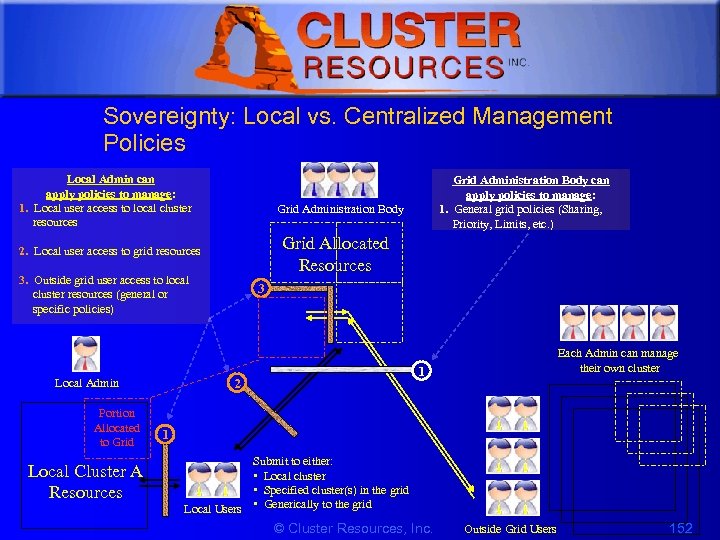 1 Sovereignty: Local vs. Centralized Management Policies Local Admin can apply policies to manage: 1. Local user access to local cluster resources Grid Administration Body Grid Allocated Resources 2. Local user access to grid resources 3. Outside grid user access to local cluster resources (general or specific policies) Portion Allocated to Grid Local Cluster A Resources 3 Each Admin can manage their own cluster 1 2 Local Admin Grid Administration Body can apply policies to manage: 1. General grid policies (Sharing, Priority, Limits, etc. ) 1 Submit to either: • Local cluster • Specified cluster(s) in the grid Local Users • Generically to the grid © Cluster Resources, Inc. Outside Grid Users 152
 1 Data Staging • Data Staging Models • Interface Scripts for a Storage Resource Manager © Cluster Resources, Inc. 153
 1 Data Staging • Manages intra-cluster and inter-cluster job data staging requirements so as to minimize resource inefficiencies and maximize system utilization • Prevent the loss of compute resources due data blocking and can significantly improve cluster performance. © Cluster Resources, Inc. 154
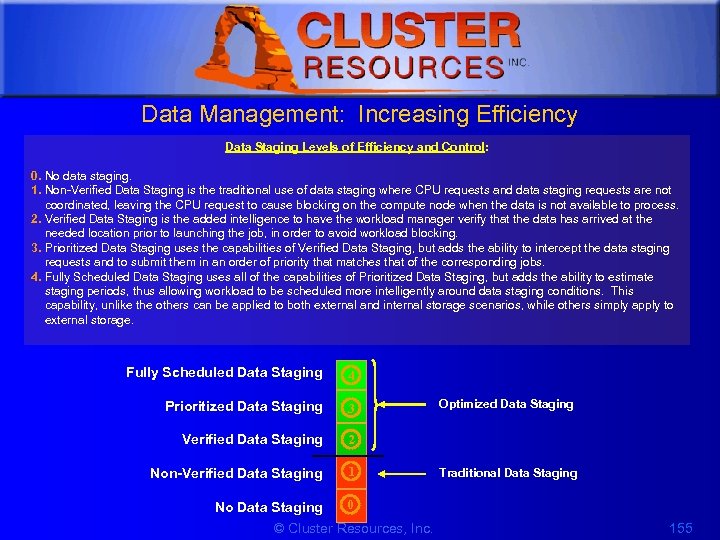 1 Data Management: Increasing Efficiency Data Staging Levels of Efficiency and Control: 0. No data staging. 1. Non-Verified Data Staging is the traditional use of data staging where CPU requests and data staging requests are not coordinated, leaving the CPU request to cause blocking on the compute node when the data is not available to process. 2. Verified Data Staging is the added intelligence to have the workload manager verify that the data has arrived at the needed location prior to launching the job, in order to avoid workload blocking. 3. Prioritized Data Staging uses the capabilities of Verified Data Staging, but adds the ability to intercept the data staging requests and to submit them in an order of priority that matches that of the corresponding jobs. 4. Fully Scheduled Data Staging uses all of the capabilities of Prioritized Data Staging, but adds the ability to estimate staging periods, thus allowing workload to be scheduled more intelligently around data staging conditions. This capability, unlike the others can be applied to both external and internal storage scenarios, while others simply apply to external storage. Fully Scheduled Data Staging 4 Prioritized Data Staging 3 Verified Data Staging 2 Non-Verified Data Staging 1 No Data Staging 0 © Cluster Resources, Inc. Optimized Data Staging Traditional Data Staging 155
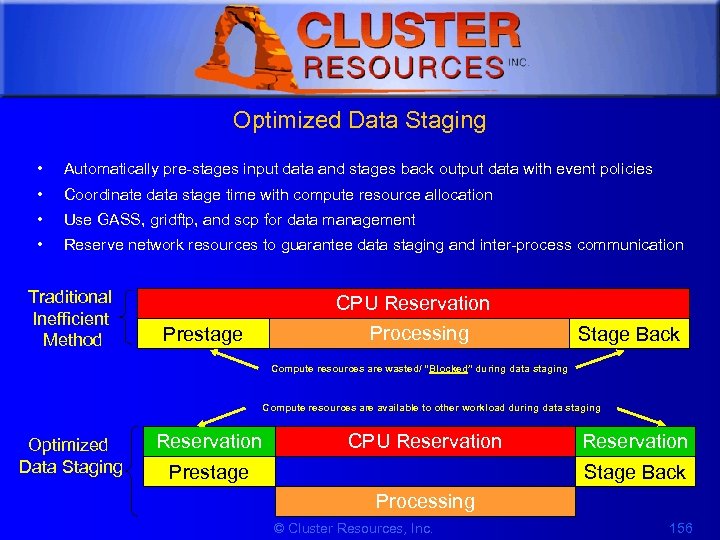 1 Optimized Data Staging • Automatically pre-stages input data and stages back output data with event policies • Coordinate data stage time with compute resource allocation • Use GASS, gridftp, and scp for data management • Reserve network resources to guarantee data staging and inter-process communication Traditional Inefficient Method CPU Reservation Processing Prestage Stage Back Compute resources are wasted/ “Blocked” during data staging Compute resources are available to other workload during data staging Optimized Data Staging Reservation CPU Reservation Prestage Reservation Stage Back Processing © Cluster Resources, Inc. 156
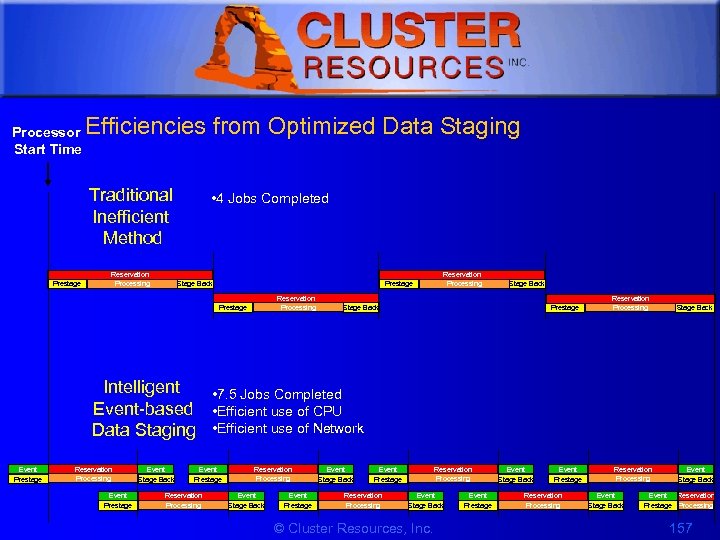 1 Processor Start Time Efficiencies from Optimized Data Staging Traditional Inefficient Method Prestage Reservation Processing • 4 Jobs Completed Stage Back Prestage Reservation Processing Stage Back Intelligent • 7. 5 Jobs Completed Event-based • Efficient use of CPU Data Staging • Efficient use of Network Event Prestage Reservation Processing Event Prestage Event Stage Back Event Prestage Reservation Processing Event Stage Back © Cluster Resources, Inc. Event Prestage Event Stage Back Event Prestage Reservation Processing Event Stage Back Event Reservation Prestage Processing 157
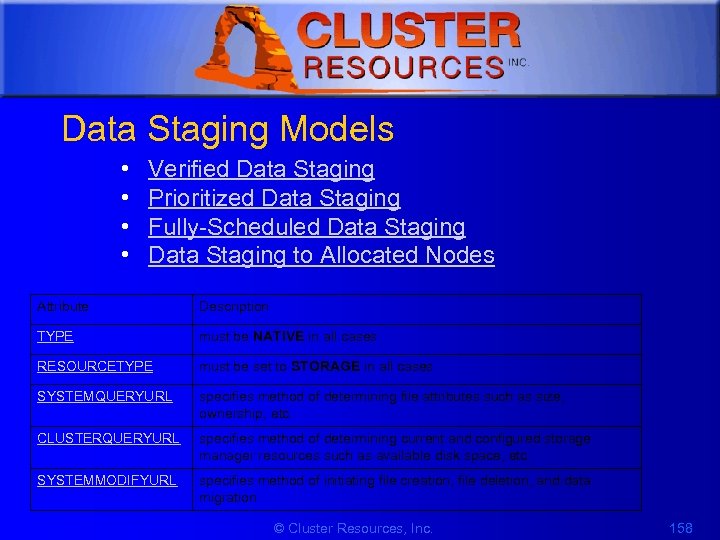 1 Data Staging Models • • Verified Data Staging Prioritized Data Staging Fully-Scheduled Data Staging to Allocated Nodes Attribute Description TYPE must be NATIVE in all cases RESOURCETYPE must be set to STORAGE in all cases SYSTEMQUERYURL specifies method of determining file attributes such as size, ownership, etc. CLUSTERQUERYURL specifies method of determining current and configured storage manager resources such as available disk space, etc. SYSTEMMODIFYURL specifies method of initiating file creation, file deletion, and data migration © Cluster Resources, Inc. 158
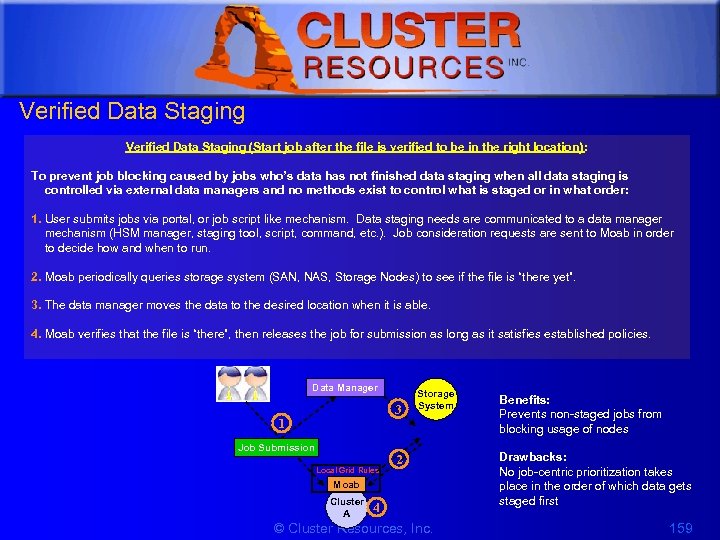 1 Verified Data Staging (Start job after the file is verified to be in the right location) : To prevent job blocking caused by jobs who’s data has not finished data staging when all data staging is controlled via external data managers and no methods exist to control what is staged or in what order: 1. User submits jobs via portal, or job script like mechanism. Data staging needs are communicated to a data manager mechanism (HSM manager, staging tool, script, command, etc. ). Job consideration requests are sent to Moab in order to decide how and when to run. 2. Moab periodically queries storage system (SAN, NAS, Storage Nodes) to see if the file is “there yet”. 3. The data manager moves the data to the desired location when it is able. 4. Moab verifies that the file is “there”, then releases the job for submission as long as it satisfies established policies. Data Manager 3 1 Job Submission Local Grid Rules Storage System 2 Moab Cluster A 4 © Cluster Resources, Inc. Benefits: Prevents non-staged jobs from blocking usage of nodes Drawbacks: No job-centric prioritization takes place in the order of which data gets staged first 159
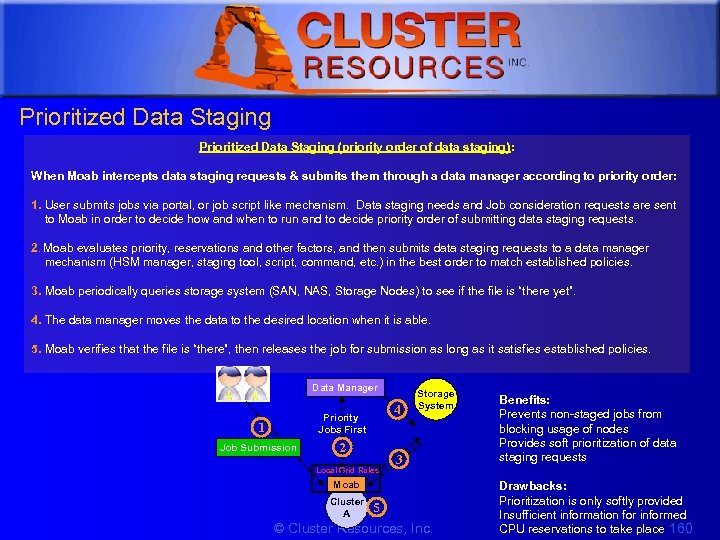 1 Prioritized Data Staging (priority order of data staging): When Moab intercepts data staging requests & submits them through a data manager according to priority order: 1. User submits jobs via portal, or job script like mechanism. Data staging needs and Job consideration requests are sent to Moab in order to decide how and when to run and to decide priority order of submitting data staging requests. 2. Moab evaluates priority, reservations and other factors, and then submits data staging requests to a data manager mechanism (HSM manager, staging tool, script, command, etc. ) in the best order to match established policies. 3. Moab periodically queries storage system (SAN, NAS, Storage Nodes) to see if the file is “there yet”. 4. The data manager moves the data to the desired location when it is able. 5. Moab verifies that the file is “there”, then releases the job for submission as long as it satisfies established policies. Data Manager 1 Priority Jobs First Job Submission 4 2 Local Grid Rules Storage System 3 Moab Cluster A 5 © Cluster Resources, Inc. Benefits: Prevents non-staged jobs from blocking usage of nodes Provides soft prioritization of data staging requests Drawbacks: Prioritization is only softly provided Insufficient information for informed CPU reservations to take place 160
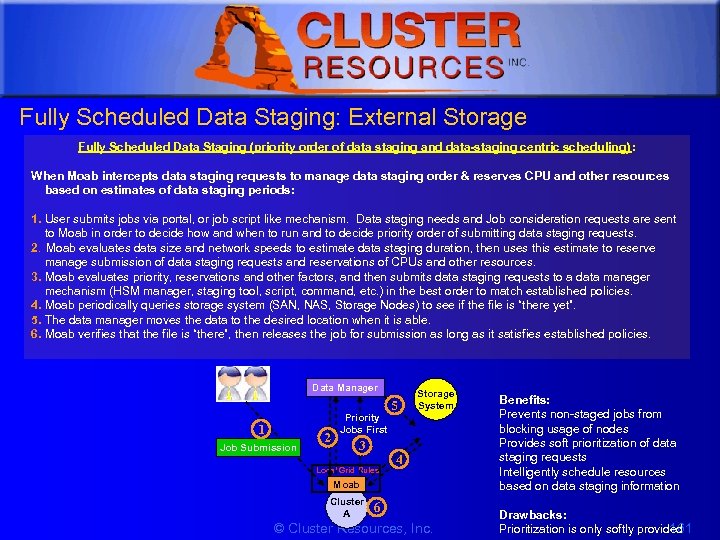 1 Fully Scheduled Data Staging: External Storage Fully Scheduled Data Staging (priority order of data staging and data-staging centric scheduling) : When Moab intercepts data staging requests to manage data staging order & reserves CPU and other resources based on estimates of data staging periods: 1. User submits jobs via portal, or job script like mechanism. Data staging needs and Job consideration requests are sent to Moab in order to decide how and when to run and to decide priority order of submitting data staging requests. 2. Moab evaluates data size and network speeds to estimate data staging duration, then uses this estimate to reserve manage submission of data staging requests and reservations of CPUs and other resources. 3. Moab evaluates priority, reservations and other factors, and then submits data staging requests to a data manager mechanism (HSM manager, staging tool, script, command, etc. ) in the best order to match established policies. 4. Moab periodically queries storage system (SAN, NAS, Storage Nodes) to see if the file is “there yet”. 5. The data manager moves the data to the desired location when it is able. 6. Moab verifies that the file is “there”, then releases the job for submission as long as it satisfies established policies. Data Manager 1 Job Submission 2 Priority Jobs First 3 Local Grid Rules 5 Storage System 4 Moab Cluster A 6 © Cluster Resources, Inc. Benefits: Prevents non-staged jobs from blocking usage of nodes Provides soft prioritization of data staging requests Intelligently schedule resources based on data staging information Drawbacks: 161 Prioritization is only softly provided
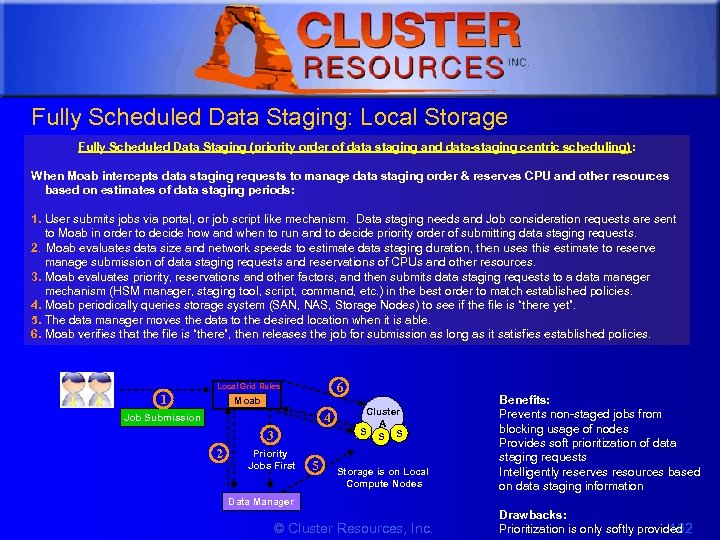 1 Fully Scheduled Data Staging: Local Storage Fully Scheduled Data Staging (priority order of data staging and data-staging centric scheduling) : When Moab intercepts data staging requests to manage data staging order & reserves CPU and other resources based on estimates of data staging periods: 1. User submits jobs via portal, or job script like mechanism. Data staging needs and Job consideration requests are sent to Moab in order to decide how and when to run and to decide priority order of submitting data staging requests. 2. Moab evaluates data size and network speeds to estimate data staging duration, then uses this estimate to reserve manage submission of data staging requests and reservations of CPUs and other resources. 3. Moab evaluates priority, reservations and other factors, and then submits data staging requests to a data manager mechanism (HSM manager, staging tool, script, command, etc. ) in the best order to match established policies. 4. Moab periodically queries storage system (SAN, NAS, Storage Nodes) to see if the file is “there yet”. 5. The data manager moves the data to the desired location when it is able. 6. Moab verifies that the file is “there”, then releases the job for submission as long as it satisfies established policies. 6 Local Grid Rules 1 Moab 4 Job Submission 3 2 Priority Jobs First 5 Cluster A S Storage is on Local Compute Nodes Benefits: Prevents non-staged jobs from blocking usage of nodes Provides soft prioritization of data staging requests Intelligently reserves resources based on data staging information Data Manager © Cluster Resources, Inc. Drawbacks: 162 Prioritization is only softly provided
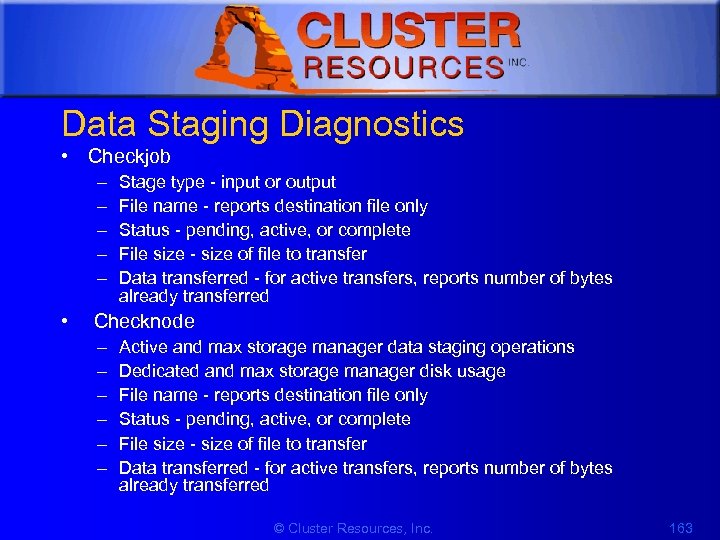 1 Data Staging Diagnostics • Checkjob – – – Stage type - input or output File name - reports destination file only Status - pending, active, or complete File size - size of file to transfer Data transferred - for active transfers, reports number of bytes already transferred • Checknode – – – Active and max storage manager data staging operations Dedicated and max storage manager disk usage File name - reports destination file only Status - pending, active, or complete File size - size of file to transfer Data transferred - for active transfers, reports number of bytes already transferred © Cluster Resources, Inc. 163
 1 Interface Scripts for a Storage Resource Manager • Moab's data staging capabilities can utilize up to 3 different native resource manager interfaces – Cluster Query Interface – System Modify Interface © Cluster Resources, Inc. 164
![1 Prioritized Data Staging Example #moab. cfg RMCFG[data] TYPE=NATIVE RESOURCETYPE=STORAGE RMCFG[data] SYSTEMQUERYURL=exec: ///opt/moab/tools/dstage. systemquery.](https://present5.com/presentation/c8fc53a80907f6569979e02f18cd2bc9/image-165.jpg "1 Prioritized Data Staging Example #moab. cfg RMCFG[data] TYPE=NATIVE RESOURCETYPE=STORAGE RMCFG[data] SYSTEMQUERYURL=exec: ///opt/moab/tools/dstage. systemquery.") 1 Prioritized Data Staging Example #moab. cfg RMCFG[data] TYPE=NATIVE RESOURCETYPE=STORAGE RMCFG[data] SYSTEMQUERYURL=exec: ///opt/moab/tools/dstage. systemquery. pl RMCFG[data] CLUSTERQUERYURL=exec: ///opt/moab/tools/dstage. clusterquery. pl RMCFG[data] SYSTEMMODIFYURL=exec: ///opt/moab/tools/dstage. systemmodify. pl © Cluster Resources, Inc. 165
1 Prioritized Data Staging Example #moab. cfg RMCFG[data] TYPE=NATIVE RESOURCETYPE=STORAGE RMCFG[data] SYSTEMQUERYURL=exec: ///opt/moab/tools/dstage. systemquery. pl RMCFG[data] CLUSTERQUERYURL=exec: ///opt/moab/tools/dstage. clusterquery. pl RMCFG[data] SYSTEMMODIFYURL=exec: ///opt/moab/tools/dstage. systemmodify. pl © Cluster Resources, Inc. 165
 1 Information Services • Monitoring performance statistics of multiple independent clusters • Detecting and diagnosing failures from geographically distributed clusters • Tracking cluster, storage, network, service, and application resources • Generating load-balancing and resource state information for users and middleware services © Cluster Resources, Inc. 166
 1 8. Accounting and Statistics • • • Job and System Statistics Event Log Fairshare Stats Client Statistic Reports Realtime and Historical Charts with Moab Cluster Manager • Native Resource Manager – GMetrics – GEvents © Cluster Resources, Inc. 167
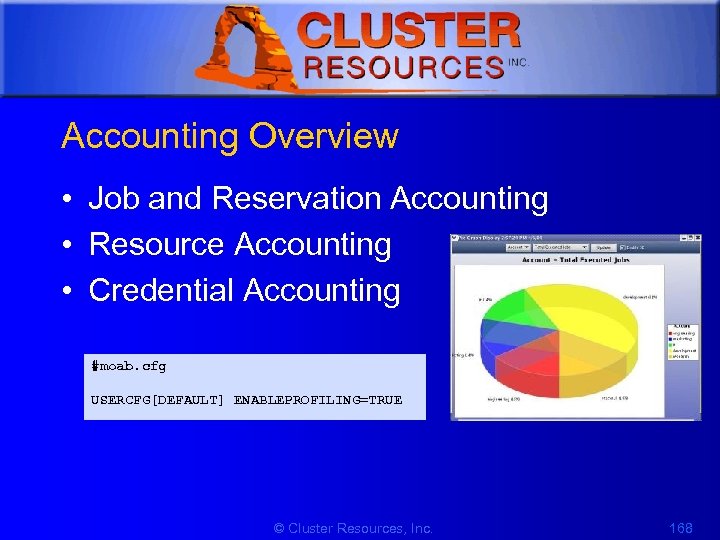 1 Accounting Overview • Job and Reservation Accounting • Resource Accounting • Credential Accounting #moab. cfg USERCFG[DEFAULT] ENABLEPROFILING=TRUE © Cluster Resources, Inc. 168
 1 Job and System Statistics • Determining cumulative cluster performance over a fixed timeframe • Graphing changes in cluster utilization and responsiveness over time • Identifying which compute resources are most heavily used • Charting resource usage distribution among users, groups, projects, and classes • Determining allocated resources, responsiveness, and/or failure conditions for jobs completed in the past • Providing real-time statistics updates to external accounting systems © Cluster Resources, Inc. 169
 1 Event Log • Report trace state and utilization records at events – Scheduler start, stop and failure – Job create, start, end, cancel, migrate, failure – Reservation create, start, stop, failure – Configurable with RECORDEVENTLIST – Can be exported to external systems http: //clusterresources. com/moabdocs/a. fparameters. shtml#recordeventlist http: //clusterresources. com/moabdocs/14. 2 logging. shtml#logevent © Cluster Resources, Inc. 170
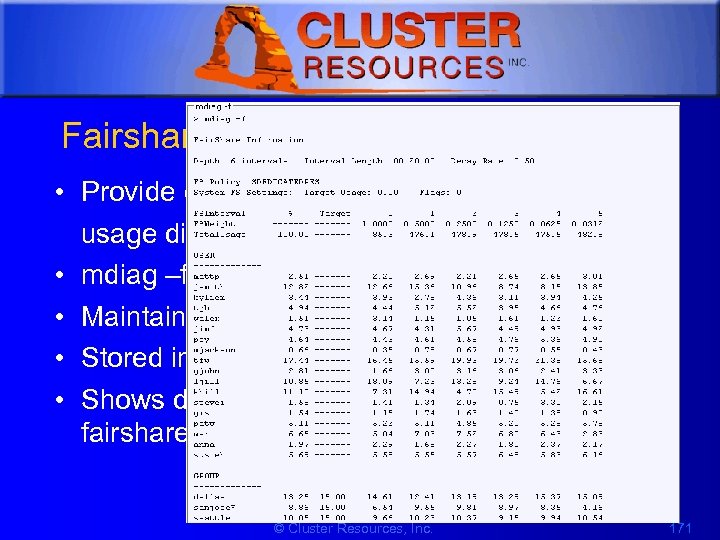 1 Fairshare stats • Provide credential-based usage distributions over time • mdiag –f • Maintained for all credentials • Stored in stats/FS. ${epochtime} • Shows detailed time-distribution usage by fairshare metric © Cluster Resources, Inc. 171
 1 Client Statistic Reports • In-Memory reports available for nodes and credentials • Node categorization allows fine-grained localized usage tracking © Cluster Resources, Inc. 172
 1 Realtime and Historical Charts with Moab Cluster Manager • Reports nodes and all creds • Allows arbitrary querying of historical timeframes with arbitrary correlations © Cluster Resources, Inc. 173
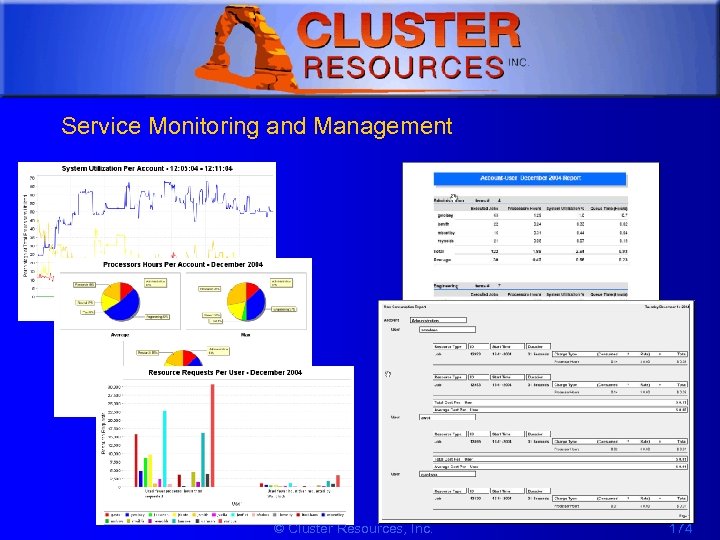 1 Service Monitoring and Management © Cluster Resources, Inc. 174
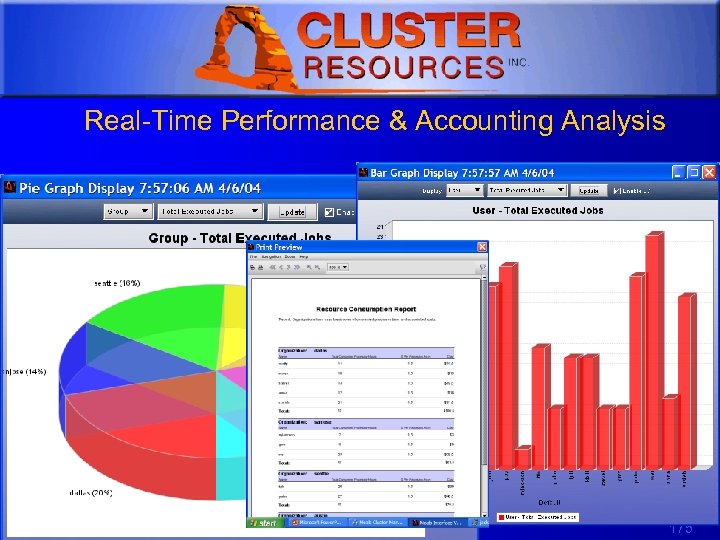 1 Real-Time Performance & Accounting Analysis © Cluster Resources, Inc. 175
 1 10. End Users • • Moab Access Portal Moab Cluster Manager End User Commands End User Empowerment © Cluster Resources, Inc. 176
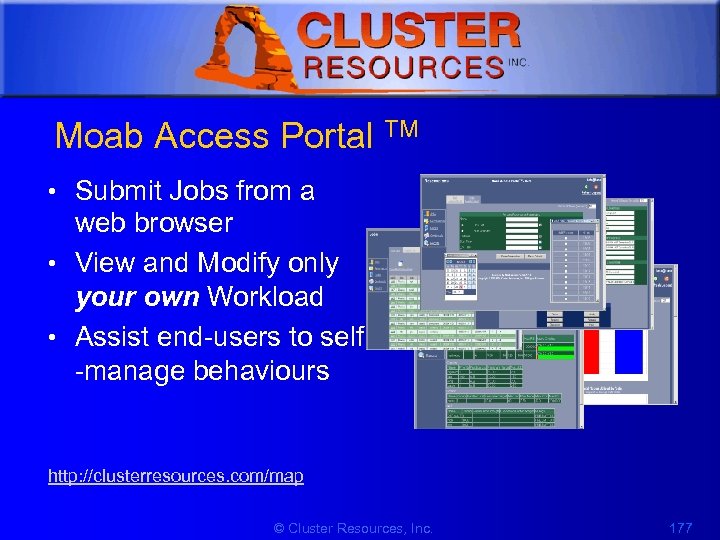 1 Moab Access Portal TM • Submit Jobs from a web browser • View and Modify only your own Workload • Assist end-users to self -manage behaviours http: //clusterresources. com/map © Cluster Resources, Inc. 177
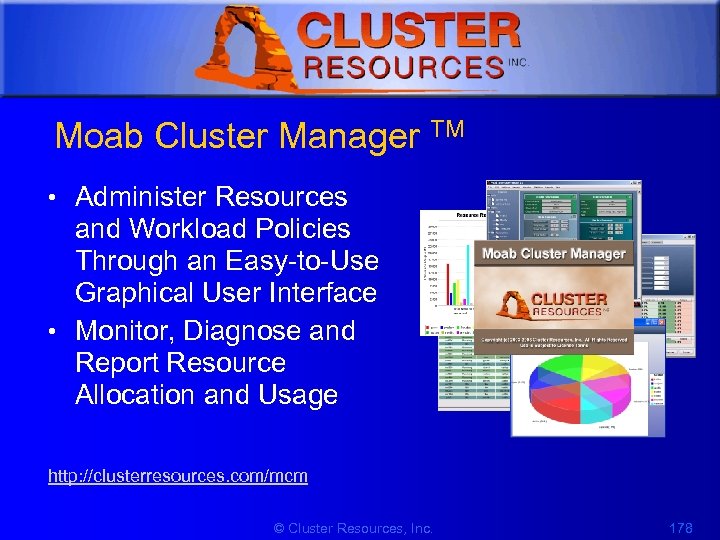 1 Moab Cluster Manager TM • Administer Resources and Workload Policies Through an Easy-to-Use Graphical User Interface • Monitor, Diagnose and Report Resource Allocation and Usage http: //clusterresources. com/mcm © Cluster Resources, Inc. 178
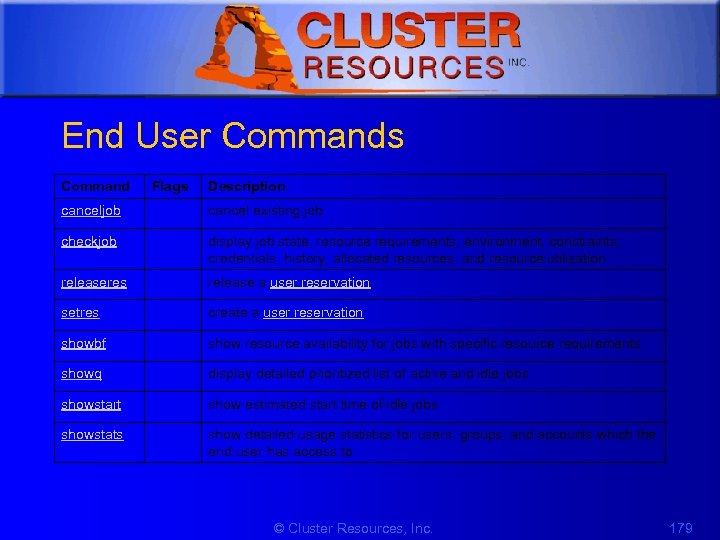 1 End User Commands Command Flags Description canceljob cancel existing job checkjob display job state, resource requirements, environment, constraints, credentials, history, allocated resources, and resource utilization releaseres release a user reservation setres create a user reservation showbf show resource availability for jobs with specific resource requirements showq display detailed prioritized list of active and idle jobs showstart show estimated start time of idle jobs showstats show detailed usage statistics for users, groups, and accounts which the end user has access to © Cluster Resources, Inc. 179
 1 Assist Users in Better Utilizing Resources • • • General info Job eval Completed job failure post-mortem Job start time estimates Job control Reservation control © Cluster Resources, Inc. 180
 1 Assist Users in Better Utilizing Resources (contd) • How do You Evaluate a Request – showstart (Earliest start, completion time, etc. ) – showstats –f (General service level statistics) – showstats –u (User Statistics) – showbf (Immediately available resources) © Cluster Resources, Inc. 181